0x00 Preface
I created this series because online Java code-audit material is usually fragmented and unfriendly to beginners. I am also learning Java auditing, so the series records and summarizes the process.[1][2][3][4][5][6][7]
This series is primarily forreaders with basic Java syntax knowledge. The series covers audit environments, SQL injection, XSS, SSRF, RCE, file inclusion, deserialization, classic Struts2 and WebLogic vulnerabilities, Fastjson, Jackson, and related case studies. The order may change, but the overall scope will remain. I hope the series proves useful.
The following articles are currently complete:
[Introduction to Java Code Auditing—01] Preparing for an Audit /codeaudit/588.html
[Introduction to Java Code Auditing—02] SQL Injection Principles and Case Study /codeaudit/600.html
[Introduction to Java Code Auditing—03] XSS Principles and Case Study /codeaudit/605.html
0x01 Preface
Download the SSRF test source:
https://github.com/cn-panda/JavaCodeAudit
Import the project to obtain the following directory structure:
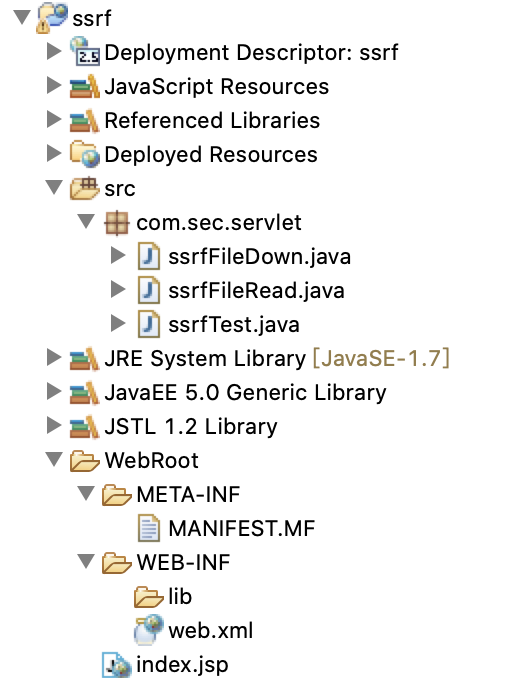
project is a simple implementation that simulates HTTP requests.
0x02 Vulnerability Principles
Server-Side Request Forgery (SSRF), one of the OWASP Top risks, occurs when an attacker supplies a payload that the server executes as a request. It is often used from the public Internet to probe or attack internal services. Java networking supports many protocols, including http, https, file, ftp, mailto, jar, and netdoc:
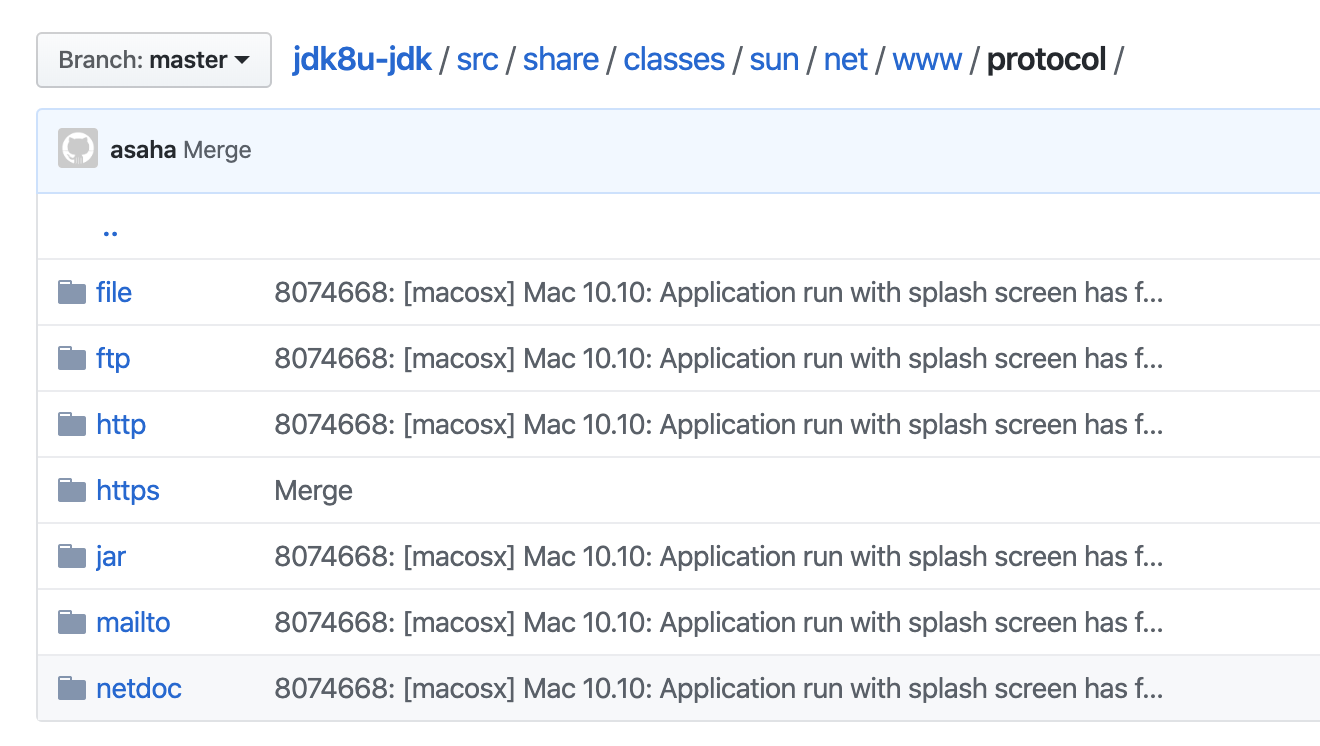
Compared with PHP, Java SSRF exploitation is more constrained. In practice, HTTP/HTTPS is commonly used for port probing or brute-force requests, while file URLs can read or download arbitrary local files.
This article demonstrates port probing and arbitrary file reading/download.
1. Port Probing
			String url = request.getParameter("url");
			String htmlContent;
			try {
				URL u = new URL(url);
				URLConnection urlConnection = u.openConnection();
				HttpURLConnection httpUrl = (HttpURLConnection) urlConnection;
				BufferedReader base = new BufferedReader(new InputStreamReader(httpUrl.getInputStream(), "UTF-8"));
				StringBuffer html = new StringBuffer();
				while ((htmlContent = base.readLine()) != null) {
					html.append(htmlContent);
				}
				base.close();
				print.println("<b>Port scan</b></br>");
				print.println("<b>url:" + url + "</b></br>");
				print.println(html.toString());
				print.flush();
			} catch (Exception e) {
				e.printStackTrace();
				print.println("ERROR!");
				print.flush();
			}
The code above roughly does the following:
-
URL object uses
openconnection()opens the connection and obtains a URLConnection object. -
using
InputStream()obtains the byte stream -
Then
InputStreamReader()converts the byte stream into a character stream -
BufferedReader()buffers the character stream for efficient retrieval of network data -
finally reads the content line by line into the html variable and returns it to the browser
The code simulates an HTTP request. Without restrictions or filtering on the destination, it can be abused for SSRF.
The host environment is:
Address: 127.0.0.1
Environment: Java + Tomcat
The virtual-machine environment is:
Address: 192.168.159.134
Environment: PHP + Apache
Assume the external network can reach the host but cannot reach the virtual machine.
Because the host address is vulnerable to SSRF, it can be used to probe open ports on the virtual machine, as shown below:
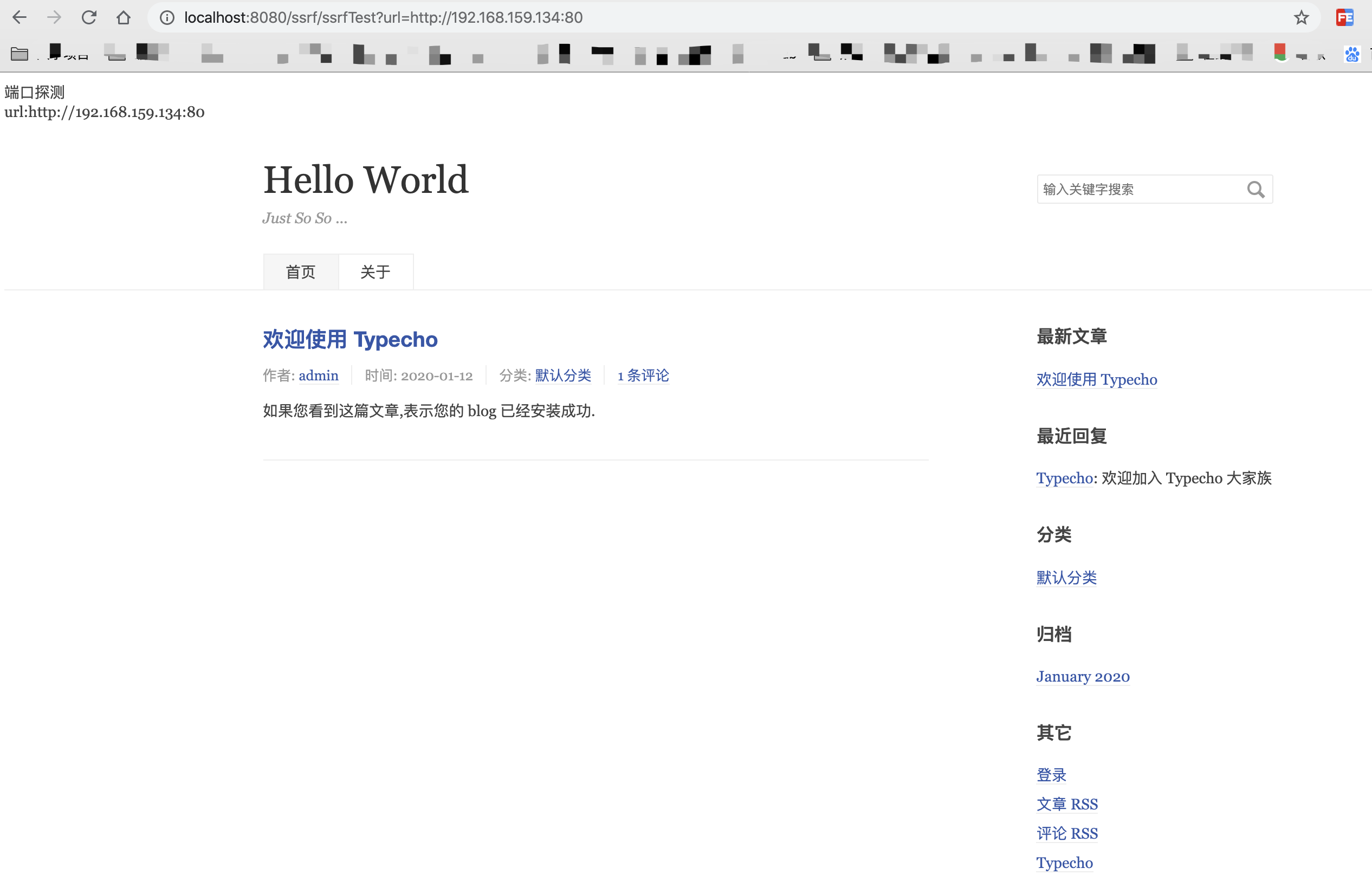
If the port does not serve HTTP or HTTPS, the result is:
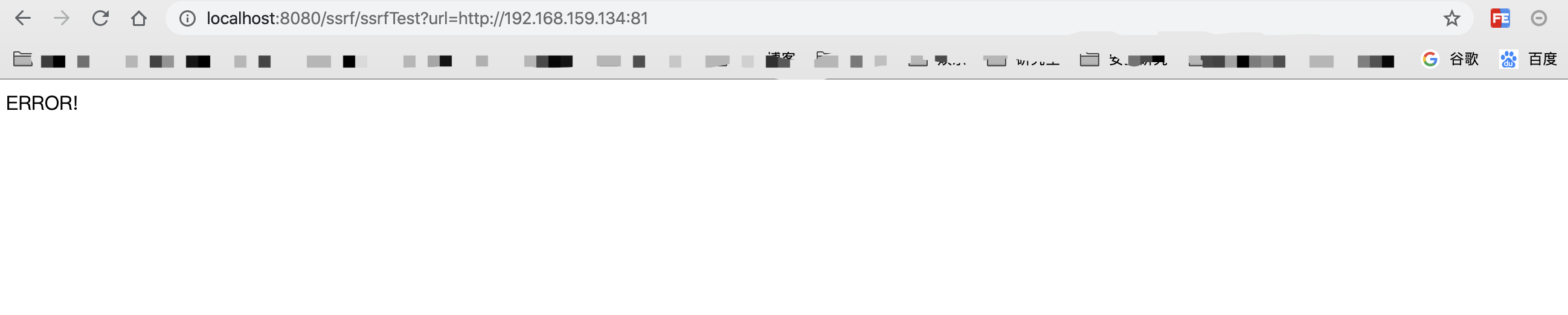
Different responses reveal which HTTP/HTTPS ports are open.
2. Arbitrary File Read/Download
Remove one line from the code above, as follows:
String url = request.getParameter("url");
		String htmlContent;

		try {
			URL u = new URL(url);
			URLConnection urlConnection = u.openConnection();
			BufferedReader base = new BufferedReader(new InputStreamReader(urlConnection.getInputStream()));
			StringBuffer html = new StringBuffer();
			while ((htmlContent = base.readLine()) != null) {
				html.append(htmlContent);
			}
			base.close();
			print.println(html.toString());
			print.flush();

		} catch (Exception e) {
			e.printStackTrace();
			print.println("ERROR!");
			print.flush();
		}
HttpURLconnection()is based on HTTP, while we need the file protocol; after removing it, thefileprotocol to read arbitrary files, as shown below:
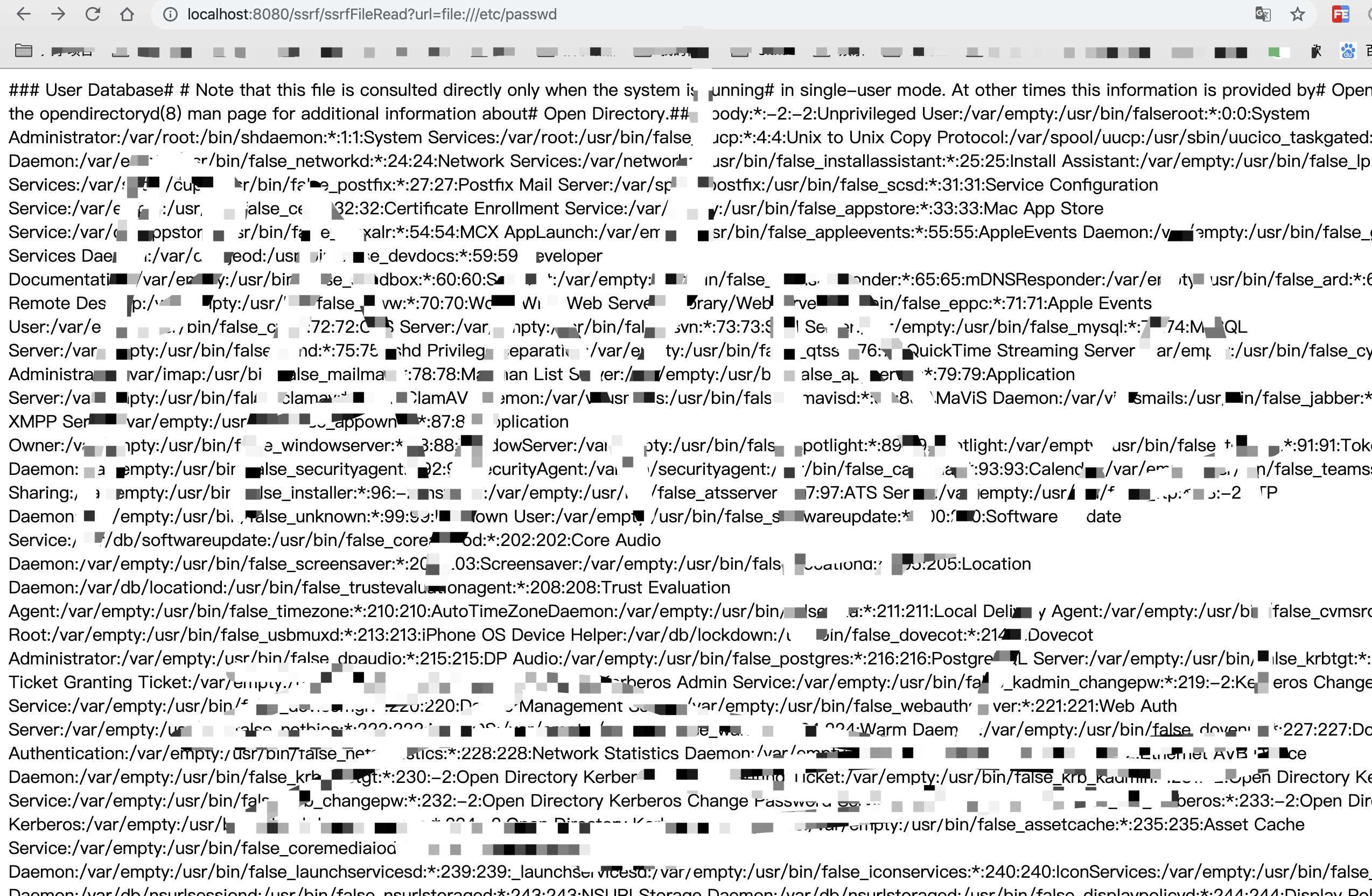
If the website path is known, its database connection details can be read directly:

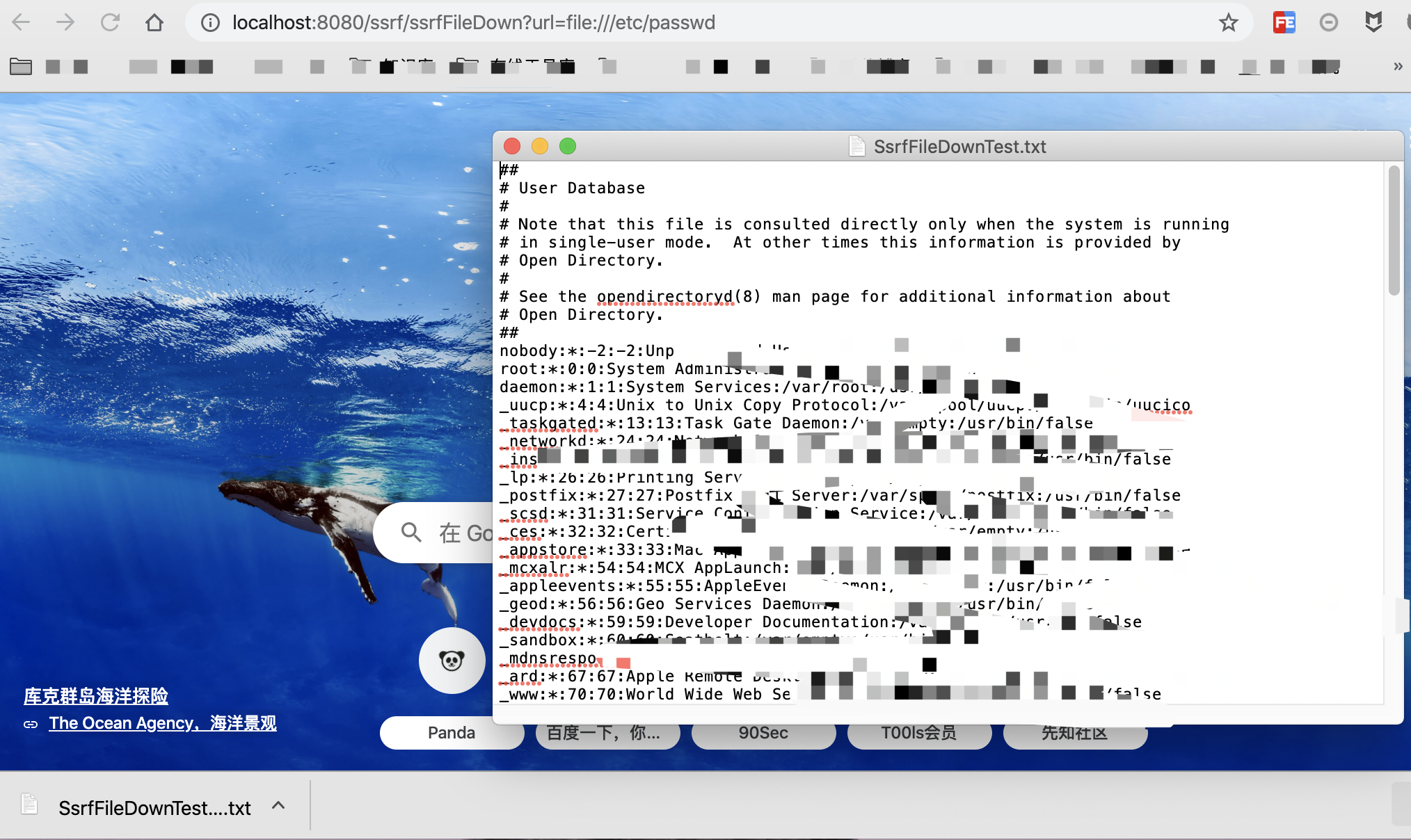
Arbitrary file download works similarly, except that the stream is written to a file:
		String downLoadImgFileName = "SsrfFileDownTest.txt";
		InputStream inputStream = null;
		OutputStream outputStream = null;
		String url = req.getParameter("url");
		try {
			resp.setHeader("content-disposition", "attachment;fileName=" + downLoadImgFileName);
			URL file = new URL(url);
			byte[] bytes = new byte[1024];
			inputStream = file.openStream();
			outputStream = resp.getOutputStream();
			while ((length = inputStream.read(bytes)) > 0) {
				outputStream.write(bytes, 0, length);
			}
		}
Write the retrieved content toSsrfFileDownTest.txtfile. The test is shown below:
0x03 Remediation
Many features can expose SSRF in real applications: fetching images from remote URLs, webmail retrieval, or requesting resources from remote servers. Allowlisting and validation strategies include:
- Return a uniform error message so users cannot infer remote port status from different errors.
- Restrict destination ports to common HTTP ports such as 80, 443, 8080, and 8090.
- Disable unnecessary protocols and permit only HTTP and HTTPS.
- If business requirements involve only a few common domains, allowlist those domains and reject requests to all others.
- If requests should originate only from fixed sources, add those domains or IPs to an allowlist and reject all others.
- If destinations are not fixed by business requirements, implement an ssrfCheck function such as:https://github.com/JoyChou93/java-sec-code/blob/master/src/main/java/org/joychou/security/SSRFChecker.java
0x04 Real-World Case Study: CVE-2019-9827
1. Case Overview
Hawtio is a lightweight modular web console for managing Java applications. Versions earlier than 2.5.0 are vulnerable to SSRF: a remote attacker can send a crafted string through /proxy/, causing the server to issue HTTP requests to arbitrary hosts.
2. Building the Test Case
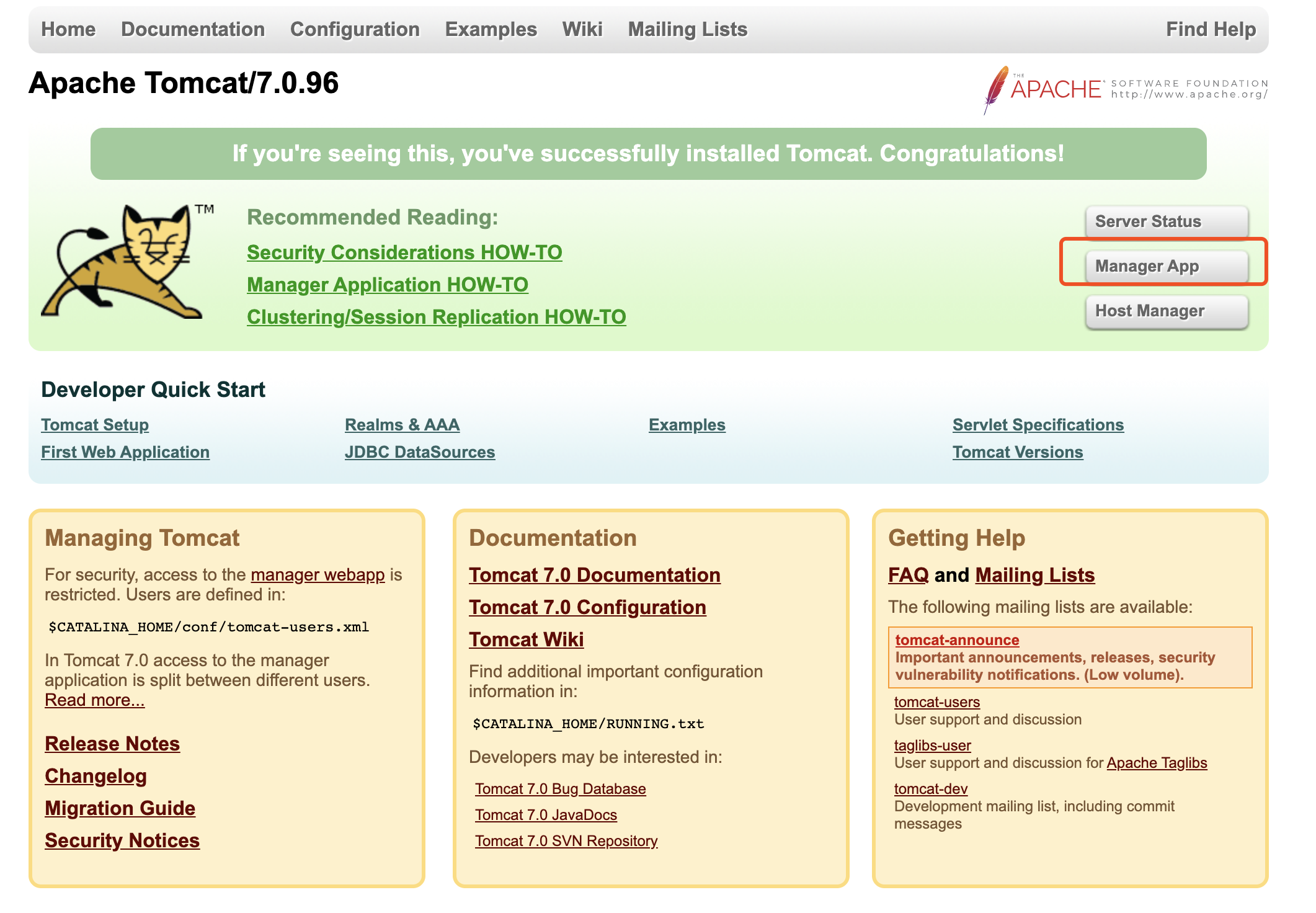
First open the deployed Tomcat home page, enter the credentials, and open the Manager App interface. Credentials must be configured beforehand; that routine setup is omitted here:
Then selectWAR file to deplysection, click and selecthawtio-default-2.5.0.warupload it and finally deploy:
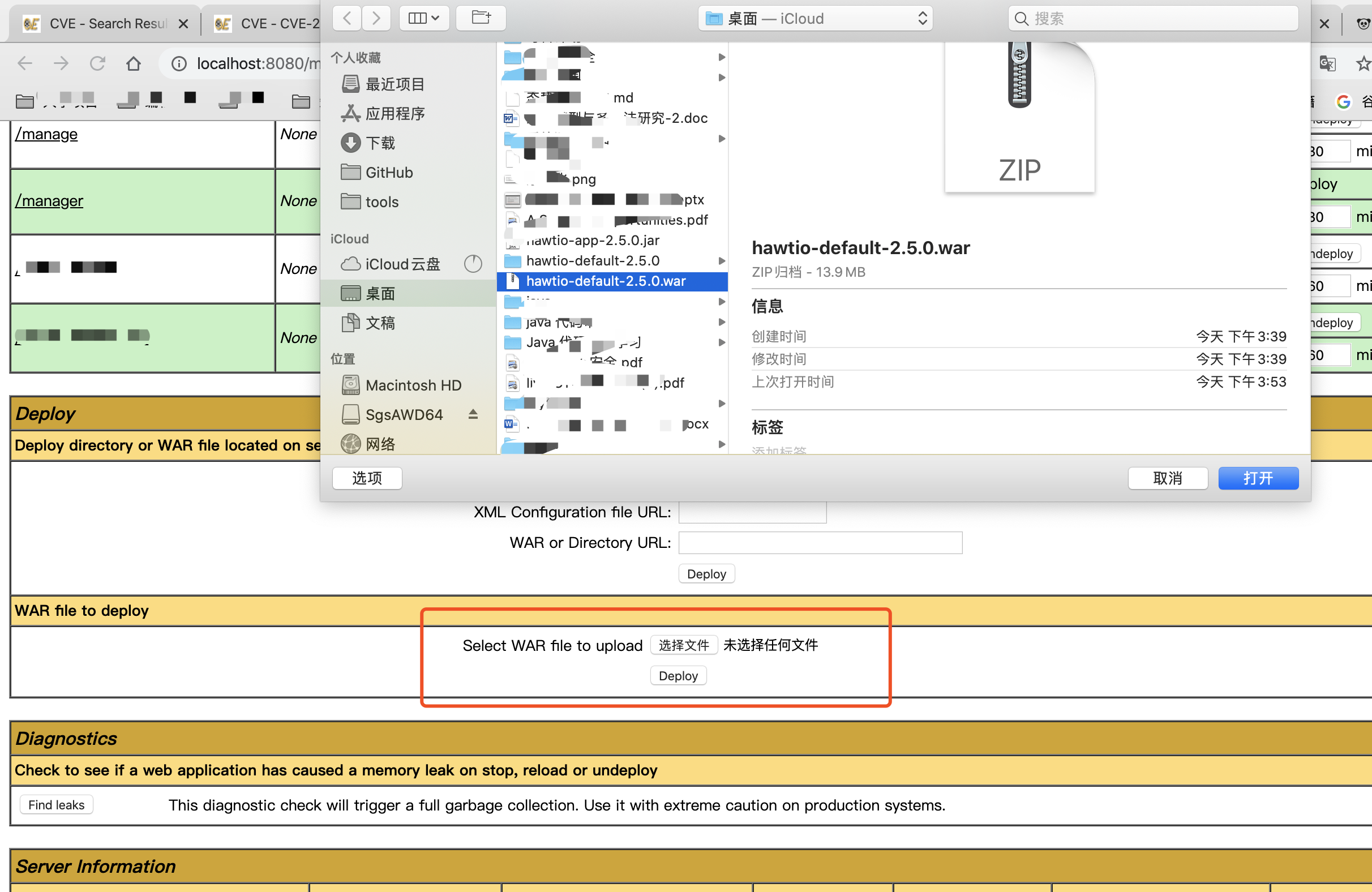
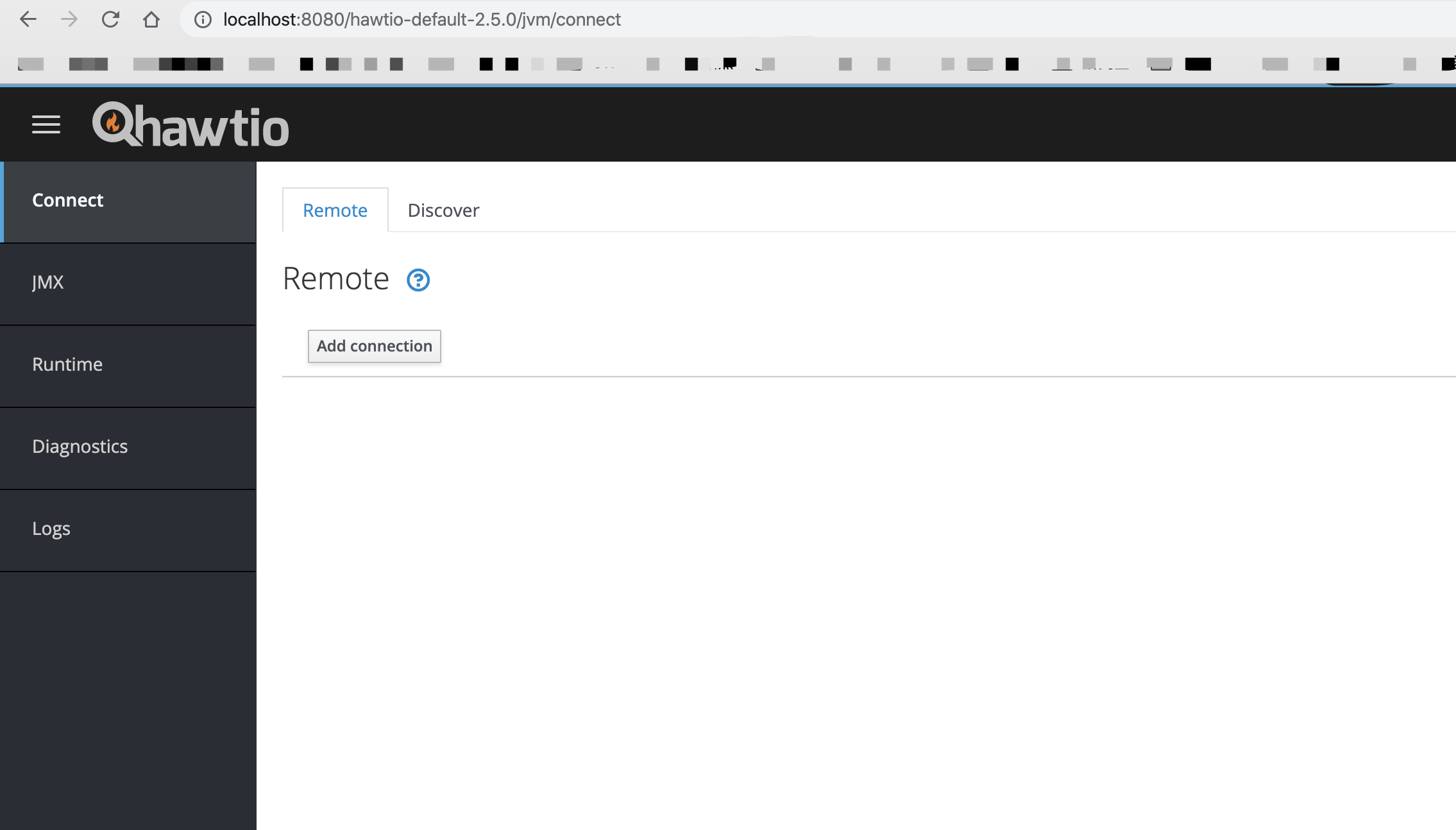
After deployment, the application appears above. Click it to open it.

3. Vulnerability Analysis
The source can be obtained by decompiling the program or from the tree branch on GitHub.
By decompilinghawtio-system-2.5.0.jarpackage to locate the relevant file:hawtio-system/src/main/java/io/hawt/web/proxy/ProxyServlet.java
Enterservicefunction
protected void service(HttpServletRequest servletRequest, HttpServletResponse servletResponse)
        throws ServletException, IOException {
        // Make the Request
        //note: we won't transfer the protocol version because I'm not sure it would truly be compatible
        ProxyAddress proxyAddress = parseProxyAddress(servletRequest);
        if (proxyAddress == null || proxyAddress.getFullProxyUrl() == null) {
            servletResponse.setStatus(HttpServletResponse.SC_NOT_FOUND);
            return;
        }
        // TODO Implement whitelist protection for Kubernetes services as well
        if (proxyAddress instanceof ProxyDetails) {
            ProxyDetails details = (ProxyDetails) proxyAddress;
            if (!whitelist.isAllowed(details)) {
                LOG.debug("Rejecting {}", proxyAddress);
                ServletHelpers.doForbidden(servletResponse, ForbiddenReason.HOST_NOT_ALLOWED);
                return;
            }
        }
throughparseProxyAddressfunction obtains the URL and checks whether it is empty. If not, it useswhitelist.isAllowed()checks whether the URL is allowlisted. Follow whitelist:
public ProxyWhitelist(String whitelistStr, boolean probeLocal) {
        if (Strings.isBlank(whitelistStr)) {
            whitelist = new CopyOnWriteArraySet<>();
            regexWhitelist = Collections.emptyList();
        } else {
            whitelist = new CopyOnWriteArraySet<>(filterRegex(Strings.split(whitelistStr, ",")));
            regexWhitelist = buildRegexWhitelist(Strings.split(whitelistStr, ","));
        }

        if (probeLocal) {
            LOG.info("Probing local addresses ...");
            initialiseWhitelist();
        } else {
            LOG.info("Probing local addresses disabled");
            whitelist.add("localhost");
            whitelist.add("127.0.0.1");
        }
        LOG.info("Initial proxy whitelist: {}", whitelist);

        mBeanServer = ManagementFactory.getPlatformMBeanServer();
        try {
            fabricMBean = new ObjectName(FABRIC_MBEAN);
        } catch (MalformedObjectNameException e) {
            throw new RuntimeException(e);
        }
    }

...

   public boolean isAllowed(ProxyDetails details) {
        if (details.isAllowed(whitelist)) {
            return true;
        }

        // Update whitelist and check again
        LOG.debug("Updating proxy whitelist: {}, {}", whitelist, details);
        if (update() && details.isAllowed(whitelist)) {
            return true;
        }

        // test against the regex as last resort
        if (details.isAllowed(regexWhitelist)) {
            return true;
        } else {
            return false;
        }

    }

 public boolean update() {
        if (!mBeanServer.isRegistered(fabricMBean)) {
            LOG.debug("Whitelist MBean not available");
            return false;
        }

        Set<String> newWhitelist = invokeMBean();
        int previousSize = whitelist.size();
        whitelist.addAll(newWhitelist);
        if (whitelist.size() == previousSize) {
            LOG.debug("No new proxy whitelist to update");
            return false;
        } else {
            LOG.info("Updated proxy whitelist: {}", whitelist);
            return true;
        }
    }
checks whether the URL is localhost, 127.0.0.1, or in a user-maintained allowlist, returning false otherwise.
Return to service(). Continue tracing:
  if (servletRequest.getHeader(HttpHeaders.CONTENT_LENGTH) != null ||
            servletRequest.getHeader(HttpHeaders.TRANSFER_ENCODING) != null) {
            HttpEntityEnclosingRequest eProxyRequest = new BasicHttpEntityEnclosingRequest(method, proxyRequestUri);
            // Add the input entity (streamed)
            //  note: we don't bother ensuring we close the servletInputStream since the container handles it
            eProxyRequest.setEntity(new InputStreamEntity(servletRequest.getInputStream(), servletRequest.getContentLength()));
            proxyRequest = eProxyRequest;
        } else {
            proxyRequest = new BasicHttpRequest(method, proxyRequestUri);
        }

        copyRequestHeaders(servletRequest, proxyRequest, targetUriObj);
BasicHttpEntityEnclosingRequest()hasRequestLine、HttpEntityandHeader. Here the entity is an HttpEntity—the message body—which supports streaming, self-contained, and wrapping modes. This is an HttpRequest implementation based on HttpEntity, similar to urlConnection above.
Therefore this service()primarily receives the request and thenHttpServiceConvertHttpClientdowncasts the incoming request toBasicHttpEntityEnclosingRequest , then callHttpEntity, ultimately obtaining the response stream.
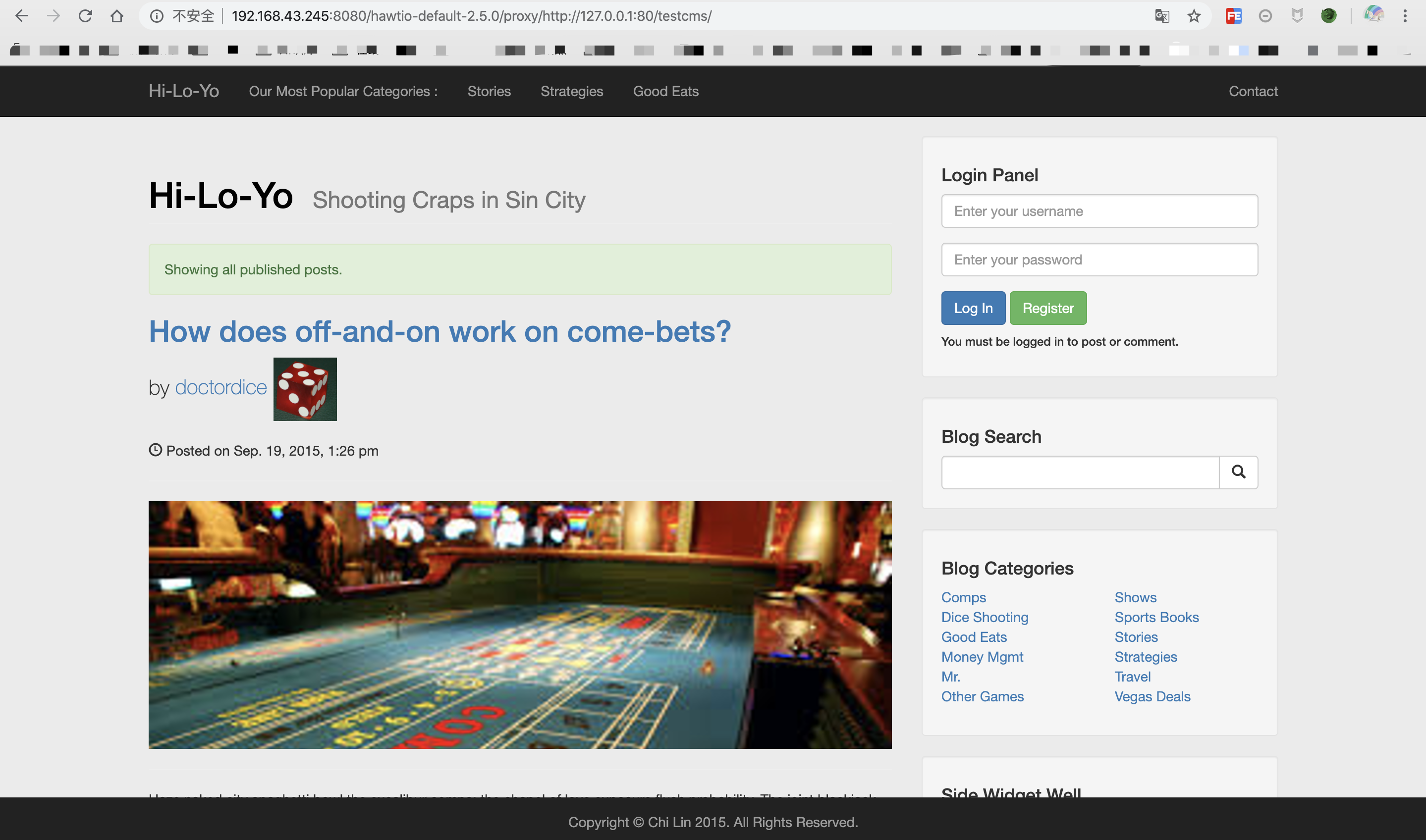
Although the URL is restricted here, its port and protocol are not, leading to SSRF.
Proof:
4. Remediation
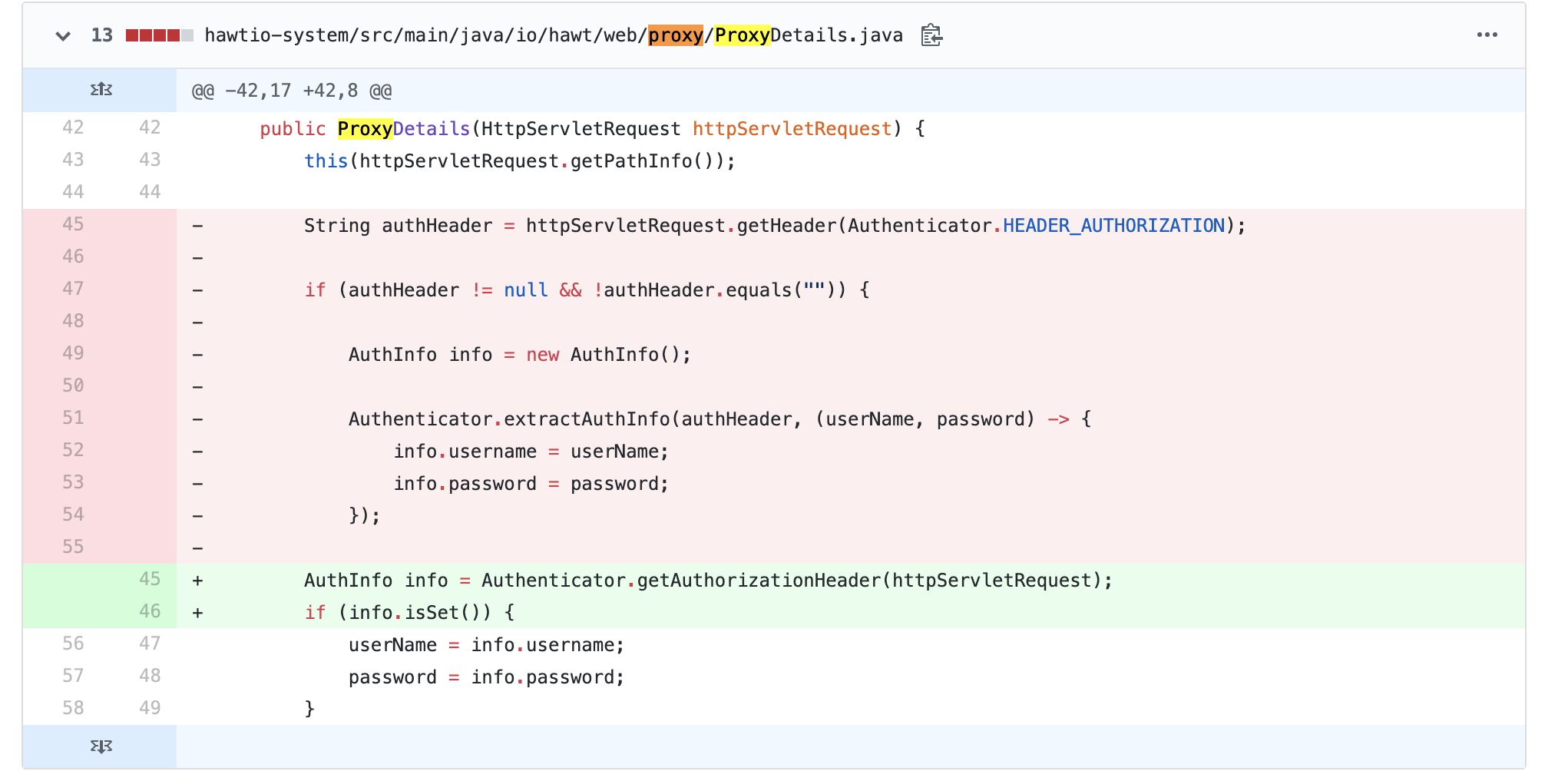
Comparing the latest source shows that the vulnerability was fixed by adding page-access authorization:
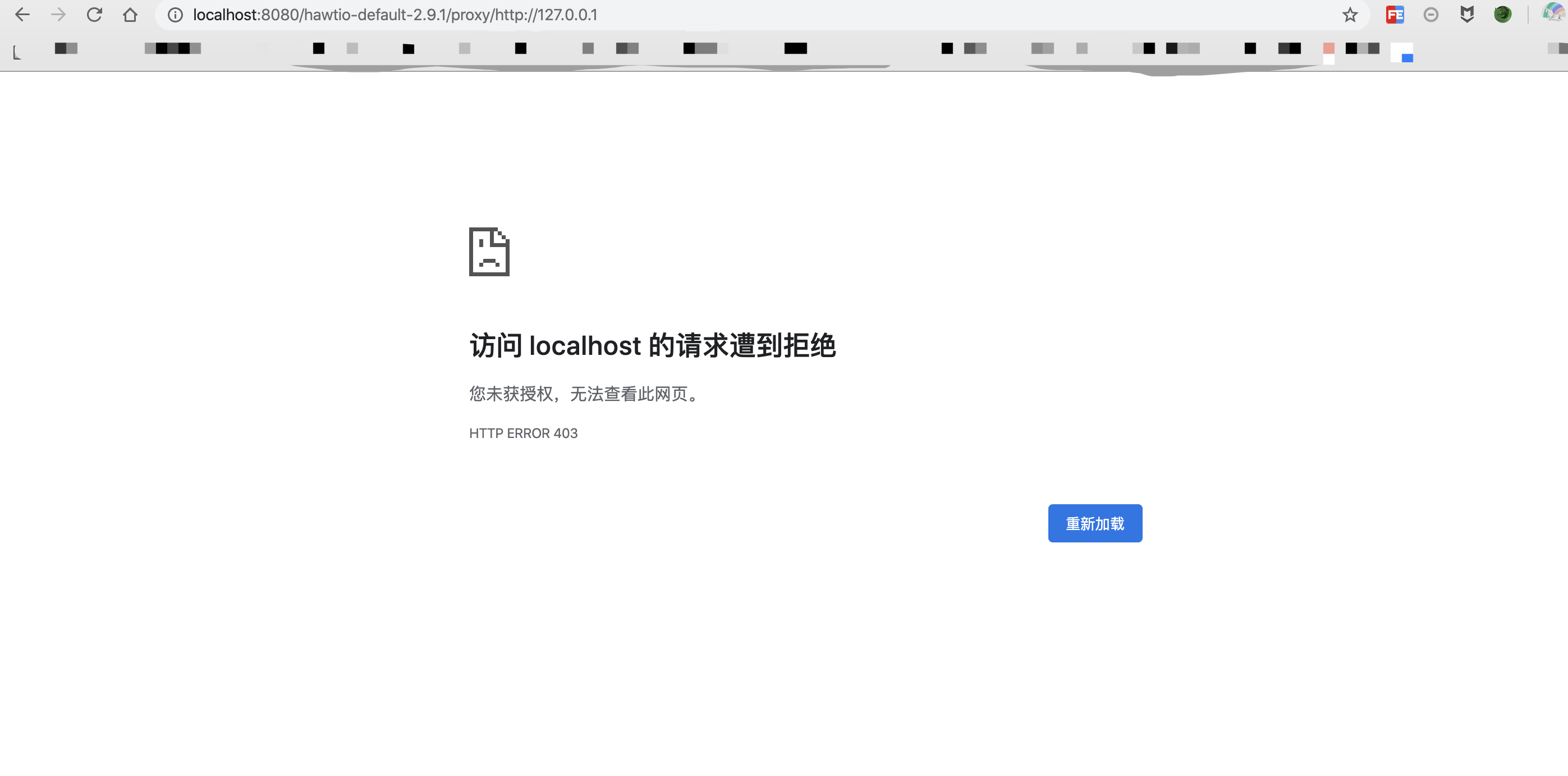
Unauthenticated users are denied access to the page. The test result is shown below:
0x05 Conclusion
This article covers Java SSRF: its principles, a simple Java example, remediation, and a CVE case study. For auditing, begin with HTTP request functions; several useful audit targets are listed below:
- HttpClient.execute
- HttpClient.executeMethod
- HttpURLConnection.connect
- HttpURLConnection.getInputStream
- URL.openStream
- HttpServletRequest
- getParameter
- URL
- HttpClient
- Request (a wrapper around HttpClient)
- HttpURLConnection
- URLConnection
- okhttp
- BasicHttpEntityEnclosingRequest
- DefaultBHttpClientConnection
- BasicHttpRequest
- URI