JEP290
0x01 What Is a JEP?
JDK Enhancement Proposal abbreviatedJEP, a project for JDK enhancement proposalsproject, whose index has now reachedJEP415. This article focuses on whatJEP290,JEP290does, andJEP290known bypass techniques, and related topics.[1][2]
0x02 What Is JEP 290?
JEP290is described asFilter Incoming Serialization Data, meaning that it filters incoming serialized data
| F Clo 9 | core/io:serialization | 290 | Filter Incoming Serialization Data |
|---|
JEP290 is a Java filter designed to defend against deserialization attacks. It is proposal 290 in the JEP project and is commonly calledJEP290
0x03 Scope of JEP 290
Java™ SE Development Kit 8, Update 121 (JDK 8u121)
Java™ SE Development Kit 7, Update 131 (JDK 7u131)
Java™ SE Development Kit 6, Update 141 (JDK 6u141)
0x04 What JEP 290 Does
- Provide a flexible mechanism to narrow the classes that can be deserialized from any class available to an application down to a context-appropriate set of classes. [Provide an allowlist or denylist mechanism for restricting deserializable classes]
- Provide metrics to the filter for graph size and complexity during deserialization to validate normal graph behaviors. [Limit deserialization depth and complexity]
- Provide a mechanism for RMI-exported objects to validate the classes expected in invocations. [Provide class validation for remotely invoked RMI objects]
- The filter mechanism must not require subclassing or modification to existing subclasses of ObjectInputStream. [Define a configurable filter mechanism, for example through a properties file]
JEP 290 Details
### 1. Limits
- number of elements when deserializing a class array ( arrayLength )
- for each nested objectdepth( depth )
- current number of object references ( references )
- bytes consumed so far ( streamBytes )
### 2. Three Supported Filter-Configuration Methods
- custom filter
- process-wide filter (also called a global filter)
- built-in filters used by the RMI Registry and distributed garbage collection (DGC)
### 3. Custom Filters
A custom filter is appropriate when one deserialization operation has requirements different from the rest of the application. It can be created by implementingObjectInputFilterinterface and overridecheckInput(FilterInfo filterInfo)method to create a custom filter:
For example:
static class VehicleFilter implements ObjectInputFilter {
        final Class<?> clazz = Vehicle.class;
        final long arrayLength = -1L;
        final long totalObjectRefs = 1L;
        final long depth = 1l;
        final long streamBytes = 95L;

        public Status checkInput(FilterInfo filterInfo) {
            if (filterInfo.arrayLength() < this.arrayLength || filterInfo.arrayLength() > this.arrayLength
                    || filterInfo.references() < this.totalObjectRefs || filterInfo.references() > this.totalObjectRefs
                    || filterInfo.depth() < this.depth || filterInfo.depth() > this.depth || filterInfo.streamBytes() < this.streamBytes
                    || filterInfo.streamBytes() > this.streamBytes) {
                return Status.REJECTED;
            }

            if (filterInfo.serialClass() == null) {
                return Status.UNDECIDED;
            }

            if (filterInfo.serialClass() != null && filterInfo.serialClass() == this.clazz) {
                return Status.ALLOWED;
            } else {
                return Status.REJECTED;
            }
        }
    }
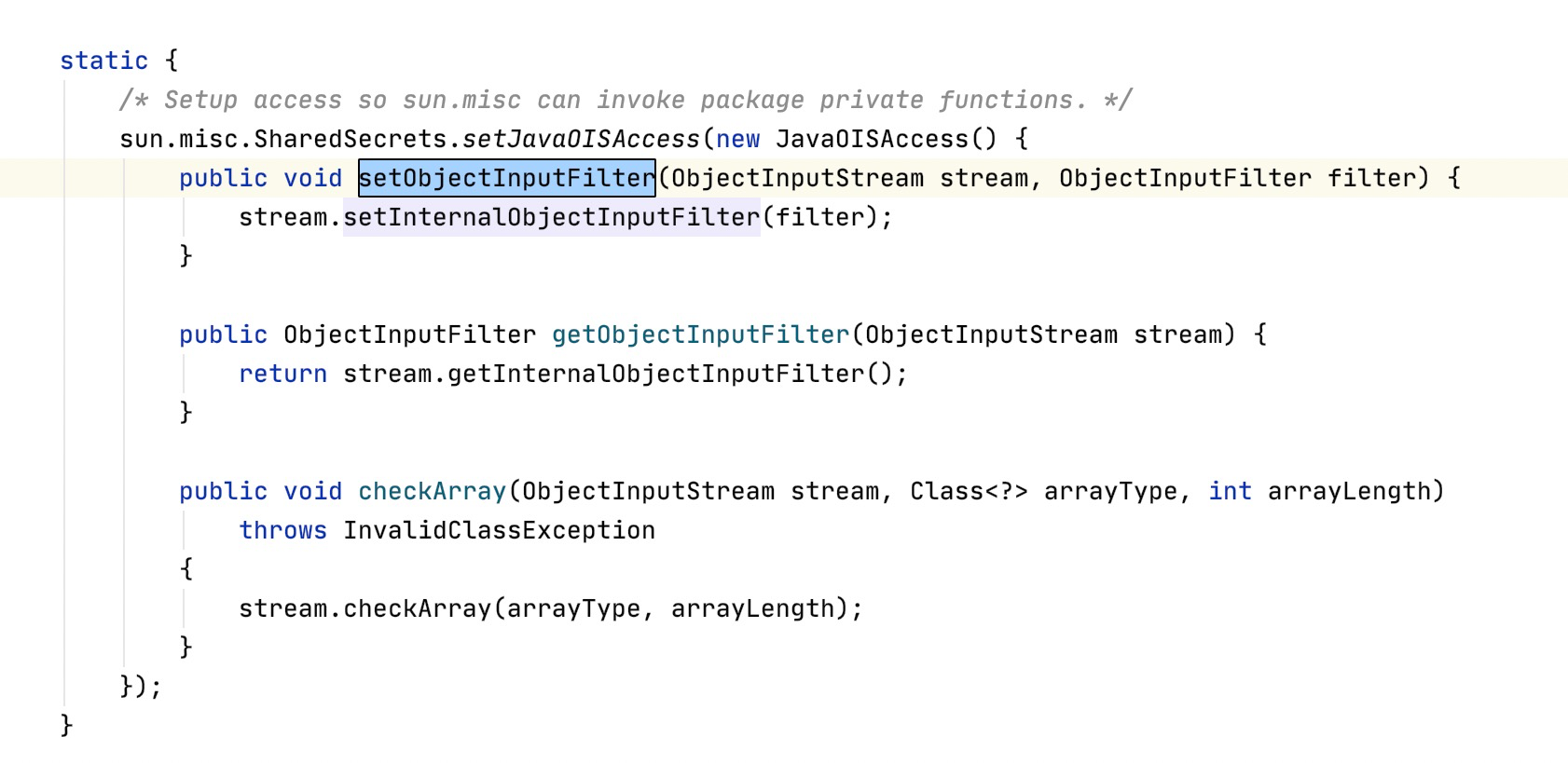
inJDK 9 , Oracle added two methods to ObjectInputStream class gained two methods (getObjectInputFilter、setObjectInputFilter), allowing the currentObjectInputStreamset or retrieve a custom filter:
public class ObjectInputStream
    extends InputStream implements ObjectInput, ObjectStreamConstants {

    private ObjectInputFilter serialFilter;
    ...
    public final ObjectInputFilter getObjectInputFilter() {
        return serialFilter;
    }

    public final void setObjectInputFilter(ObjectInputFilter filter) {
        ...
        this.serialFilter = filter;
    }
    ...
}
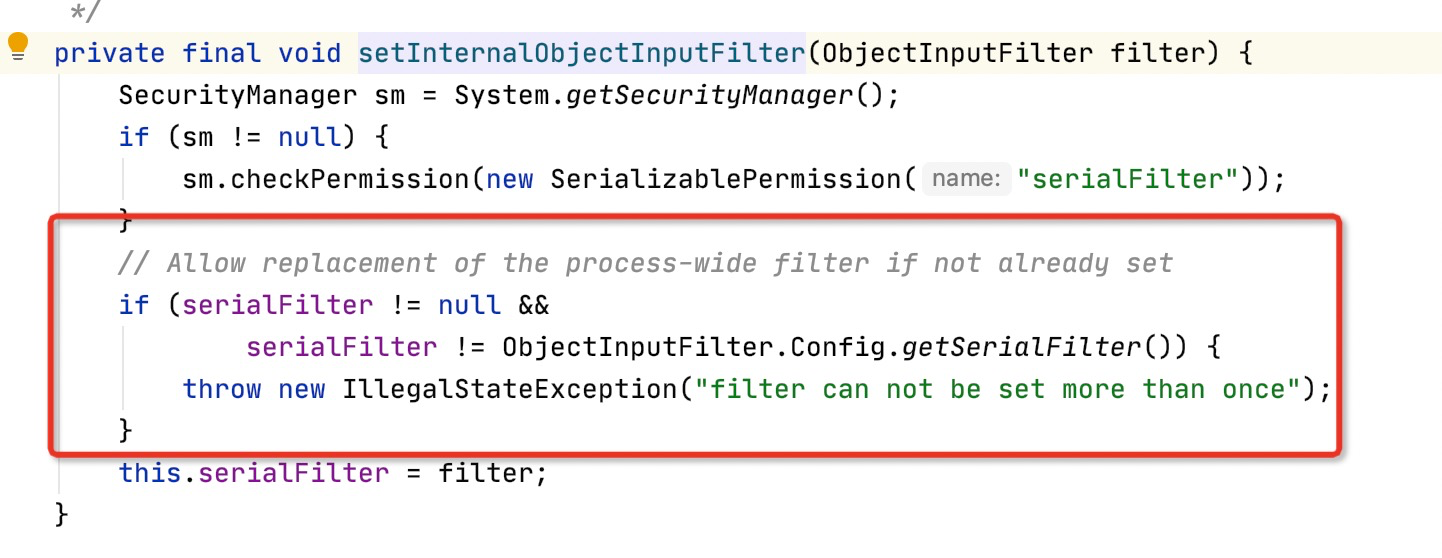
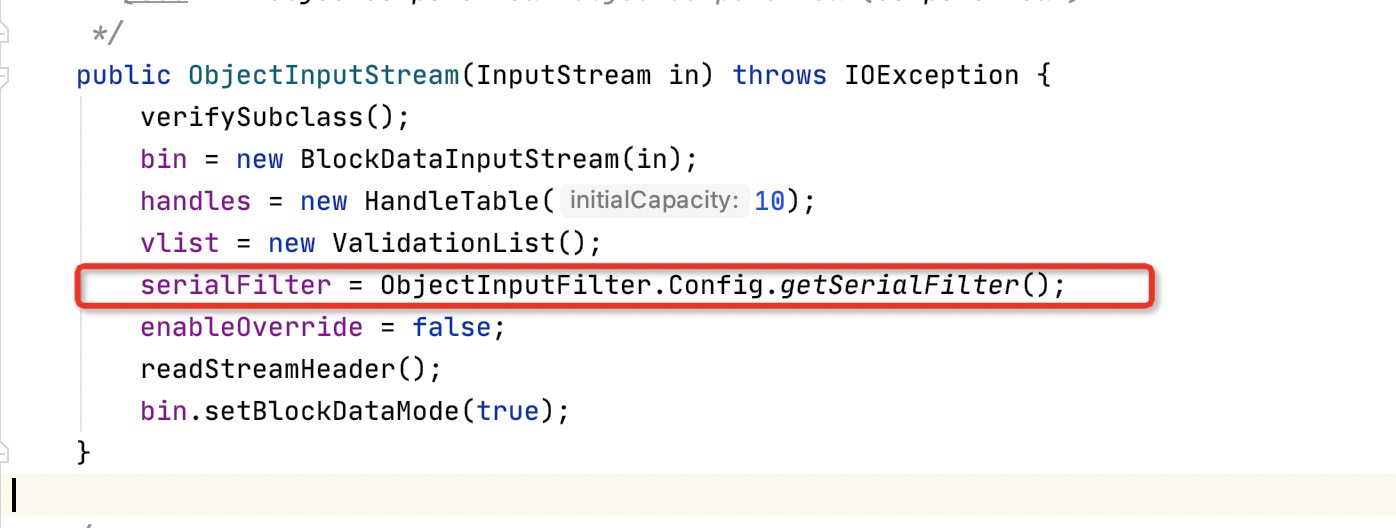
Unlike JDK 9, the latest JDK 8 appears to permit this only onObjectInputFilter.Config.setObjectInputFilter(ois, new VehicleFilter());set a filter on it as follows:
### 4. Process-Wide (Global) Filter
You can configure a process-wide filter by settingjdk.serialFilteras a system or security property to configure the process-wide filter (in practice, by adding a command-line option when starting Java, such as:-Djdk.serialFilter=<allowlisted-class-1>;<allowlisted-class-2>;!<blocklisted-class>). If the system property is defined, it configures the filter; otherwise the security property is checked (JDK 8, 7, and 6: $JAVA_HOME/lib/security/java.security ; JDK 9 and later: $JAVA_HOME/conf/security/java.security) to configure a filter
You can also set it when starting the Java application-Djava.security.properties=<filter-config-file>
Specifically, by checking class names or limits on the incoming byte stream,jdk.serialFilterThe filter value is a semicolon-separated sequence of patterns. Each pattern matches either a class name in the stream or a limit; spaces are part of a pattern. Limits are checked before classes regardless of pattern order. The following limit properties are available:
-
maxdepth=value— maximum graph depth -
maxrefs=value— maximum number of internal references -
maxbytes=value— maximum bytes in the input stream -
maxarray=value— maximum permitted array sizeOther patterns match
Class.getName()class or package name returned by *.Class/PackagePatterns also accept asterisk (*), double asterisk (**), period (.) and forward slash (/) symbols. The following pattern scenarios are possible:JAVA// match specific classes and reject everything not listed "jdk.serialFilter=org.example.Vehicle;!*" // match classes in a package and all sub-packages, and reject everything not listed - "jdk.serialFilter=org.example.**;!*" // match all classes in a package and reject everything not listed - "jdk.serialFilter=org.example.*;!*" // match any class with the configured prefix - "jdk.serialFilter=*;5. Built-In Filters
Built-in filters are used for
RMI Registry, RMI distributed garbage collection (DGC), and Java Management Extensions (JMX)RMI Registryhas a built-in allowlist filter for objects bound to the registry. It covers the following cases:java.rmi.Remote- ``java.lang.Number`
java.lang.reflect.Proxyjava.rmi.server.UnicastRef- ``java.rmi.activation.ActivationId`
java.rmi.server.UID- ``java.rmi.server.RMIClientSocketFactory`
java.rmi.server.RMIServerSocketFactory
Built-in filters include size limits:
maxarray=1000000,maxdepth=20RMI distributed garbage collection has a built-in allowlist filter that accepts a limited set of classes. It covers the following cases:
java.rmi.server.ObjID- ``java.rmi.server.UID`
java.rmi.dgc.VMIDjava.rmi.dgc.Lease
Built-in filters include size limits:
maxarray=1000000,maxdepth=20In addition to these classes, users can use
sun.rmi.registry.registryFilter(forRMI Registry) andsun.rmi.transport.dgcFilter(for DGC) system or security property to add a custom filterFor
JMX filter, which can be used duringRMIServer.newClientremote calls and deserialized arguments sent to a server over RMI; the same method can also use thatmanagement.propertiesfile supplies the default agent with a filter-pattern string
0x05 Points to Note About JEP 290
-
JEP 290 must be configured manually. Filtering is active only after configuration; otherwise ordinary deserialization exploitation remains possible.
-
By default, JEP 290 provides built-in filters only for the RMI Registry layer, RMI distributed garbage collection (DGC), and JMX.
0x06 Bypassing JEP 290
Whether JEP 290 can be bypassed depends on whether a global filter is configured. Without one, exploitation may still occur at theapplicationlevel when no global filter exists. If a global filter is configured, exploitation requires discovering a new gadget chain.
-
A global filter is configured
- JDK7u21
- JDK8u20
- RMI Registry Bypass (2019; uses a new gadget chain)
-
No global filter is configured
- CVE-2018-4939 (2018) → Spring Framework RmiInvocationHandler, which can pass arbitrary objects to RemoteInvocation (using
an arbitrary object as a parameter) unmarshalValuemethod (fixed in JDK 8u242-b07, 11.0.6+10, 13.0.2+5, and 14.0.1+2 in January 2020; Java 9, 10, and 12 were not fixed)
- CVE-2018-4939 (2018) → Spring Framework RmiInvocationHandler, which can pass arbitrary objects to RemoteInvocation (using
0x07 Impact of JEP 290 Bypasses
- Previously unusable gadget chains may become exploitable again, including some Commons Collections chains.
- New gadget chains can be used
- WebLogic is heavily affected