0x01 Preface
Records the process of verifying a slow HTTP denial-of-service vulnerability.
# 0x02 What Is Slow HTTP DoS? A slow HTTP denial-of-service attack targets the web application layer. Attackers use many clients to flood a server until its connections or bandwidth are exhausted. Major variants are Slow Headers, Slow Body, and Slow Read. In Slow Headers, the server waits for complete HTTP headers before processing a request. A malicious client establishes TCP connections and sends one header only every 40 seconds, never sending the terminating double CRLF. The server keeps waiting while connections and memory are gradually exhausted.
0x02 How to Verify a Slow HTTP DoS?
I needed slowhttptest. Online installation guides repeatedly failed, so after solving the problems I recorded the process. First install libssl-dev.
sudo apt-get install libssl-dev
Then
git clone https://github.com/shekyan/slowhttptest.git
cd slowhttptest
sudo ./configure
sudo make install
A problem occurred here:
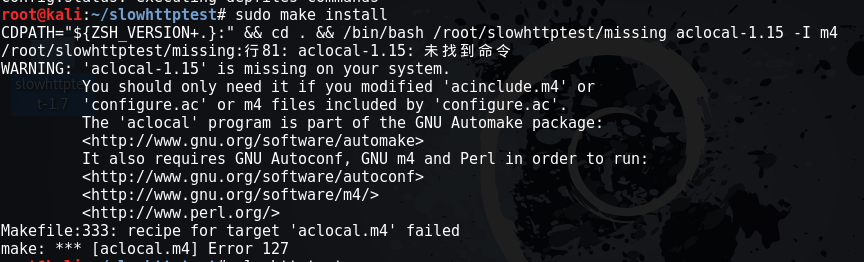
After a long attempt, I followed the official wiki and still received this error:
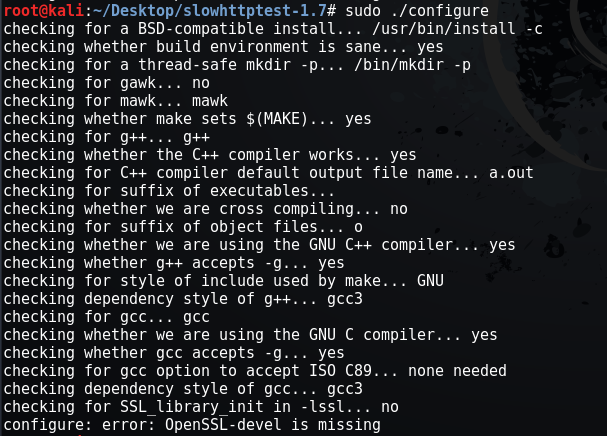
The error said OpenSSL-devel was missing, although it was installed. The git build had compiled and failed only during execution, so I copied every file from the official slowhttptest-1.7 tree into the git-based slowhttptest tree, replacing duplicates. The resulting directory was:
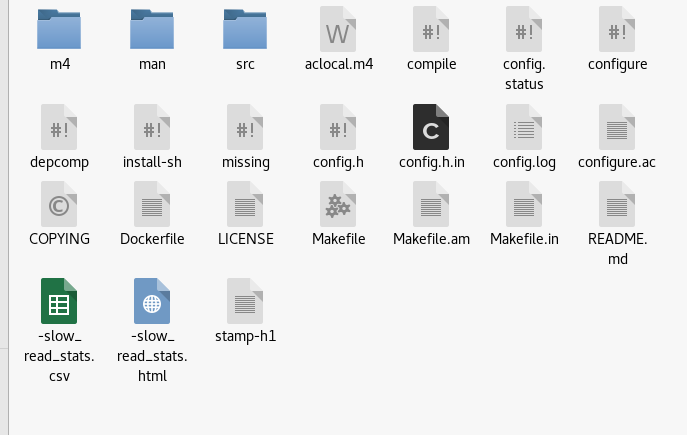
Enter the directory and run:
sudo make install
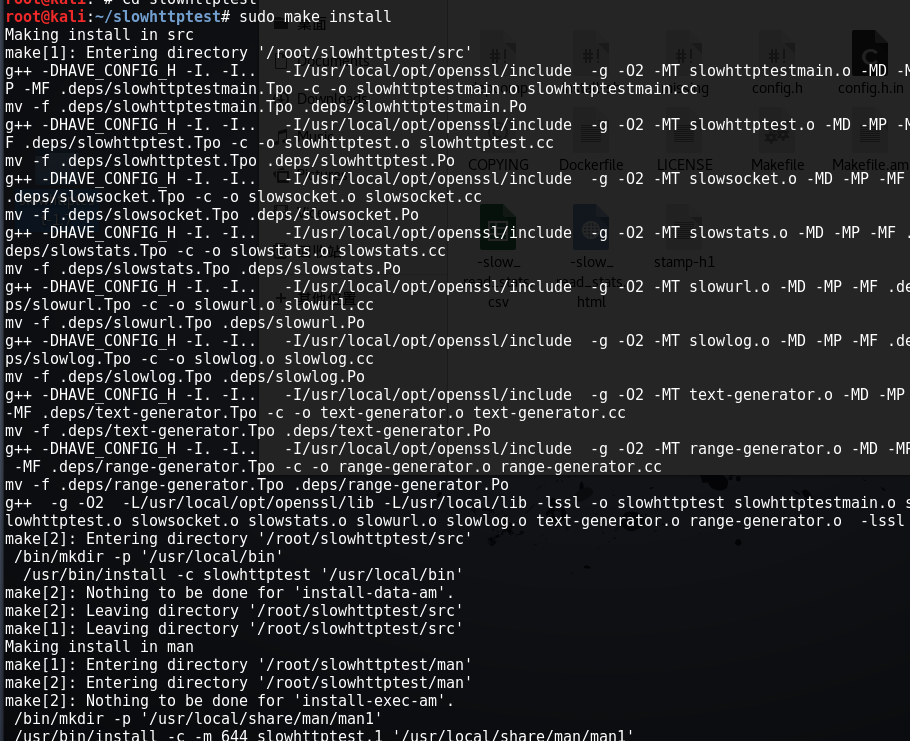
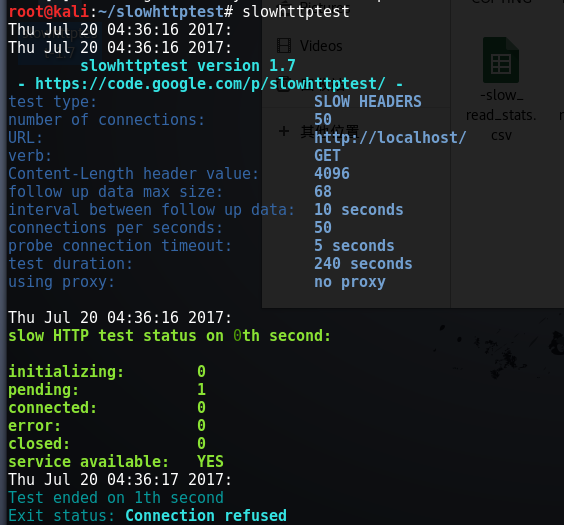
Installation succeeds. Try:
The white-hat report ultimately verified the issue with the following command. Do not test it against this site; the small server is fragile:
slowhttptest -c 1000 -X -g -o -slow_read_stats -r 200 -w 512 -y 1024 -n 5 -z 32 -k 3 -u http://www.example.com -p 3
The result is:
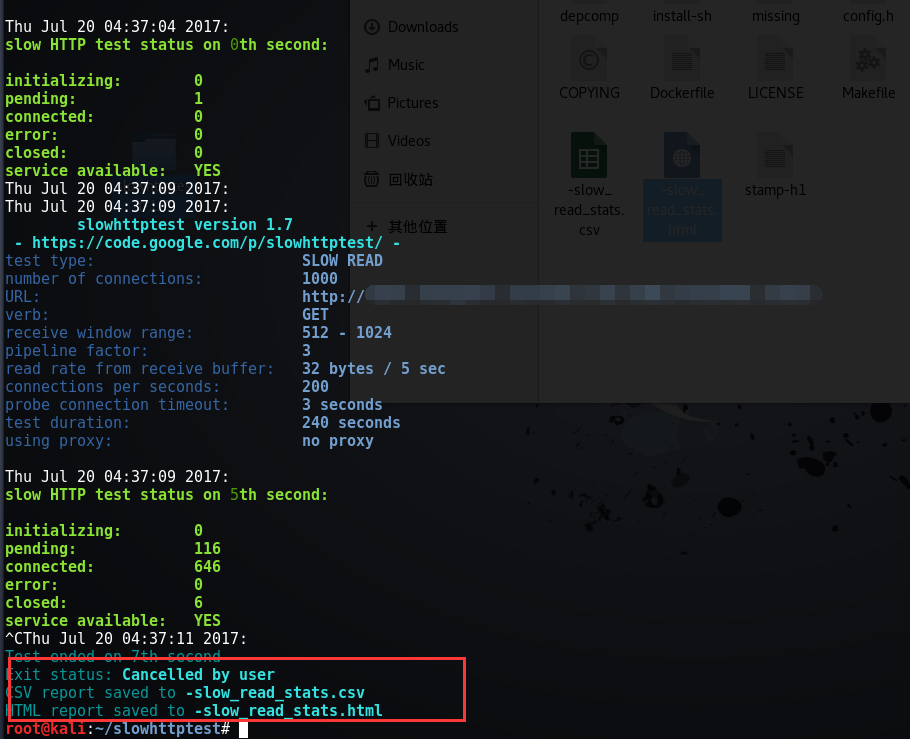
I will include the remaining parameters here for completeness.
-a: starting range value for range-header tests -b: byte-limit range value for range-header tests
- -c: connection count, maximum 65539
- -d proxy host:port: route all traffic through a web proxy
- -e proxy host:port: send probe traffic only through a web proxy
- -H, -B, -R, or -X: slow headers/body; -R enables range checking and slow-read testing; -X
- -g: generate CSV and HTML statistics named slow_xxx.csv/html, where xxx is date and time
- -i seconds: interval between follow-up data per connection
- -k factor: repeat pipelined requests on one connection for slow-read testing if the server supports HTTP pipelining
- -l seconds: test duration
- -n seconds: interval between reads from receive buffer
- -o file: output path/name; requires valid -g
- -p seconds: HTTP-response timeout after a probe connects; exceeding it marks the server unreachable
- -r seconds: connection rate
- -s bytes: Content-Length header value; when -b is specified
- -t verb: custom verb
- -u URL: target URL in browser-style format, e.g. https://host[:port]/
- -v level: logging verbosity 0–4
- -w bytes: advertised window size for selecting from
- -x bytes: maximum trailing-data length
- -y bytes: advertised window size for selecting from
- -z bytes: bytes read from receive buffer by one read()
0x03 Remediation
Defenses differ by server. Consider the following measures:
【WebSphere】
1. Limit HTTP data size Configure WebSphere Application Server as follows:
The default maximum size of any single HTTP header is 32768 bytes. It can be set to a different value.
The default maximum number of HTTP headers is 50. It can be set to a different limit.
Another common DoS sends a long-running GET request. WebSphere Application Server Plug-in's ServerIOTimeoutRetry limits retries for any request, reducing its impact. Also set a maximum request-body size.
2. Configure keepalive
Open the IBM HTTP Server installation directory, then conf/httpd.conf. Find KeepAlive and change ON to OFF; it defaults to ON. This controls whether client connections remain open. With ON, requests queue after MaxKeepAliveRequests is reached, slowing responses.
【Weblogic】
1. In Configuration Management → Protocol → General Information, set complete-message timeout below 400. 2. Under Protocol → HTTP, set POST timeout, duration, and maximum POST size to safe values.
【Nginx】
1. Restrict accepted HTTP methods with $request_method. 2. Without affecting business, tune client_max_body_size, client_body_buffer_size, client_header_buffer_size, large_client_header_buffers, client_body_timeout, and client_header_timeout. 3. Use HttpLimitReqModule and HttpLimitZoneModule to limit sessions or per-IP request/concurrency. 4. Set worker_processes and worker_connections according to CPU and load: max_clients = worker_processes × worker_connections.
【Apache】
Use mod_reqtimeout with mod_qos. mod_reqtimeout controls request rates per connection. For headers: RequestReadTimeout header=10-40,minrate=500; for bodies: RequestReadTimeout body=10-40,minrate=500. Each starts at 10 seconds and extends one second per 500 bytes, up to 40 seconds. Raise the initial HTTPS timeout, e.g. to 20 seconds. mod_qos controls concurrent connections; for example:
Disable keepalive when concurrent server connections exceed 600
QS_SrvMaxConnClose 600
Limit maximum concurrent connections per source IP to 50
QS_SrvMaxConnPerIP 50 Adjust both values to server capacity.
[IHS Server] Install the latest patches, enable mod_reqtimeout, and add the following to the configuration file:
LoadModule reqtimeout_module modules/mod_reqtimeout.so
Add the following configuration for mod_reqtimeout:
<IfModule mod_reqtimeout.c>
RequestReadTimeout header=10-40,MinRate=500 body=10-40,MinRate=500
</IfModule>
For HTTPS sites, header=20-40,MinRate=500 is recommended. See: http://www-01.ibm.com/support/docview.wss?uid=swg21652165
[F5 Load-Balancer Remediation] F5 load balancers have a protection module. If unavailable, follow the detailed configuration in the attachment. For F5 slow-attack protection, see: https://support.f5.com/kb/en-us/solutions/public/10000/200/sol10260.html https://devcentral.f5.com/articles/mitigating-slow-http-post-ddos-attacks-with-irules-ndash-follow-up
Other references: [] Slowhttptest Github [] Slowhttptest 1.5 — HTTP DoS Stress-Testing Tool [] SlowHTTPTest Installation Problem and Solution [] How to install openssl-devel