0x00 Preface
I created this series because online Java code-audit material is usually fragmented and unfriendly to beginners. I am also learning Java auditing, so the series records and summarizes the process.[1][2][3][4][5][6][7]
This series is primarily forreaders with basic Java syntax knowledge. The series covers audit environments, SQL injection, XSS, SSRF, RCE, file inclusion, deserialization, classic Struts2 and WebLogic vulnerabilities, Fastjson, Jackson, and related case studies. The order may change, but the overall scope will remain. I hope the series proves useful.
The following articles are currently complete:
[Introduction to Java Code Auditing—01] Preparing for an Audit /codeaudit/588.html
[Introduction to Java Code Auditing—02] SQL Injection Principles and Case Study /codeaudit/600.html
0x01 Preface
First create a databasesec_xss
create database sec_xss charset utf8;
Then create the tablemessageand insert data:
SET NAMES utf8mb4;
SET FOREIGN_KEY_CHECKS = 0;

-- ----------------------------
-- Table structure for message
-- ----------------------------
DROP TABLE IF EXISTS `message`;
CREATE TABLE `message` (
  `id` int(11) NOT NULL AUTO_INCREMENT,
  `name` varchar(255) DEFAULT NULL,
  `mail` varchar(255) DEFAULT NULL,
  `message` varchar(255) DEFAULT NULL,
  PRIMARY KEY (`id`)
) ENGINE=InnoDB AUTO_INCREMENT=7 DEFAULT CHARSET=utf8;

-- ----------------------------
-- Records of message
-- ----------------------------
BEGIN;
INSERT INTO `message` VALUES (1, 'panda', 'panda@cnpanda.net', '这是一个测试储存型 XSS 的项目');
INSERT INTO `message` VALUES (2, 'test', 'test@test.com', '测试数据 2。测试功能是否正确');
INSERT INTO `message` VALUES (3, 'test_last', 'last@cnpanda.net', '最后一次测试,测试无误,则完成');
INSERT INTO `message` VALUES (4, '熊猫', 'admin@cnpanda.net', '你好!这里有一个新的短消息请注意查收!');
INSERT INTO `message` VALUES (5, 'lalala', 'lalala@qq.com', '啦啦啦啦啦啦啦啦绿绿\r\n啦啦啦啦啦啦啦啦绿绿');
INSERT INTO `message` VALUES (6, 'xss', 'xss@xss.xss', ' \' test');
COMMIT;

SET FOREIGN_KEY_CHECKS = 1;
Download the XSS test source:
https://github.com/cn-panda/JavaCodeAudit
Import the project to obtain this directory structure:
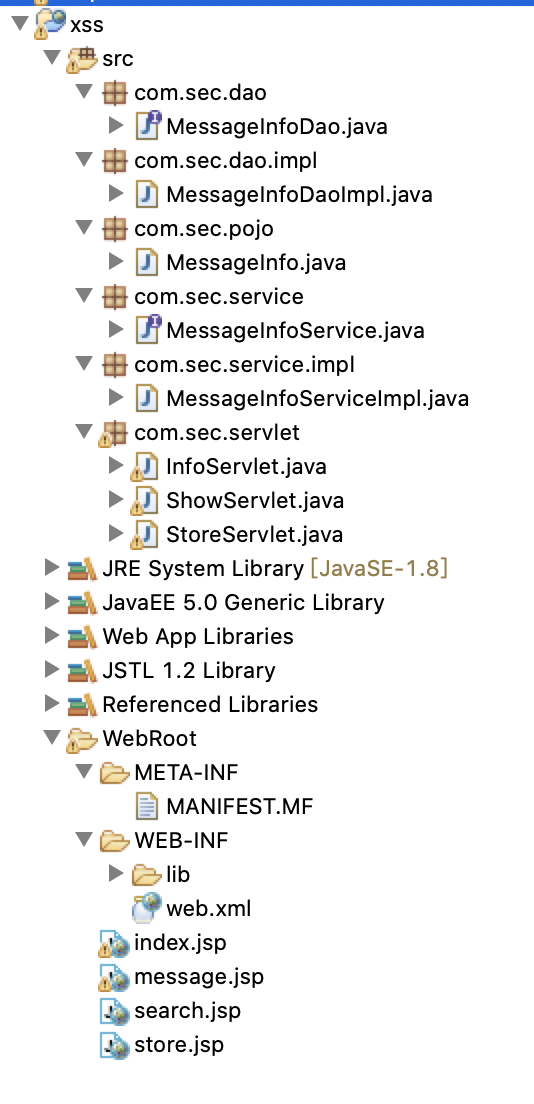
Change the database connection credentials:
MessageInfoDaoImpl.java line 23:

MessageInfoDaoImpl.java line 69:

project implements a simple message board. After the Servlet receives a request, it callsMessageInfoServiceImpl,UserInfoServiceImplWhen callingMessageInfoDaoImpl,MessageInfoDaoImplto insert and query database data, then wraps MessageInfointo an array object, then passesMessageInfo object back toMessageInfoService. The service layer returns it to the servlet layer, which displays the query result on theshowpage.
0x02 Vulnerability Principles
Cross-site scripting inserts executable code into a web page that the browser then runs. Although often less severe than SQL injection, effective XSS can steal cookies or contacts, capture screens, and hijack sessions. Depending on server behavior, it is generally classified as reflected, stored, or DOM-based XSS.
1. Reflected XSS
Using the downloaded example code, incom.sec.servletpackage's InfoServlet.javafile contains this key code:
public void Message(HttpServletRequest req, HttpServletResponse resp) {
		// TODO Auto-generated method stub
		String message = req.getParameter("msg");

		try {
			resp.getWriter().print(message);

		} catch (IOException e) {
			// TODO Auto-generated catch block
			e.printStackTrace();
		}

	}
obtains msgfield and prints it directly. Reflected XSS is straightforward: the application returns what you supplied 'unchanged.' The quotes matter—if the input contains executable JavaScript, the browser runs it.
The feature implemented by the code is shown below:
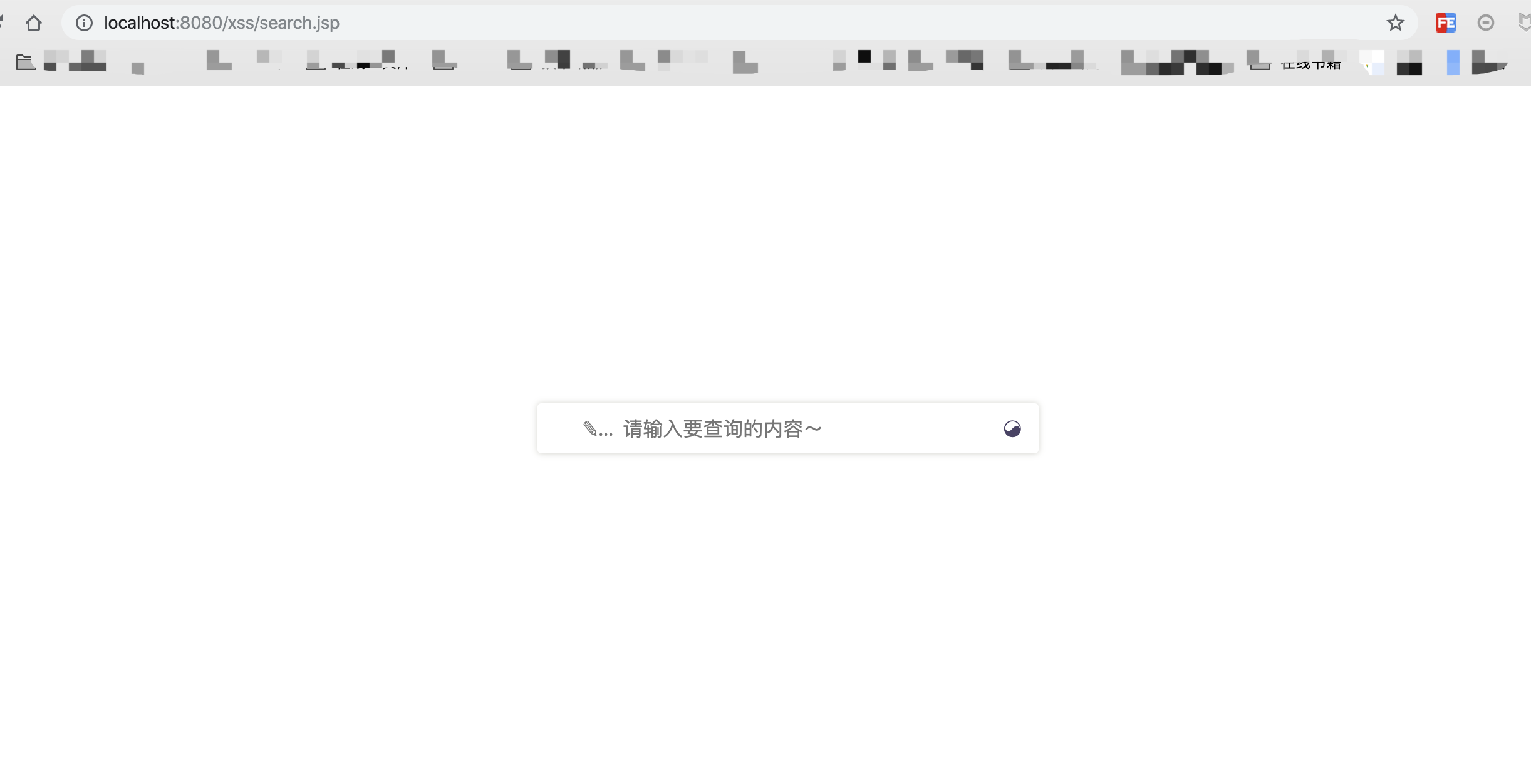
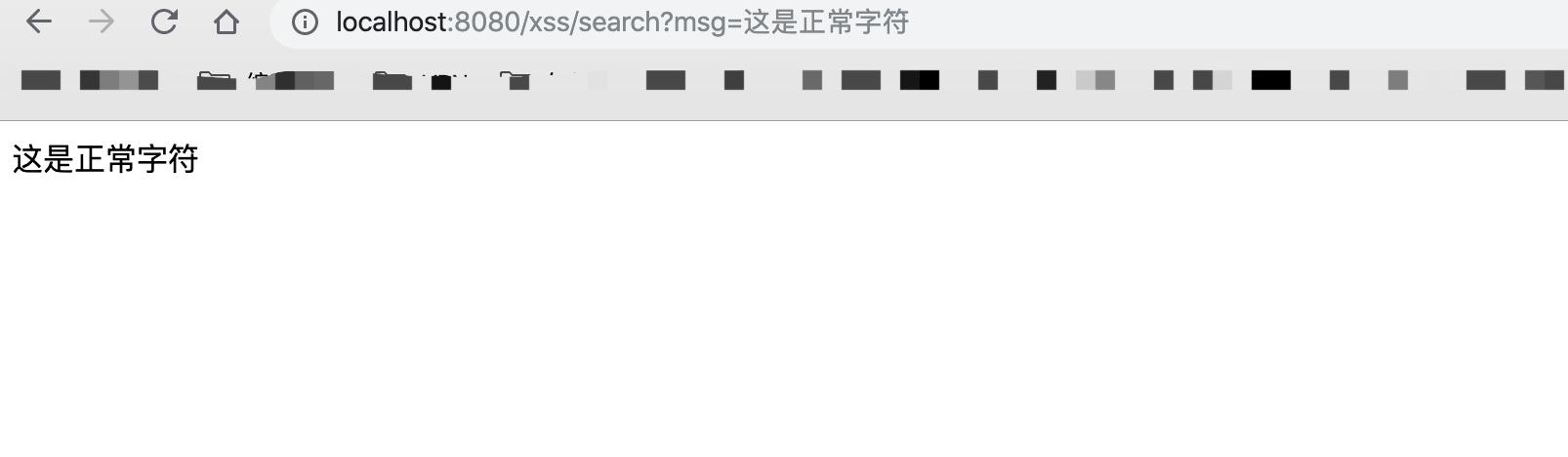
Normal input is returned as entered:
But if the input contains executable code such as:<script>alert('xss')</script>
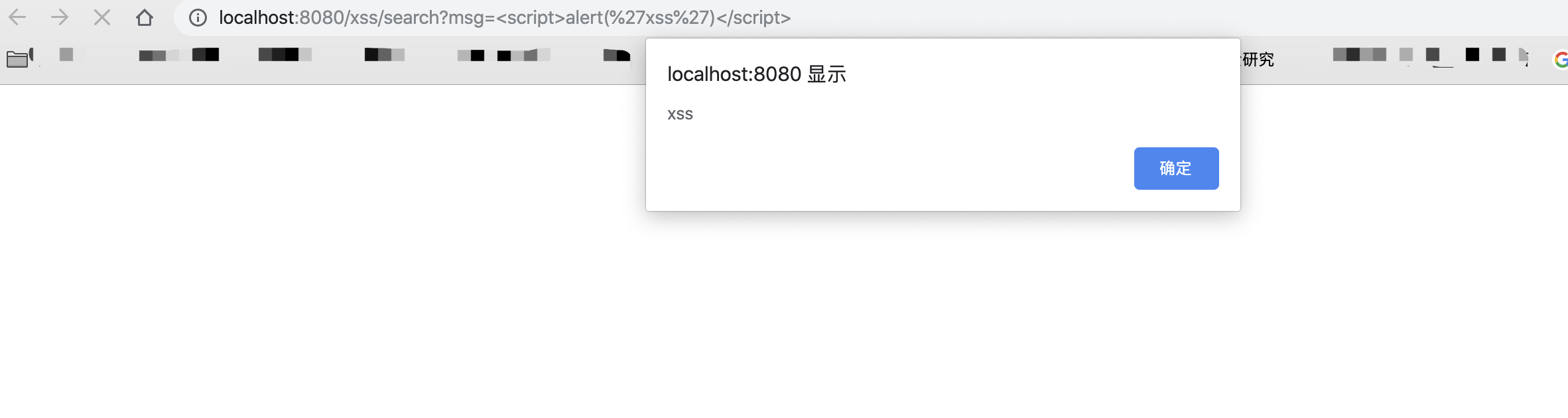
The browser executes this JavaScript, so controlling the input achieves the attack.
2. Stored XSS
Using the downloaded code above as an example, incom.sec.servletpackage's ShowServlet.javafile contains this key code:
public void ShowMessage(HttpServletRequest req, HttpServletResponse resp) throws ServletException, IOException {
		// TODO Auto-generated method stub

		MessageInfoService msginfo = new MessageInfoServiceImpl();

		List<MessageInfo> msg = msginfo.MessageInfoShowService();
		if( msg != null){
			req.setAttribute("msg", msg);
			req.getRequestDispatcher("/message.jsp").forward(req, resp);
			return ;
		}
	}
Here,MessageInfoShowServiceis mainly used to instantiateMessageInfoDaoImpl(), then callsMessageInfoShowDao()class, shown below:
try {
			....

			String sql = "select * from message";
			ps = conns.prepareStatement(sql);
			rs = ps.executeQuery();
			messageinfo = new ArrayList<MessageInfo>();
			while(rs.next()){
				MessageInfo msg = new MessageInfo();

				msg.setName(rs.getString("name"));
				msg.setMail(rs.getString("mail"));
				msg.setMessage(rs.getString("message"));

				messageinfo.add(msg);
			}

		....

		return messageinfo;
	}
}
primarily reads frommessagequeries every row in the table, adds name, mail, and message to the messageinfo list, and returns it to the Servlet layer.
This code forwards an address. Inmessage.jspcontains:
<%
	List<MessageInfo> msginfo = (ArrayList<MessageInfo>)request.getAttribute("msg");
	for(MessageInfo m:msginfo){
 %>
<table>

	<tr><td class="klytd"> Name:</td>
		<td class ="hvttd"> <%=m.getName() %></td>
	</tr>
	<tr><td class="klytd"> e-mail:</td><td class ="hvttd"> <%=m.getMail() %></td>
		</tr>
	<tr><td class="klytd"> Message:</td><td class ="hvttd"> <%=m.getMessage() %></td></tr>

</table> <% } %>
</div>
Retrieves name, mail, and message from the messageinfo list and renders them on the page.
The flow is now clear: read data from the message table → render the retrieved data on the page.
If stored data contains executable code, rendering it creates stored XSS.
Continue through the code and locate controllable input incom.sec.servletpackage's StoreServlet.javafile contains this key code:
public void StoreXss(HttpServletRequest req, HttpServletResponse resp) throws ServletException, IOException {
		// TODO Auto-generated method stub

		String name = req.getParameter("name");
		String mail = req.getParameter("mail");
		String message = req.getParameter("message");
		if(!name.equals(null) && !mail.equals(null) && !message.equals(null)){

			MessageInfoService msginfo = new MessageInfoServiceImpl();
			msginfo.MessageInfoStoreService(name, mail, message);

			resp.getWriter().print("<script>alert(\"添加成功\")</script>");
			resp.getWriter().flush();
			resp.getWriter().close();
		}
	}
obtains name, mail, and message and passes them toMessageInfoStoreService()class, whose primary role is to callMessageInfoStoreDao()class, whose key code is:
try {

  	  boolean result = false;
			....

			String sql = "INSERT INTO message (name,mail,message) VALUES (?,?,?)";
			ps = conn.prepareStatement(sql);
			ps.setString(1, name);
			ps.setString(2, mail);
			ps.setString(3, message);
			ps.execute();
			result = true;

		....

		return result;
	}
inserts data into the database. Although the statement is prepared, special characters are not filtered. Combined with directly rendering message-table data, this produces stored XSS.
Submit data containing executable code:
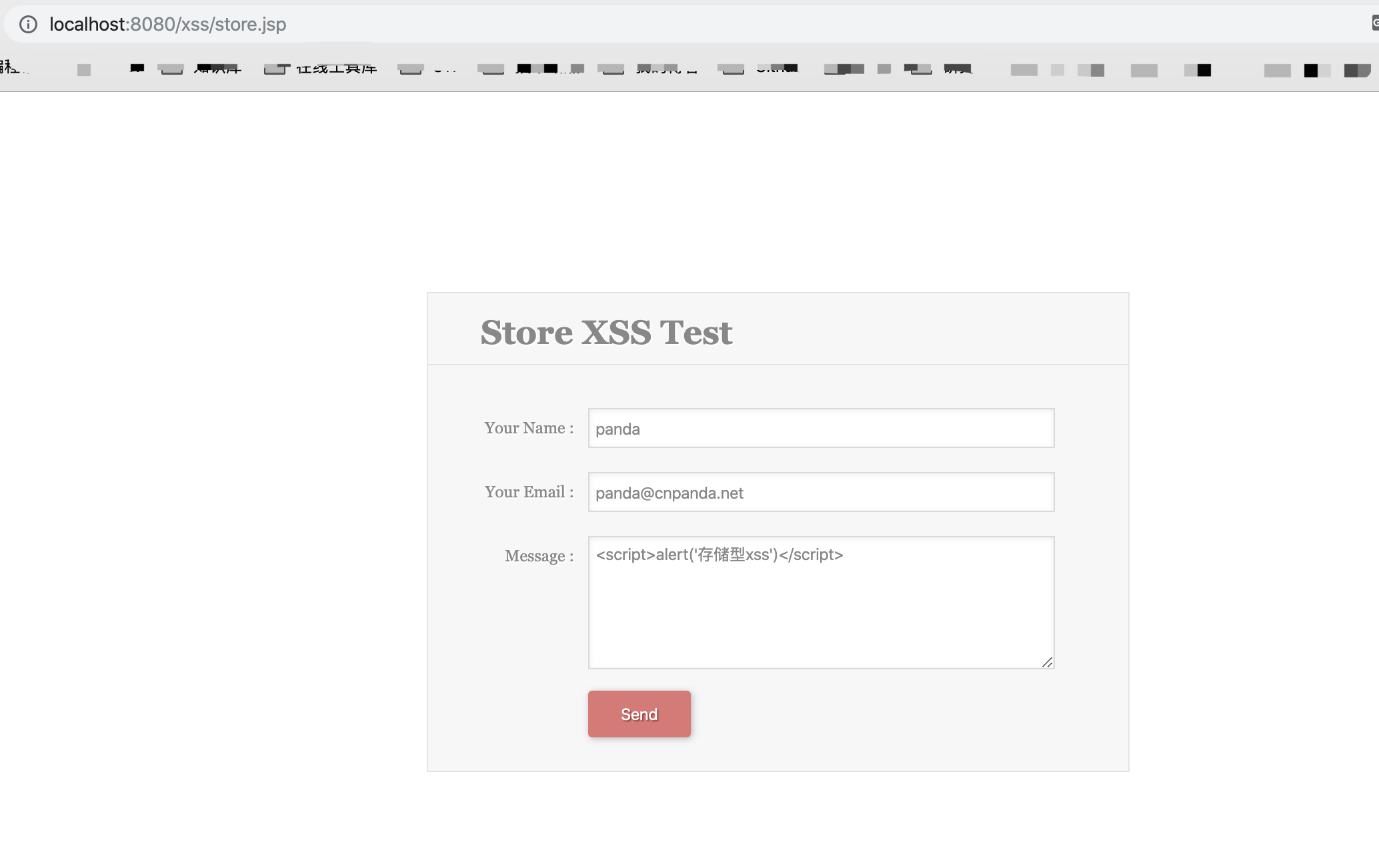
Then inspect the output page:
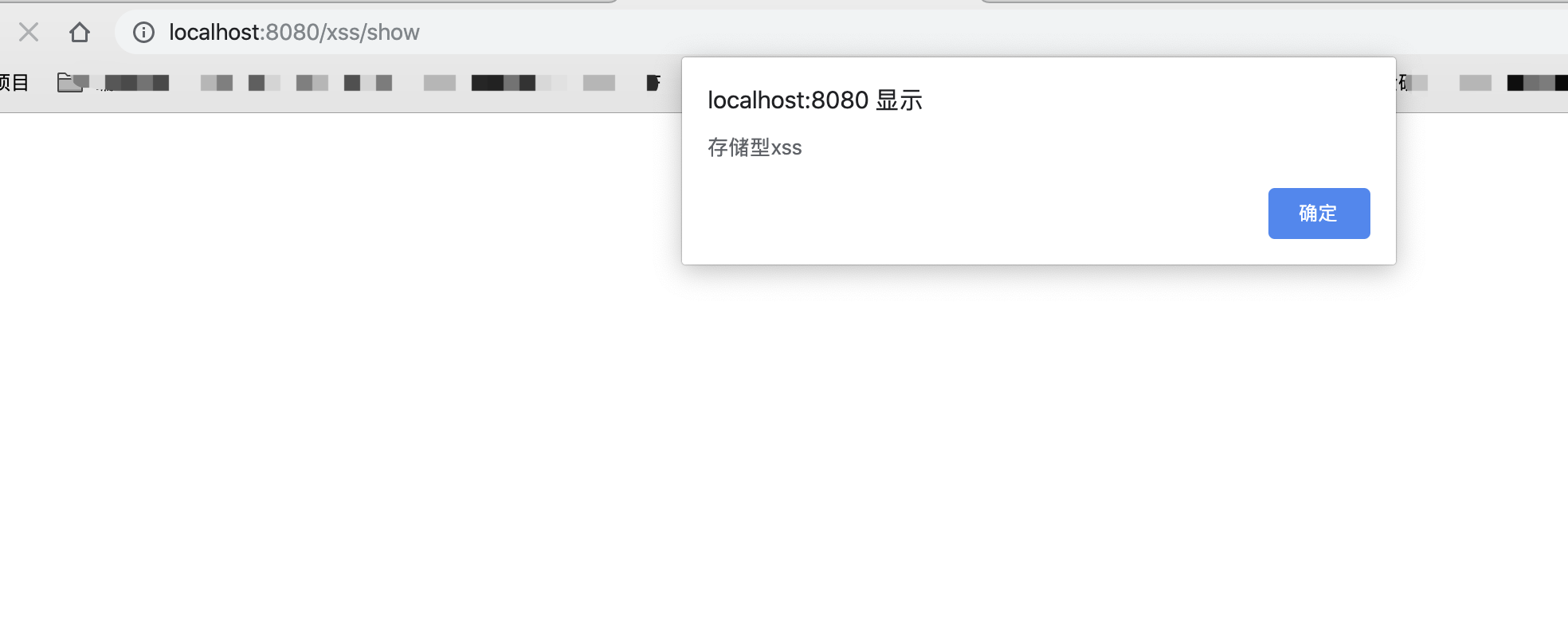
XSS executes successfully. After dismissing the dialog, the original page returns; refresh it again
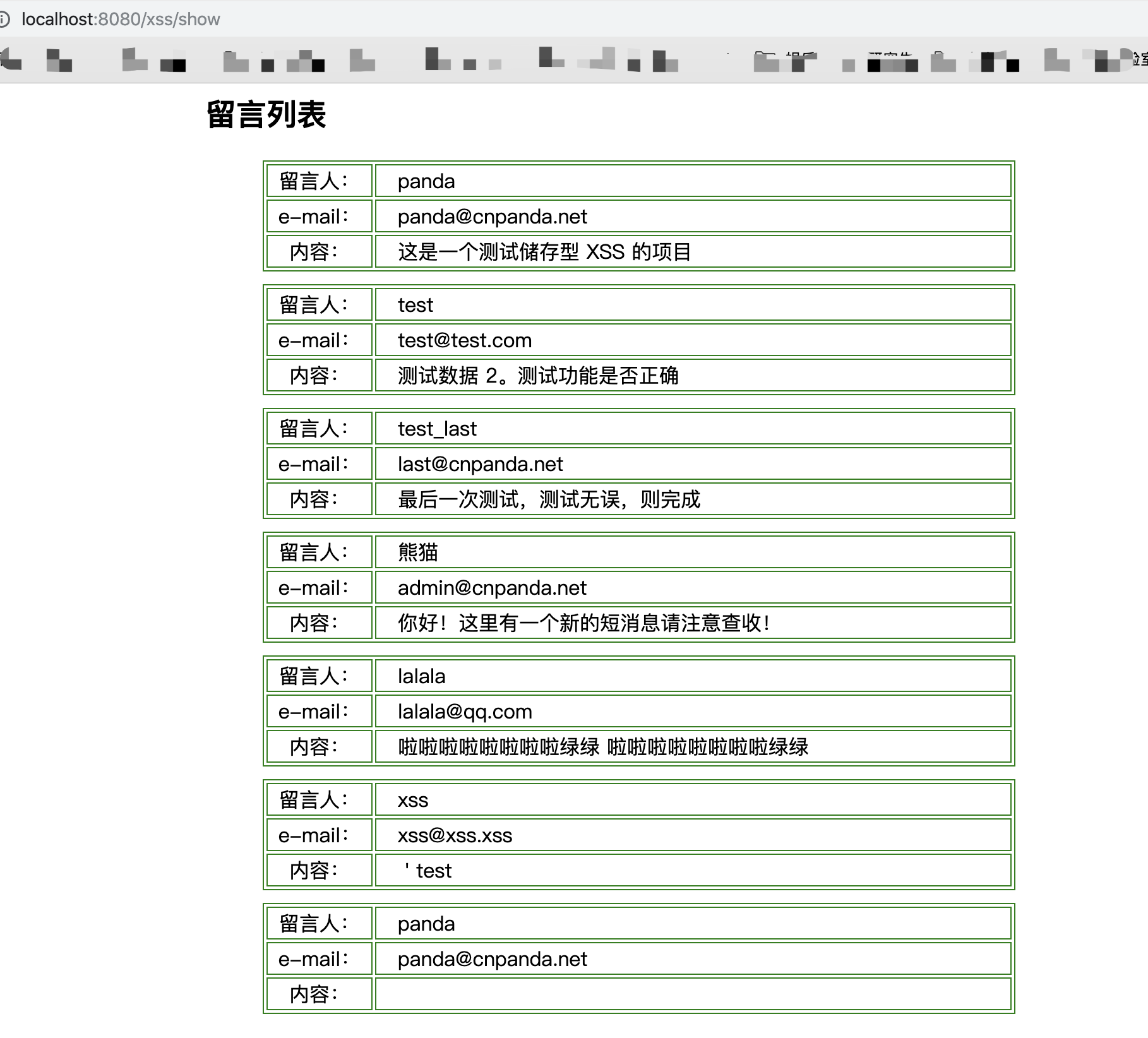
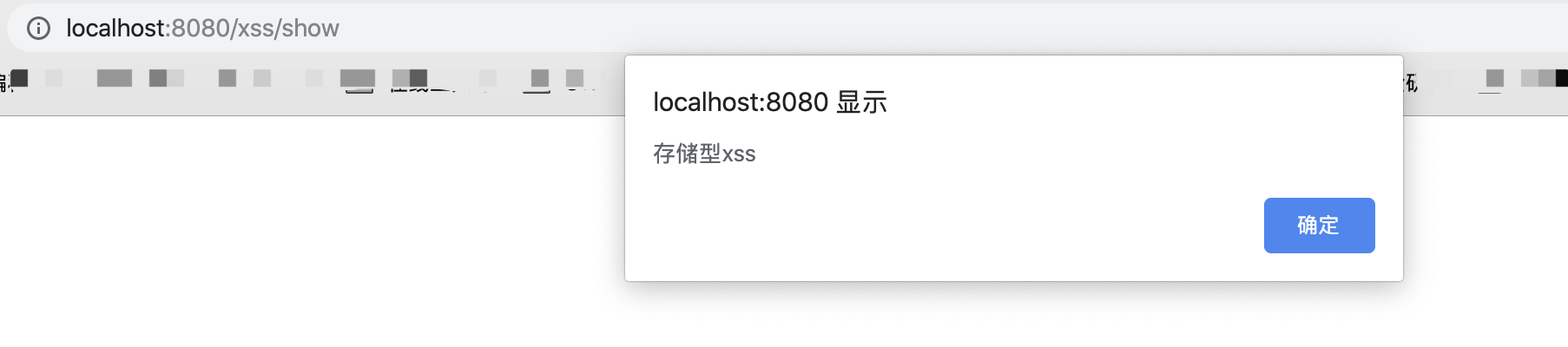
still executes the stored XSS payload. This persistence is the main difference from reflected XSS.
0x03 Remediation
XSS fundamentally results from inadequate input and output handling. Filtering can defend against it in several broad ways:
-
Preserve meaning by encoding special input before storing it. A disadvantage is unnecessary escaped data in the database or filesystem.
-
Remove special characters and retain normal data. This can prevent users from entering legitimate special characters and does not preserve the original input.
-
Restrict input so data containing special characters cannot be submitted.
Each approach can be customized. These are ideas; choose according to requirements.
Several concrete approaches follow.
1. Global Filtering
Before discussing global filters, note the role of web.xmlthis configuration file.web.xmlisjava web is an important project configuration file, butweb.xmlfile is notJava webrequired by the project,web.xmlprimarily configures welcome pages, Servlets, and filters. If a web project uses none of these, it need notweb.xmlfile to configure the web project.
A global filter requires a Filter, so first configureweb.xmlfile and add:
<filter>
        <filter-name>XssSafe</filter-name>
        <filter-class>XssFilter</filter-class>
    </filter>
    <filter-mapping>
        <filter-name>XssSafe</filter-name>
        <url-pattern>/*</url-pattern>
    </filter-mapping>
Note that our configuration is/*rather than/,< url-pattern>/</url-pattern> matches/loginpath-style URL does not match the pattern*.jspsuffix-style URL, whereas< url-pattern>/*</url-pattern> matches every URL, including path- and suffix-style URLs (including/login,*.jsp,*.jsand*.html, and so on).
Then implement the filter. Ready-made implementations are available online; for example:
// XssFilter implementation:

public class XssFilter implements Filter {

    @Override
    public void init(FilterConfig filterConfig) throws ServletException {
    }

    @Override
    public void doFilter(ServletRequest request, ServletResponse response,
            FilterChain chain) throws IOException, ServletException {
        chain.doFilter(new XssHttpServletRequestWrapper((HttpServletRequest) request), response);
    }

}
// XssHttpServletRequestWrapper implementation

public class XssHttpServletRequestWrapper extends HttpServletRequestWrapper {

    public XssHttpServletRequestWrapper(HttpServletRequest request) {
        super(request);
    }

    @SuppressWarnings("rawtypes")
    public Map<String,String[]> getParameterMap(){
        Map<String,String[]> request_map = super.getParameterMap();
        Iterator iterator = request_map.entrySet().iterator();
        while(iterator.hasNext()){
            Map.Entry me = (Map.Entry)iterator.next();
            String[] values = (String[])me.getValue();
            for(int i = 0 ; i < values.length ; i++){
                values[i] = xssClean(values[i]);
            }
        }

        return request_map;
    }
     public String[] getParameterValues(String paramString)
      {
        String[] arrayOfString1 = super.getParameterValues(paramString);
        if (arrayOfString1 == null)
          return null;
        int i = arrayOfString1.length;
        String[] arrayOfString2 = new String[i];
        for (int j = 0; j < i; j++){
            arrayOfString2[j] = xssClean(arrayOfString1[j]);
        }
        return arrayOfString2;
      }

      public String getParameter(String paramString)
      {
        String str = super.getParameter(paramString);
        if (str == null)
          return null;
        return xssClean(str);
      }

      public String getHeader(String paramString)
      {
        String str = super.getHeader(paramString);
        if (str == null)
          return null;
        str = str.replaceAll("\r|\n", "");
        return xssClean(str);
      }


      private String xssClean(String value) {
        //ClassLoaderUtils.getResourceAsStream("classpath:antisamy-slashdot.xml", XssHttpServletRequestWrapper.class)
        if (value != null) {
            // NOTE: It's highly recommended to use the ESAPI library and
            // uncomment the following line to
            // avoid encoded attacks.
            // value = encoder.canonicalize(value);
            value = value.replaceAll("\0", "");

            // Avoid anything between script tags
            Pattern scriptPattern = Pattern.compile("<script>(.*?)</script>",
                    Pattern.CASE_INSENSITIVE);
            value = scriptPattern.matcher(value).replaceAll("");

            // Avoid anything in a src='...' type of expression
            scriptPattern = Pattern.compile("src[\r\n]*=[\r\n]*\\\'(.*?)\\\'",
                    Pattern.CASE_INSENSITIVE | Pattern.MULTILINE
                            | Pattern.DOTALL);
            value = scriptPattern.matcher(value).replaceAll("");
            // Avoid anything in a href='...' type of expression
            scriptPattern = Pattern.compile("href[\r\n]*=[\r\n]*\\\"(.*?)\\\"",
                                Pattern.CASE_INSENSITIVE | Pattern.MULTILINE
                                        | Pattern.DOTALL);
            value = scriptPattern.matcher(value).replaceAll("");


            // Remove any lonesome </script> tag
            scriptPattern = Pattern.compile("</script>",
                    Pattern.CASE_INSENSITIVE);
            value = scriptPattern.matcher(value).replaceAll("");

            // Remove any lonesome <script ...> tag
            scriptPattern = Pattern.compile("<script(.*?)>",
                    Pattern.CASE_INSENSITIVE | Pattern.MULTILINE
                            | Pattern.DOTALL);
            value = scriptPattern.matcher(value).replaceAll("");

            // Avoid eval(...) expressions
            scriptPattern = Pattern.compile("eval\\((.*?)\\)",
                    Pattern.CASE_INSENSITIVE | Pattern.MULTILINE
                            | Pattern.DOTALL);
            value = scriptPattern.matcher(value).replaceAll("");

            // Avoid expression(...) expressions
            scriptPattern = Pattern.compile("expression\\((.*?)\\)",
                    Pattern.CASE_INSENSITIVE | Pattern.MULTILINE
                            | Pattern.DOTALL);
            value = scriptPattern.matcher(value).replaceAll("");

            // Avoid javascript:... expressions
            scriptPattern = Pattern.compile("javascript:",
                    Pattern.CASE_INSENSITIVE);
            value = scriptPattern.matcher(value).replaceAll("");

            // Avoid vbscript:... expressions
            scriptPattern = Pattern.compile("vbscript:",
                    Pattern.CASE_INSENSITIVE);
            value = scriptPattern.matcher(value).replaceAll("");

            // Avoid onload= expressions
            scriptPattern = Pattern.compile("onload(.*?)=",
                    Pattern.CASE_INSENSITIVE | Pattern.MULTILINE
                            | Pattern.DOTALL);
            value = scriptPattern.matcher(value).replaceAll("");
        }
          return value;
          }
}
2. Use the xssProtect Utility
This is a Java library from Google for filtering XSS from user-input fields.
https://code.google.com/archive/p/xssprotect/
project must import xssProtect-0.1.jar、antlr-3.0.1.jar、antlr-runtime-3.0.1.jar and two other JARs
Basic usage:
protectedAgainstXSS(String html){StringReader reader = new StringReader(html); StringWriter writer = new StringWriter();
  try {
      // 从“ html”变量解析传入的字符串
      HTMLParser.process( reader, writer, new XSSFilter(), true );

      // 返回经过解析和处理的字符串
      return writer.toString();
  } catch (HandlingException e) {
  }
}
Usage details are available at:https://www.iteye.com/blog/liuzidong-1744023[8]
Download:
https://code.google.com/archive/p/xssprotect/downloads
https://github.com/kennylee26/xssprotect
3. commons.lang Package
This package contains StringUtils, which provides null-safe string operations including search, replacement, splitting, trimming, and invalid-character removal. Three functions are useful for filtering.
- StringEscapeUtils.escapeHtml(string) Escape string characters with HTML entities.
For example:
turns
"bread" & "butter"
into:
"bread" & "butter"
- StringEscapeUtils.escapeJavaScript(string)
Escape characters according to JavaScript string rules.
For example:
turns
input string: He didn't say, "Stop!"
into:
output string: He didn\'t say, \"Stop!\"
More methods and effects are documented at:
http://commons.apache.org/proper/commons-lang/javadocs/api-2.6/org/apache/commons/lang/StringEscapeUtils.html[9]
0x04 Real-World Case Study: CVE-2018-19178
1. Case Overview
CVE page:https://cve.mitre.org/cgi-bin/cvename.cgi?name=CVE-2018-19178
JEESNS is a Java enterprise social-management system. In JEESNS 1.3,com/lxinet/jeesns/core/utils/XssHttpServletRequestWrapper.java permits an HTML <embed> tag to insert XSS code.
2. Building the Test Case
Download OFCMS v1.3 from the official site, open IntelliJ IDEA, and clickimport project, selectimport project from external modelinMaven, then continue with defaults. Series article 02 explains the detailed process.
After import, the IDE downloads required JARs automatically:
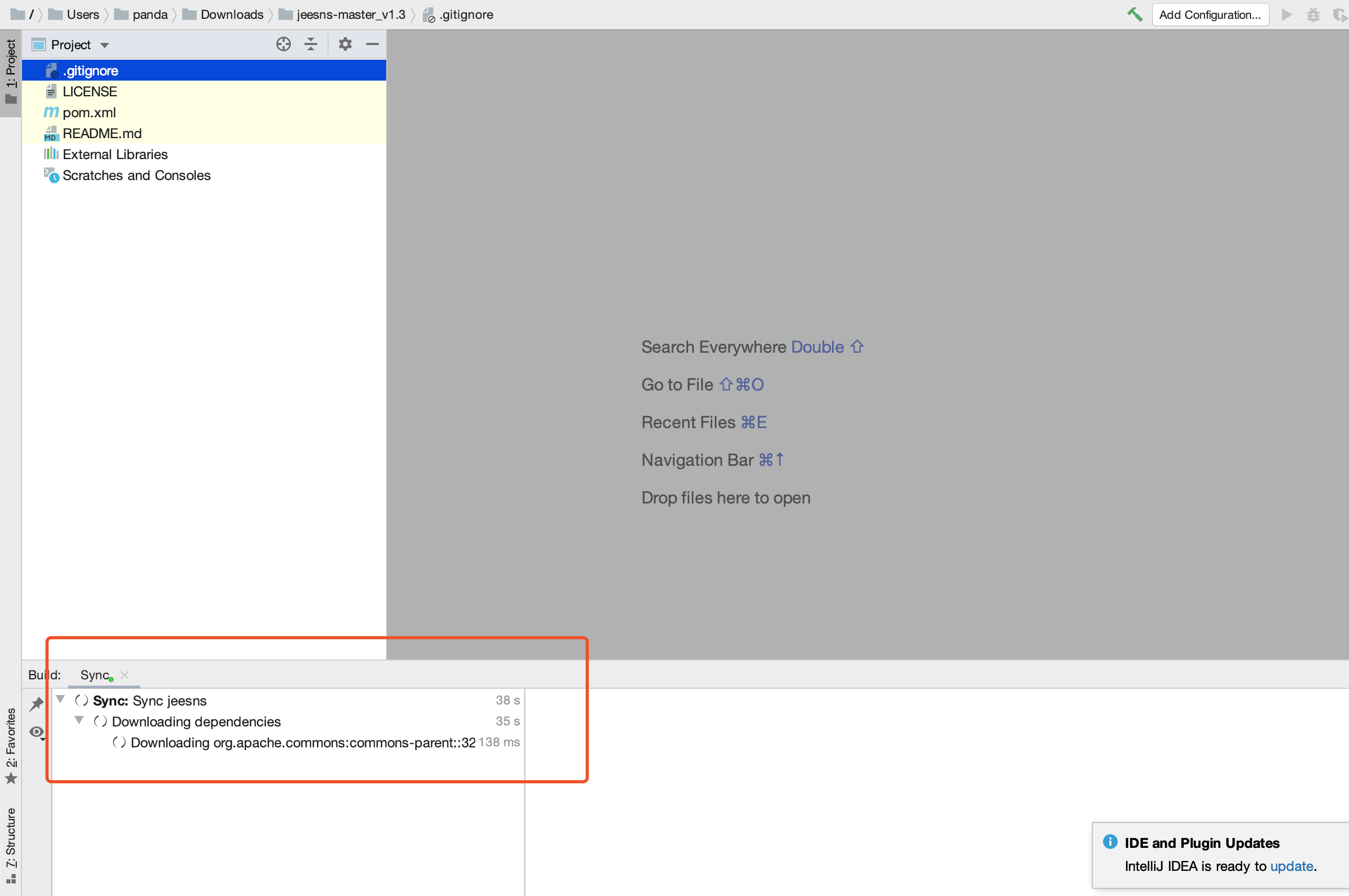
The download completes after a few minutes. Then create the local database:
create database jeesns charset utf8mb4;
Select the database and import the SQL file:
source /Users/panda/Downloads/jeesns-master_v1.3/jeesns-web/database/jeesns.sql
Then injeesns-web/src/main/resources/jeesns.propertisfile and change the database credentials
Database versions differ, so use the matching MySQL Connector JAR or an error like this will occur:
Cause: org.springframework.jdbc.CannotGetJdbcConnectionException: Could not get JDBC Connection; nested exception is java.sql.SQLException: Connections could not be acquired from the underlying database!
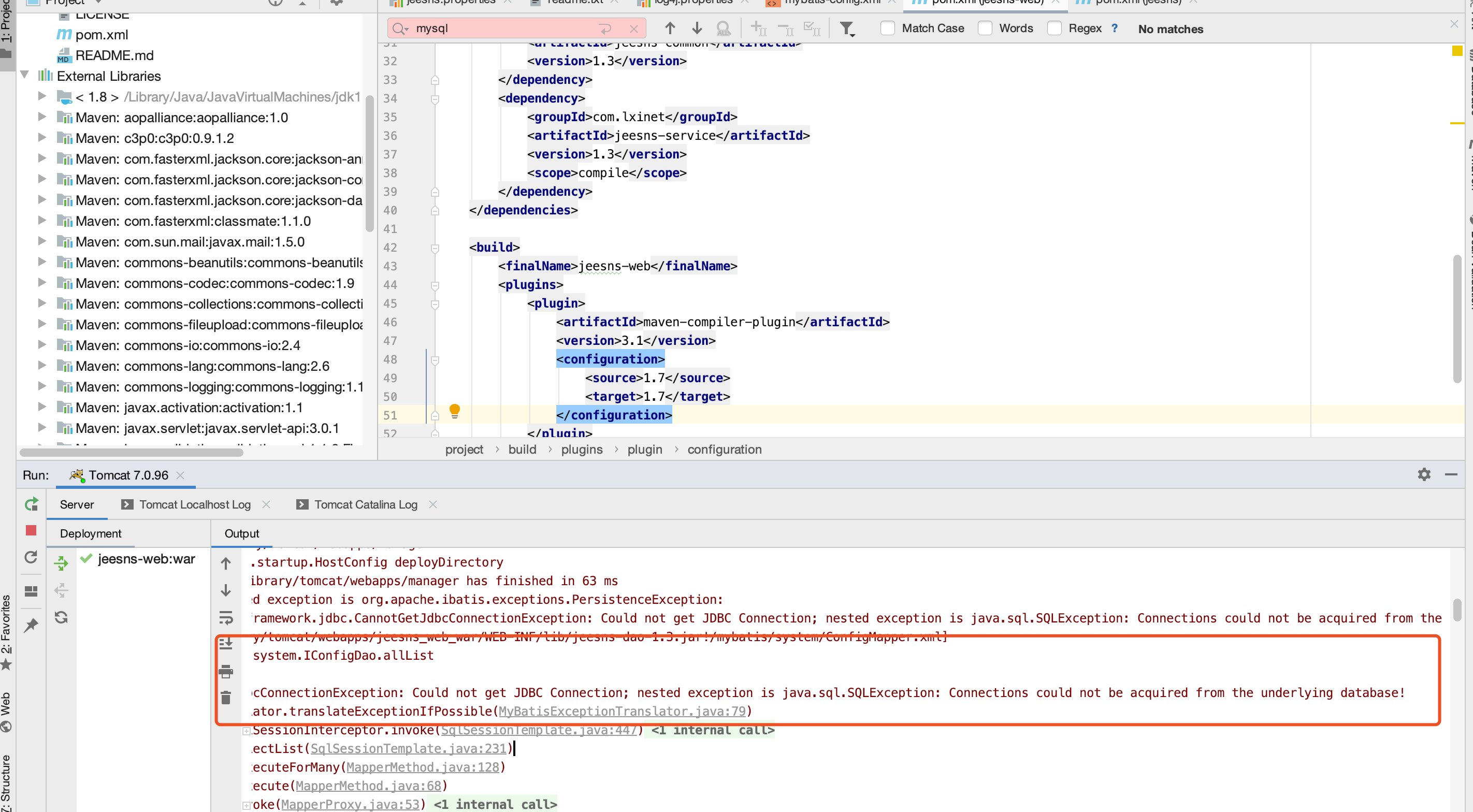
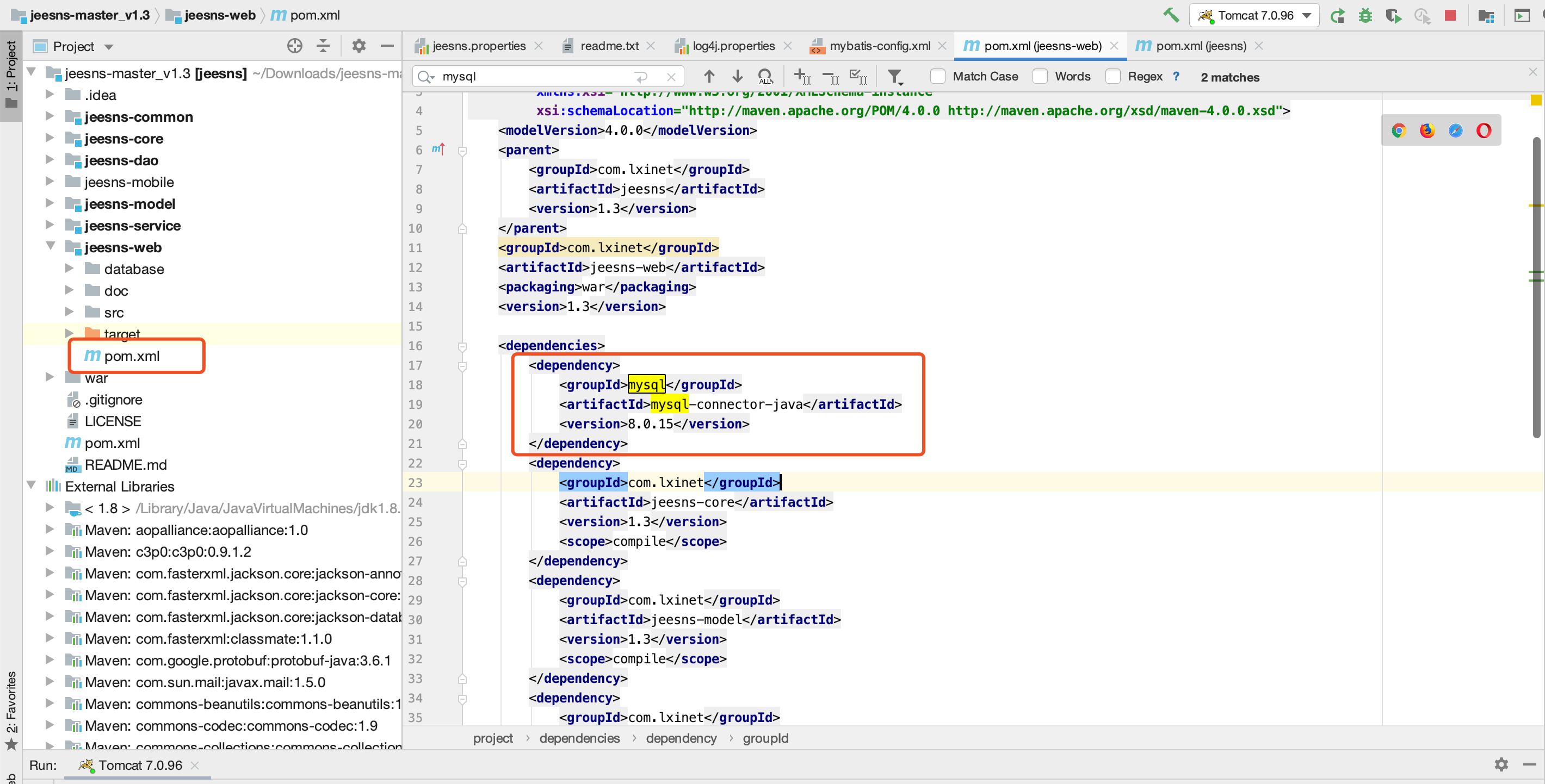
It must be added injeesns-web/pom.xmlfile and add:
<dependency>
    <groupId>mysql</groupId>
    <artifactId>mysql-connector-java</artifactId>
    <version>8.0.15</version>
</dependency>
Note: pay attention to where this code is added and to the local database version.
As shown below:
After saving the changes, configure Tomcat through Run → Edit Configurations:
Keep the default Server options:
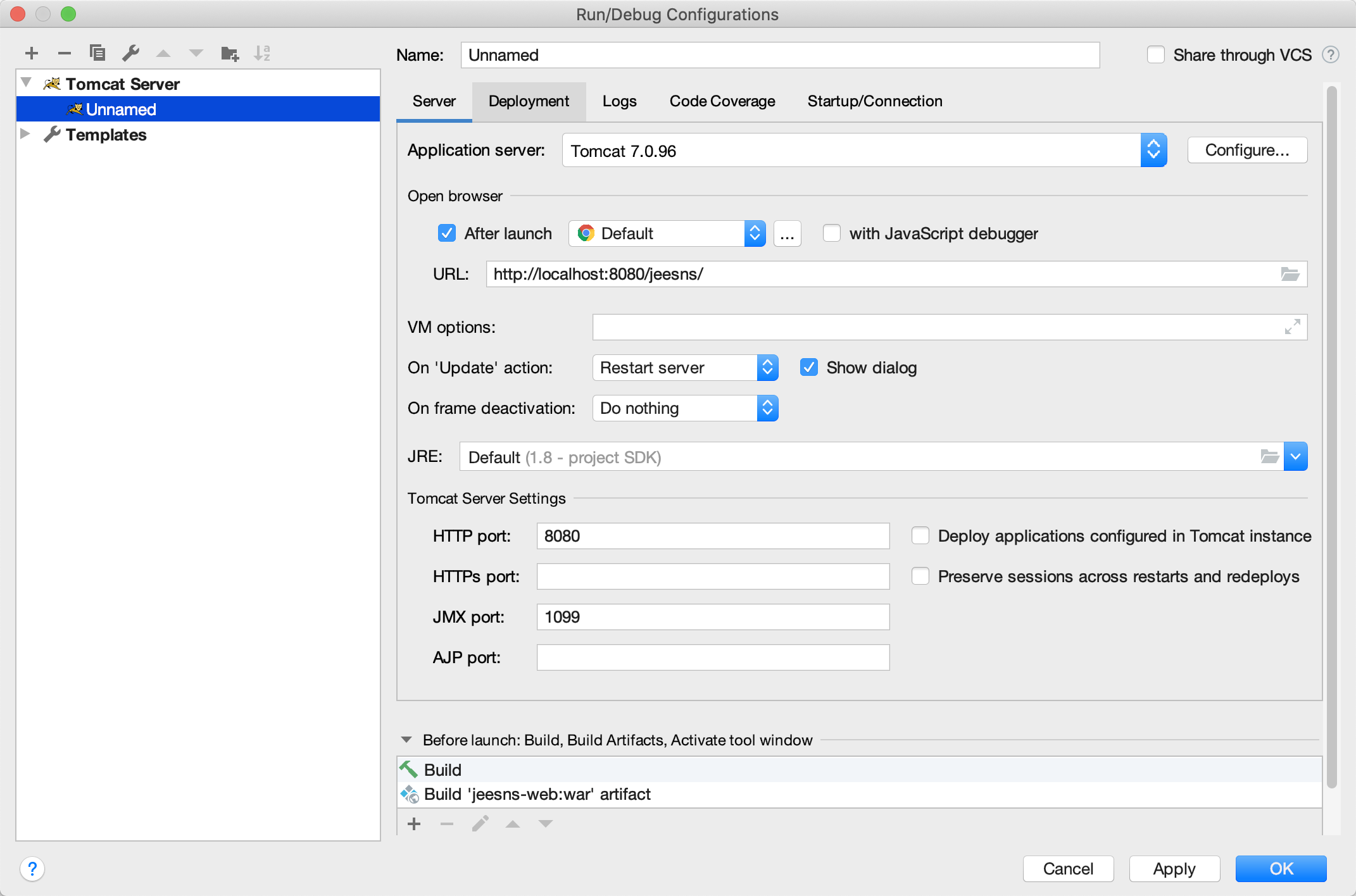
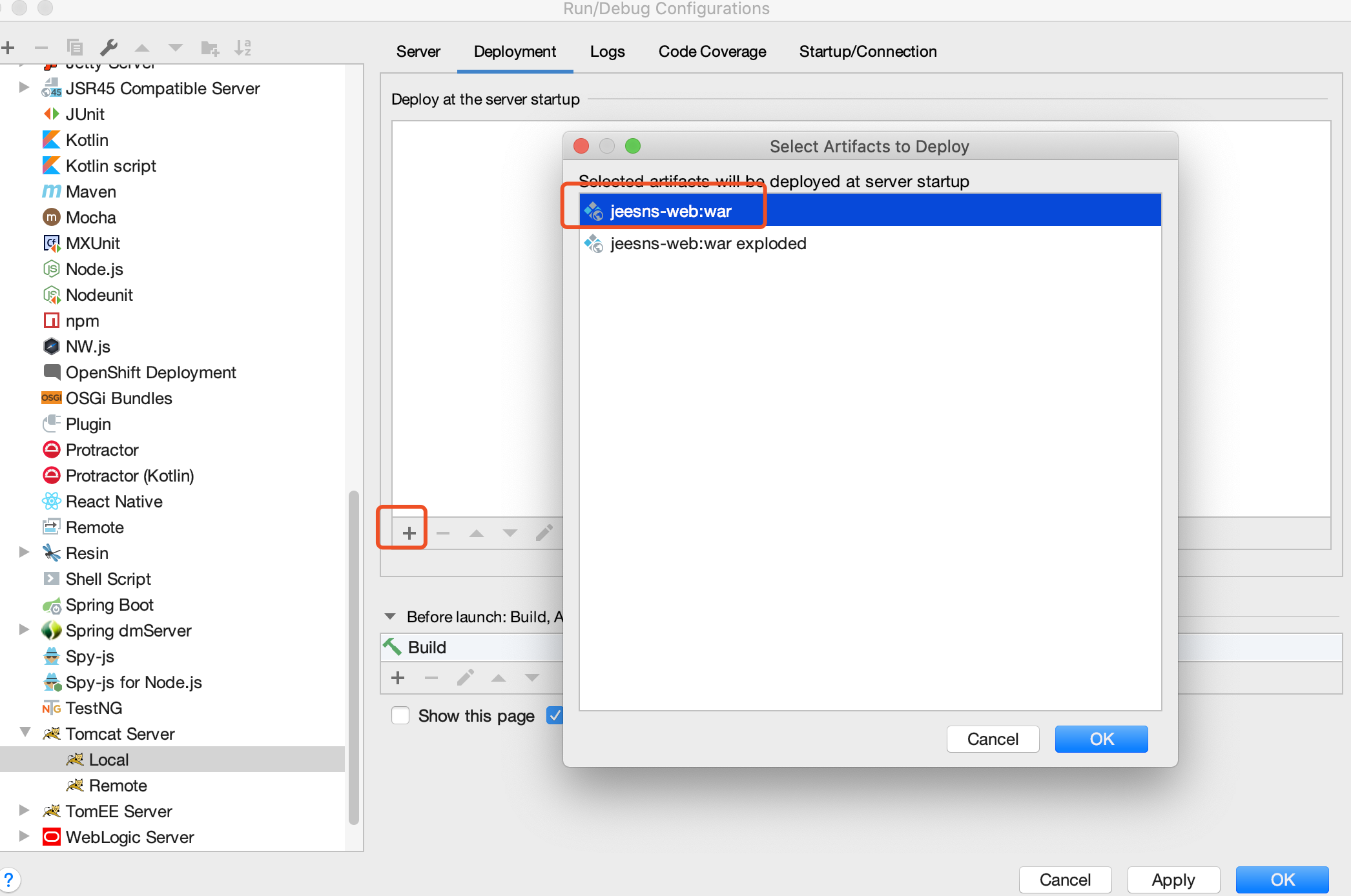
Under Deployment, import the WAR: click +, choose Artifact, then select the first WAR:
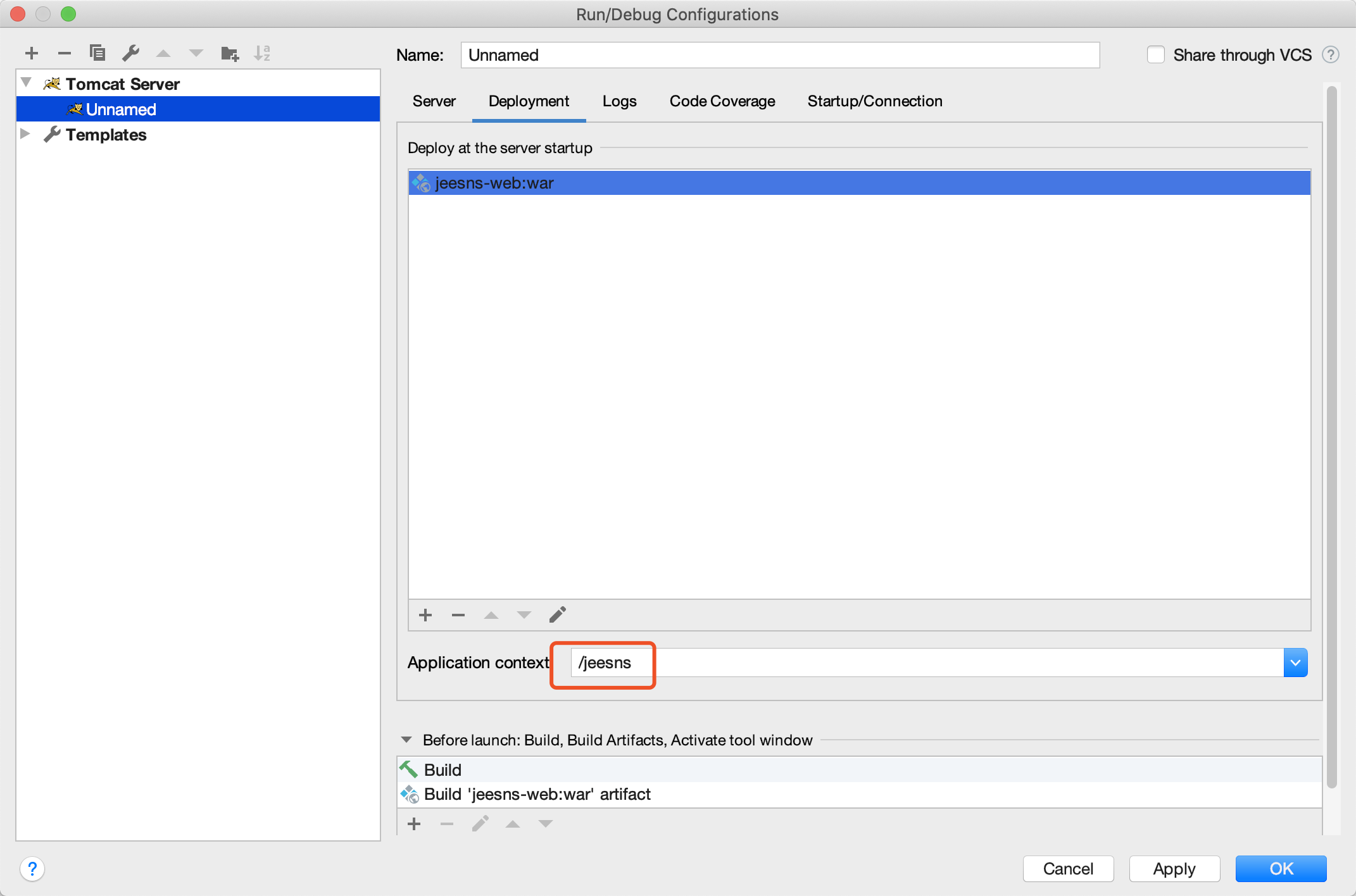
Click OK to modify the path:
Click the application to run the project:
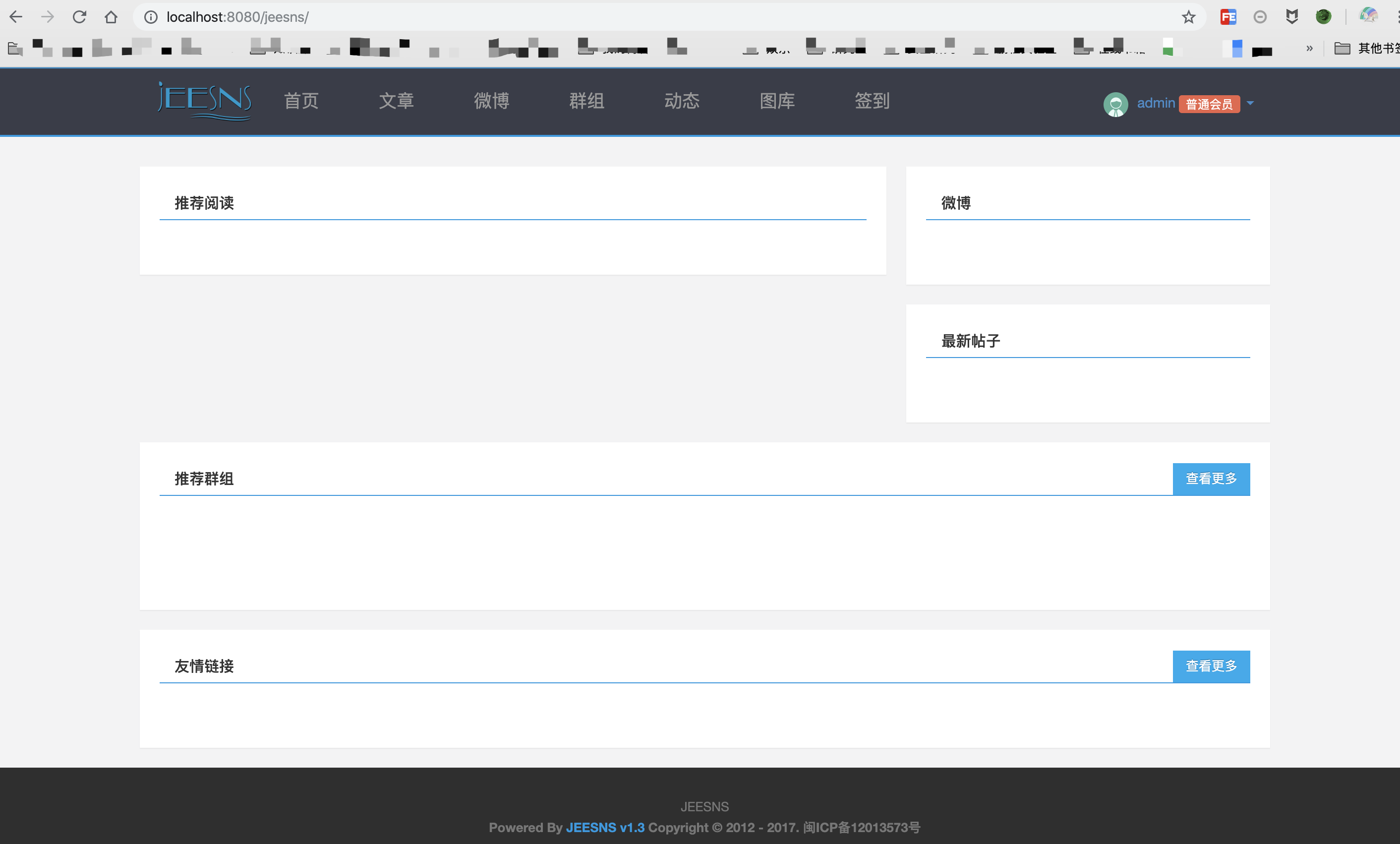
Site URL:http://localhost:8080/jeesns/
Admin URL:http://localhost:8080/jeesns/manage/
Administrator username: admin
Administrator password: jeesns
3. Vulnerability Analysis
The vulnerable file is:jeesns-core/src/main/java/com.lxinet.jeesns/core/utils/XssHttpServletRequestWrapper.java
The relevant content is:
/**
* XSS攻击处理
* Created by zchuanzhao on 2017/3/23.
*/
public String getParameter(String parameter) {
String value = super.getParameter(parameter);
if (value == null) {
return null;
}
return cleanXSS(value);
}
......
private String cleanXSS(String value) {
//first checkpoint
//(?i)忽略大小写
value = value.replaceAll("(?i)<style>", "<style>").replaceAll("(?i)</style>", "</style>");
value = value.replaceAll("(?i)<script>", "<script>").replaceAll("(?i)</script>", "</script>");
value = value.replaceAll("(?i)<script", "<script");
value = value.replaceAll("(?i)eval\\((.*)\\)", "");
value = value.replaceAll("[\\\"\\\'][\\s]*javascript:(.*)[\\\"\\\']", "\"\"");
//second checkpoint
// 需要过滤的脚本事件关键字
String[] eventKeywords = { "onmouseover", "onmouseout", "onmousedown",
"onmouseup", "onmousemove", "onclick", "ondblclick",
"onkeypress", "onkeydown", "onkeyup", "ondragstart",
"onerrorupdate", "onhelp", "onreadystatechange", "onrowenter",
"onrowexit", "onselectstart", "onload", "onunload",
"onbeforeunload", "onblur", "onerror", "onfocus", "onresize",
"onscroll", "oncontextmenu", "alert" };
// 滤除脚本事件代码
for (int i = 0; i < eventKeywords.length; i++) {
// 添加一个"_", 使事件代码无效
value = value.replaceAll(eventKeywords[i],"_" + eventKeywords[i]);
}
return value;
}
}
The same protection is also placed in a filter:
    public void doFilter(ServletRequest request, ServletResponse response, FilterChain chain) throws IOException, ServletException {
        chain.doFilter(new XssHttpServletRequestWrapper((HttpServletRequest) request), response);
    }
inWeiboController.javafile contains this key code:
    @RequestMapping(value="/comment/{weiboId}",method = RequestMethod.POST)
    @ResponseBody
    public ResultModel comment(@PathVariable("weiboId") Integer weiboId, String content, Integer weiboCommentId){
        Member loginMember = MemberUtil.getLoginMember(request);
        ValidUtill.checkLogin(loginMember);
        return new ResultModel(weiboCommentService.save(loginMember,content,weiboId,weiboCommentId));
    }
The key save-function code is:
public boolean save(HttpServletRequest request, Member loginMember, String content, String pictures) {
        if("0".equals(request.getServletContext().getAttribute(ConfigUtil.WEIBO_POST.toUpperCase()))){
            throw new OpeErrorException("微博已关闭");
        }
        ValidUtill.checkIsNull(content, Messages.CONTENT_NOT_EMPTY);
        if(content.length() > Integer.parseInt((String) request.getServletContext().getAttribute(ConfigUtil.WEIBO_POST_MAXCONTENT.toUpperCase()))){
            throw new ParamException("内容不能超过"+request.getServletContext().getAttribute(ConfigUtil.WEIBO_POST_MAXCONTENT.toUpperCase())+"字");
        }
       ....

        Weibo weibo = new Weibo();
        weibo.setMemberId(loginMember.getId());
        weibo.setContent(content);
        weibo.setStatus(1);

  		 ....

        return result == 1;
    }
After obtaining content from the request, save() stores it. The request uses aXssHttpServletRequestWrapperfilter, throughcleanXSS to filter incoming parameters. Overall, the crucial location isXssHttpServletRequestWrapper.java file. If cleanxssfunction, XSS becomes possible.
Examine this function closely.
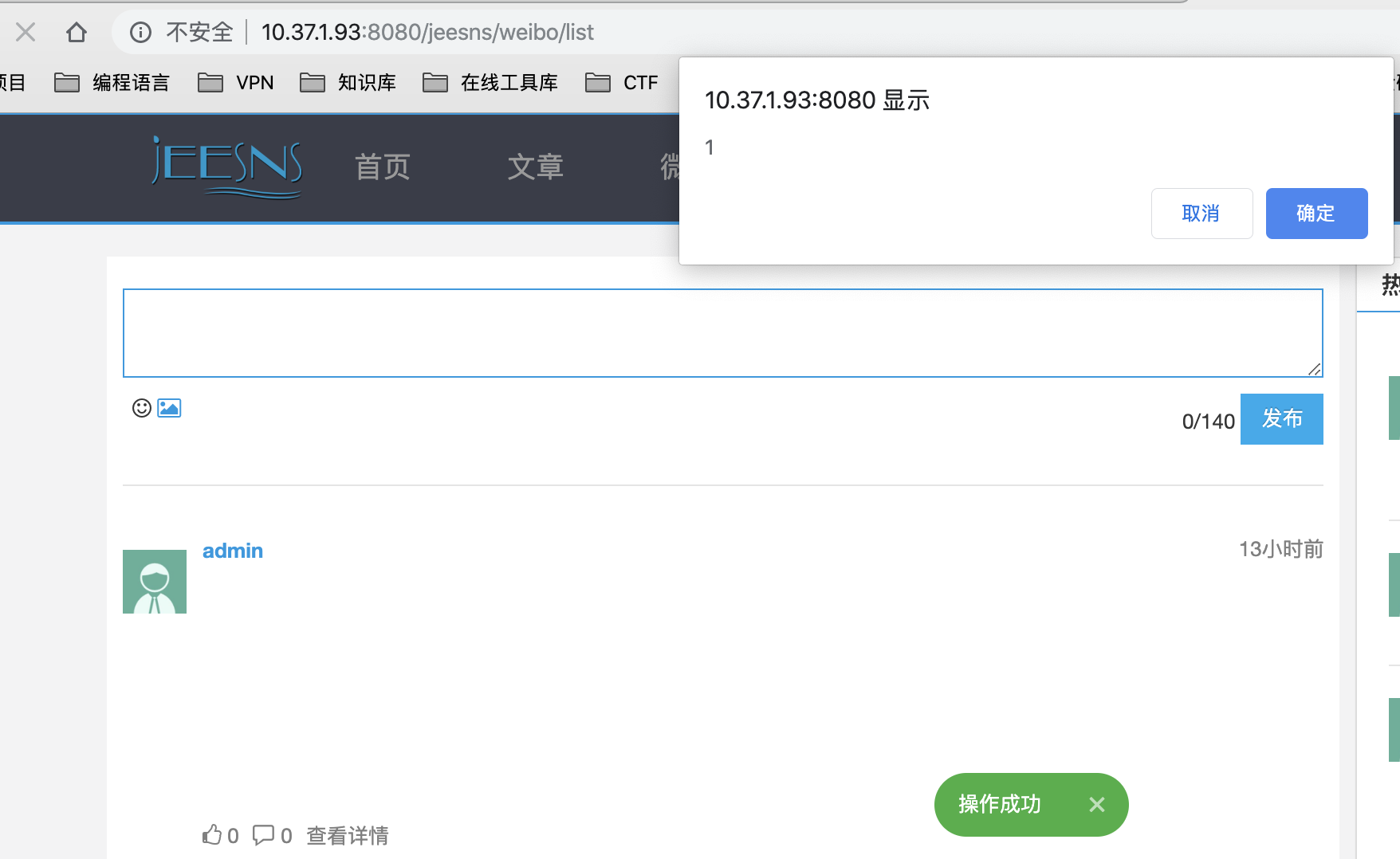
It first processes incoming characters, then uses a tag denylist. Commonly used tags such asalert、onerrorand similar functions. This is not absolutely safe and can be bypassed, for example:
<object data="data:text/html;base64,PHNjcmlwdD5hbGVydCgiSGVsbG8iKTs8L3NjcmlwdD4=">
18.png
Another example:
<svg/onLoad=confirm(1)>

<img src="x" ONERROR=confirm(0)>
4. Remediation
The official release reached v1.4 but is no longer open source, so its fix cannot be inspected. Here are my recommendations.
1. Tag denylists are not viable long term. There are too many tags and possible techniques; one omission defeats the protection.
2. Use the defenses above, including global filtering, xssProtect, and filtering methods in commons.lang.
0x05 Conclusion
This article covers Java XSS: its principles, a simple Java example, remediation, and a CVE case study. I hope it helps readers beginning Java code auditing.