0x01 Vulnerability Description
CVE: CVE-2019-18622
phpMyAdmin before 4.9.2 is affected. An attacker can trigger SQL injection in the Designer feature with a crafted database or table name.[1][2][3][4][5][6][7][8]
Official Information
PMASA-2019-5
Announcement-ID: PMASA-2019-5
Date: 2019-10-28
Summary
SQL Injection in the Designer Feature
Description
The advisory reports that a crafted database name can trigger SQL injection through the Designer feature.
This resembles PMASA-2019-2 and PMASA-2019-3, but affects different versions.
Severity
We consider this vulnerability severe.
Affected Versions
phpMyAdmin versions before 4.9.2 are affected, including at least 4.7.7.
0x02 Analysis
First, inspect the official patch:
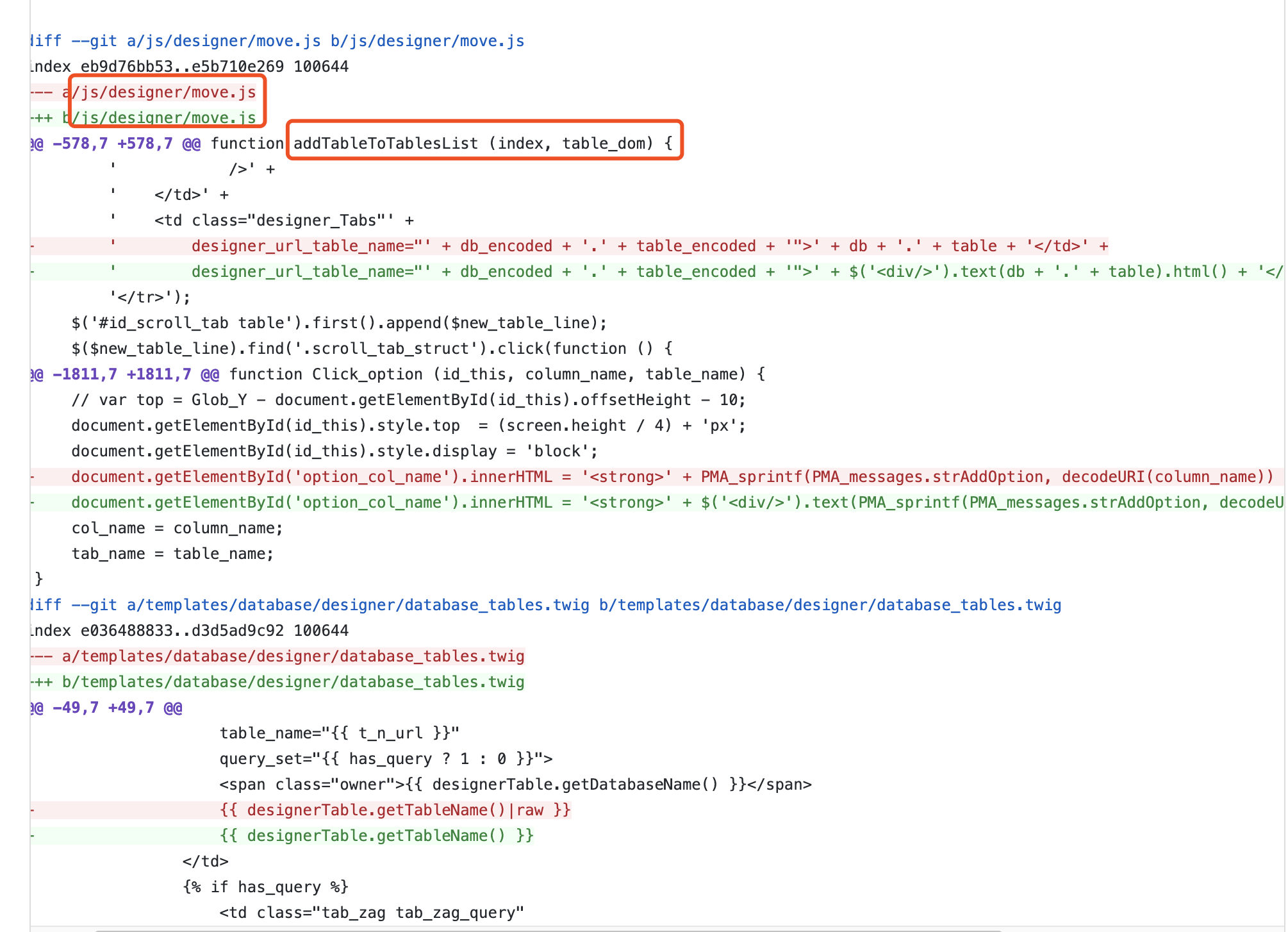
In the screenshot above, focus first on/js/designer/move.jsfile. It merely changes how the value is obtained; the final value is sent by POST todb_desingner.phpfile; the relevant content is:
if (isset($_POST['dialog'])) {

     ....

    } elseif ($_POST['dialog'] == 'add_table') {
        // Pass the db and table to the getTablesInfo so we only have the table we asked for
        $script_display_field = $designerCommon->getTablesInfo($_POST['db'], $_POST['table']);
     ...
}
is passed togetTablesInfo()function, whose main logic is:
public function getTablesInfo($db = null, $table = null)
    {
        .....
        foreach ($tables as $one_table) {
            $DF = $this->relation->getDisplayField($db, $one_table['TABLE_NAME']);
            $DF = is_string($DF) ? $DF : '';
            $DF = ($DF !== '') ? $DF : null;
            $designerTables[] = new DesignerTable(
                                    $db,
                                    $one_table['TABLE_NAME'],
                                    $one_table['ENGINE'],
                                    $DF
                                );
        }

        return $designerTables;
    }
Follow the callgetDisplayField(), containing:
 public function getDisplayField($db, $table)
    {
        $cfgRelation = $this->getRelationsParam();

        /**
         * Try to fetch the display field from DB.
         */
        if ($cfgRelation['displaywork']) {
            $disp_query = '
                SELECT `display_field`
                FROM ' . Util::backquote($cfgRelation['db'])
                    . '.' . Util::backquote($cfgRelation['table_info']) . '
                WHERE `db_name`    = \'' . $GLOBALS['dbi']->escapeString($db) . '\'
                    AND `table_name` = \'' . $GLOBALS['dbi']->escapeString($table)
                . '\'';

            $row = $GLOBALS['dbi']->fetchSingleRow(
                $disp_query, 'ASSOC', DatabaseInterface::CONNECT_CONTROL
            );
            if (isset($row['display_field'])) {
                return $row['display_field'];
            }
        }
   ....
throughescapeStringfilters the table name. Inspect the filter:
public function escapeString($link, $str)
    {
        return mysql_real_escape_string($str, $link);
    }
introducesmysql_real_escape_string()function
This function resemblesaddslashes()function; incorrect encoding could lead to wide-byte injection.
But is it really that simple? Continue reading.
The table_name parameter obtained here is passed to the following statement:
SELECT *, `COLUMN_NAME` AS `Field`, `COLUMN_TYPE` AS `Type`, `COLLATION_NAME` AS `Collation`, `IS_NULLABLE` AS `Null`, `COLUMN_KEY` AS `Key`, `COLUMN_DEFAULT` AS `Default`, `EXTRA` AS `Extra`, `PRIVILEGES` AS `Privileges`, `COLUMN_COMMENT` AS `Comment` FROM `information_schema`.`COLUMNS` WHERE `TABLE_SCHEMA` = 'day1' AND `TABLE_NAME` = '$table_name';
Here,$table_namein db_designer.phpis controllable. After preparing the environment and query, however, this error appears:
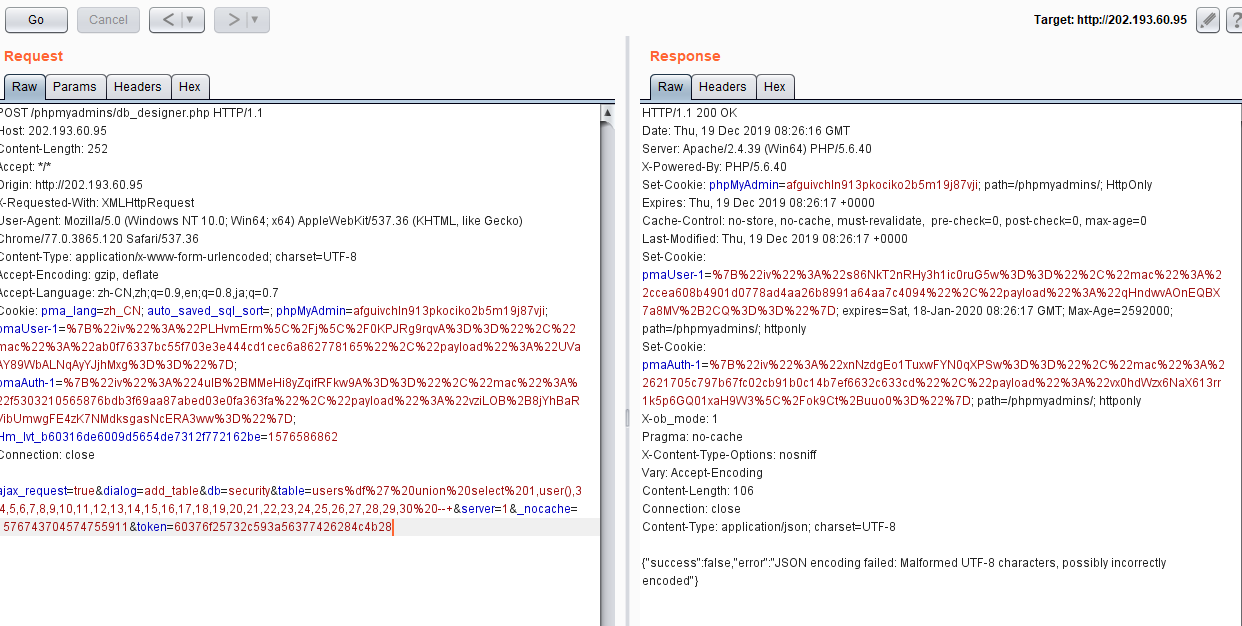
JSON encoding failed: Malformed UTF-8 characters, possibly incorrectly encoded
The error points to an encoding problem, so URL-encode the payload again before submitting it:
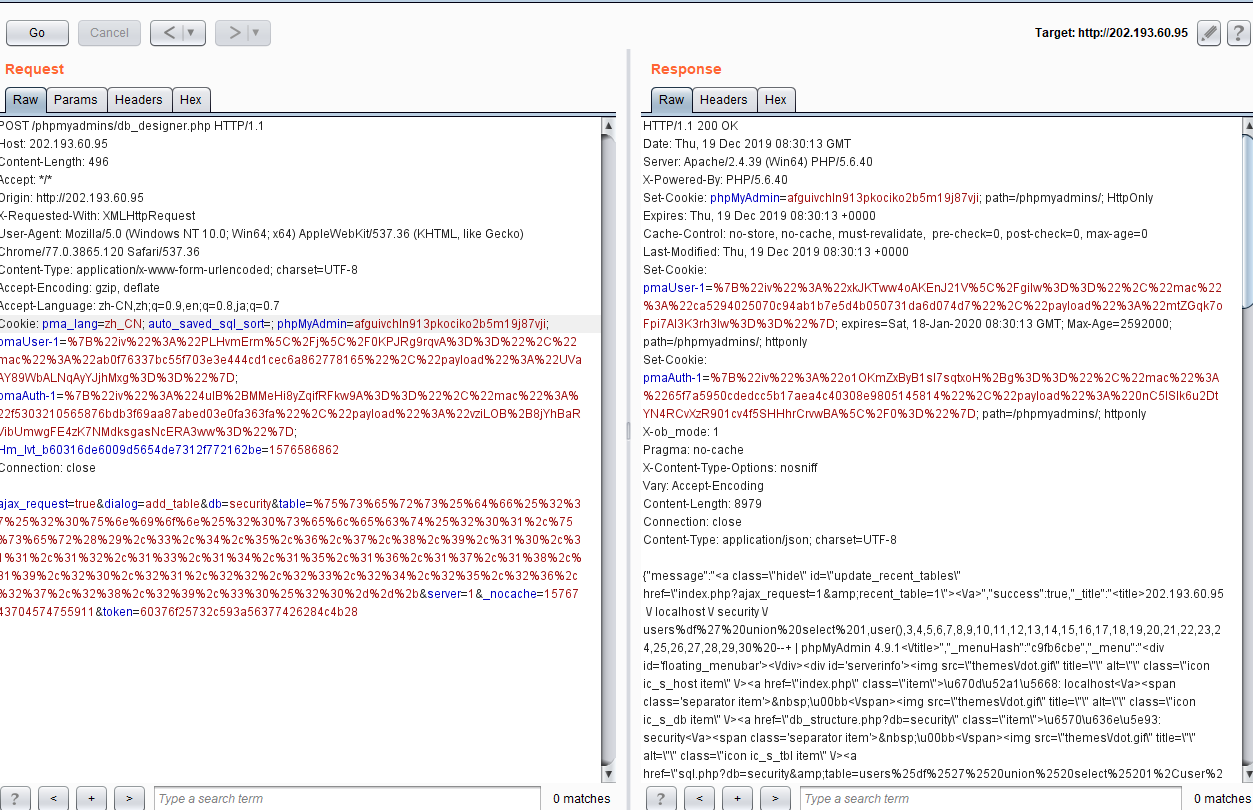
This time it works. Inspect the executed statement:
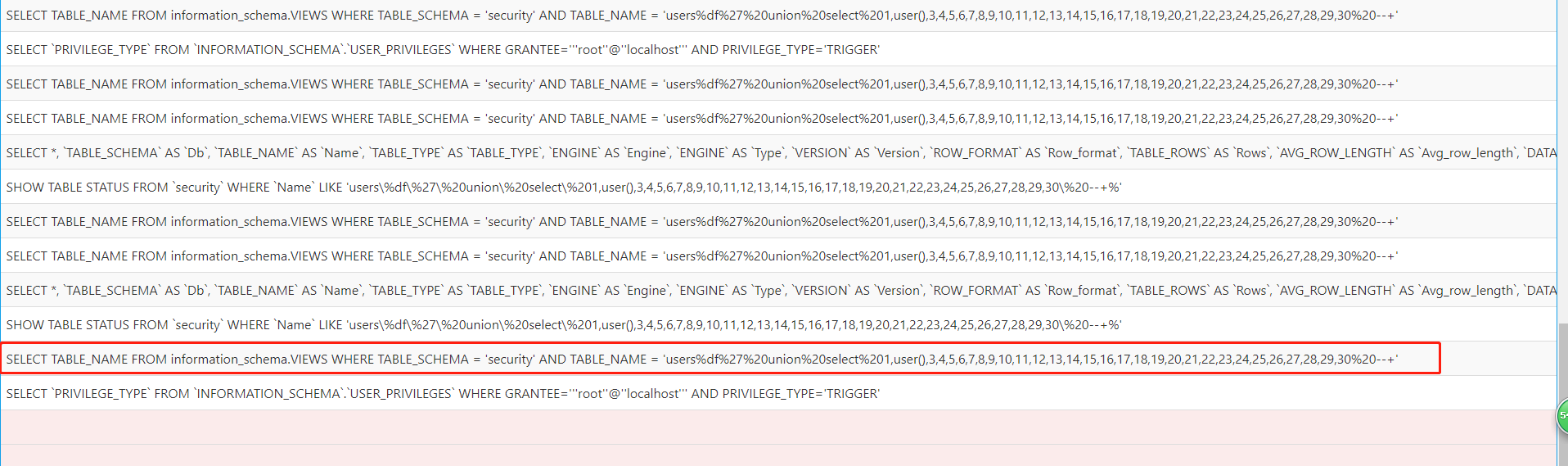
%df%27The single quote was not closed as expected. What caused that?
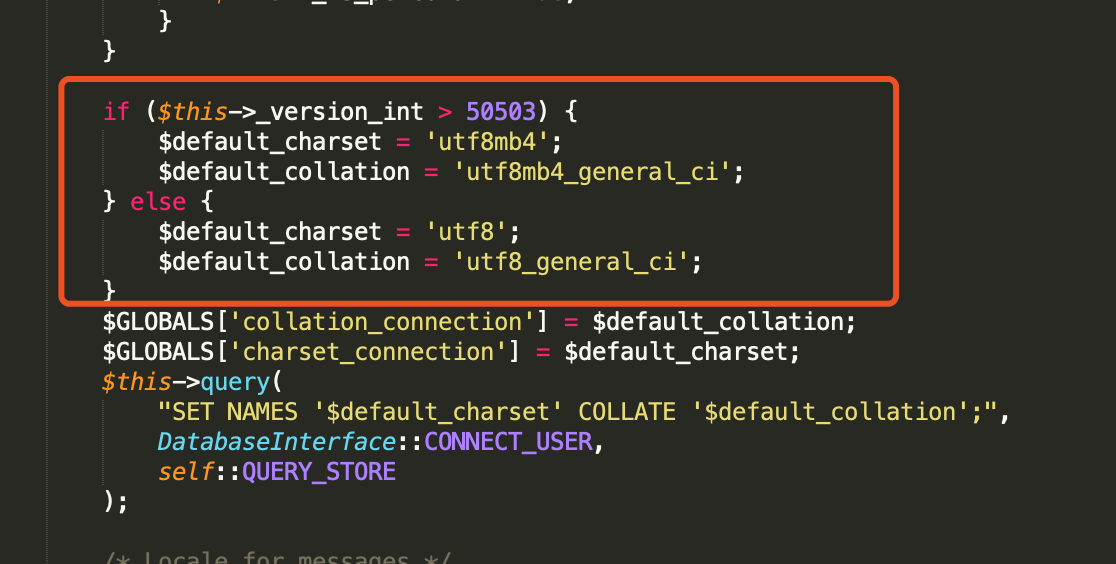
When connecting to the database, phpMyAdmin sets the default character encoding to utf8mb4, while wide-byte injection requires the encodingg bk, so wide-byte injection is not possible here.
This fix is not meaningfully related to the SQL vulnerability, which is already apparent from the patched file. Continue to the next change.
/templates/database/designer/database_tables.twigat
The diff is:
-                    {{ designerTable.getTableName()|raw }}
+                    {{ designerTable.getTableName() }}
The only difference is the removal of|raw. This is Twig template syntax; raw prevents the data from being autoescape filter. A Twig template can be installed to observe the behavior.
composer require "twig/twig:^3.0"

Running the command creates two files in the directory:composer.json、composer.lockand a directoryvendor
Then create a directory in the same location:templates、tmp
EntertemplatesCreate the following under the directory:index.html.twigfile with the following content:
<!DOCTYPE html>
<html lang="en">
<head>
    <meta charset="UTF-8">
    <title>twig</title>
</head>
<body>
<h1>test</h1><br>
 {{ name |raw}}
<br>
{{ name }}
</body>
</html>
Create under the document root:index.php, containing:
<?php

require_once 'vendor/autoload.php';

$loader = new \Twig\Loader\FilesystemLoader('templates');
$twig = new \Twig\Environment($loader, [
    'cache' => '/Library/WebServer/Documents/twig/tmp',
]);

echo $twig->render('index.html.twig', ['name' => 'panda\' union select 1,2, from a']);
Visitindex.phpThis reveals:
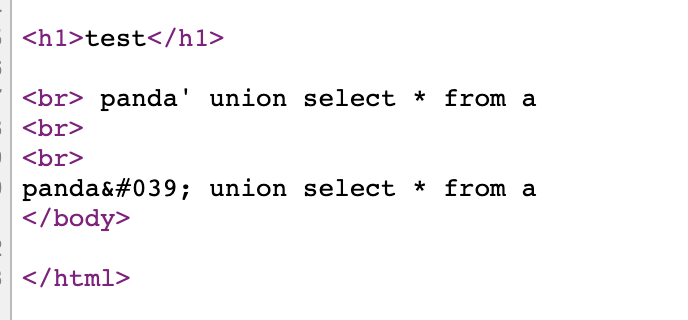
The single quote is escaped as an HTML entity.
Is this where the SQL vulnerability was fixed?
No. This only fixes how the string is displayed in the frontend and is unrelated to backend SQL injection.
The previously mentionedmove.jsThis patch also changes frontend output and is unrelated to backend SQL injection.
What, then, does this fix have to do with SQL injection?
Probably unrelated.
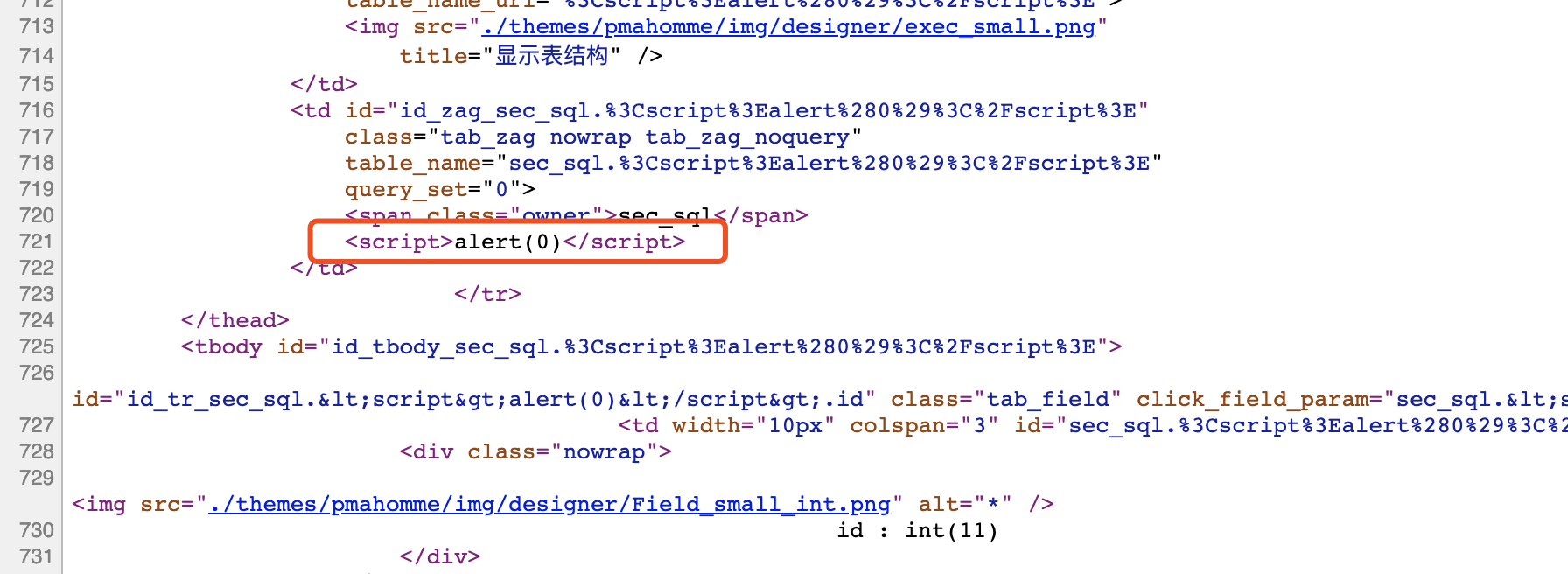
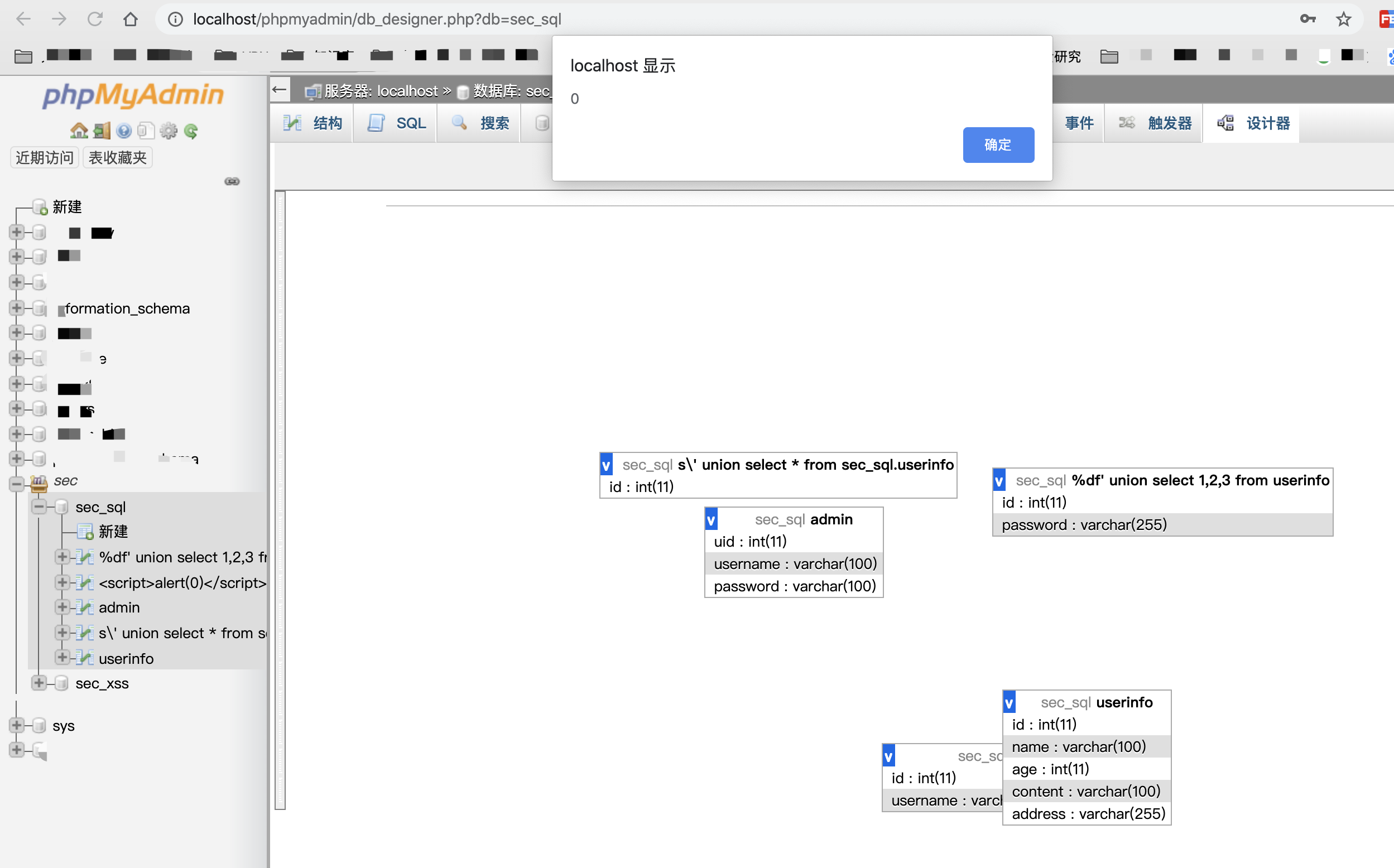
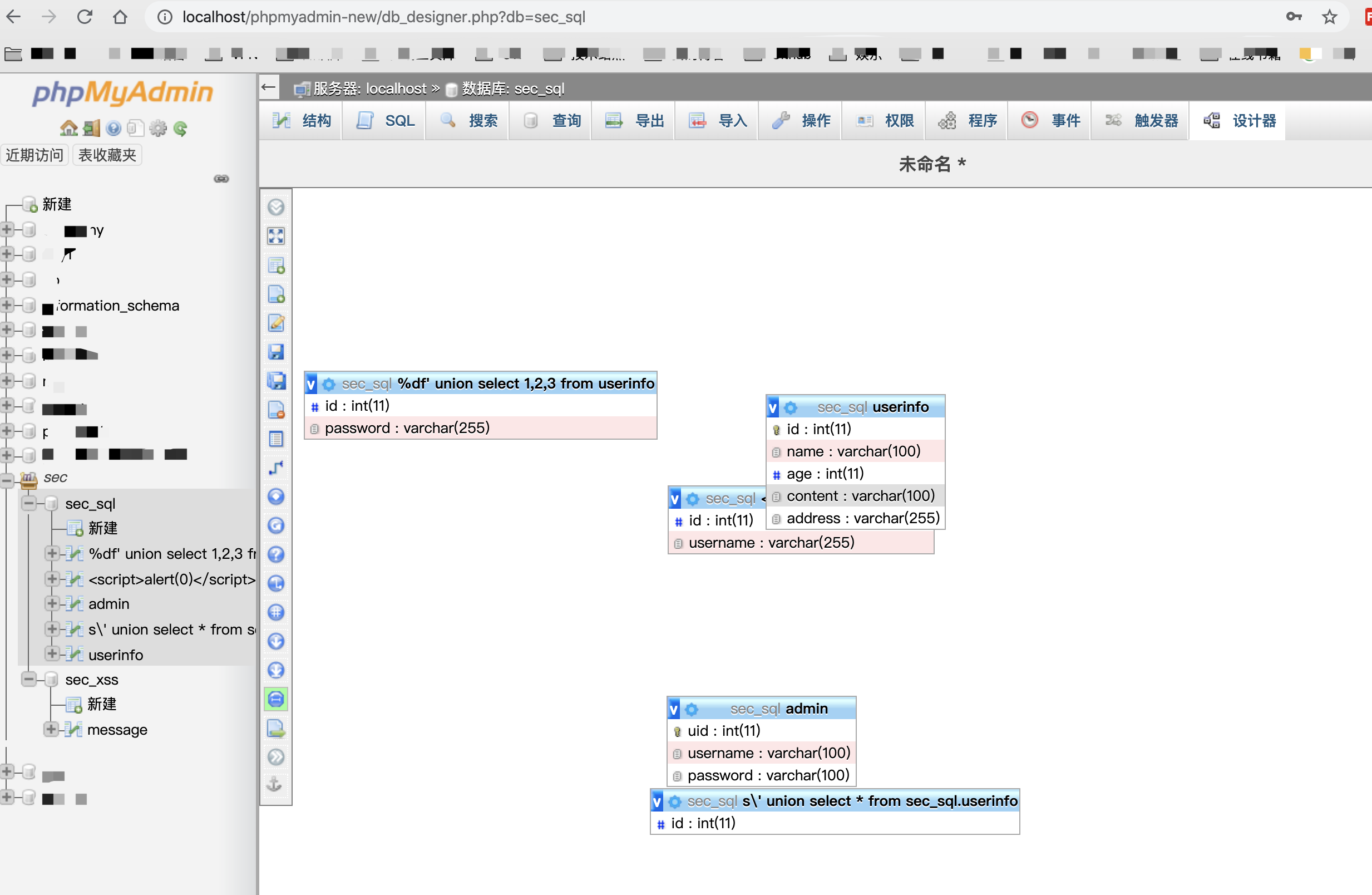
Because every change is in frontend code, change the table name to an XSS payload:
<script>alert(0)</script>
As expected, this triggers an XSS vulnerability.
Now inspect phpMyAdmin 4.9.2:
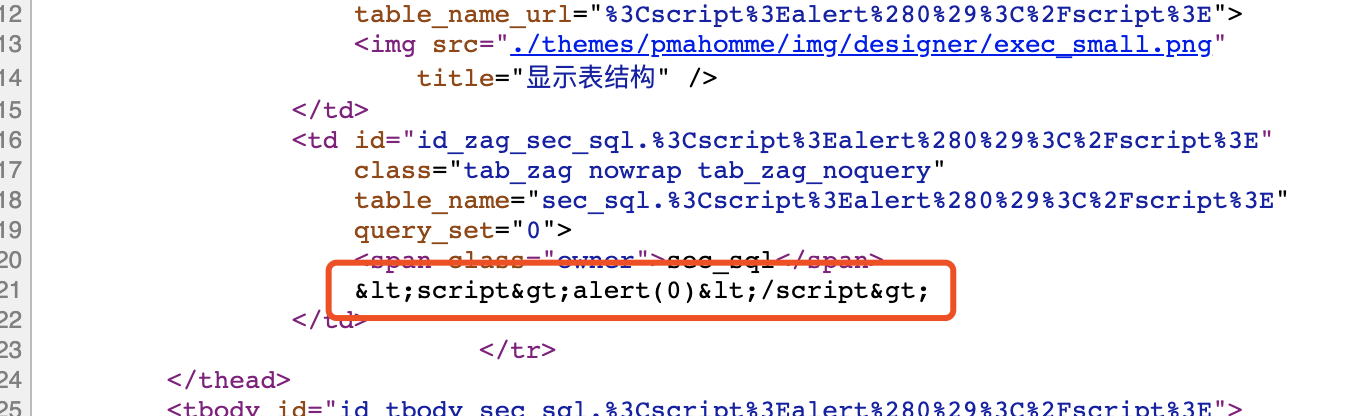
escapes it as an HTML entity, preventing the XSS payload from firing.
0x03 Conclusion
What began as an SQL injection reproduction became an XSS reproduction, leaving open whether my analysis was wrong or the official advisory was inaccurate.
Next, examine another CVE published by the project: CVE-2019-11768.
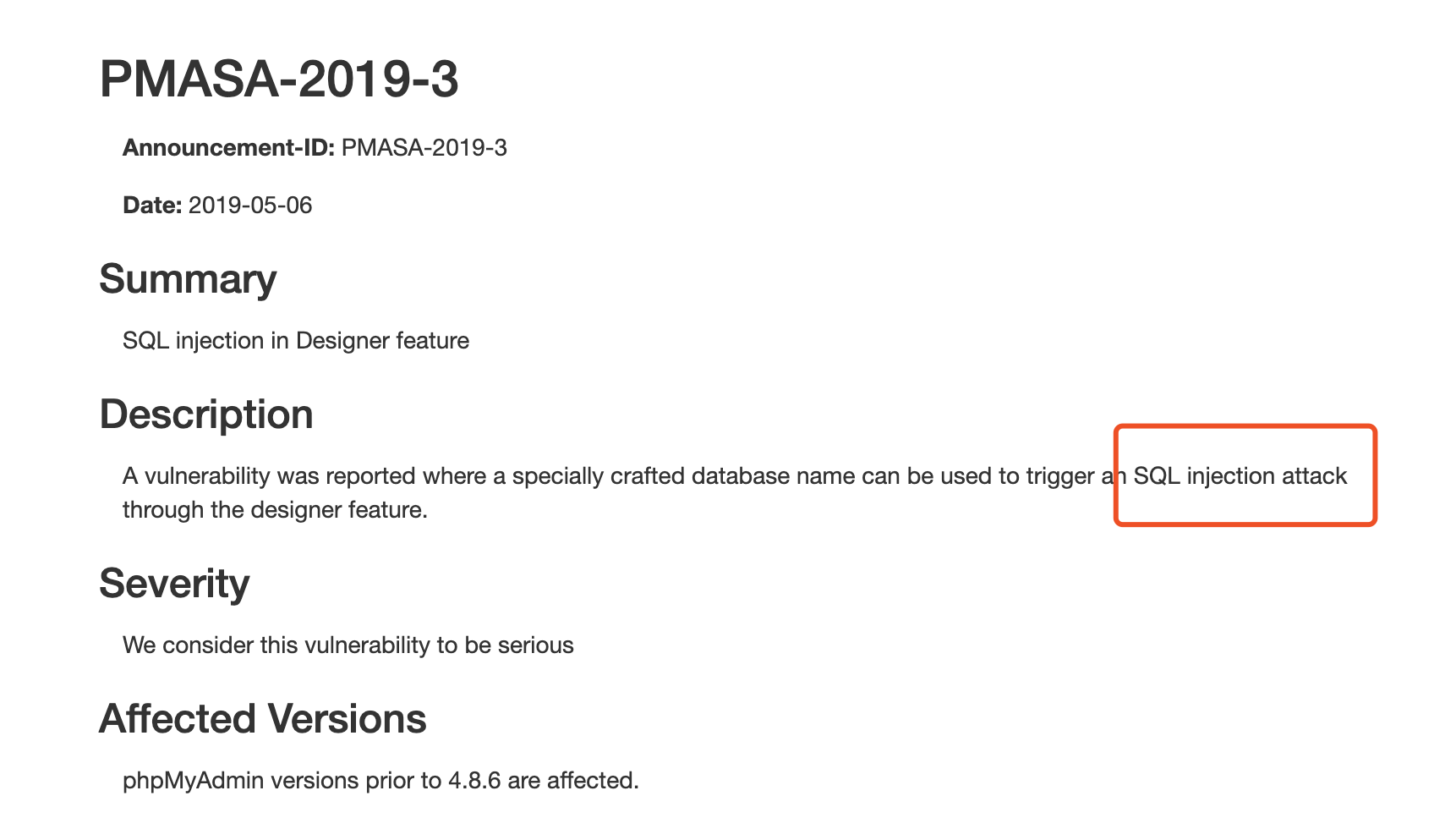
Inspect the patch:
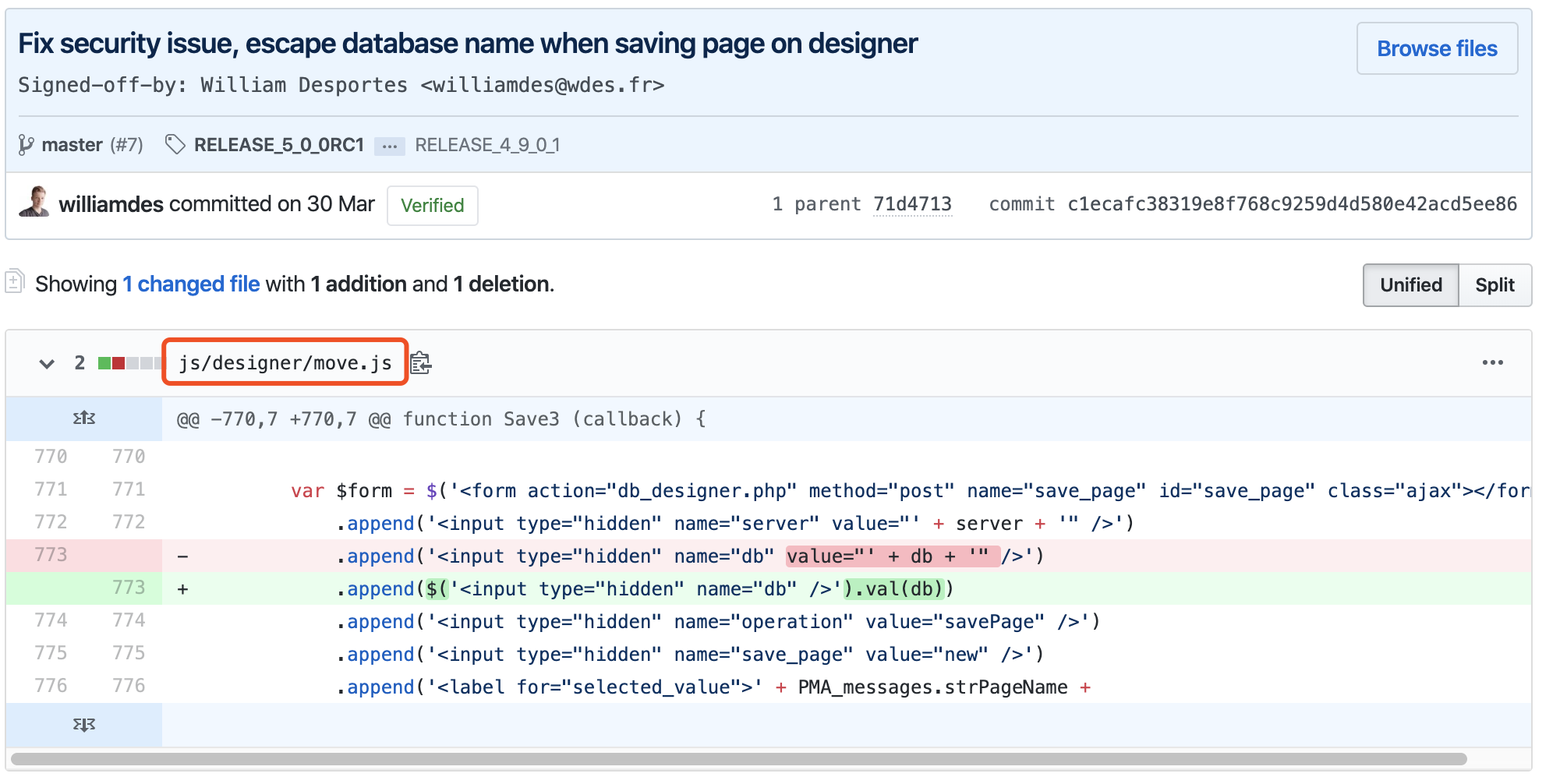
Again, the actual fix addresses XSS. Why the official advisory describes it as SQL injection is unclear.